7 best property management software in 2026 (free & paid)

Property management work breaks down when systems don’t talk to each other. Tenant requests come in through email, lease details live in spreadsheets, and maintenance updates get lost in text threads.
Property management software aims to fix this by centralizing tenant data, maintenance requests, communication, and reporting in one place. When it works, managers can spend less time chasing information, and tenants can self-serve without constant back-and-forth.
But many tools on the market are built for large portfolios and enterprise operations. They’re expensive, rigid, and packed with features smaller teams don’t need. If you value flexibility, look for a solution that’s modular, easy to set up, and can adapt to how you actually run your properties.
Below, we compare 7 property management platforms and guide you on how to pick the one that’s right for your business.
7 best software for property management at a glance
| Tool | Best for | Standout features | Pricing |
|---|---|---|---|
| Softr | Teams that need customizable property operations without enterprise software lock-in | • Custom tenant & owner portals • Data and tool integrations • Flexible workflows & permissions • Dashboards, reporting, and AI insights on live data • No per-seat pricing | Free plan available; Paid plans from $49/month |
| AppFolio Property Manager | Mid- to large-sized teams running end-to-end property operations | • All-in-one leasing, accounting, maintenance • Resident & owner portals • Built-in automation and AI (Realm-X) • Mobile apps for field teams | Unit-based pricing; Reported from ~$1.40–$5/unit/month with minimums |
| Rent Manager | Teams that need deep accounting and highly configurable workflows | • Full double-entry accounting • 450+ reports & custom reporting • Highly configurable workflows • Owner & resident portals | Unit-based pricing; Reported from ~$1–$2.50/unit/month with minimums |
| Entrata | Multifamily operators focused on integrated workflows and resident experience | • Leasing, payments, maintenance, analytics in one system • Resident portals & communications • Automation & AI (ELI) • Revenue & performance intelligence | Custom pricing |
| DoorLoop | Small to mid-sized managers wanting a modern all-in-one system | • Rent collection & accounting • Tenant screening & eSignatures • Owner & tenant portals • Quick setup | Plans from ~$69/month |
| Innago | Landlords and small managers who want a free, simple system | • Free rent collection & leases • Tenant screening • Maintenance tracking • Mobile access | Free for landlords; Tenant transaction fees apply |
| Yardi Breeze | Teams that want simple, cloud-based property management with built-in accounting | • Core accounting & reporting • Online payments & portals • Maintenance tracking • Supports multiple property types | Unit-based pricing; From ~$1/unit/month with minimums |
What is property management software?
Property management software helps landlords and property teams manage rental operations in one place. It typically brings together tenant data, maintenance requests, communication, documents, and reporting. This means no more relying on spreadsheets, emails, and manual follow-ups.
Some platforms come as fixed, all-in-one systems, while others focus on lightweight use and flexibility. Tools like Softr lets you build a custom property management app on top of your existing data, workflows, and tools.
What to look for in property management software
When evaluating property management tools, here’s what matters most:
- Centralized data: Tenant, property, lease, and maintenance data should live in one system rather than spread across spreadsheets and inboxes.
- Tenant self-service: Look for platforms where tenants can submit maintenance requests, view updates, and access documents without emailing you or your staff.
- Accounting and reporting: You should be be able to clearly track income and expenses, generate financial statements, and prepare for taxes. Look for dynamic dashboards that push live data without much manual effort.
- Permissions and user roles: Tenants, owners, technicians, and other staff should each see only what’s relevant to them.
- Smart workflow automation: Look for tools that reduce manual coordination by automatically moving work forward. This includes tasks like routing maintenance requests, triggering approvals, updating records, and sending reminders.
- Integrations with existing tools: If you already use Airtable, Google Sheets, HubSpot, or accounting software like QuickBooks, your PM tool should connect, not force migration.
- Ease of setup: Smaller teams shouldn’t need developers or weeks of onboarding to get started. The software must be easy to start with and scalable.
1. Softr — best for teams that need customizable property operations without enterprise software lock-in
Most property management platforms are built for everyone, with impractical features and rigid processes. As a result, they don’t fit anyone well.
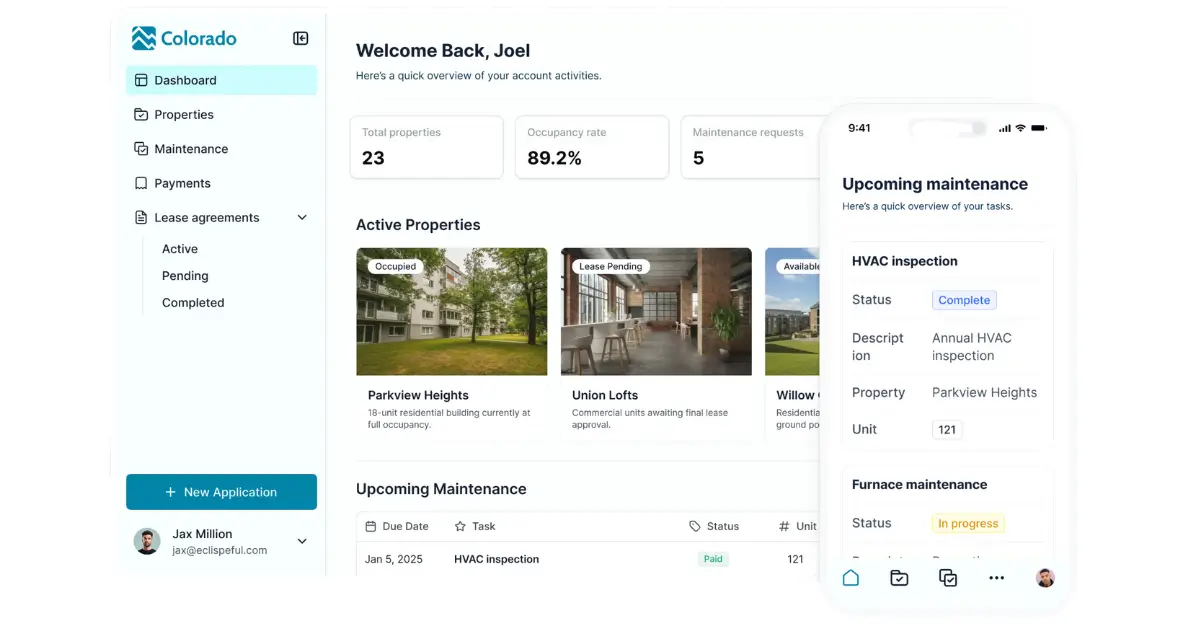
But when you strip it back, property management software really only needs three things to be functional: a place to store property, tenant, lease, and maintenance data; clear interfaces so tenants and staff can interact with that data; and workflows to automate repetitive tasks like maintenance requests, approvals, reminders, and follow-ups.
Softr brings all three together in an AI-powered platform. Teams can manage their data in Softr’s native database, build tenant and internal portals on top of it, and automate workflows without stitching together multiple tools or relying on developers.
And if your property data lives elsewhere, Softr can also connect to your existing database in Airtable, Google Sheets, HubSpot, and other apps with real-time, two-way sync.
Softr pros and cons
Pros:
- Fast to build and easy to maintain: Launch tenant portals, maintenance request flows, and internal dashboards using the AI co-builder — or start from a template. Then, use the visual builder to easily update layouts, logic, and permissions as needed.
- Custom tenant and owner portals: Build secure, branded portals with self-service access for tenants (requests, payments) and owners (reports, updates).
- Scales as your portfolio grows: Start with core workflows like maintenance tracking or tenant portals, then add owner dashboards, reporting, or multi-property views without switching platforms.
- Built-in workflow automation: You can automate approvals, notifications, record updates, and handoffs directly inside your apps and databases without using external automation tools.
- Works on any device: Apps are fully responsive by default and can be turned into downloadable mobile apps using Softr’s PWA feature.
- No per-seat pricing: Pricing is flat and predictable, making it easier to scale teams affordably. Ideal for small businesses on a budget.
Cons
- No native rent collection automation: Softr supports embedded payment links via Stripe or PayPal, but recurring rent billing, late fees, and partial payments aren’t handled end-to-end out of the box.
- No built-in tenant screening: Background checks and credit screening require sending applicants to external tools like SmartMove or RentPrep. However, you can embed them in the platform.
Softr best features
- Role-based permissions: Create role-based logins so tenants submit requests and access documents, owners view reports, and propery staff manage operations. Each user sees only what’s relevant to them.
- Contractor and property directories: Centralize vendors, service providers, and properties in one searchable system, with each contractor tied to the properties they service and each property showing status, details, images, and related records.
- Property maintenance & tracking: Submit and track maintenance requests with custom logs. Easily access new documents and view past updates.
- Advanced form fields: Collect or leave signatures inside your app via Softr’s signature field (Pro plan and above), either by typing or writing the signature. The signature is then saved as an image or an image URL in your database.
- Data flexibility: Build your property management portal using Softr Databases as your central data layer. Store and manage property, tenant, lease, and maintenance data in one place. When needed, sync with your existing data in tools like Airtable, Google Sheets, HubSpot, or SQL databases using real-time, two-way sync when needed.
- Billing & rent collection: Automate invoicing, payments, and reminders with Stripe or PayPal.
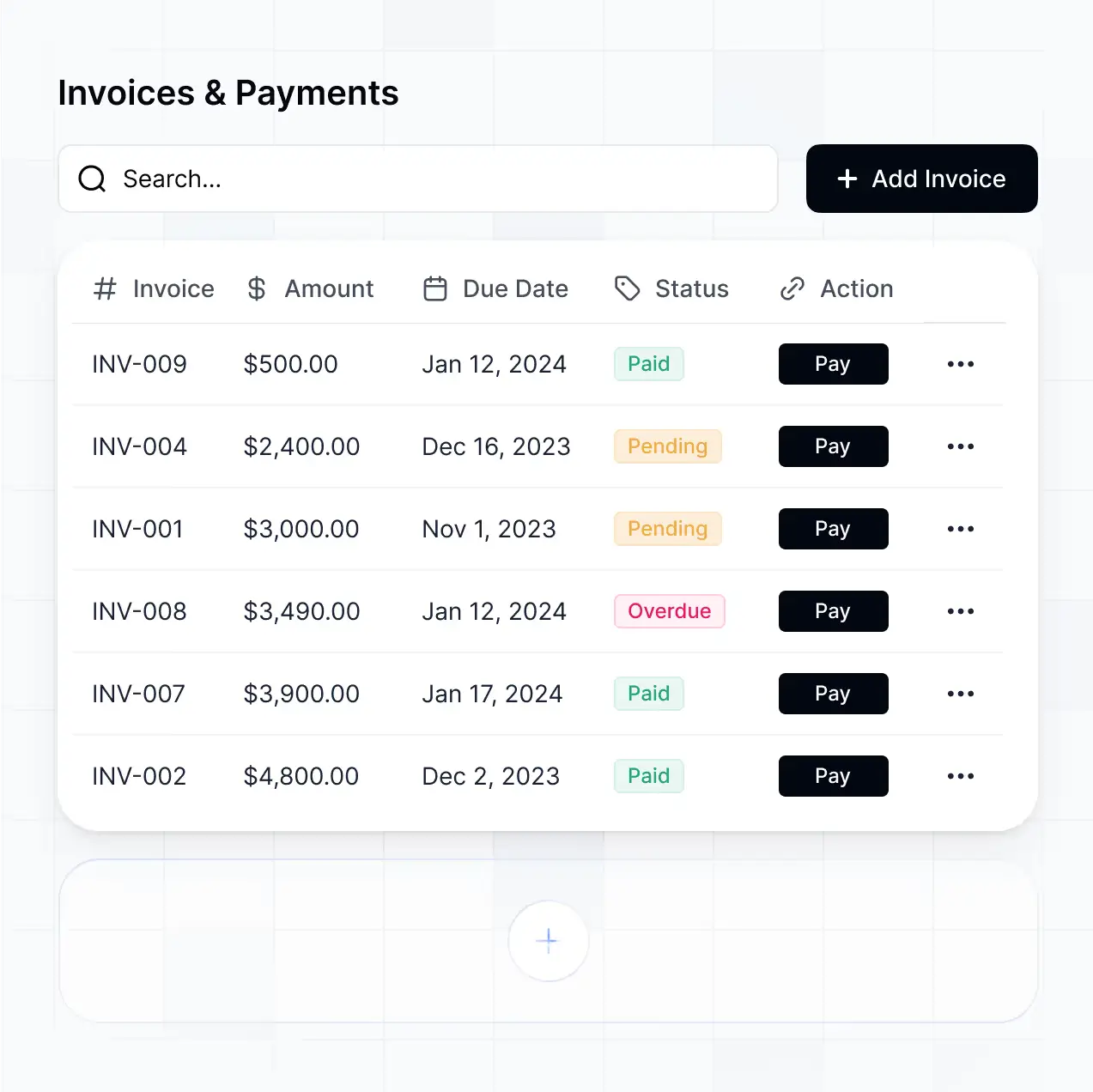
- Centralized lease management with built-in reporting: Track tenants, leases, renewals, and payment details in a structured system, and use dashboards to monitor occupancy, maintenance activity, and portfolio performance in one place.
- Unified comms: Send chat/messages, announcements, and notifications to tenants and owners in one place.
- Ask AI to query deal history in plain language: Use Ask AI to query your property, tenant, and maintenance data in plain language. Property managers can “chat” with live records to get fast answers like “Which maintenance requests are overdue this week?” or “Which properties had the highest repair costs last quarter?” This is useful for daily prioritization, reporting, and quick context when portfolios or responsibilities change.
Softr pricing
Softr offers flat, transparent pricing with a generous free plan.
Pricing
- Free: Unlimited published apps, with access to Softr Workflows and Softr Databases, up to 5 app users, 5 AI credits, and 5,000 records
- Basic ($19/month): Unlimited apps with 42+ integrations, Team: 5 + Client: 5 app users, 10 AI credits, 50,000 records, and a custom domain
- Pro ($99/month): Unlimited apps with 45+ integrations and custom code, Team: 10 + Client: 50 app users, 50 AI credits, 500,000 records, branding removal, calling external APIs, advanced permissions, and e-signature
- Business ($329/month): Unlimited apps with 52+ integrations, Team: 30 + Client: 100 app users, 100 AI credits, 1M records, and two-factor authentication
- Enterprise: Custom pricing, SSO, dedicated success manager, and tailored onboarding.
[.blog-callout]
👉🏻 A UK-based property management firm, Vestal Hub, used Softr to build a HubSpot-connected tenant portal in under 3 days. Tenants could submit and track maintenance requests in real time, while the internal team continued working entirely inside HubSpot. This cut support costs by 50% compared to HubSpot Service Hub and eliminated manual status-check emails.
[.blog-callout]
2. AppFolio Property Manager — best for mid- to large-sized teams running end-to-end property operations
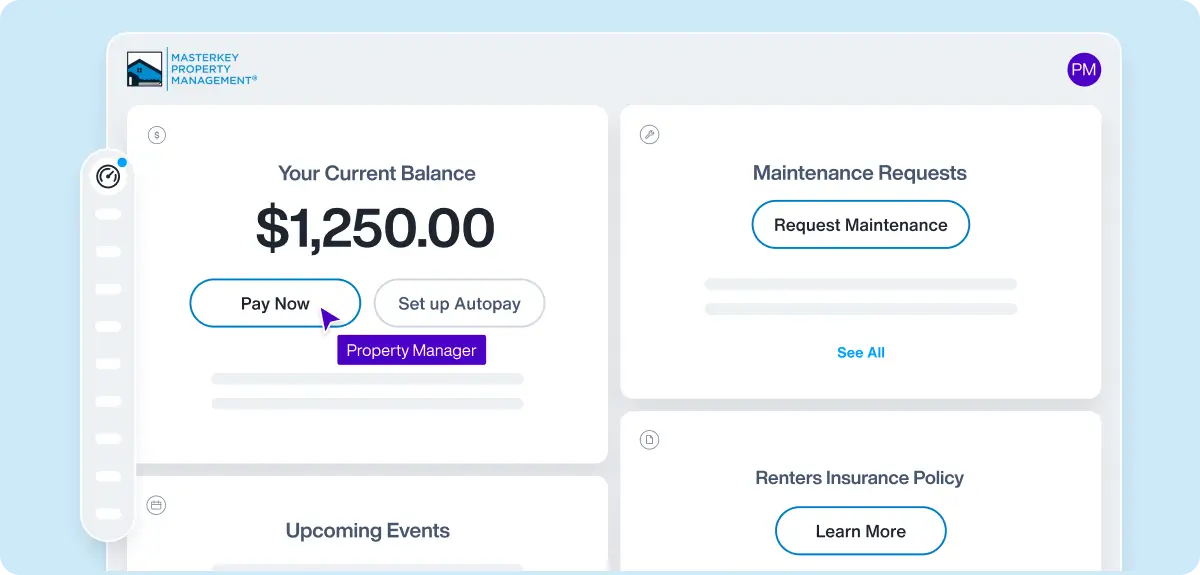
AppFolio Property Manager is a cloud-based, all-in-one property management platform built to handle leasing, rent collection, accounting, maintenance, marketing, and resident/owner communications in one unified system of record.
It’s especially well-suited for established property management companies and teams managing 50+ units who need a single system to standardize operations, automate routine work, and scale without managing multiple disparate tools.
AppFolio pros and cons
Pros:
- Unified property management platform: Combines marketing & leasing, rent collection, maintenance, accounting, reporting, and communication in one system so teams don’t switch between tools.
- Built-in automation & AI (Realm-X): AI-powered automation helps reduce busywork and ensure consistency in routine tasks and insights.
- Strong tenant and owner portals: Secure portals let residents pay rent, request service, and access documents online; owners can view statements and performance dashboards.
- Mobile-ready for field teams: Native mobile access lets staff handle inspections, maintenance, and communications on the go.
- Comprehensive accounting & reporting: Built-in financial tools track income/expenses, generate reports, and reduce reliance on third-party accounting software.
Cons:
- Pricing tied to unit count: Plans are priced per unit with minimums (e.g., 50 units), which can make AppFolio expensive for smaller portfolios.
- Limited customization for deep workflows: Some users report constraints around customizing complex reports and workflows compared with niche tools.
- Support and onboarding complexity: With a broad feature set, learning the platform can involve a deeper onboarding commitment for new teams.
AppFolio best features
- End-to-end leasing and rent management: Tools for posting vacancies, screening tenants, executing leases, tracking payments, and handling renewals with reminders and balance histories.
- Integrated accounting: Full general ledger, trust accounting, budgeting, and financial reporting live inside the same system you use for operations.
- Work order management & maintenance: Submit, assign, and track maintenance requests with work scheduling and status updates for teams and tenants.
- Resident & owner self-service portals: Portals empower residents to pay online and submit requests, and give owners centralized access to financial statements and portfolio performance.
- Realm-X automation suite: Native AI assistant and workflows that help with automated tasks like message drafting, maintenance triage, and operational insights.
AppFolio pricing
AppFolio doesn’t publish flat-rate plans; pricing varies by units managed and chosen plan, with annual contracts and minimum unit requirements. However, multiple independent and industry sources widely report current pricing patterns based on vendor disclosures, customer experiences, and service-level insights:
- Core plan: around $1.40–$1.49 per unit/month with a minimum monthly fee (e.g., ~$280) for residential portfolios.
- Plus: around $3.00–$3.20 per unit/month
- Max: higher-end tier options reported at around $5 per unit/month with a larger minimum spend for large portfolios.
3. Rent Manager — best for teams that want deep financial controls and customizable workflows
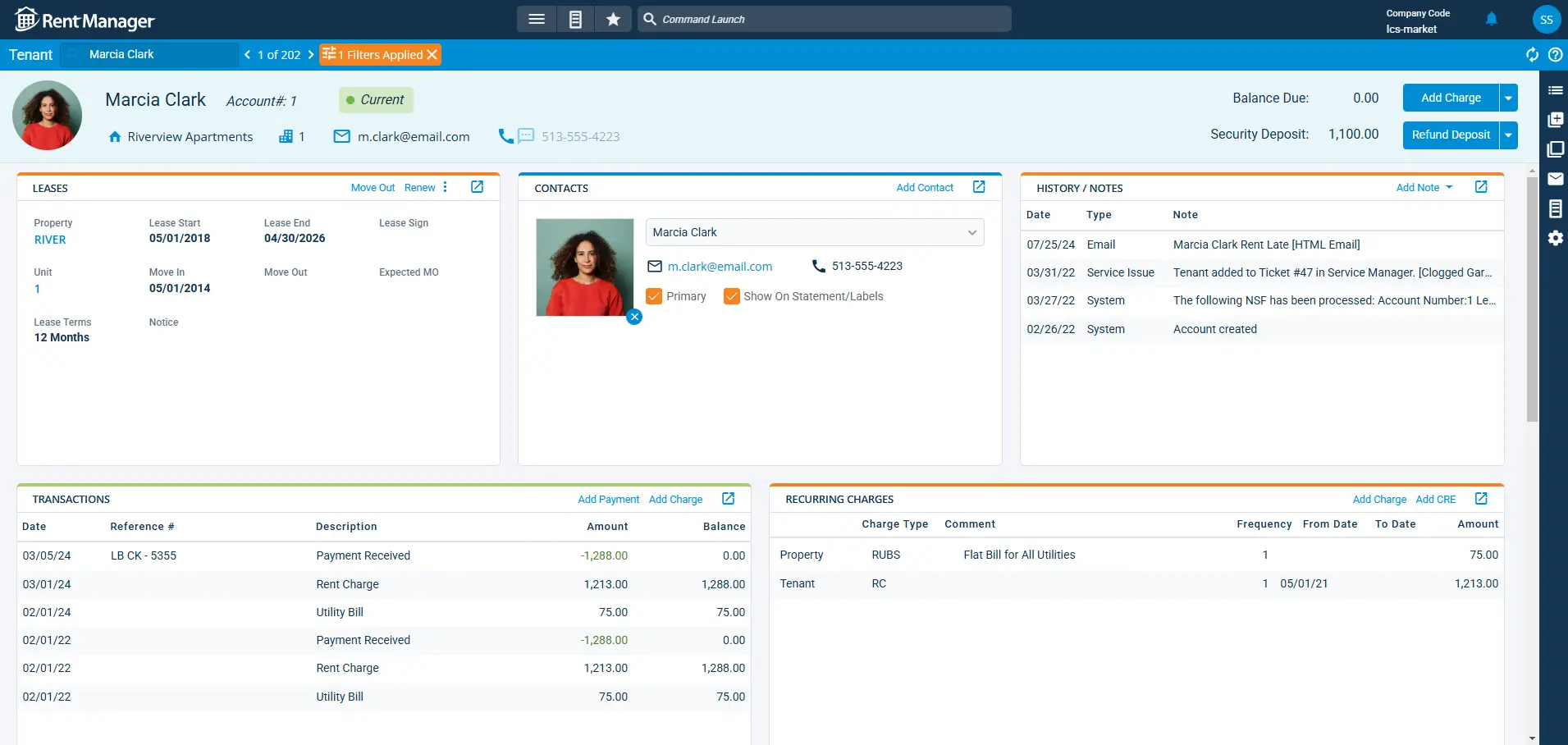
Rent Manager is a full-featured property management platform that unifies accounting, leasing & marketing, maintenance, communications, reporting, and operations in a single system of record. The platform is highly customizable and scales from small portfolios to enterprise-level operations.
It’s especially suited for property management companies that want robust financial controls, customizable workflows, and extensive reporting. Teams use Rent Manager to centralize leasing, tenant and owner relationships, maintenance requests, and reporting across residential, commercial, association, and other property types.
Rent Manager pros and cons
Pros:
- All-in-one core workflows: Combines accounting, leasing & marketing, maintenance, communications, and reporting in one system so teams can manage operations without multiple disconnected products.
- Comprehensive built-in accounting: Double-entry accounting (cash and accrual capable) handles rent collection, owner payments, bank reconciliations, and financial controls without third-party accounting tools.
- Powerful reporting library: Over 450 premade reports (plus custom report options) give deep visibility into financials, occupancy, rent rolls, maintenance, and more.
- Web and mobile access: Full web-based access plus mobile apps (rmAppSuite Pro for staff and rmResident for renters) enable teams and residents to work anywhere.
Cons:
- Unit-based pricing with minimums: Pricing is usually per unit per month (e.g., starting around $1/uni/month with minimum monthly spend), which can feel costly for smaller portfolios.
- Complexity for new teams: The depth and customizability mean a steeper learning curve and onboarding effort compared with simpler tools.
- Dependent on implementation support: Larger feature sets often require more implementation time or professional services to unlock advanced workflows.
Rent Manager best features
- Unified accounting & finance engine: Built-in double-entry accounting supports rent collection, owner distributions, payables, bank reconciliation, and financial controls from a single ledger.
- Marketing & leasing automation: Publish listings to industry sites, manage online applications, and execute digital leases — all linked into your central database.
- Maintenance workflows: Create, assign, and track work orders with support for field updates via rmAppSuite Pro; streamline make-ready processes and service requests.
- Communications & document tools: Send texts, emails, web chats, and broadcast notices directly from the platform; write letters with built-in tools or use templates.
- Owner & resident portals: Secure portals let owners view reserves, distributions, and reports, and let residents make payments or submit requests via mobile.
- Robust reporting & analytics: Access and export a huge library of financial and operational reports; build custom reports to match your KPIs.
- Open API & integrations: Customize your tech stack with integrations and API access to connect external tools and services where needed.
Rent Manager pricing
Rent Manager is priced per unit per month with three bundled plans. Example pricing insights shared publicly include:
- Basic: ~$1.00 per unit/month (minimum monthly fee ~$200)
- Plus: ~$1.50 per unit/month (minimum ~$300)
- Premium: ~$2.25–$2.50 per unit/month (minimum ~$450)
4. Entrata — best for multifamily operators focused on integrated workflows and resident experience
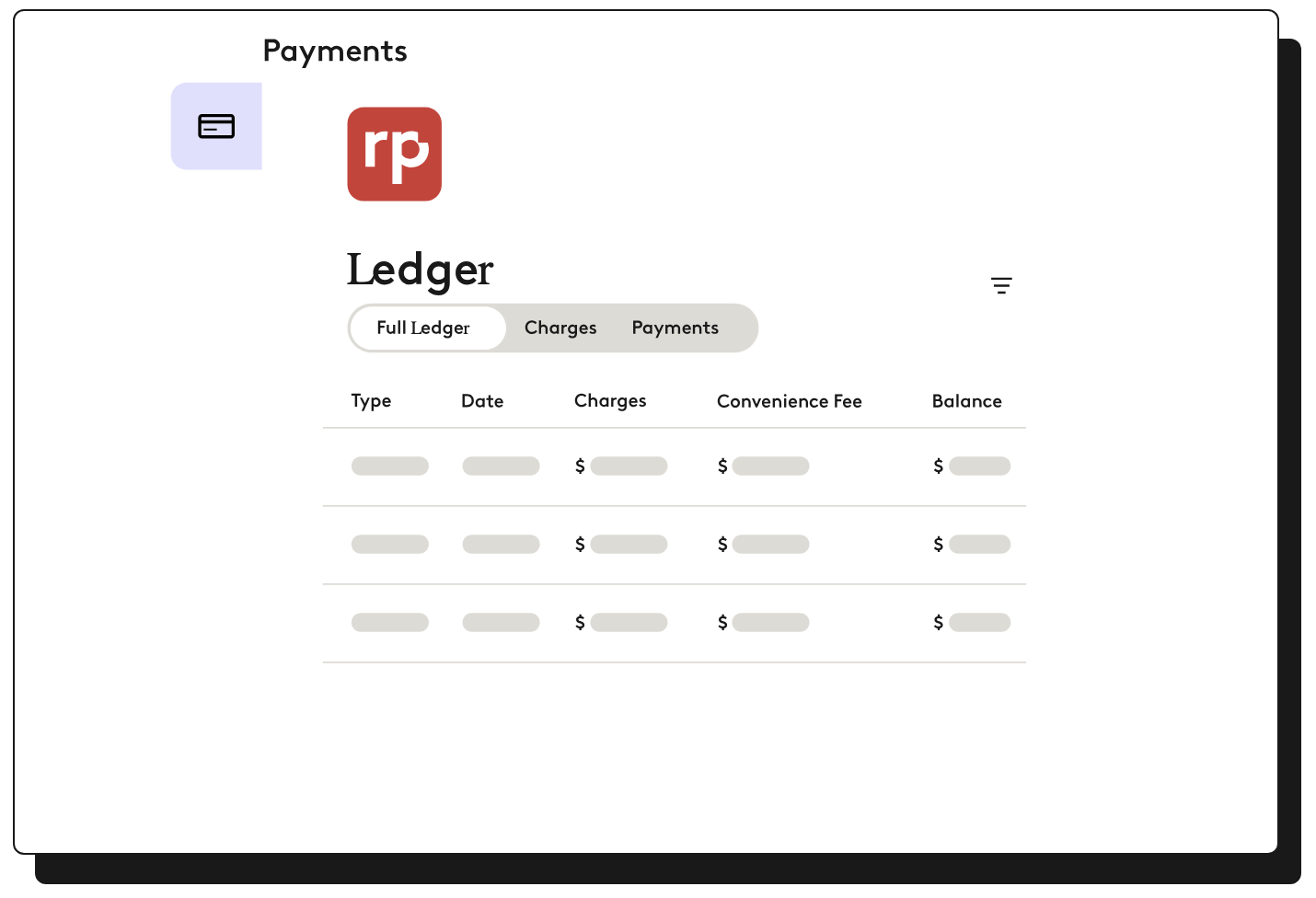
Entrata is a cloud-based property management system that brings leasing, accounting, maintenance, resident engagement, marketing, and analytics together in one connected platform. It’s designed so operators can run end-to-end processes: from lead to lease, online payments to financial reporting. Entrata powers tens of thousands of multifamily communities worldwide, and its centralized system aims to improve efficiency and clarity across complex portfolios.
This makes Entrata especially well-suited for mid- to large-sized property management companies, multifamily communities, and asset teams. Their focus is on leasing velocity, operational transparency, and resident experience.
Entrata pros and cons
Pros:
- Comprehensive all-in-one platform: Combines leasing, rent collection, accounting, maintenance, resident communication, and reporting in one system so teams don’t juggle multiple apps.
- Resident self-service and engagement: Built-in resident portals and messaging tools let residents pay rent, submit work orders, access documents, and stay connected with property teams 24/7.
- Strong lease lifecycle tools: Track leads, process applications, execute digital leases, and manage renewals from a single dashboard.
- Advanced automation and AI: Entrata’s Layered Intelligence (ELI) and automation tools help streamline communications, content creation, and renter engagement.
- Deep reporting and analytics: Built-in business and revenue intelligence tools provide insights across operations, financials, and marketing performance.
Cons:
- Learning curve for new users: A broad feature set and advanced workflows can take time to learn, especially for teams new to robust PMS platforms.
- Performance & support variability: Some users report occasional slow page loads, glitches, and mixed support response experiences.
Entrata best features
- Resident portals & self-service: Give residents control over rent payments, work orders, community updates, events, and documents via 24/7 access.
- Multichannel communications: Centralize text, email, broadcast messaging, and alerts to residents and prospects.
- Rent payments & financial tracking: Accept online rent payments, automate late fees, and link transactions to accounting workflows.
- Maintenance & work order management: Assign and track work orders, update status in real time, and close requests through mobile tools.
- Business and revenue intelligence: Built-in analytics help teams spot trends, measure performance, and make data-driven operational decisions.
- Marketing & lead tracking: Tools to syndicate listings, capture leads, nurture prospects, and report on leasing performance.
- Open API & ecosystem integrations: Connect with third-party tools for payments, screening, smart tech, and more.
Entrata pricing
Entrata does not publish fixed pricing; plans are customized based on portfolio size, property types, and required modules. Prospective customers must contact the vendor for quotes and tailored pricing.
5. DoorLoop — best for teams looking for an all-in-one property management solution
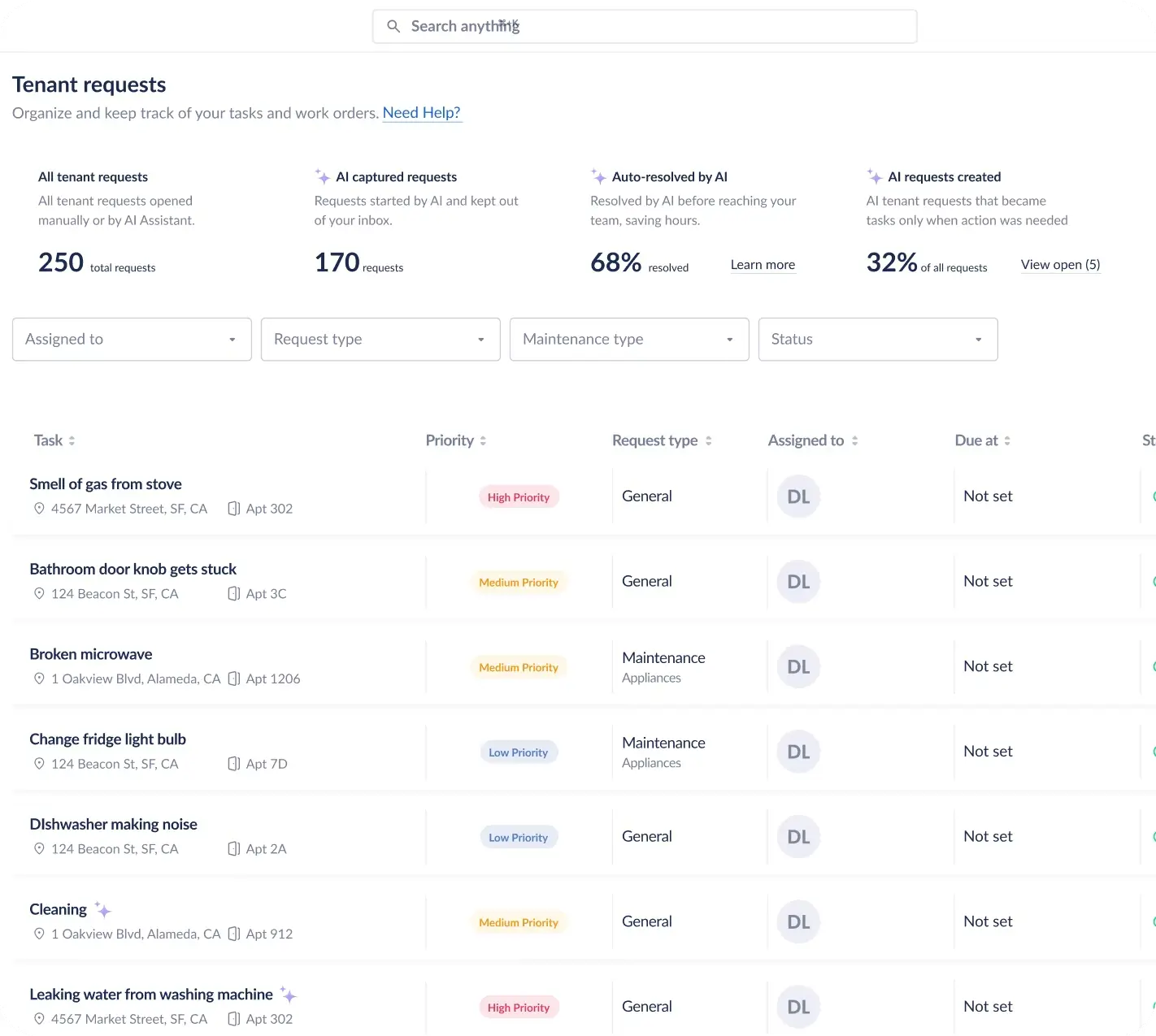
DoorLoop is a cloud-based property management platform that helps landlords and property managers run their portfolios end-to-end with one login. It guides them from leasing and tenant screening to rent collection, accounting, maintenance, and owner/tenant communications.
This makes DoorLoop a strong fit for small to mid-sized property managers and owners who want a modern, intuitive system to automate core workflows, improve visibility into operations, and grow rental income with less administrative overhead.
DoorLoop pros and cons
Pros:
- All-in-one property management: DoorLoop combines lease management, online rent collection, tenant screening, maintenance tracking, accounting, and reporting in a single platform — so teams no longer need separate tools for each workflow.
- Automated rent and fee collection: Automate rent reminders, accept payments online via ACH, credit, and debit card, and track paid/overdue balances without manual follow-ups.
- Built-in tenant and owner portals: Secure online portals let tenants apply, pay rent, submit maintenance requests, and view leases; owner portals help investors access reports and financials.
- Tenant screening and eSigning: Run background, credit, and eviction checks, then send and sign leases electronically to streamline the leasing process.
- Quick setup & mobile access: Cloud-based access means you can manage portfolios and workflows from anywhere, and setup typically takes days instead of weeks.
Cons:
- No completely free tier: DoorLoop does not offer a fully free version — even basic plans start at a paid tier (though pricing is scalable and flexible).
- Learning curve on advanced features: Some users note that diving into deeper accounting and reporting tools takes a bit of learning, especially if you’re new to property management software.
- Mobile app experience varies: While mobile access exists, some users cite that performance can lag compared with desktop workflows.
DoorLoop best features
- Lease and tenant management: Manage vacancies, tenant screening, online applications, digital leases (with eSign), and tenant records from one place.
- Real-time rent collection: Automate rent billing, reminders, payment tracking, and customizable late fee rules to keep cash flow on schedule.
- Maintenance & work order tracking: Submit, assign, and monitor maintenance requests in a unified workflow that links directly to tenant records.
- Integrated accounting & reporting: Track income/expenses, run financial statements, and generate customizable reports without exporting data to separate accounting tools.
- Owner & tenant portals: Give your tenants and property owners self-service access to payments, documents, maintenance, and reports so your team can focus on high-value tasks.
- Integrations & QuickBooks sync: Connect with external systems like QuickBooks for deeper bookkeeping workflows and sync financial data in real time.
DoorLoop pricing
DoorLoop offers tiered pricing plans designed to scale with your portfolio and feature needs, with no rigid per-unit minimums:
- Starter: around $69/month (billed annually) or $99/month (monthly)
- Pro: around $149/month (billed annually) or $189/month (monthly)
- Premium: around $209/month (billed annually) or $239/month (monthly)
6. Innago — best for landlords and small managers wanting a free, unified property management platform
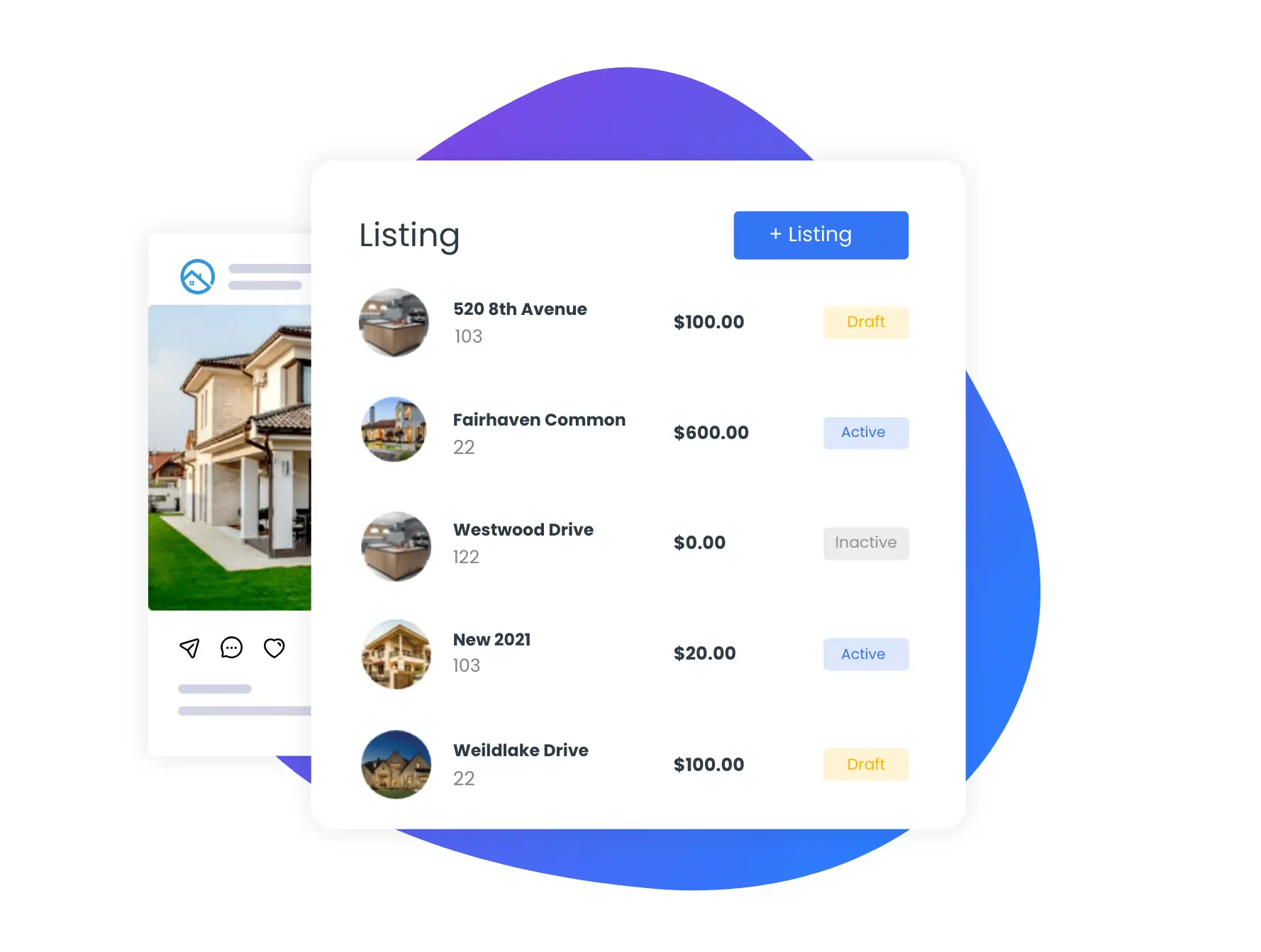
Innago is a cloud-based property management platform that streamlines core rental workflows. In one system, it includes tenant screening and online rent collection, lease signing, maintenance tickets, and basic financial reporting. What sets Innago apart is that it’s free for landlords and property managers, with no subscription fees.
It’s especially well-suited for individual landlords, small property managers, and real estate investors. They might find it useful since they manage up to hundreds of units and want a simple, end-to-end tool without recurring software costs. Tenants can pay rent online, sign leases digitally, and submit work requests via the same platform.
Innago pros and cons
Pros:
- No subscription fees: Core property management features — including rent collection, lease management, and maintenance tracking — are free for landlords and managers.
- Online rent collection & automated reminders: Tenants can pay rent online with optional automated reminders to reduce late payments.
- Built-in tenant screening: Includes tools for background and credit checks so you can evaluate applicants before leasing.
- Lease signing & document storage: Publish, sign, and store lease agreements and property documents digitally in one place.
- Mobile access for landlords & tenants: Access rent collection, work orders, and communications on the go via mobile apps.
Cons:
- Tenant-borne fees for transactions: While landlords don’t pay a subscription, tenants may incur small fees for ACH or credit card payments or screening reports.
- Simpler accounting/reporting than enterprise tools: Financial reporting and advanced accounting features are more basic than in larger, paid platforms.
- Some features may feel limited for complex portfolios: Users managing very large or heterogeneous portfolios may find the interface and workflows simpler than enterprise-focused systems.
Innago best features
- Free online rent collection: Collect payments and manage rent histories without subscription costs, with optional automated tenant reminders.
- Digital lease management: Create, send, and securely store lease agreements and other rental documents with eSignatures.
- Tenant screening tools: Run background and credit checks to help make informed leasing decisions.
- Maintenance request tracking: Tenants can submit maintenance tickets with photos and descriptions, and landlords can track and update status.
- Expense & income reporting: Track rental income, expenses, and generate basic property reports to understand portfolio performance.
- Mobile landlord/tenant apps: Both landlords and tenants can interact with the platform via dedicated mobile access for payments, messages, and tasks.
Innago pricing
Innago’s core platform is free for landlords and property managers, with no monthly or annual subscription fees. The platform generates revenue through optional services such as tenant-incurred transaction fees for online payments or screening reports.
7. Yardi Breeze — best for teams that want simple, cloud-based property management with built-in workflows and accounting
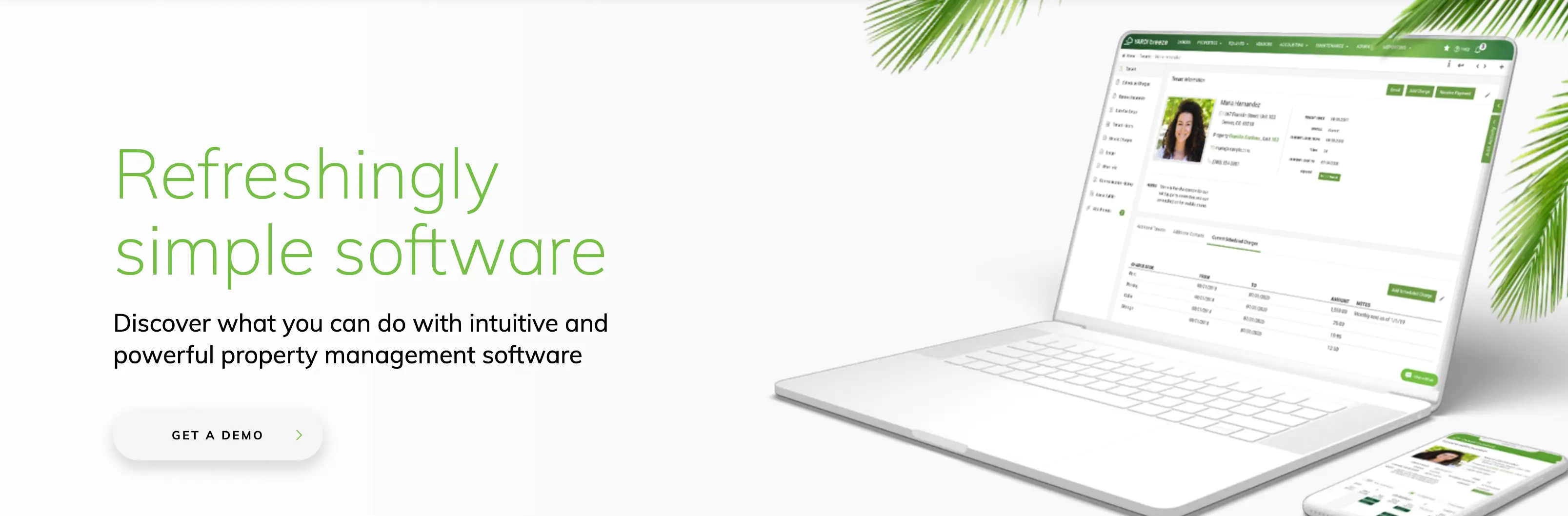
Yardi Breeze is a cloud-based property management platform designed to handle core leasing, accounting, rent collection, maintenance tracking, reporting, and communications in a straightforward, unified system. It’s positioned as a refreshingly simple alternative to more complex enterprise suites.
Yardi Breeze allows you to manage multiple property types such as residential, commercial, affordable housing, associations, etc. This makes it a reasonable choice for small to mid-sized property managers for essential operations features without a steep learning curve.
Yardi Breeze pros and cons
Pros:
- Cloud-based and easy to start: Setup is designed to be fast with built-in tutorials, live chat support, and simple onboarding so new users can get up and running without heavy training.
- Built-in accounting & reporting: Handles basic property accounting, payables, receivables, and customizable financial reporting as part of the core platform.
- Online payments & portals: Accept online rent payments, and provide tenants and owners with secure self-service access to balances, maintenance requests, and statements.
- Core operations for multiple property types: Supports residential, commercial, affordable housing, HOA/associations, and self-storage portfolios with one product line.
- Role-based security & access controls: Menu-level permissions help teams limit access to sensitive data for different user roles (e.g., leasing, maintenance, financial staff).
Cons:
- Minimum monthly charges apply: Pricing is per unit per month with minimum monthly fees (e.g., around $100 for residential portfolios), which may reduce cost efficiency for very small portfolios.
- Less depth than enterprise suites: Breeze’s simplicity means fewer advanced features and customizations than more robust property management systems like Yardi Voyager.
- Certain advanced features can cost extra: Add-ons (e.g., screening, renters insurance, corporate websites) may incur additional fees.
Yardi Breeze best features
- Core property accounting: Manage rent rolls, payables, receivables, general ledger functions, and financial reporting without external tools.
- Online rent collection: Accept tenant payments online with tenant portals to view balances and pay securely.
- Tenant & owner portals: Tenants submit maintenance requests and view documents; owners access reports and performance metrics.
- Maintenance tracking: Create, assign, and monitor work orders with status updates linked to tenant and unit records.
- Marketing & leasing tools: Post vacancies, capture leads, and manage online applications and leases.
Yardi Breeze pricing
Yardi Breeze uses a unit-based pricing model with monthly minimums and plans that vary by property type:
- Residential (Breeze): around $1 per unit per month, with a minimum of ~$100/month.
- Breeze Premier (Residential): $1–$2 per unit per month with a minimum of ~$400/month for expanded features.
- Commercial (Breeze): ~$2 per unit per month with a minimum of ~$200/month.
- Affordable housing & associations: Pricing varies (e.g., ~$3 per unit/month for affordable housing).
Pricing is typically based on annual agreements and requires contacting Yardi for a quote.
Find a property management software that fits your needs
There’s no single best property management software. You have to find the one that suits your specific business needs. Some platforms are built to standardize operations for large portfolios, while others focus on simplicity for small landlords. The key is choosing a system that centralizes data, supports tenant self-service, and adapts as your workflows evolve.
There are two reasons why a flexible system might really work for you:
- Your operations don’t fit neatly into a rigid, all-in-one platform.
- You want to build tenant portals, maintenance flows, and reporting on top of the tools and data you already use.
That’s where a customizable, AI-powered platform like Softr stands out. Softr lets you start simple, avoid early lock-in, and scale your property operations without rebuilding everything later or paying excessive fees.
Frequently asked questions
Which property management software automates best?
What’s the best software for landlords?
What is the 50% rule in rental property?
What background check do most landlords use?