


Best CRM for construction businesses: 8 options for 2026


In construction, details slip fast. Job updates live in WhatsApp threads, safety checklists in spreadsheets, subcontractor certificates in email chains. Meanwhile, your team is wasting hours on admin, back-and-forth communication, and guesswork instead of moving projects forward.
The best CRM for construction businesses helps by centralizing these workflows, giving project managers, operations leads, and contractors a clear way to track jobs, manage subcontractors, and keep safety and compliance accurate and up-to-date.
The right choice depends on your team’s size, setup, and goals. In this guide, we’ll compare the best CRMs for construction and highlight where Softr, a no-code CRM builder, stands out for mid-sized contractors and internal project teams.
Best CRM for construction at a glance
| Tool | Best for | Standout features | Pricing |
|---|---|---|---|
| Softr | Contractors and ops teams who need a secure, custom CRM to manage subcontractors, compliance, and field crews | • AI Co-Builder • Portals & role-based access • Subcontractor compliance tracking • Dashboards & reporting • Ask AI | Free (5 users); paid plans from $19/mo (Team: 5 + Client: 5 app users) |
| Buildertrend | Residential builders and remodelers | • CRM + project management in one • Client portal • Scheduling & change orders • Mobile access & integrations | Quote-based only |
| Procore | Mid-to-large GCs needing lifecycle management | • Preconstruction & bid management • Project management (RFIs, submittals, docs) • Quality & safety tools • BIM coordination • Large integration ecosystem | Quote-based, tied to annual construction volume |
| JobTread | SMB contractors wanting estimating + PM with built-in CRM | • Built-in construction CRM • Estimating templates & live budgets • Client, sub & vendor portals • Scheduling & change orders • Integrations for accounting/payroll | $199/mo base + $20 per user |
| Jobber | Service contractors (HVAC, plumbing, lawn care, etc.) | • Lightweight CRM • Quoting & invoicing • Scheduling & dispatch • Route optimization • Client self-serve hub | From $39/mo; higher tiers $119–$599/mo |
| Salesforce | Large teams that need customizable CRM + construction add-ons | • Highly customizable with objects & automation • AppExchange ecosystem • Experience Cloud portals • Advanced analytics & AI options | From $25/user/mo; higher tiers $100–$350+/user/mo |
| Zoho CRM | Budget-minded teams wanting flexibility + ecosystem | • Custom modules & layouts • Blueprint workflows • External portals • Zoho Projects, Books & Forms integrations • Mobile apps | Free (3 users); paid plans from $14/user/mo |
| Pipedrive | Specialty subs & vendors who need simple pipeline tracking | • Visual pipelines • Activity reminders • Email sync • Workflow automation • Accounting integrations | From $14/user/mo; add-ons extra |
What is a CRM for construction?
CRM software for construction helps teams manage clients, subcontractors, and project workflows in one place. It replaces spreadsheets, emails, and chat apps with a structured hub where job and crew information, safety records, compliance documents, and invoices are all tracked together.
For small to mid-sized contractors, project managers, and operations leads, it’s a practical way to cut down on admin work and keep projects moving.

Types of construction CRMs
Here’s a quick way to map CRM tools to what you actually need.
| Type | What it focuses on | Who it’s for | Examples |
|---|---|---|---|
| 1. Operational CRM | Contact and deal tracking, projects and tasks, simple automations, subcontractor onboarding, compliance tracking, work orders | Teams replacing spreadsheets and email with a clear, repeatable process | Softr, Pipedrive, Zoho CRM |
| 2. Analytical CRM | Dashboards, pipeline health, forecasting, job and compliance KPIs | Teams that want deeper reporting or to connect BI | Salesforce, Zoho CRM |
| 3. Collaborative CRM | Portals, permissions, shared records for subcontractors and clients | Contractors coordinating multiple external parties and needing controlled access | Softr, Buildertrend, JobTread, Procore |
| 4. Construction suites with CRM modules | Project management first, with CRM built in; estimating, scheduling, change orders, client portals | Residential builders and remodelers, or GCs who want PM and CRM in one place | Buildertrend, JobTread, Procore |
What to look for in construction CRM tools
Here’s what to check before you pick a CRM construction management platform for your team.
- Fast setup and low lift: You don’t want dev work or long onboarding. Pick software you can set up easily with templates so you can launch quickly and make adjustments.
- Customization: You should be able to create custom objects and fields for project admins (owners/general contractors), sub-contractors, bids, and jobs, with layouts your team can maintain without heavy admin work.
- Permissions you can trust: Set granular access for admins, project managers, sub-contractors, and clients so the right information is only visible to the right people.
- Subcontractor and compliance workflows: Onboard sub-contractors with custom forms, track certificates of insurance (COIs), and keep safety documents organized in one place.
- Dashboards and reporting: Track job progress, inspections, crew schedules, and open items to make faster decisions.
- Mobile access for the field: Let crews submit and review info on-site. A PWA (progressive web app) or app-like experience on phones and tablets is a must.
- The right scope for construction: Choose a CRM that centralizes ops and compliance, and bring in heavy PM/BIM tools only if you truly need them.
1. Softr: best CRM for contractors needing secure and customizable work management
.webp)
Softr is an AI app builder that helps mid-sized contractors and internal project teams build a CRM customized to their operations. Describe what you need and the AI Co-Builder sets up the database, pages, and user roles for you, or start from a template and adjust it by hand.
Your data lives in Softr Databases by default, or you can connect directly to tools you already use, like Airtable, Google Sheets, Notion, monday.com, and 21+ other sources.
Unlike out-of-the-box CRMs, you're not locked into rigid features or forced into per-seat pricing. Instead, Softr lets you create a secure, branded system for managing subcontractors, work orders, safety records, site inspections, and crew scheduling, all without code. It replaces scattered spreadsheets, PDFs, emails, and SharePoint sites with one place for construction ops, project management, and compliance.

With drag-and-drop blocks like Lists, Tables, Kanbans, Charts, and Forms, plus the Vibe Coding block for anything more custom (like a specific dashboard layout or scheduling view), you can quickly design a CRM that matches the way your project team works. For contractors, project managers, and safety leads, this flexibility means you can start with job tracking and compliance, then expand into portals where subcontractors and field crews can access schedules, documents, and forms on the go.
Softr pros and cons
Pros:
- Fast setup: describe your CRM to the AI Co-Builder and get a working app in minutes, or start from a template and adapt it project by project
- Works with your existing data sources with real-time, two-way sync, or use Softr's own native database
- Portals and role-based access let subs, field crews, and back-office teams log in securely and only see what's relevant to them
- Native Softr Workflows trigger directly from actions in your app (like a button click or form submission) to speed up inspections, approvals, and jobsite reporting
- Secure and compliant with SOC 2 Type II and GDPR standards, with data hosted in Europe.
Cons:
- Not for deep project management (Gantt dependencies, change-order financials)
- No BIM/3D modeling or sensor/GPS integrations
Softr best features
- Data flexibility: Use Softr Databases with formulas, rollups, and linked records, or build on top of 21+ external sources (Airtable, Notion, monday.com, ClickUp, and more). Describe your table structure to the Database AI Co-Builder and it generates the schema for you; see how this works in this guide to building a CRM database.
- Role-based access: Give admins, PMs, subcontractors, and field crews separate logins and custom views tailored to their role.
- Advanced forms: Collect site checklists, work orders, subcontractor compliance, and other necessary documents with forms that sync back to your CRM and database.
- User onboarding flows: Customize first-time user experiences to get key details (like profiles or service records), send welcome prompts, and track onboarding progress in one place.
- Softr Workflows: Automate approvals, alerts, and jobsite reporting with automations triggered directly by actions in your app, like a button click or form submission, plus native integrations for Make and Zapier when you need them. Describe the automation you need to the Workflow AI Co-Builder and it builds the logic for you.
- Ask AI: Query your CRM in plain English for answers like "What compliance documents are missing?" or "How many inspections are scheduled this week?"
- Dashboards & reporting: Track inspections, crew schedules, overdue tasks, and subcontractor docs in one central place.
- Contract and invoice management: Securely store important documents, with the ability to enable e-signatures and payments through Stripe, PayPal, and more.
- PWA (Progressive Web App): Let field teams and subcontractors access schedules, forms, and checklists from their phones.

Softr Pricing
Softr offers flexible pricing plans, so you can build a construction CRM platform at any tier:
- Free for up to 5 users per month
- Paid plans start at $19/month for Team: 5 + Client: 5 app users (when billed annually)
- Pro: Starts at $99/month for Team: 10 + Client: 50 app users (when billed annually)
- Business: Starting at $329/month for Team: 30 + Client: 100 app users (when billed annually)
- Enterprise (custom pricing, contact sales) for enterprise customers
2. Buildertrend: best for residential builders who want project management and a lightweight CRM
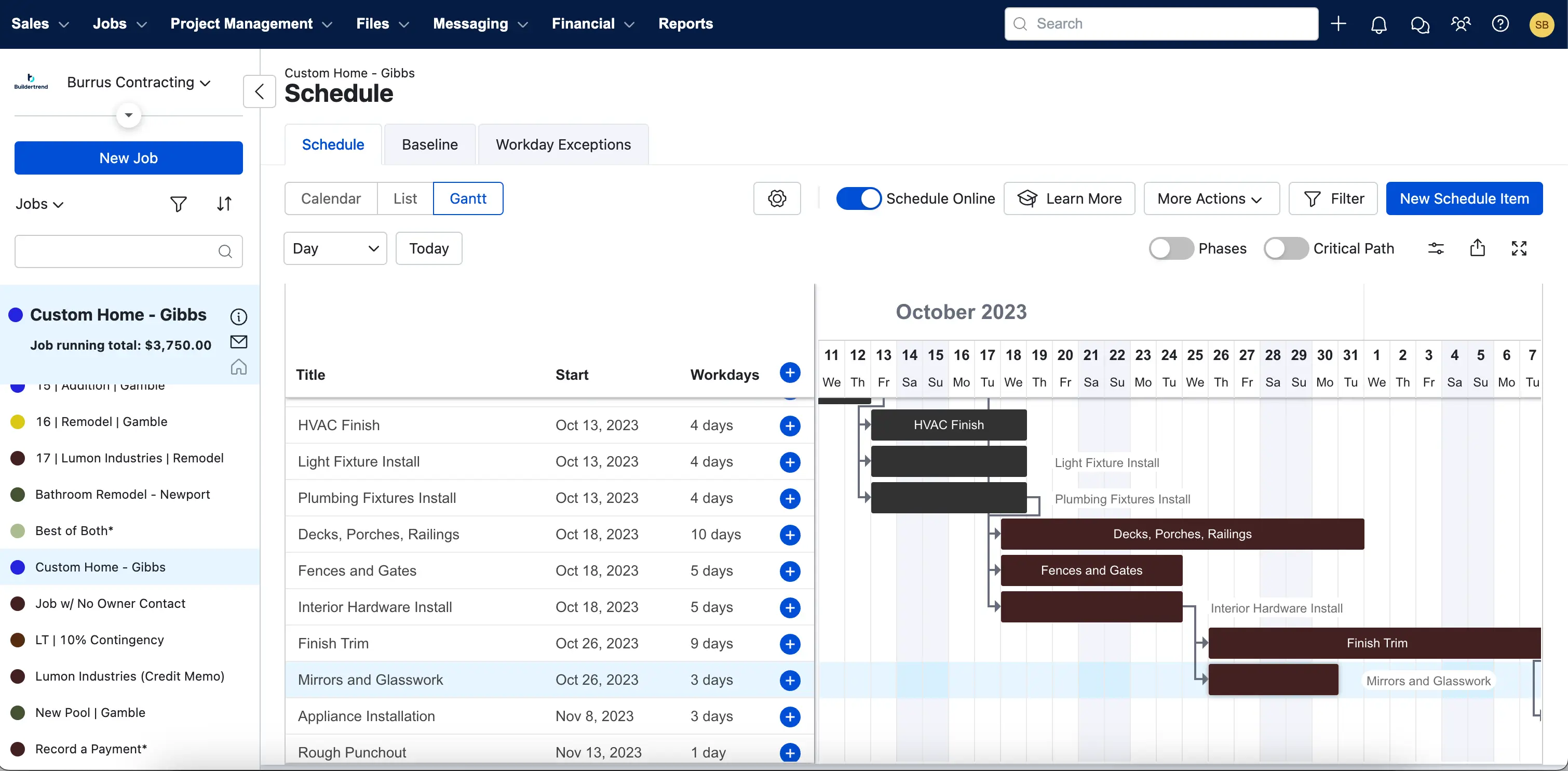
Buildertrend is a construction platform for home builders and remodelers that combines CRM (lead capture, follow-ups, proposals) with project management (scheduling, change orders, client communication).
It’s a strong fit if you want sales and delivery in a single system instead of stitching tools together. Teams running multiple jobs at once get a clear handoff from lead to active project, plus a homeowner portal to keep updates, selections, and documents in sync. Expect a more guided setup than a lightweight CRM, but fewer daily tool handoffs.
Buildertrend pros and cons
Pros
- All-in-one flow from lead to job: track leads, send proposals, and convert wins directly into projects
- Built for residential teams: scheduling, client portal, and daily coordination in one place
- Mobile access for field and office, with integrations to fit existing sales workflows
Cons
- Pricing is quote-based with no public tiers (requires a sales conversation)
- PM-first product: CRM is capable but less flexible than dedicated CRMs; onboarding and training can take time
Buildertrend best features
- CRM for builders: Lead capture, activity tracking, proposals/estimates, and conversion to projects in the same system
- Client communication & portal: Share updates, selections, and documents alongside the job schedule
- Scheduling & change orders: Coordinate timelines and approvals without leaving the platform
- Integrations & mobile: Mobile app for field teams and integrations to connect your sales tools
Buildertrend pricing
- Custom pricing via quote. There are no public tiers; answer a few questions and get a tailored plan.
3. Procore: best for mid-to-large GCs that want a connected, PM-first platform

Procore is a construction management platform that connects the project lifecycle (preconstruction, project management, quality and safety, design coordination/BIM, and field productivity) so that office and field teams work from the same record.
It isn’t a CRM-only tool; instead, it centralizes bidding, documents, workflows, and collaboration, with CRM and BD needs handled through native preconstruction modules or App Marketplace integrations.
Procore pros and cons
Pros
- Lifecycle coverage from preconstruction through handoff with strong project management, quality/safety, and coordination tools
- Mature ecosystem (API + App Marketplace), including CRM integrations like Salesforce connectors
- Built for scale and cross-company collaboration with mobile access for field teams
Cons
- Quote-based pricing and packaging tied to product lines and annual construction volume; budget planning requires a sales process
- PM-first orientation: business development/CRM workflows may need add-ons or integrations, and a more guided implementation
Procore best features
- Preconstruction management: Prequalification, bid management, estimating/takeoff, and budget alignment to start projects on a solid footing
- Project Management: RFIs, submittals, scheduling, change workflows, and document control in one system
- Quality & Safety: Inspections, observations, and incident tracking to keep jobs compliant and on track
- Design Coordination & BIM: Coordinate models and issues to reduce rework
- Ecosystem & integrations: Open API and Marketplace apps (e.g., Salesforce, Zapier, BI tools) to extend BD/CRM and reporting
Procore pricing
- Custom pricing by quote. Procore typically charges an annual fee per product line based on your annual construction volume (ACV). Expect discovery and scoping before you get numbers.
4. JobTread: best for SMB contractors who want estimating/PM with a practical built-in CRM
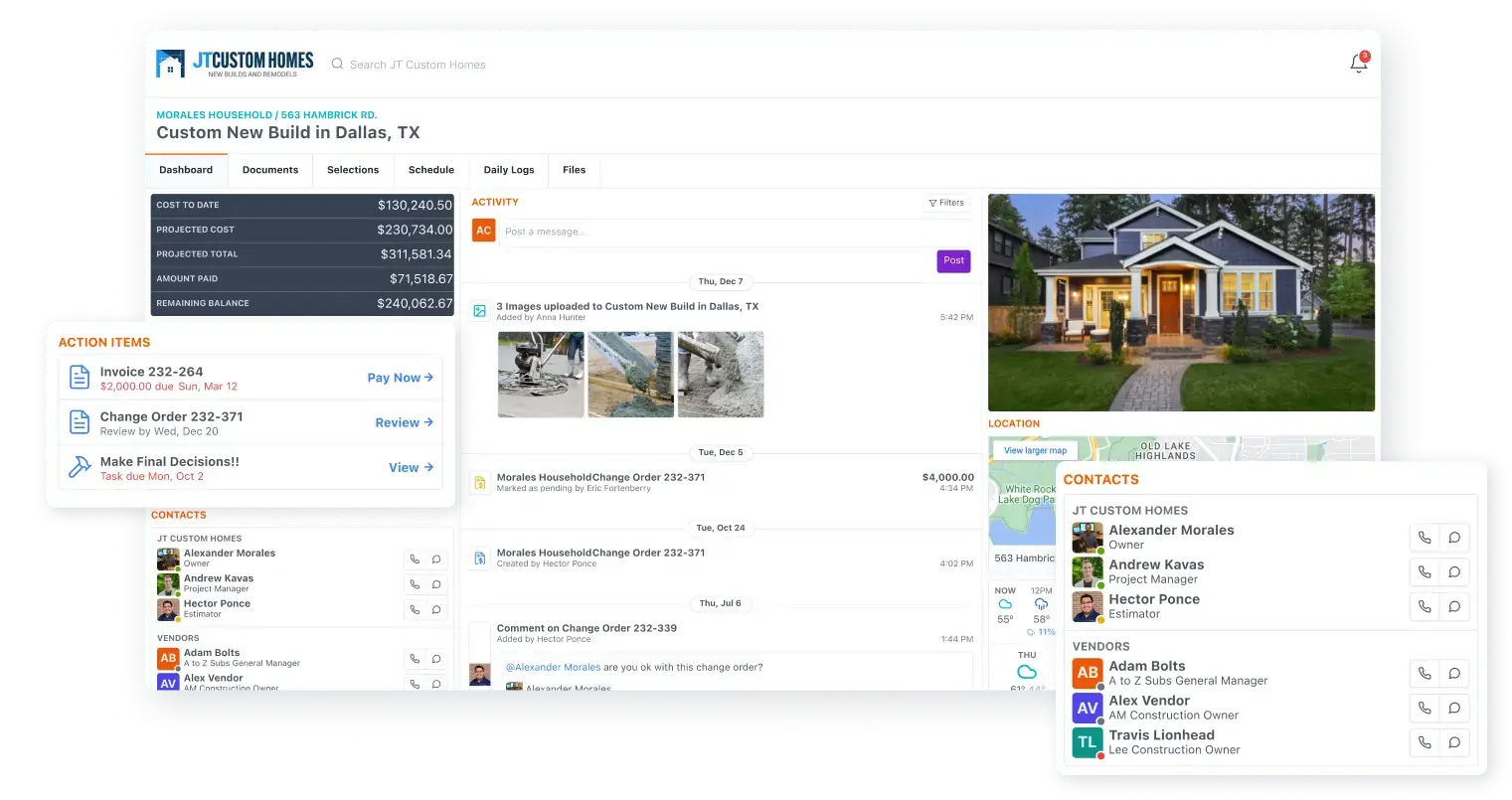
JobTread combines day-to-day project management (estimates, bids, schedules, change orders) with a straightforward construction CRM for lead capture and customer tracking. It’s a strong fit if you want one system from sales to job handoff, plus client and subcontractor portals, without the complexity of an enterprise suite.
Teams get consistent estimating templates that flow into live budgets, a clear source of truth for selections and documents, and a mobile-friendly way to log updates, photos, and daily activity in the field.
JobTread pros and cons
Pros
- All-in-one flow: leads and proposals roll into jobs, budgets, and schedules
- Built for residential and light commercial teams: scheduling, client portal, and day-to-day coordination in one place
- Mobile access for field and office, with integrations that fit common accounting and ops workflows
Cons
- CRM is purpose-built but simpler than horizontal CRMs; complex BD workflows may need add-ons
- Less suited for large, multi-stakeholder PM programs compared to PM-first enterprise platforms
JobTread best features
- Construction CRM: Lead capture and customer management tied directly to budgets, estimates, and jobs
- Estimating & proposals: Templates, takeoffs, and standardized pricing that flow into live project budgets
- Scheduling & change orders: Coordinate timelines and manage approvals in one system
- Client, sub, & vendor portals: Share updates, files, and selections with stakeholders
- Ecosystem & integrations: Connect accounting, measurements, payroll, and supplier tools to reduce manual entry
JobTread pricing
- $199/month base + $20/month per team member. No contract or setup fees, free implementation/training/support, annual billing discount, and a 30-day money-back guarantee on monthly plans.
5. Jobber: best for service contractors who need quotes, scheduling, invoicing, and simple client management
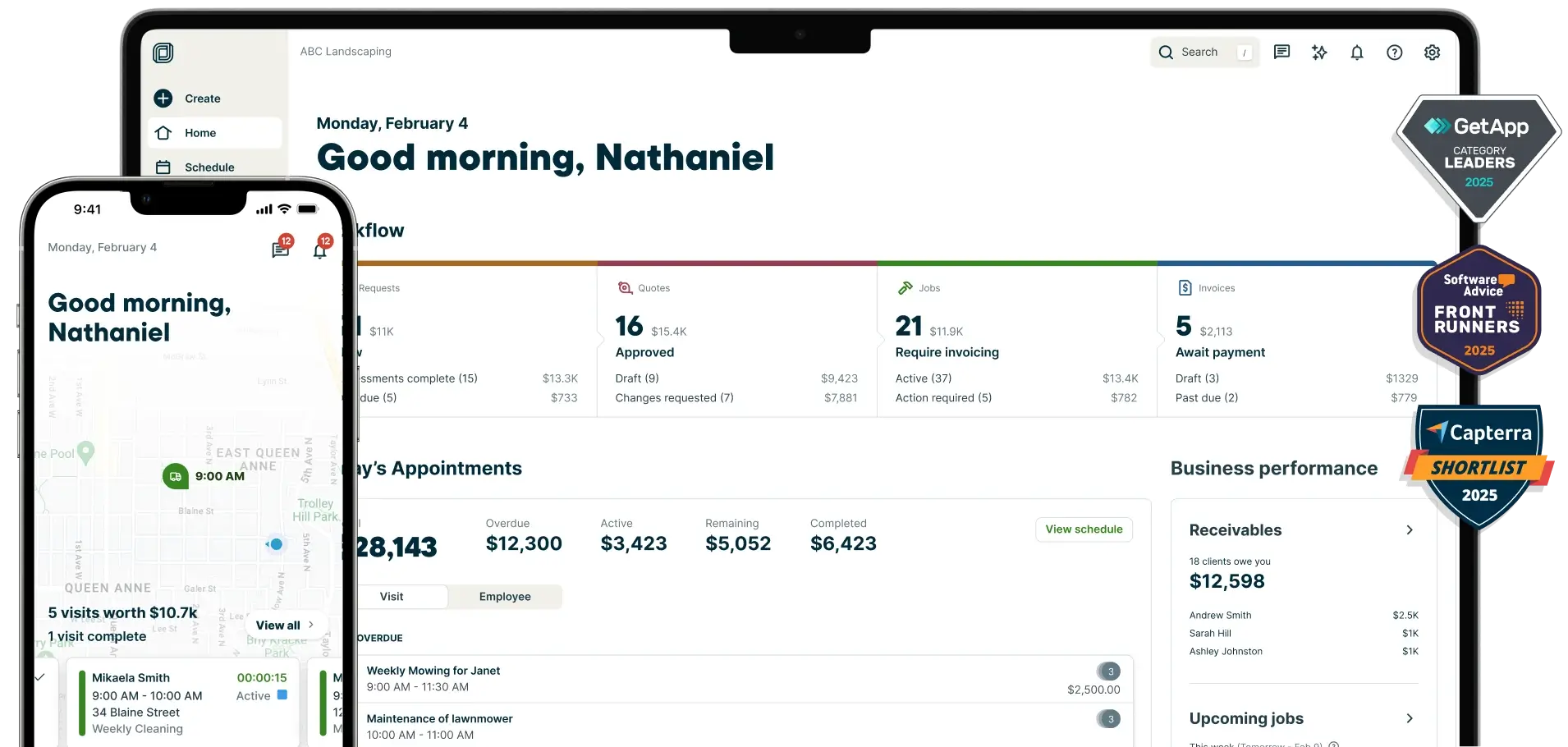
Jobber is built for service-style contractors (HVAC, plumbing, electrical, lawn care) and small GC teams running many short jobs. It combines a lightweight CRM ("Client Manager") with quoting, scheduling/dispatch, route optimization, invoicing, payments, and a client portal.
If your construction work looks more like field service with fast turnarounds, Jobber keeps sales, operations, and cash flow in one place without a heavy PM rollout.
Jobber pros and cons
Pros:
- All-in-one flow from request/quote → scheduled job → invoice → payment, with a simple CRM at the core
- Strong field experience: mobile app, on-my-way texts, two-way messaging, and client self-serve hub
- Route optimization to reduce drive time and fit more work into each day
Cons:
- Not a project-management suite for complex builds; CRM is simpler than horizontal tools
- Pricing scales with users and plan tier; some advanced features live on higher plans
Jobber best features
- Quoting & estimating: Build professional quotes from the field; pull live product pricing/availability from supported supplier catalogs
- Client hub & payments: Customers approve quotes, view appointments, and pay online (card and ACH)
- Scheduling, dispatch & routing: Drag-and-drop calendar, crew assignment, and daily route optimization
- Two-way texting & notifications: Keep conversations and alerts in one place; send on-my-way texts from the app
- Mobile app for the field: Create jobs, upload photos, send invoices, and collect payments on site
Jobber pricing
- Core: starts around $39/month (lower with annual)
- Connect: starts around $119/month (1 user) or ~$169/month (up to 5 users)
- Grow: starts around $199/month (1 user) or ~$349/month (up to 10 users)
- Plus: around $599/month (up to 15 users)
- Payments (optional): card processing and ACH available; 14-day free trial (no free plan)
6. Salesforce: best for teams that need a configurable CRM with construction add-ons and scale
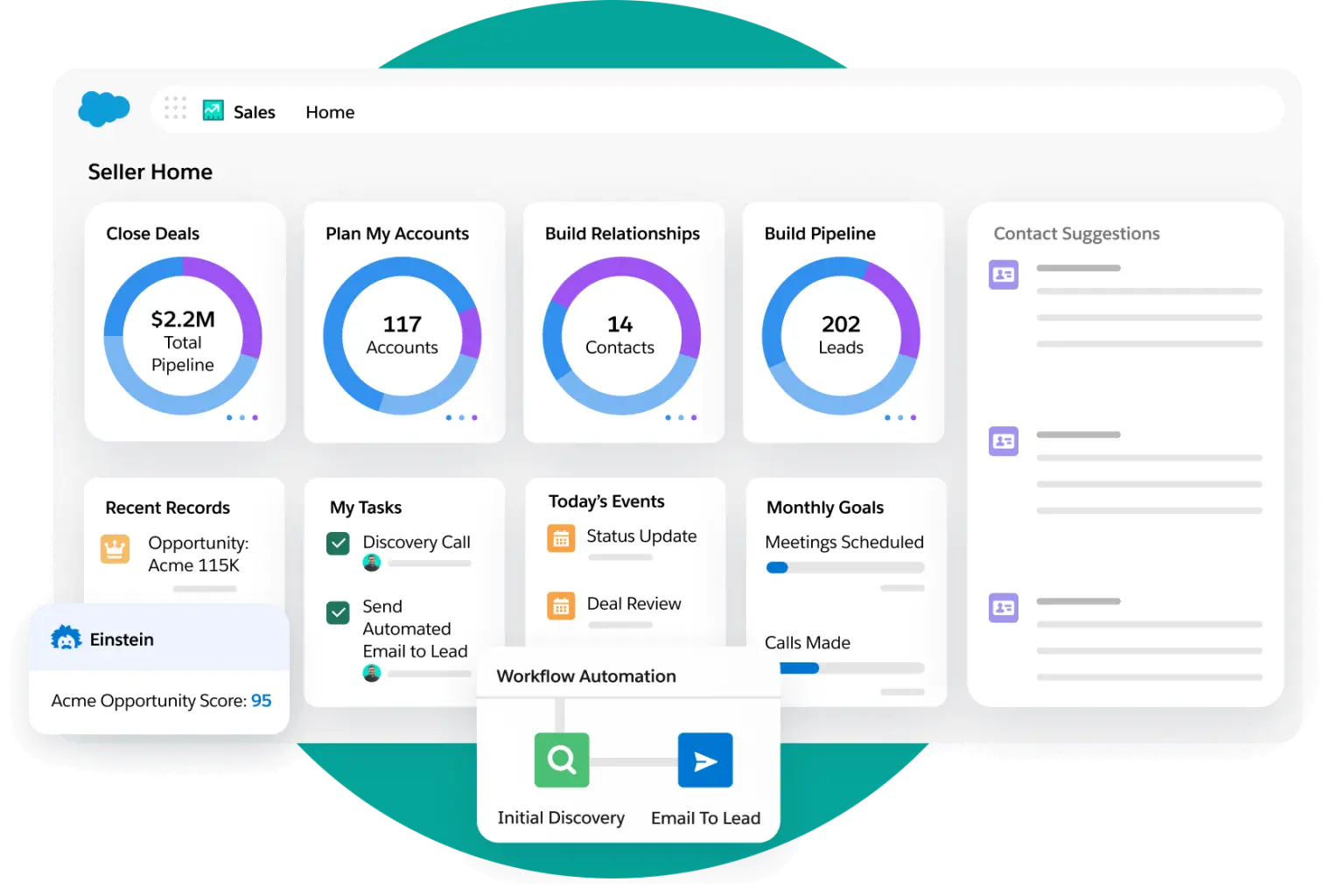
Salesforce is a configurable CRM you can tailor for construction with custom objects, automation, and industry solutions. Teams often pair Sales Cloud with AppExchange apps (including Procore integrations and bid/pursuit tools) and use Experience Cloud to create secure partner or client portals. It fits best if you have admin capacity and want a long-term platform that adapts as preconstruction, BD, and operations needs evolve. Common setups include a preconstruction/pursuit pipeline, account hierarchies for owners/GCs/subs/architects, and approval flows for bid reviews and handoffs.
Salesforce pros and cons
Pros:
- Highly customizable: model bids, pursuits, and AEC relationships with custom objects, flows, and dashboards
- Large ecosystem: AppExchange apps and connectors extend CRM and preconstruction workflows
- Portals for subs and clients: Experience Cloud supports branded sites with granular access
Cons:
- Setup and maintenance: expect an implementation project and ongoing admin time; costs rise with add-ons and licenses
- Pricing complexity: multiple editions; industry and portal licensing are typically quote-based
Salesforce best features
- Custom data model and automation: Create objects for bids, subs, and project stakeholders; automate handoffs and approvals
- AppExchange and integrations: Connect Procore and AEC apps for precon, bid tracking, and project data sync
- Experience Cloud portals: Share records and forms with partners and clients through branded sites
- AI and analytics options: Add Salesforce’s AI and analytics when you’re ready to forecast and prioritize
Salesforce pricing
- Starter Suite: $25/user/month
- Pro Suite: $100/user/month
- Enterprise: $175/user/month
- Unlimited: $350/user/month
- Agentforce 1 Sales: $550/user/month
- Experience Cloud and industry solutions: pricing varies by license and is typically quoted
7. Zoho CRM: best for budget-minded teams that want a customizable CRM and a broad ecosystem

Zoho CRM is a configurable sales CRM you can adapt to construction workflows with custom modules, Blueprint automations, and Canvas layouts. Many contractors pair it with Zoho Projects (schedules/tasks), Zoho Forms (document intake like COIs), and Zoho Books (invoicing) to cover day-to-day operations without buying a heavyweight suite. It’s a good fit if you have light admin capacity and want a system that can scale as preconstruction and operations needs grow. You’ll trade some construction-specific depth for lower cost and flexibility, but the broader Zoho ecosystem fills many gaps.
Zoho CRM pros and cons
Pros:
- Flexible, cost-effective tiers with a large app ecosystem (Projects, Forms, Books, Desk, Analytics)
- Custom objects, page layouts, and Blueprint workflows to match your process
- External portals for subs/clients and solid mobile apps for field and office
Cons:
- Not construction-specific out of the box; expect configuration and some admin time
- PM/BIM depth is limited; advanced scheduling/model coordination lives in other tools
Zoho CRM best features
- Custom data model & UI: Create modules for bids, subs, and jobs; style pages with Canvas
- Process automation: Use Blueprint, validation rules, and approvals to standardize handoffs
- External portals: Share selected records and forms securely with subcontractors or clients
- Forms & document intake: Capture COIs, certifications, checklists, photos with Zoho Forms
- Ecosystem integrations: Connect Zoho Projects, Books, Desk, Analytics and common third-party apps
- Dashboards & AI: Build reports and add Zia AI (on higher tiers) for forecasting and insights
- Mobile apps: Give field teams access to records, tasks, and notes on the go
Zoho CRM pricing
- Free plan for up to 3 users
- Standard: starts around $14/user/month (annual)
- Professional: starts around $23/user/month (annual)
- Enterprise: starts around $40/user/month (annual)
- Ultimate: starts around $52/user/month (annual)
8. Pipedrive: best for specialty subs and vendors that need simple pipeline tracking and light automation
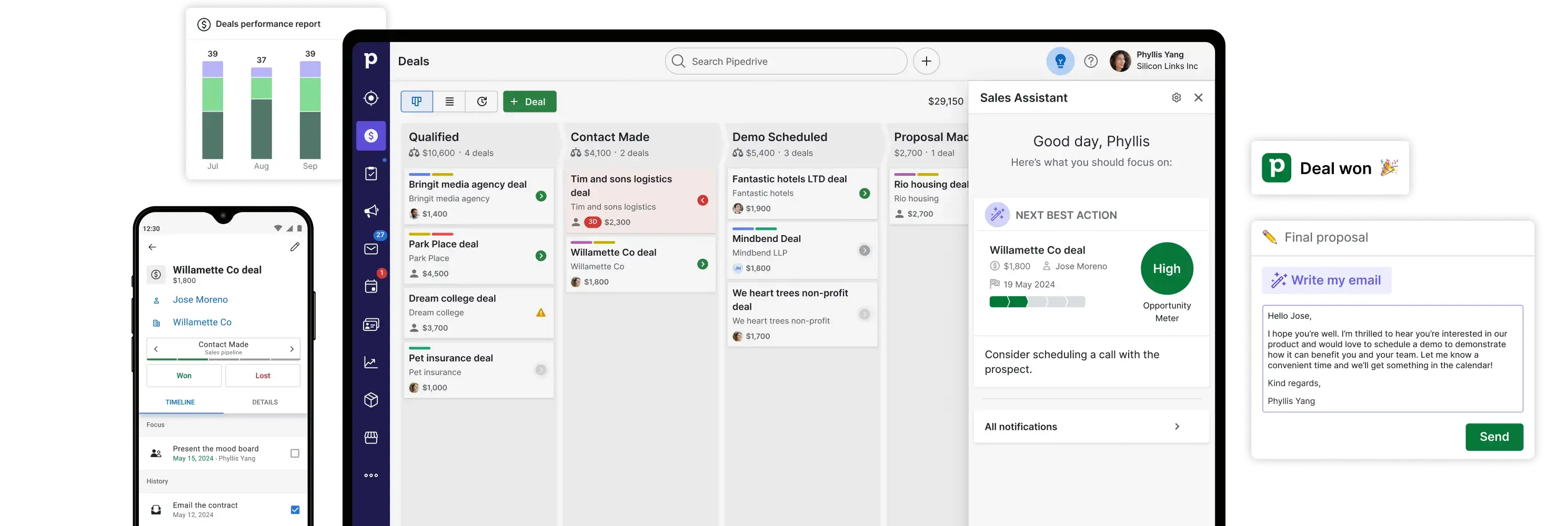
Pipedrive is a pipeline-focused CRM that helps trade contractors, vendors, and specialty subs track deals, schedule follow-ups, and keep outreach organized. It’s quick to set up and easy to use, with a visual pipeline, activity reminders, email sync, and a solid mobile app.
If your "CRM" need is mainly sales coordination, not complex PM or compliance, Pipedrive keeps things lean and integrates with accounting and ops tools when you're ready.
Pipedrive pros and cons
Pros:
- Very easy to adopt; visual pipelines and activity scheduling keep follow-ups on track
- Built-in email sync, templates, and light workflow automation
- 500+ integrations, including QuickBooks/Xero for invoicing and common ops tools
- Good mobile experience for updating deals and logging notes in the field
Cons:
- Not construction-specific; no native subs/compliance, portals, or advanced PM
- Some capabilities sit behind add-ons (LeadBooster, Campaigns, Projects, Smart Docs)
Pipedrive best features
- Visual pipelines & tasks: Drag-and-drop deal stages with due activities and reminders
- Email & automation: Two-way email sync, templates, tracking, and workflow automations
- Projects (add-on): Lightweight task/project tracking tied to deals for simple handoffs
- Lead capture (add-on): Chatbot, live chat, and prospector tools to feed your pipeline
- Accounting integrations: Connect QuickBooks or Xero to create and track invoices from deals
- Mobile app: Update pipelines, call/email from the app, and log site notes on the go
Pipedrive pricing
- Lite: $14/user/month (billed annually)
- Growth: $39/user/month (billed annually)
- Premium: $49/user/month (billed annually)
- Ultimate: $79/user/month (billed annually)
- Popular add-ons (per company): LeadBooster from $32.50/month (annual), Projects from $6.67/month (annual), Campaigns from $13.33/month (annual), Web Visitors from $41/month, Smart Docs from $32.50/month
Find a construction CRM that fits your needs
The best CRM for construction is the one that fits how your jobs actually run, not the one with the longest feature list. Ask yourself:
- Do you need to manage subcontractor compliance, safety records, or inspections?
- Will field crews and subcontractors need secure, mobile access to update tasks or submit forms?
- Are you already storing job data in tools like Airtable, Google Sheets, or Notion, or would you rather start clean in a native database?
- Do you want a branded system you can extend into portals or dashboards as you grow?
Once you've answered the above, choose a CRM that makes daily coordination easier. For many contractors, project managers, and ops leads, that means a tool that brings subs, crews, and back-office teams into one place without forcing you into rigid workflows or per-seat costs.
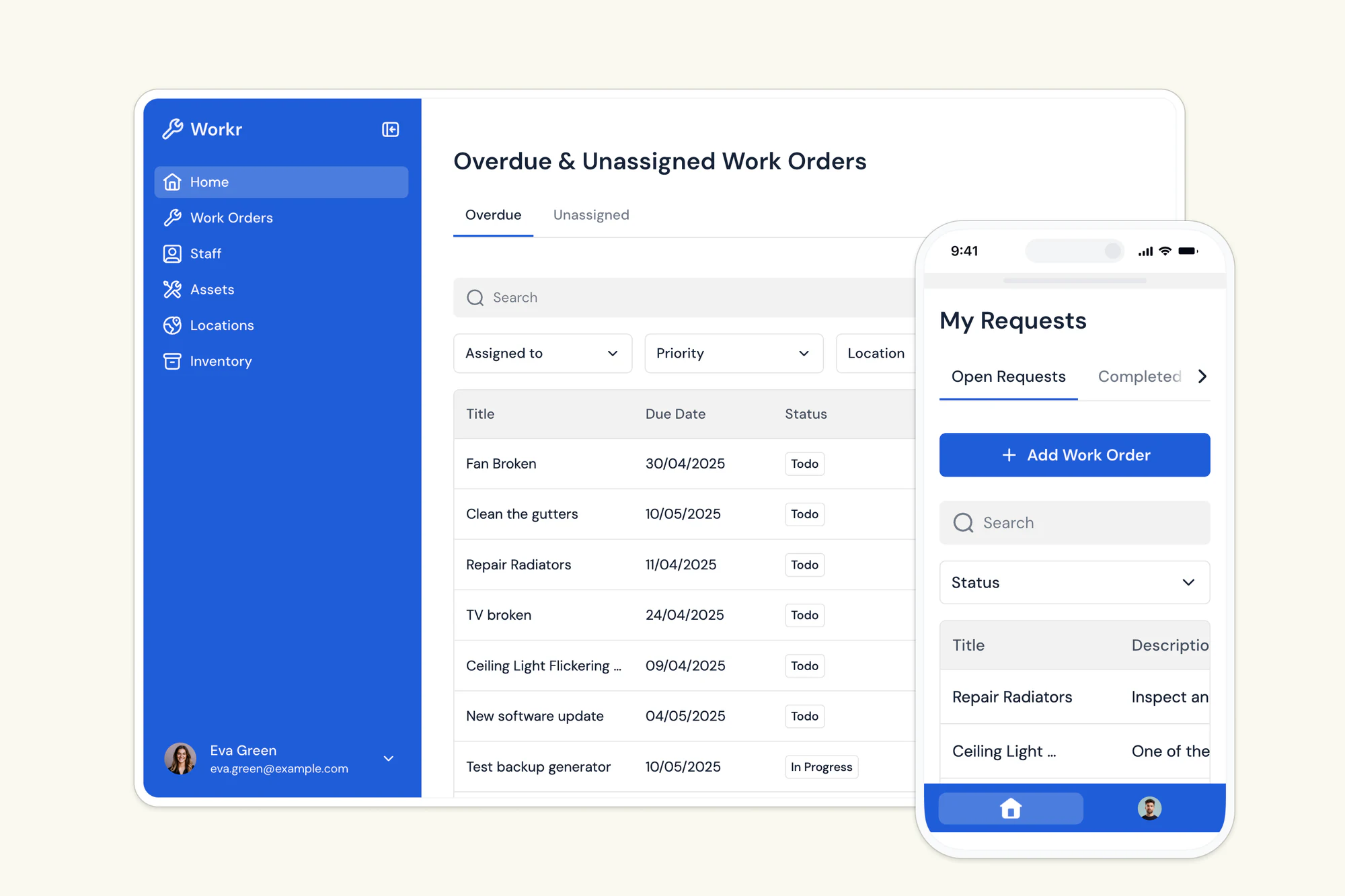
Softr gives you that operational layer. Describe your CRM to the AI Co-Builder, start with a work order management template, or build a CRM database from scratch, then map core flows (sub onboarding, inspections, and work orders) into a single system your team can actually keep up to date.
Try Softr for free and see how easy it is to build a customizable, branded CRM system for construction.
Frequently asked questions
What is the best CRM for construction businesses?
Can a construction CRM replace spreadsheets and email for subcontractor management?
How much does a CRM for construction typically cost?
Can I build a custom CRM for construction without hiring developers?
What should a CRM handle for subcontractor and compliance tracking?


