Transcript
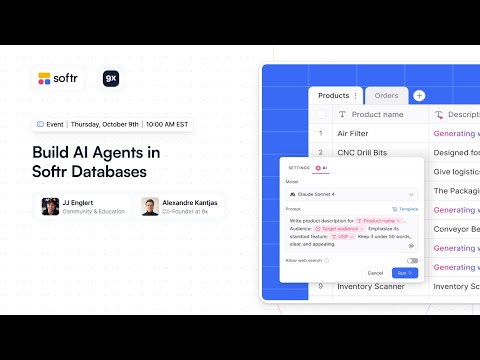
Hello everyone. We have a great show for you today where we will be doing a lot of building. These are really cool agents that live inside your database, and it is a fascinating way to build.
I am excited to explore this with Alex today. We already have 100 people in the call. Many people are here to discover the new superpowers of Softr. There are a lot of implications for those of us who are building Softr apps.
It goes beyond just building apps. It is now at the point where managing your data and having an agent within your database can find, fetch, summarize, extract, and translate that data for you. This keeps your data hygiene in a better spot.
You can then use that to power your additional automations and interfaces. With data being as important as it is today, it is really cool to have these helpers inside your database making sure that the data is clean.
[.blog-callout]
Note from Softr: While the speakers are discussing manual data management, you can use the AI co-builder to generate complete App templates and database schemas instantly via simple prompts.
[.blog-callout]
Today I am joined by JJ Engler from Softr. We are going to talk about Softr, which is one of the simplest ways to build applications. Contrary to traditional coding, these applications are secure and your data is saved there.
Softr originally came from the no-code space but is slowly moving towards becoming an AI platform. Today we are going to show you one of the most exciting features released this year, which are AI agents in Softr Databases.
If you have never built in Softr, the good news is it is so easy that by the end of the session, it is going to look very familiar to you. I am JJ, and I lead community and education here at Softr.
I have been building in this space for the last four or five years. Alex and I have come through this space together trying everything to stay up with the latest. This feature adds a lot of potential to the landscape.
Alex runs 9x, which is an AI training company. They organize webinars to show what you can do with AI in solutions like Softr. It is one of the platforms they use internally because of its great functionality.
We are going to build four different things today. We will work with customer support use cases, data extraction, translation, and lead enrichment. We want to use these agents in many different ways.
Let us imagine you have a customer support queue where all tickets are saved into the database. Once a ticket comes in, we want to detect the language. If it is not in English, we want to translate it to standardize it.
From there, we want to detect the sentiment of the customer support ticket. This allows for reporting and analytics to see how happy people are. We will also have AI help us find a ticket priority.
[.blog-callout]
Note from Softr: When building a client portal or customer support tracker, using Softr Databases ensures all your support data is natively integrated for better performance.
[.blog-callout]
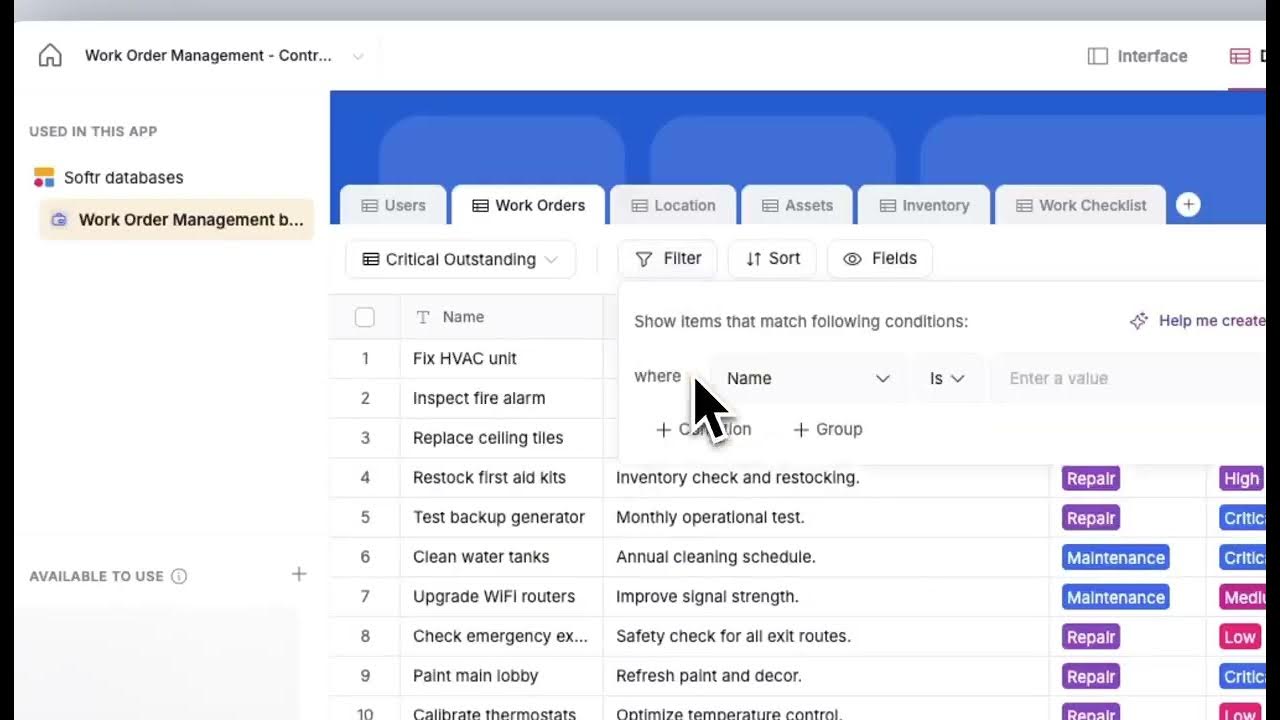
Softr started as an interface builder. A few months ago, we launched Softr Databases, which allows you to work with interfaces or use the database as a standalone product. It is similar to Airtable but built for scale.
We built it to be a scalable database. If you want to expose the API or pull this data into Make or Zapier, we have those integrations. Our API limits are very high for programmatic building.
If we want to add a new field, we see the AI agent field right away. We have all the other familiar field types too. Right now we have customer name, message, and status coming in.
I want to detect if this message is English. We will call the AI agent language. We can choose which model we want to use, including the latest ones like Sonnet 3.5.
We can enter a prompt and reference a field in the row, like the customer message. The variable allows the agent to reference specific data. I can also use AI here to improve my prompt.
We can turn on web search for the agent. Normally LLMs use cached data, but web search allows the LLM to search the live web to find relevant data. This is great for lead extraction.
We have control over when this runs. You can trigger it manually, when a record is created, or when a record is updated. You can also add conditional filters to get granular about when agents are working.
[.blog-callout]
Note from Softr: To automate your business logic further, Softr Workflows allow you to trigger actions based on data changes without needing external tools like Zapier.
[.blog-callout]
The building experience for this agent field is remarkable. You have lots of control and the ability to test results accurately. This ensures you can make the formula work perfectly every time.
If you are managing thousands of records and have agents running in the background, you need to make sure they only run in specific criteria. That is possible with Softr Databases and Softr agents.
Now I want to add a field that translates the support message if it is not in English. I will set a condition where the language is not English. This ensures we only run the translation when necessary.
The AI detected Spanish and translated it over to English automatically for us. This is a good use case for standardizing incoming data. We can also add a customer sentiment score.
On a scale of 1 to 100, we can ask the agent how happy the customer is. Tracking the sentiment helps us figure out how customer happiness is trending. AI can read any language to determine this.
I can also add a suggested response field. I can tell the agent to act as a support representative and use our specific documentation. I can turn on web search so it searches our live docs.
By defining success with examples, the AI will mimic your writing style. This data is now coming in automatically. These fields are being filled in behind the scenes.
[.blog-callout]
Note from Softr: For complex interactions like project management, you can use Forms to collect data that then triggers these automated AI responses.
[.blog-callout]
You only need to think about the data points you absolutely need from your users. You can use database AI agents to fill in the rest. This might allow you to reduce a 10-question form down to just three questions.
Let us look at invoice extraction. We want to extract the invoice ID, date, amount, and merchant name. All you do is create a field for each data point and ask the agent to extract it.
In the prompt, we specify that the agent should extract exactly one piece of information from the attached PDF. We can set a condition so it only runs when the invoice file is not empty.
You have control over the destination format. If you are extracting a date, you can choose a date field with specific time zones. This ensures the data is ready for processing in your app.
You can upload data via API instead of doing it manually. This means you could do this at scale for thousands of invoices. The form factor for AI agents in databases just makes sense.
This transforms the user experience for Softr apps. Before, you had to ask users to type in all the invoice details. Now, they just upload the file and the data gets filled automatically.
Inside the Softr interface, you can also use Ask AI. It allows you to add a chatbot that your users can use to ask questions about their data. It is secure and users only see their own information.
We also have a web search use case for competitor research. We can have an AI agent go out, find what competitors are charging for a product, and report back the average market price.
Softr has grown significantly. We are now a full-stack product with databases and workflows. It is a beginner-friendly way to build professional software with trusted infrastructure and security.
You can import data from Airtable easily, bringing over formulas and relationships. Whether you need databases, interfaces, or workflows, you can use them all together to build the tools you need.