


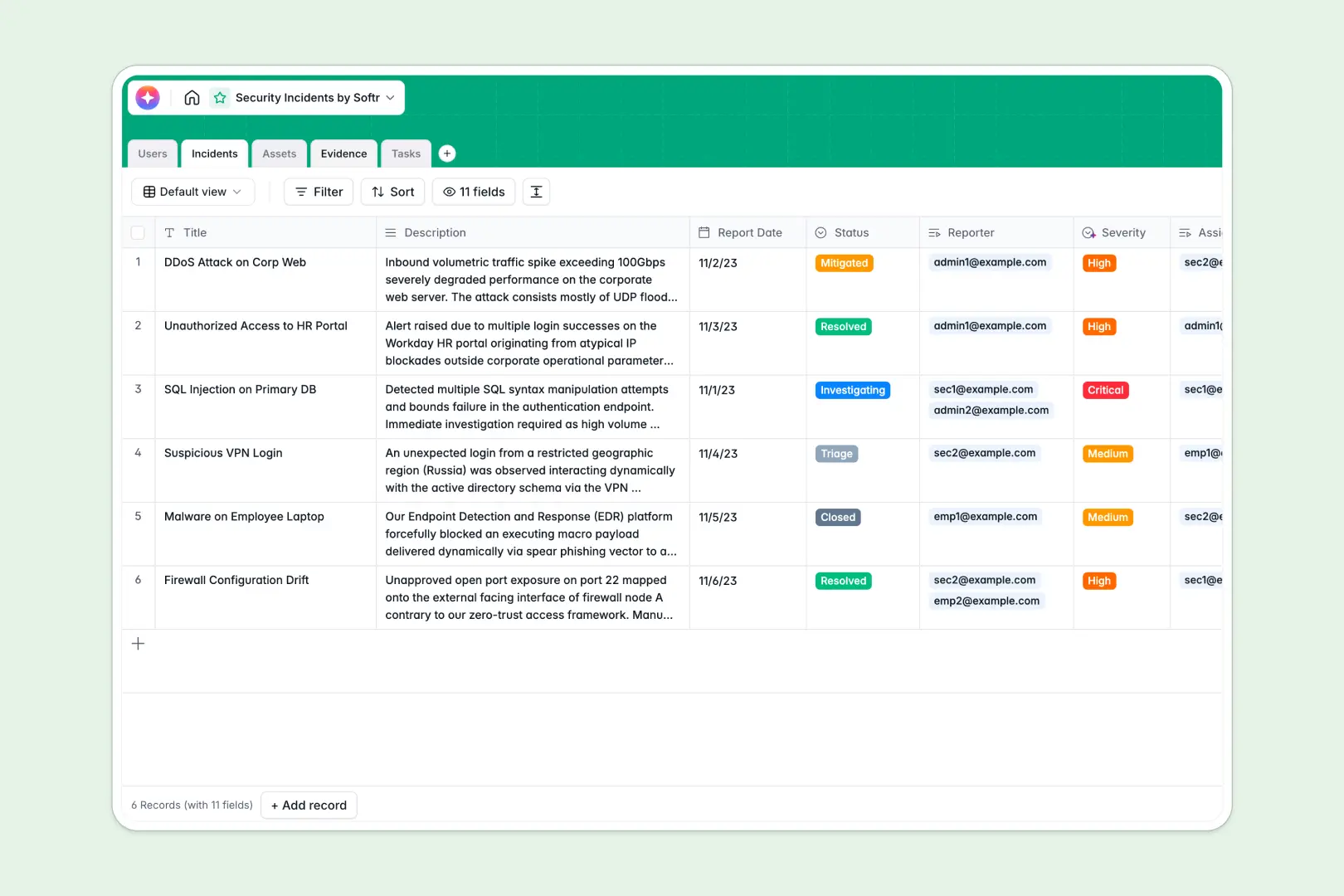
Overview
Building a client portal has never been easier. With the Softr Client Portal, you can instantly provide a centralized hub for your customers to check project statuses, securely upload documents, and review invoices. Instead of scattering data across emails, you can sync seamlessly with Airtable or Google Sheets.
Client Portals vs. Traditional Email
When managing external stakeholders, choosing the right tool is vital.
Traditional Email
Using email leads to lost attachments, buried feedback, and endless long threads. It is not scalable for agencies managing dozens of accounts.
Softr Client Portals
By leveraging Softr's powerful no-code tools, you create personalized dashboards. Each user logs in and only sees their own data thanks to advanced user permissions, offering a highly professional experience.
-
Users
Manage system staff and analysts with roles, contact info and incident history
-
Incidents
Track security breaches using AI to classify severity and generate executive summaries
-
Assets
Catalog systems and hardware while using AI to research vendor security intelligence
-
Evidence
Store logs and screenshots as critical documentation for specific incident investigations
-
Tasks
Organize remediation actions with due dates and assignments to resolve security events
Who is this for
This template is perfect for businesses that need to interact closely with external partners or clients. Typical users include:
- Marketing Agencies: Share campaign assets, analytics, and content calendars transparently.
- Accounting Firms: Provide a secure vault for tax returns and sensitive financial documents using Softr's secure integrations.
- Freelancers & Consultants: Give clients a professional white-labeled environment to chat and review deliverables.
How to take it further
Ready to upgrade your portal? You can seamlessly expand this simple dashboard into a full-fledged Softr Custom CRM. By integrating tools like Zapier or Make, you can trigger automated emails whenever a client uploads a new file. You can also integrate Stripe to accept payments directly within your app, transforming your communication hub into a revenue-generating platform.
-
1
-
2
-
3
-
4
Frequently asked questions
-
What is a client portal?
-
Can I connect this template to Airtable or Google Sheets?
-
Is it possible to restrict access to certain users?
-
Do my clients need to pay for a Softr account to log in?
-
Can I accept payments through this template?
Start building today. It's free!
Build and launch your first app in under 30 minutes.