


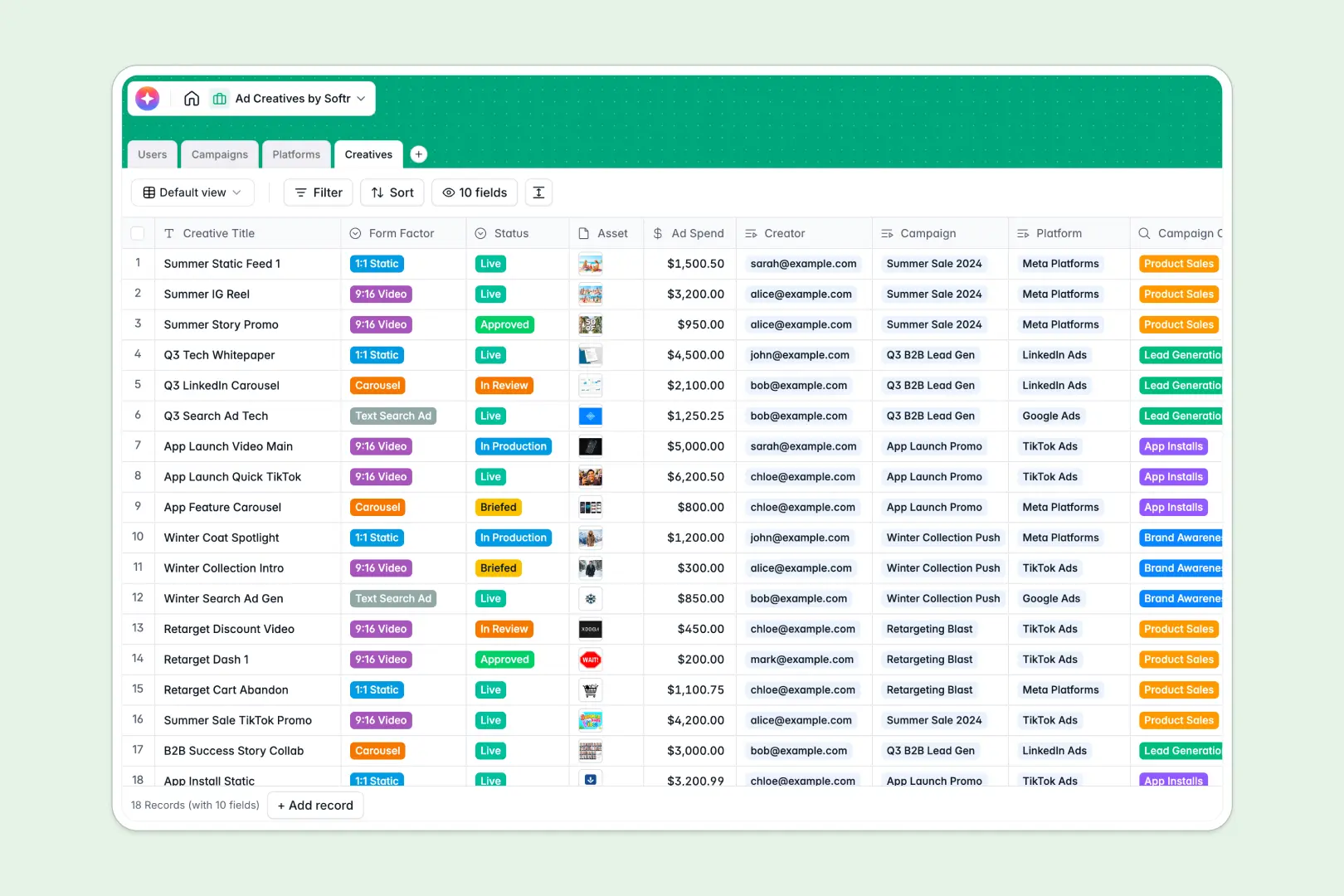
Overview of the Client Portal Template
Managing clients doesn't have to be a messy mix of emails and detached spreadsheets. With our Client Portal Template, you can quickly launch a secure, centralized hub for all your client interactions. This template connects directly to your Airtable or Google Sheets data, allowing you to build a powerful web app without writing a single line of custom code.
Why Choose Softr Over Alternatives?
No-Code Flexibility
Unlike rigid, legacy CRM systems, Softr gives you complete control over your portal's design and functionality. Simply drag and drop pre-built blocks to create a beautiful interface in minutes.
Seamless Airtable Integration
While other platforms require complex third-party tools or Zapier setups, Softr offers robust, native Airtable integration to sync data instantly and securely.
-
Users
Manage marketing team profiles, access levels, and creative work assignments
-
Campaigns
Manage marketing initiatives with AI-generated summaries to track objectives
-
Platforms
Analyze ad networks using web-informed AI to research specific ad formats
-
Creatives
Draft high-converting ad copy with an AI copywriter and track production
Who is this for?
This template is built specifically for service-based businesses that need a secure way to interact with clients. It is highly recommended for:
- Agencies: Share deliverables, gather feedback, and manage invoices securely.
- Freelancers: Centralize client communication and project updates in one clean dashboard.
- Consulting Firms: Provide a premium, branded resource hub for high-ticket clients.
- Accountants and Lawyers: Securely exchange sensitive documents by leveraging Softr's advanced user permissions.
How to take it further
Once you have the basics down, it is easy to scale your portal. You can integrate payment gateways like Stripe directly into your application to start processing invoices and subscriptions automatically from your dashboard.
To turn your portal into a fully-fledged ecosystem, consider adding a community space using Softr's community features. By connecting more data sources and experimenting with custom code blocks, you can tailor the exact workflow your growing business demands.
-
1
-
2
-
3
-
4
Frequently asked questions
-
What exactly is a client portal?
-
Do I need to know how to code to use this template?
-
Can I connect my own business domain name?
-
How secure is the data stored in the client portal?
-
Does this template integrate with Airtable and Google Sheets?
Start building today. It's free!
Build and launch your first app in under 30 minutes.