


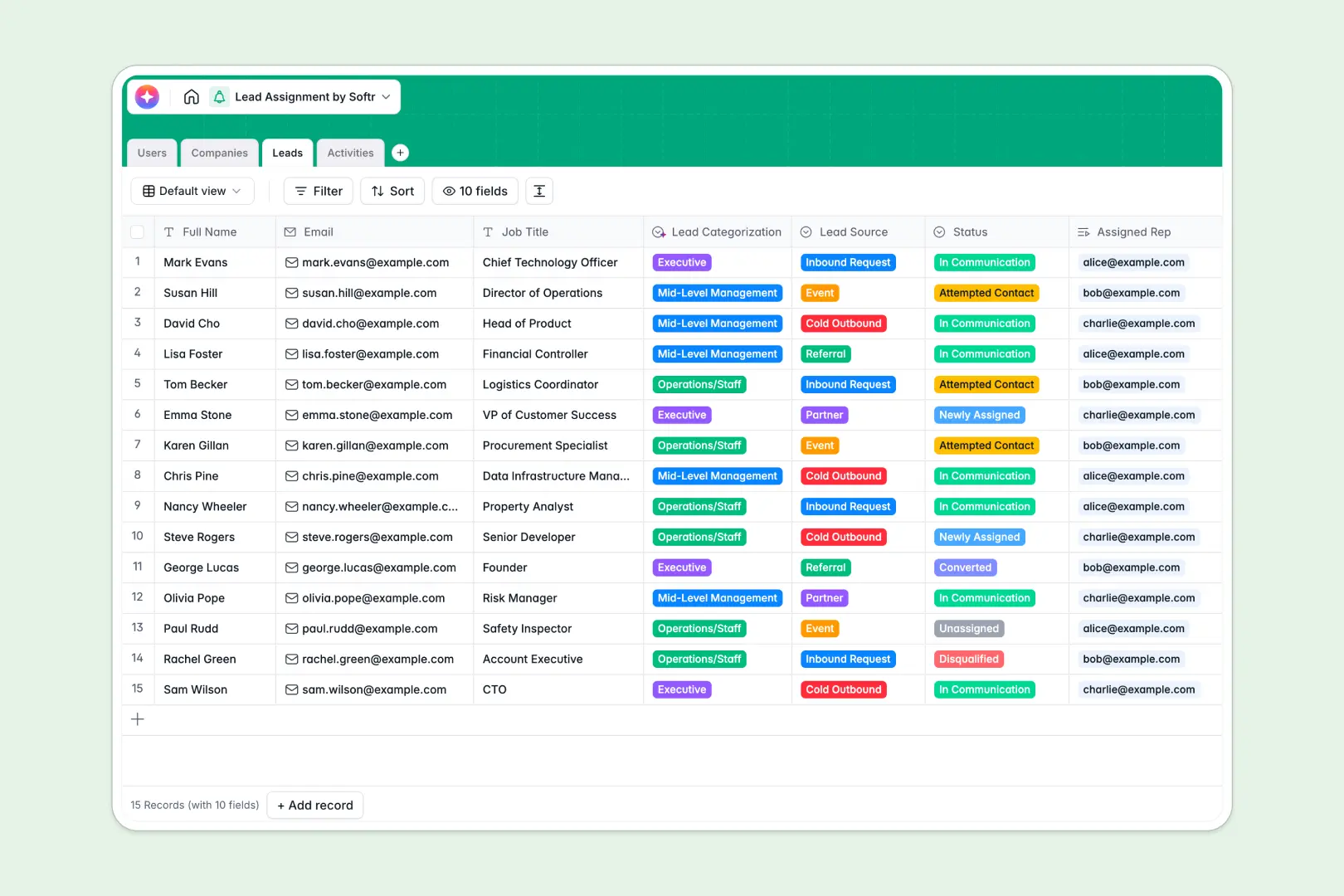
Overview
This template provides a powerful way to organize client data using Softr. You get full control over client access, securely stored data, and streamlined operational workflows.
Comparison
Choosing the right tech stack matters for your operational success and long-term maintenance.
Custom Development
Building a portal from scratch takes initial months of planning, intense coding, and predictably high budgets.
The No-Code Way
Using Softr Products cuts down development time drastically, letting you launch beautifully designed portals within a few days.
-
Users
Directory of sales staff and admins handling lead assignment operations
-
Companies
Manage organizations with web-powered AI for descriptions and industry insights
-
Leads
Manage prospects and track individual assignments with AI job categorization
-
Activities
Log interactions and use AI to generate actionable summaries from notes
Who is this for
This framework is immensely flexible and perfectly tailored for various industry professionals:
- Agencies wanting a white-labeled, instantly recognizable branded hub for their partners.
- Freelancers looking to elevate their digital asset delivery and communication.
- Consultants sharing proprietary and sensitive data securely via Softr.
How to take it further
Once you have the basics implemented, you can rapidly scale your application without hitting a ceiling. Bring in automation tools like Zapier or Make to seamlessly trigger personalized emails upon new file uploads. Discover endless scaling possibilities and add new functional logic by visiting the comprehensive Softr Blog.
-
1
-
2
-
3
-
4
Frequently asked questions
-
What is a client portal?
-
How long does it take to set up this template?
-
Is my data secure in the no-code portal?
-
Can I connect this to my existing Airtable base?
-
Do I need to know how to code to use this?
Start building today. It's free!
Build and launch your first app in under 30 minutes.