


Overview
Creating an internal tool to manage your team does not need to be difficult. With the Softr Employee Directory Template, you can easily display team members, roles, and contact information pulled directly from your Airtable or Google Sheets database.
Comparison: Softr vs Traditional Development
Speed
Building from scratch takes months, but with Softr's no-code builder, you can launch your portal in a few minutes.
Ease of Use
Unlike rigid software, this template can be fully customized with flexible drag-and-drop blocks.
-
Users
Manage team member profiles, roles, and assigned influencer outreach
-
Influencers
Catalog creators using AI to summarize bios and classify follower tiers
-
Campaigns
Track marketing initiatives and budgets with AI-generated creator briefs
-
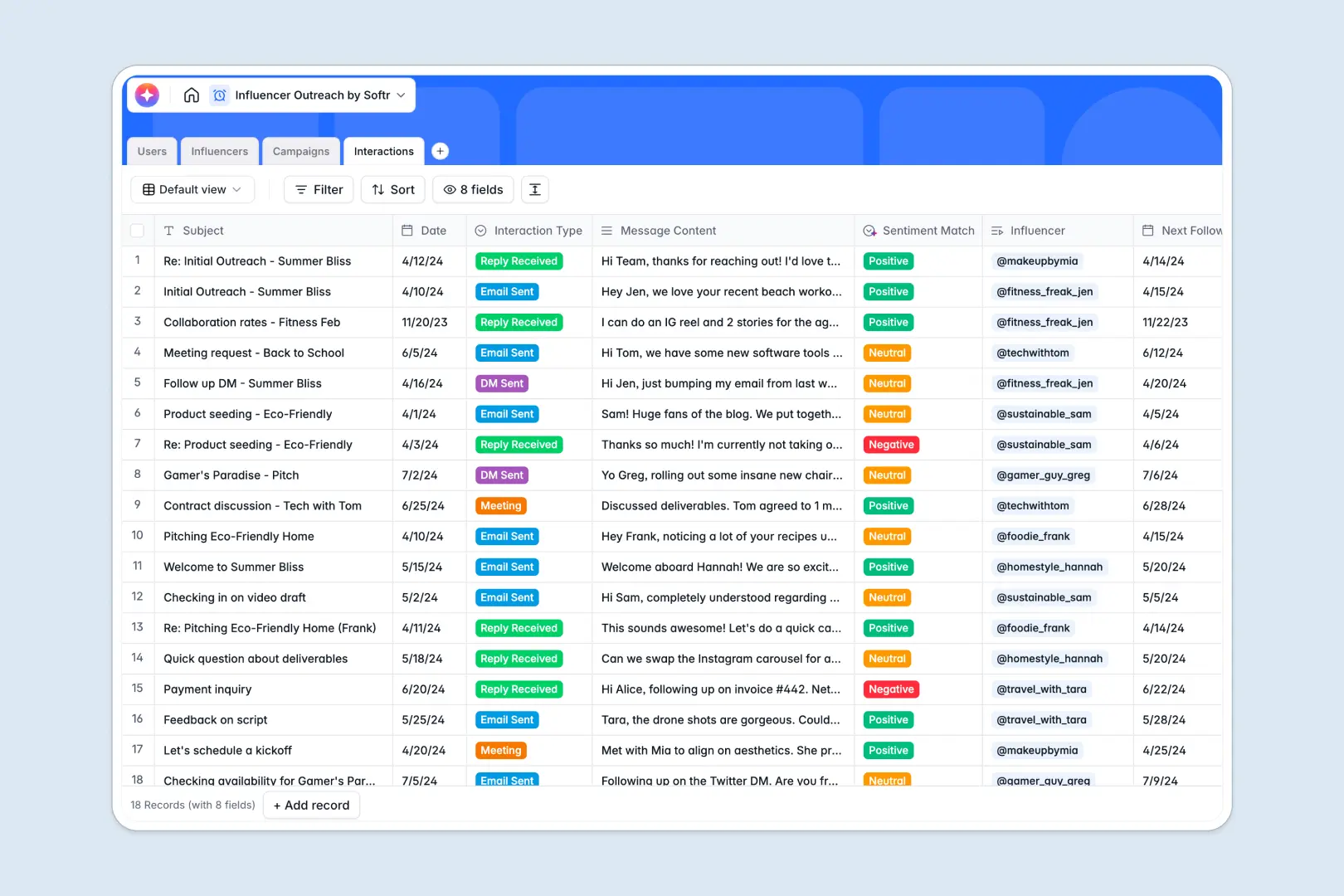
Interactions
Log communications using AI to detect sentiment and manage follow-ups
Who is this for?
This template is perfect for growing organizations that need a centralized place for team data.
- HR Managers: Streamline onboarding and company org charts.
- Founders: Provide immediate visibility of the overall team structure.
- Operations Teams: Connect data seamlessly with Softr integrations.
How to take it further
Once you have your basic directory set up, consider upgrading your application. Add an interactive company calendar, project dashboards, and user permissions using Softr's advanced features. Start small, and scale up as your company grows.
-
1
-
2
-
3
-
4
Frequently asked questions
-
What is an employee directory template?
-
Do I need coding skills to use this template?
-
Can I connect this to my Airtable base?
-
Is it possible to restrict access to certain team members?
-
How much does it cost to get started?
Start building today. It's free!
Build and launch your first app in under 30 minutes.