Replit vs Bubble: Which app builder should you use in 2026?


Building apps has never been easier. You no longer need to hire a developer; you might not even need to touch code. Replit and Bubble are two platforms that reflect this trend, despite being quite different.
Replit is an AI-focused coding environment that allows you to build and launch custom apps through text prompts. Bubble is a no-code platform that feels like a hosted drag-and-drop app builder.
Both are popular and capable. But which is a better fit for your project? And when should you turn to a more complete alternative, like Softr? I’d say it depends on how you work, and what you want to achieve.
To make the choice clearer, I tested these platforms over the last week to compare their features, pricing, use cases, and overall value.
Replit vs Bubble at a glance
| Feature | Replit | Bubble |
|---|---|---|
| Best for | Developers, technical teams, and founders | Non-technical founders and operators that want to build products visually |
| Main workflow | Prompt, code, debug, deploy | Design visually, configure data, create workflows, publish |
| Coding required | Not always to start, but often needed to understand and maintain output | No code required, but there is logic and architecture to understand |
| AI capabilities | Strong AI coding assistant and app-generation workflow | AI-assisted app creation plus visual editing |
| Backend | Can support databases, auth, hosting, and infrastructure, but still code-centric | Built-in database, workflows, user authentication, and app logic |
| Frontend control | Full code-level control | Visual design control within Bubble’s editor |
| Scalability | Depends on code quality, architecture, infrastructure choices, and developer oversight | Depends on Bubble architecture, database design, workload usage, plugins, and optimization |
| Maintainability | Strong if developers own the codebase | Strong if the builder understands Bubble architecture; messy if workflows sprawl |
| Integrations | Flexible through code, APIs, and development ecosystem | Large plugin ecosystem and API connector |
| Deployment | Built-in deployment options, still developer-oriented | Built-in publishing for web apps |
| Pricing model | Plan + AI/usage/compute considerations | Plan + workload/capacity considerations |
| Biggest strength | Flexibility and code ownership | Visual full-stack app building |
| Biggest risk | Non-technical users may not know what the AI built | Complex Bubble apps can become hard to debug, optimize, or hand off |
What is Replit?
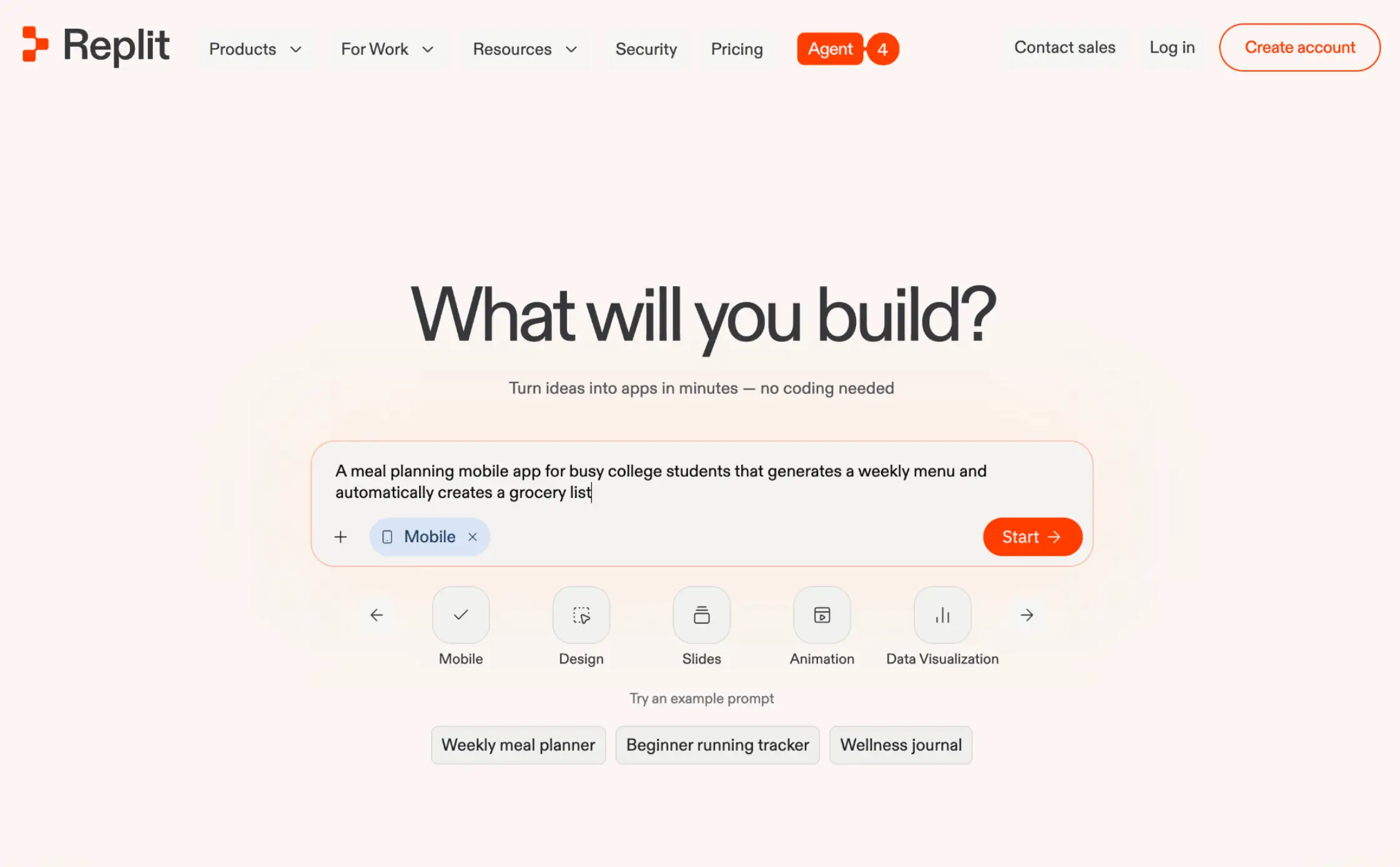
Replit is a browser-based development environment, optimized for coding with AI. It has become very popular with vibe coders, who use the platform to build and launch apps without writing every line themselves.
The platform works much like a traditional code editor, except you get access to a built-in AI agent. This feature lets you design both the interface and the backend of your project through text prompts.
And because everything is stored in the cloud, you can deploy finished projects from the same workspace.
Replit pros and cons
Pros
- Code editor, AI agent, and deployment in one workspace
- Strong AI agent helps you generate code and debug issues
- Works for apps, scripts, and websites
- You can work with unusual logic and custom APIs
- Good collaboration features for teams
Cons
- You need technical knowledge to troubleshoot issues
- Costs are unpredictable due to AI usage
- You are responsible for testing, backups, and security
- Business apps like portals, CRMs, and dashboards take a lot of setting up
Who is Replit best for?
Replit is primarily made for developers, founders, and technical teams who want to speed up the development process.
The platform can handle a range of software, but we think it’s best suited to prototypes, internal tools and scripts, and experimental apps that lean on AI.
How Replit works
The first step in any Replit project is to describe the app or website you want to build.
This prompt goes to the built-in AI agent, which can generate the basic project structure, files, the interface, and underlying logic.
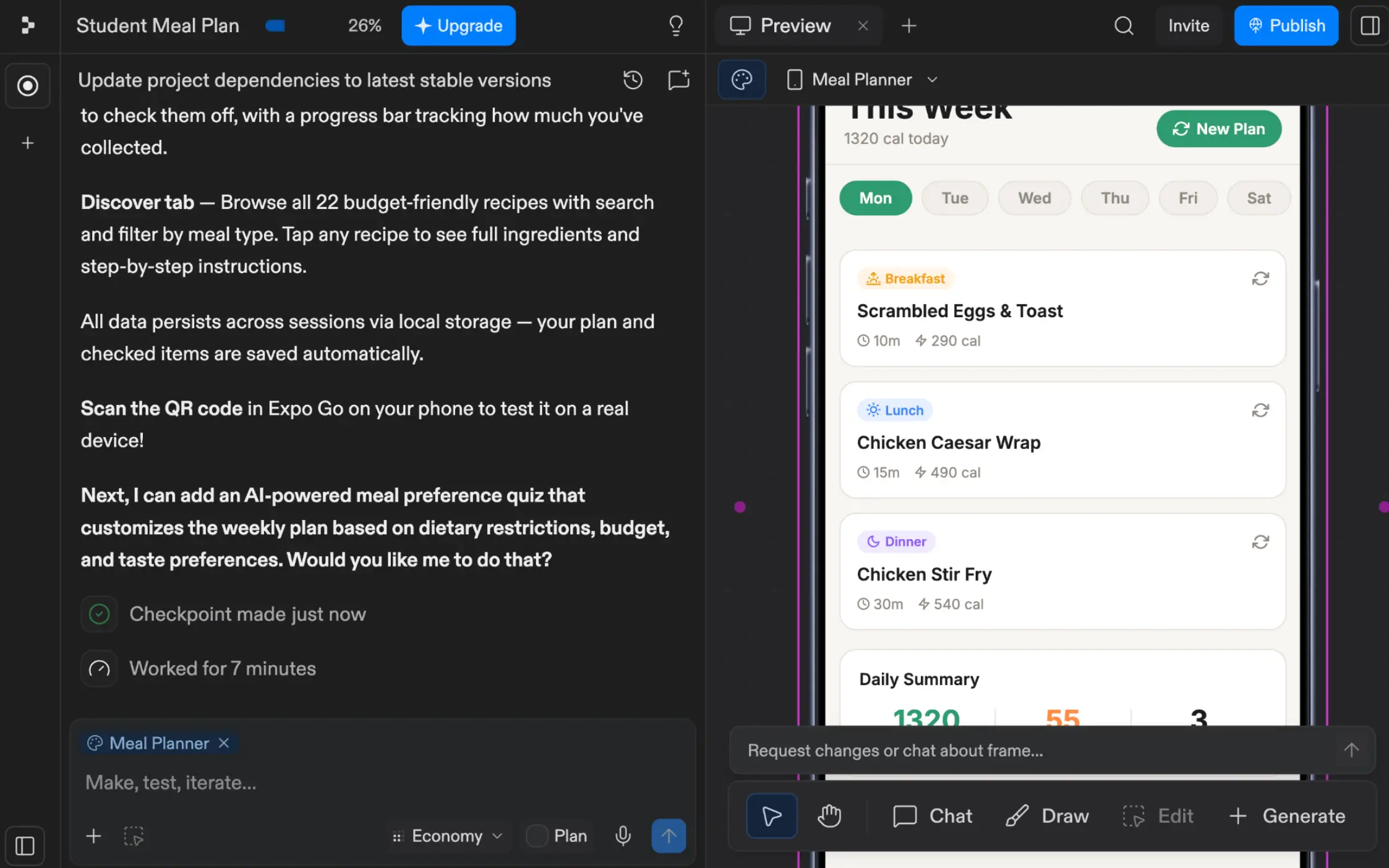
Once the initial build is complete, you view and edit the code within a traditional IDE interface. If you weren’t aware before, this is the point when you’ll realize that Replit is definitely a technical tool.
Deploying projects, on the other hand, feels like sharing a file: you just hit a button, choose your domain, and off you go.
What is Bubble?
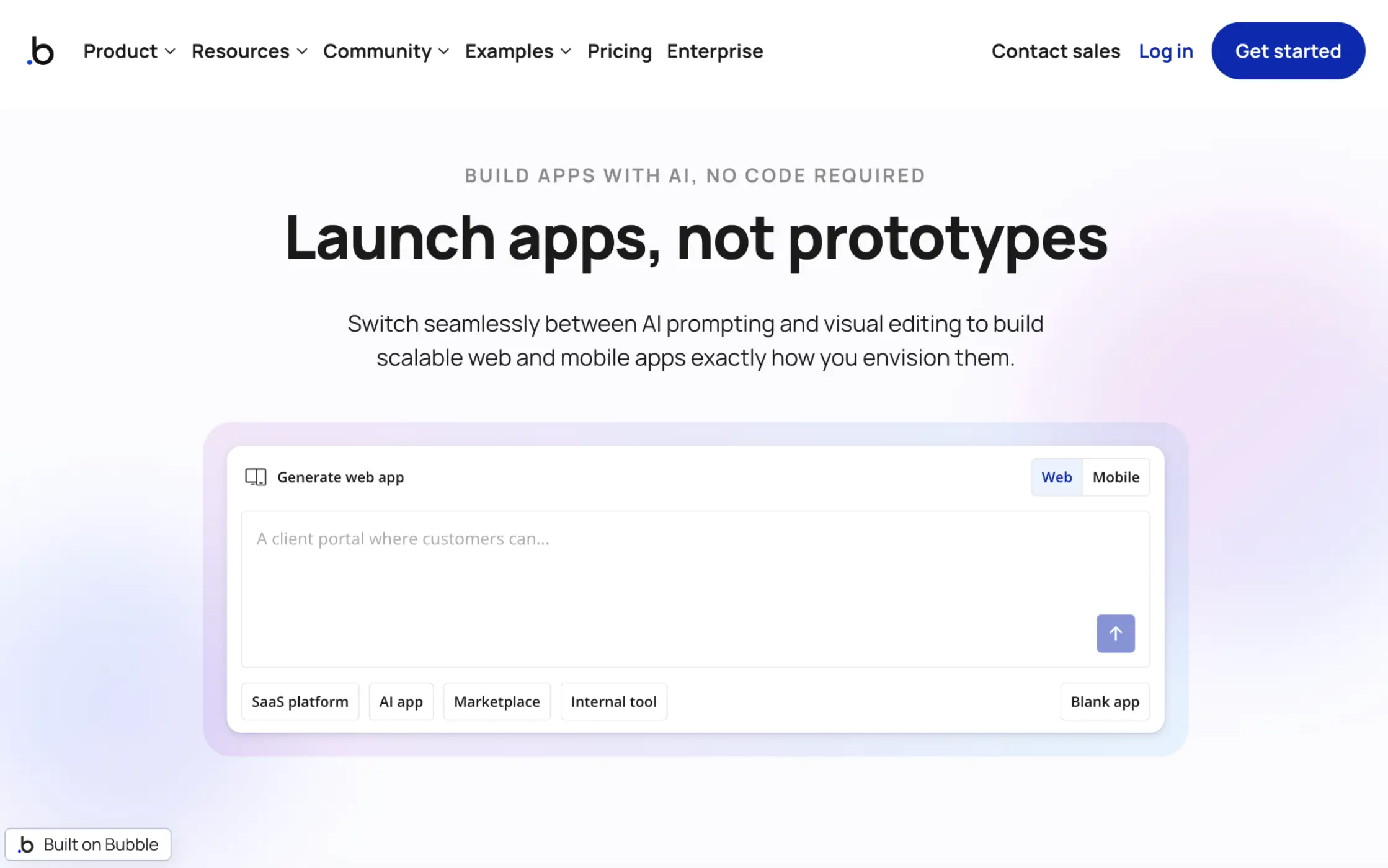
Bubble is an AI-powered app builder that lets you build tools and products without touching code.
The platform is based around a visual editor, which provides control over the design and logic of your projects. To speed things up, you can work with the AI assistant, and enhance your apps with community-made templates and plugins.
Bubble projects are normally web apps, published directly on the platform. However, you can also build native mobile apps. This is partly why Bubble is popular with non-technical founders and entrepreneurs.
Bubble pros and cons
Pros
- Visual builder avoids code, while providing good control
- AI assistant helps you build apps faster
- Built-in database means no awkward integration
- Large selection of plugins, covering payments, AI, analytics, and more
- Large user community that contributes tutorials, templates, and expert services
Cons
- Learning curve quickly becomes steep
- Easy to make a mess of workflows, databases, and logic
- Complex apps can be difficult to manage for non-technical teams
- Pricing scales with usage
- Overkill for many business tools
Who is Bubble best for?
Bubble is best for non-technical users and small teams who want to build basic apps without sacrificing control or relying on developers.
In real-world terms, that often equates to non-technical founders, agencies building client apps, and product managers putting together prototypes.
How Bubble works
The workflow in Bubble is mainly visual. The editor feels like a drag-and-drop website builder: you can drop in buttons, tweak layouts, and add fields with a couple of clicks. You can also set up actions, automation, and backend behaviors.
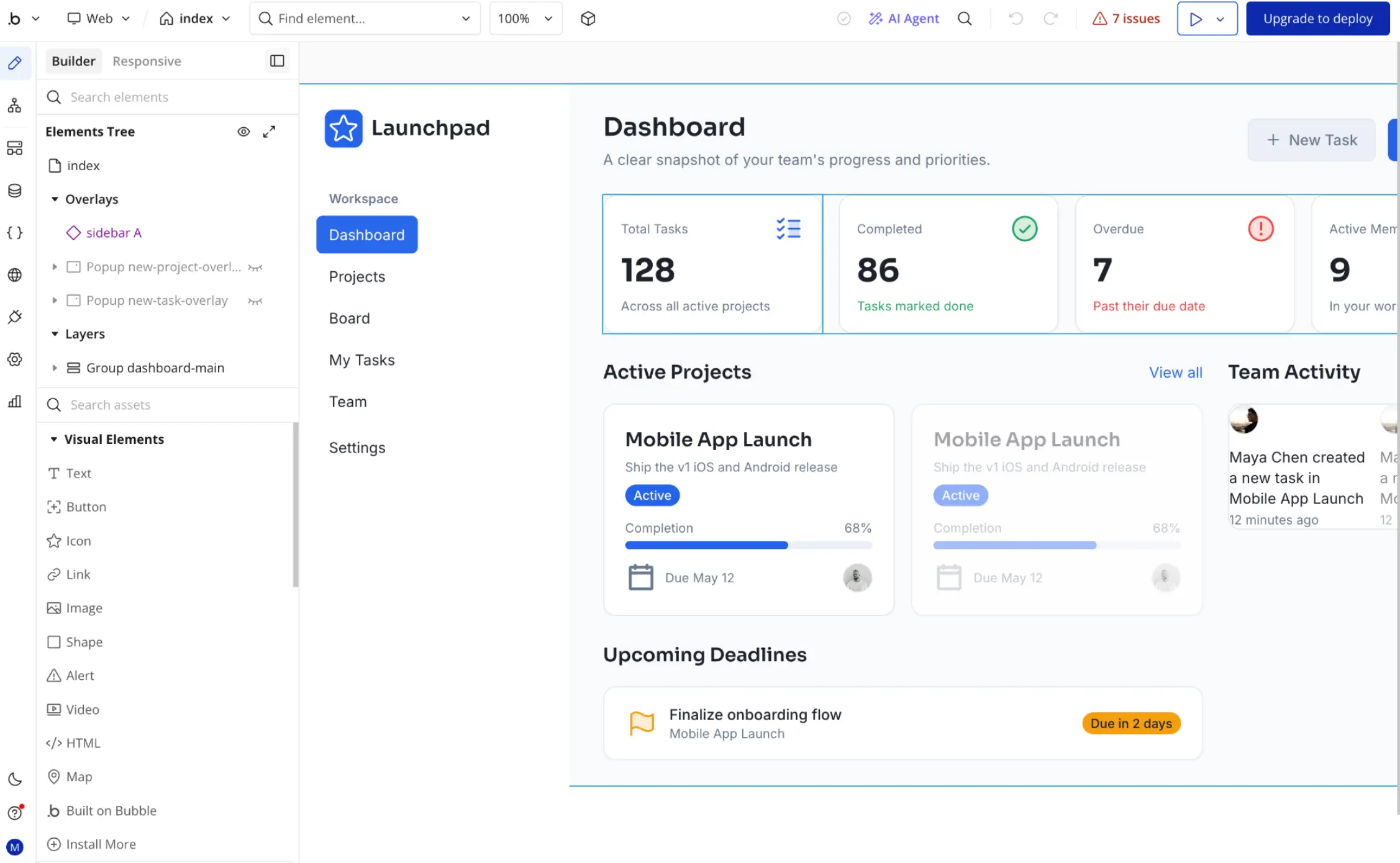
More recently, Bubble has added AI into the mix. You can list your requirements, and the built-in agent will put together a solid foundation for your new app.
Alternatively, you can browse the app template marketplace and install plugins to add functionality to your app. Once finished, your projects go live via Bubble’s servers.
Replit vs Bubble: Features compared
On the surface, the divide between Replit and Bubble is mainly about code. But these two apps differ in other ways, too.
Which is easier to use and set up?
If you’re familiar with IDEs and other coding tools, Replit is actually quite easy to use. You don’t need any local setups or package management, because the platform handles that stuff for you.
The AI also does a great job of speeding things up, so you only need to jump in for edits. But this all still requires developer-level knowledge.
For the average person, Bubble is more accessible. Anyone can figure out the visual editor with a little patience. It only gets tricky if you need unusual logic, complex flows, privacy rules, and so on.
Verdict: Bubble is easier for most people to start with, but Replit will feel more natural for developers.
Which has better AI-assisted development?
Replit holds the cards here. The platform has a strong agent, and the whole workflow is built around AI coding.
Along with generating the initial framework of your project, Replit’s agent can help you edit and debug code. It can also build lightweight scaffolds and assist with logic.
With Bubble, AI feels more like an extra feature bolted on to the visual editor. It’s still useful, particularly for building the initial skeleton of your app, but Bubble’s agent is just not as capable as Replit’s.
Verdict: Replit is clearly the stronger choice here, although AI is still useful for assisted building in Bubble.
Which offers more flexibility and customization?
Any tool (e.g. Replit) that lets you edit code is going to be more flexible than a visual app builder.
That said, Bubble offers plenty of options. You can build custom workflows, unique data structures, and carefully honed interfaces through the visual editor. It’s just all contained within the walled garden of Bubble.
In contrast, Replit gives you even more freedom. It just comes with the greater technical requirements, and the need to manage what you build yourself.
Verdict: Replit is more flexible because you’re working with code. But Bubble offers enough customization for most business projects.
Which is better for databases and backend logic?
There are two ways to judge this. Flexibility is important, because you need a database that matches your project. But being able to understand and navigate your backend is equally important.
Replit offers excellent database flexibility. You can introduce custom APIs and integrations, alongside the data source of your choice.
Bubble makes it easier to build backend logic, particularly if you’re not technical.
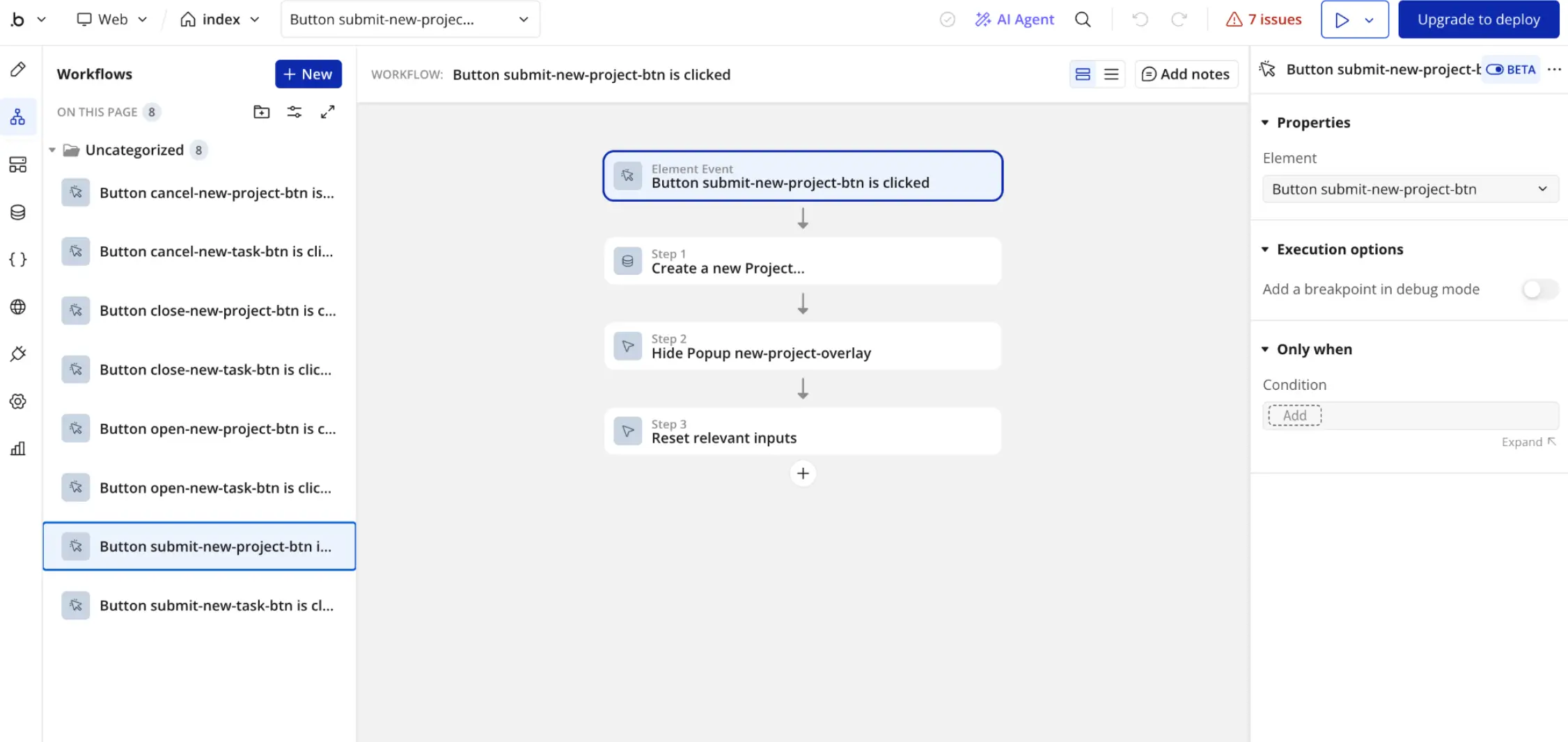
It also has a built-in database with strong privacy options. You just have to build carefully to avoid performance issues.
Verdict: For most projects and users, Bubble offers good options and usability. Replit shines for powerful product apps and custom projects.
Which is better for scalability and maintainability?
It really depends who’s using the platform. Apps built on Replit can scale well and be easy to maintain. But that’s entirely up to your engineering ability. And for people trying to vibe code apps without technical expertise, things can get messy.
The same applies to Bubble (to a certain extent). While you can’t mess up the code, it’s easy to build backend logic and workflows that flag under pressure. Bubble projects can also be difficult to understand if you’ve never used the platform.
For this reason, a platform like Softr may be a better no-code AI app builder for serious business software.
Verdict: Both platforms perform well if you design apps carefully. Competitors like Softr offer better scaling and security for business use cases.
Which is better for collaboration?
This is a strong point for both platforms. Replit helps technical teams to collaborate on code and workflows. This includes live “multiplayer” editing, in the style of a Google Docs file. Just don’t expect to get involved if you’re not a developer.
Bubble also provides live collaboration, though the experience feels messier when working in the visual editor. That said, the platform offers logs and good access control.
Verdict: Replit is slightly stronger, mainly because the editor is better suited to collaboration.
Which is better for integrations?
In theory, you can integrate any third-party content with your Replit builds. That’s the advantage of a code-first approach. The built-in agent can even help you with APIs and custom services.
Bubble supports APIs via a dedicated feature in the visual editor. The platform also has plugins, which you can access through a marketplace. This means you have plenty of options — just not quite as many as with Replit.
Verdict: Replit offers slightly more flexibility, but Bubble’s plugins are easier to use.
Popular use cases for Replit vs Bubble
While there is some overlap between Replit and Bubble, these platforms tend to be used in fairly distinct ways.
Best use cases for Replit
- AI apps and prototypes: Technical users often use Replit to experiment with new ideas for tools and workflows.
- Custom SaaS products: Founders often use Replit for software products that lean on custom logic and APIs.
- Internal scripts and utilities: It works well for hosting automations, admin tools, scripts, and bots.
- Learning and experimentation: Students of code will often use Replit as a playground for learning.
Best use cases for Bubble
- SaaS MVPs: Bubble is great for non-technical founders that want to launch the first version of a product.
- Marketplaces and directories: The platform supports profiles, submissions, and transactions.
- Client-facing web apps: Useful when a polished user experience matters more than code ownership.
- Workflow apps: Good for things like conditional logic, approvals, and moving data.
- Agency builds: Creative agencies often use Bubble to build mobile-friendly apps for their clients.
Replit vs Bubble on Reddit
User reviews for Replit and Bubble vary drastically. In part, that’s because people approach both platforms with different skill levels and expectations.
What users say about Replit
Technically adept users often have positive things to say about Replit. They like how quickly they can produce working prototypes and first versions, without hiring an expert developer.
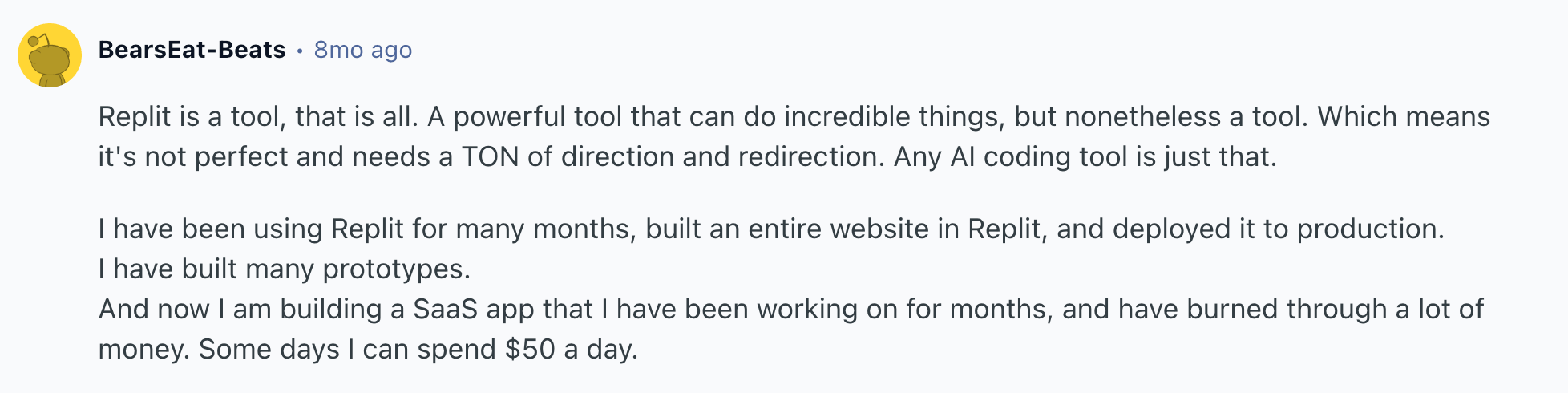
However, some users complain about how many credits it takes to build and debug apps, citing high costs as a major blocker.
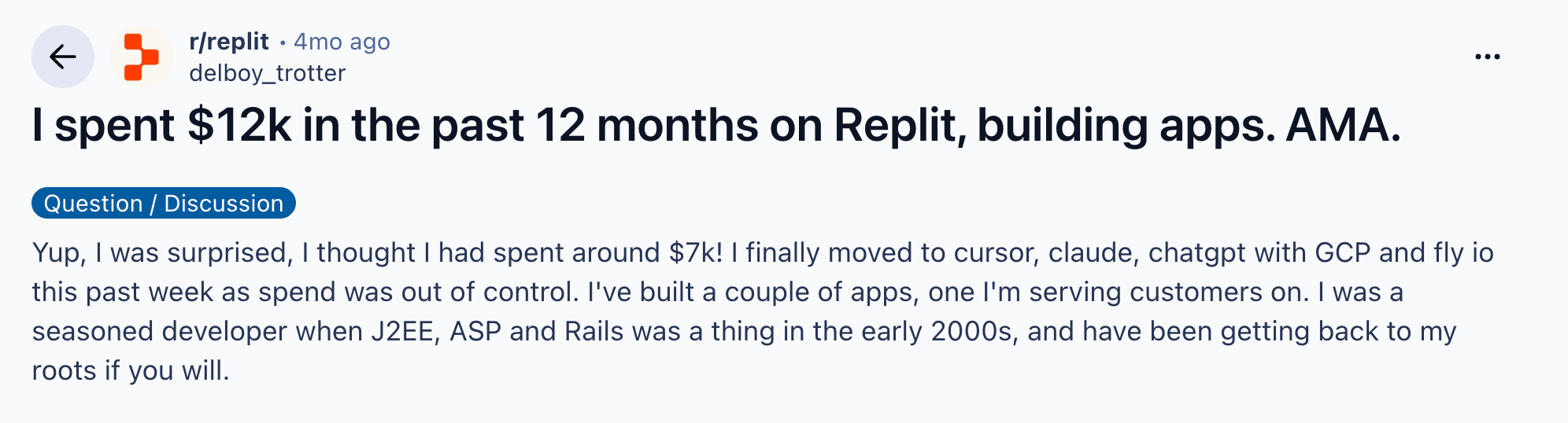
This sentiment is particularly strong among vibe coders, who rely on the agent for technical input.
What users say about Bubble
Many Bubble users say that the platform provides a gentle learning curve. They talk about building simple apps and MVPs within a few days, without the need for outside technical help.
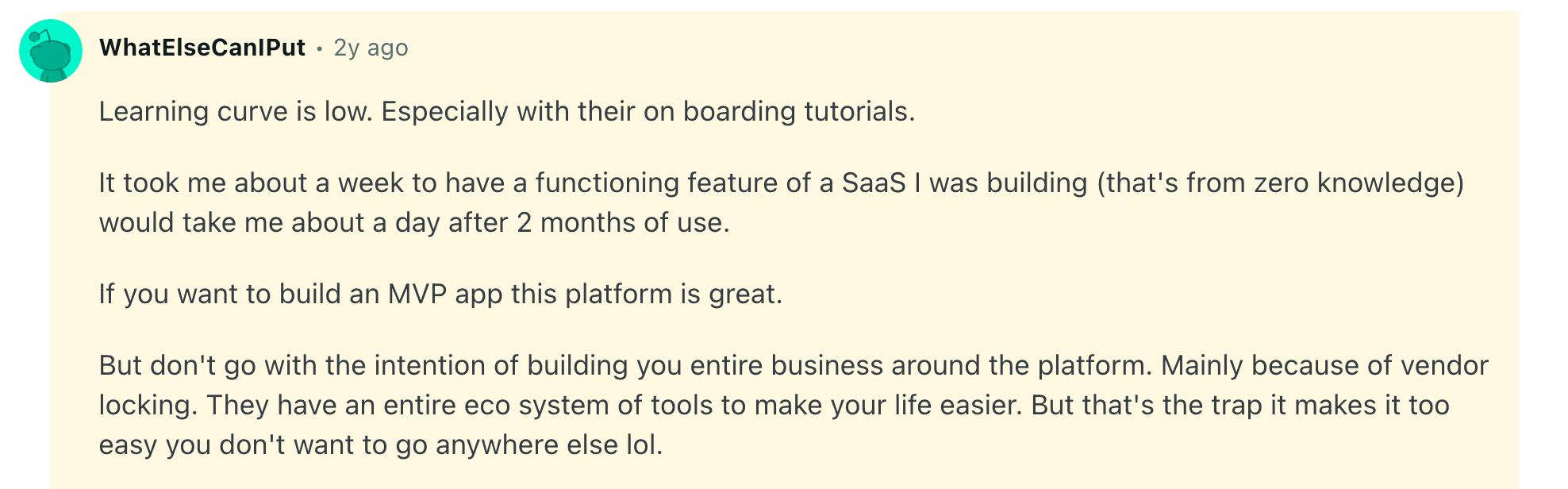
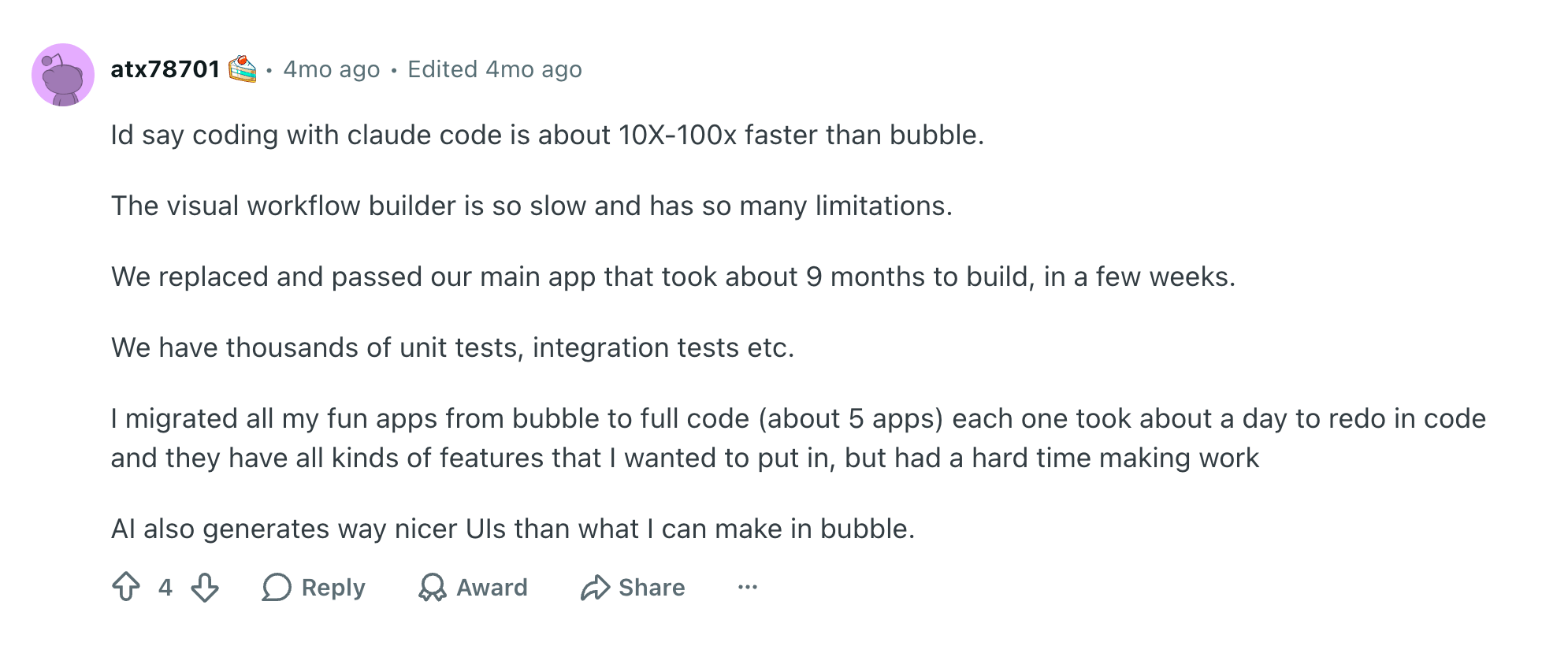
Criticism of Bubble centers on the costs of scaling and problems with building complex logic or workflows. Some users suggest that AI coding apps are more efficient.
Bubble users also sometimes complain about platform lock-in, and issues with performance.
How pricing compares between Replit and Bubble
| Plan type | Replit | Bubble |
|---|---|---|
| Free | Starter plan for exploring and testing ideas | Free plan for building apps before launch |
| Entry paid plan | Core ($18/month) — 5 editors, $20 in credits, integrations, removes branding | Starter ($59/month) — Live app on a custom domain, recurring workflows, 175K workload units/month |
| Higher paid plan | Pro ($90/month) — $100 in credits, 15 editors, use 10 agents in parallel | Growth ($209/month & Team ($549/month) — Multiple editors, extended workloads, better version control |
| Enterprise | Enterprise plan with custom security and controls | Enterprise plan with custom hosting, support, and scale |
| Cost variable to watch | AI credits, compute, deployments, collaborators | Workload units, app traffic, workflows, plugins, storage, app editors |
| Best value for | Technical builders who want AI-assisted coding and deployment | No-code builders who can manage visual app architecture efficiently |
Figures shown reflect annual billing as of July 2026.
In summary, Replit can be excellent value when it saves developer time — but the costs can ramp up if you rely on the AI agent for debugging and minor edits.
Bubble looks like good value if you don’t have access to a developer at all. You just have to watch out for price hikes as your apps scale.
Meet Softr: The best alternative for teams who want to build an entire operational system
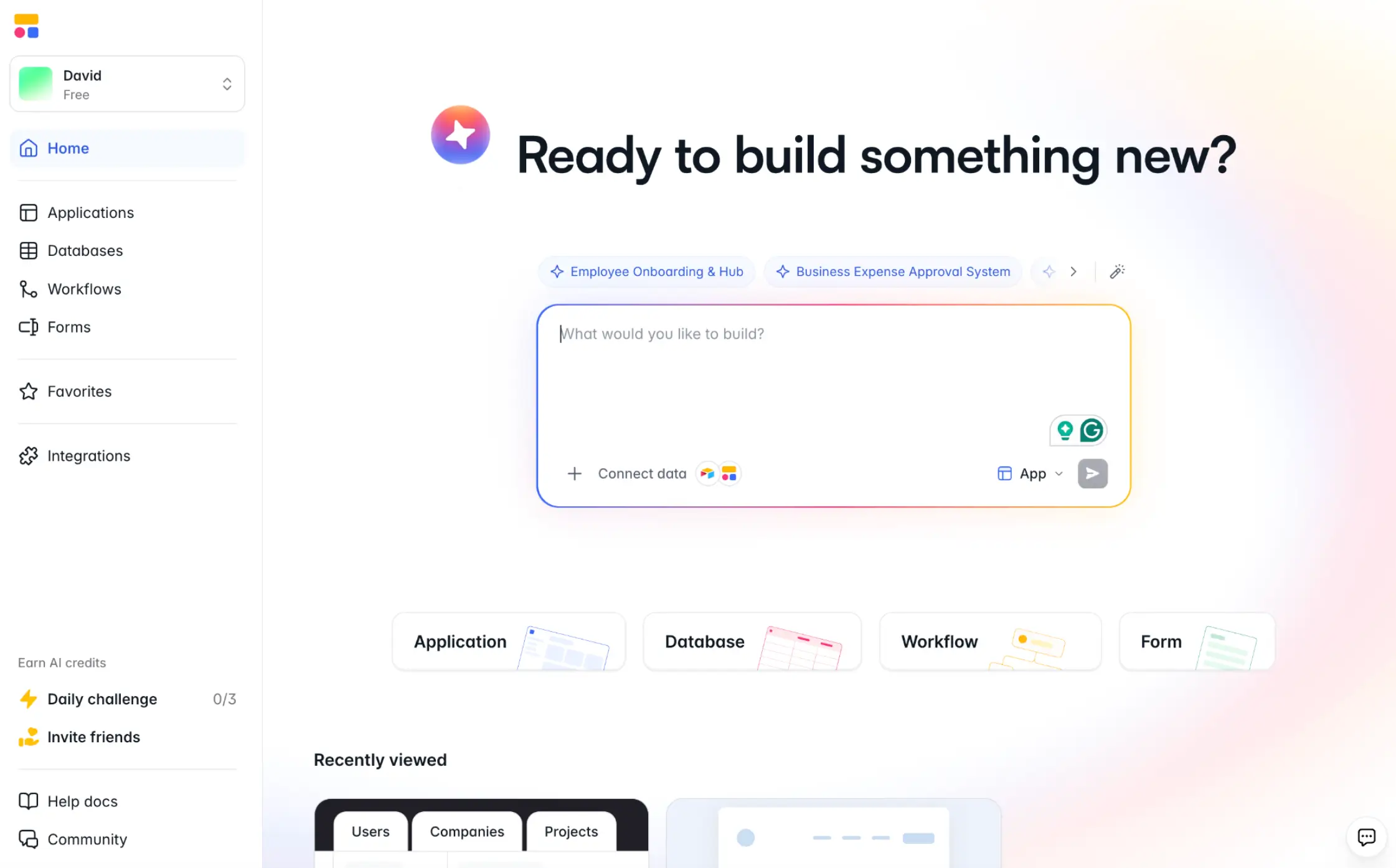
Softr is an AI-powered platform for building business software without code. It’s designed to help teams and operators create custom tools for every step in their workflows, without outrageous scaling costs.
Why choose Softr over Replit and Bubble?
Platforms like Replit and Bubble are optimized for whipping up prototypes at speed. In contrast, Softr is made for teams that need something dependable and easy to maintain.
That doesn’t mean you spend longer building your software. In fact, Softr is more accessible than both Replit and Bubble for non-technical users.
Build full business apps with AI
Softr uses AI to help you create business apps faster, then lets you edit visually inside a structured no-code platform. You can also create pages and databases from Claude or ChatGPT through the Softr MCP.
You can build client and vendor portals, CRMs, dashboards, project trackers, inventory apps, and much more.
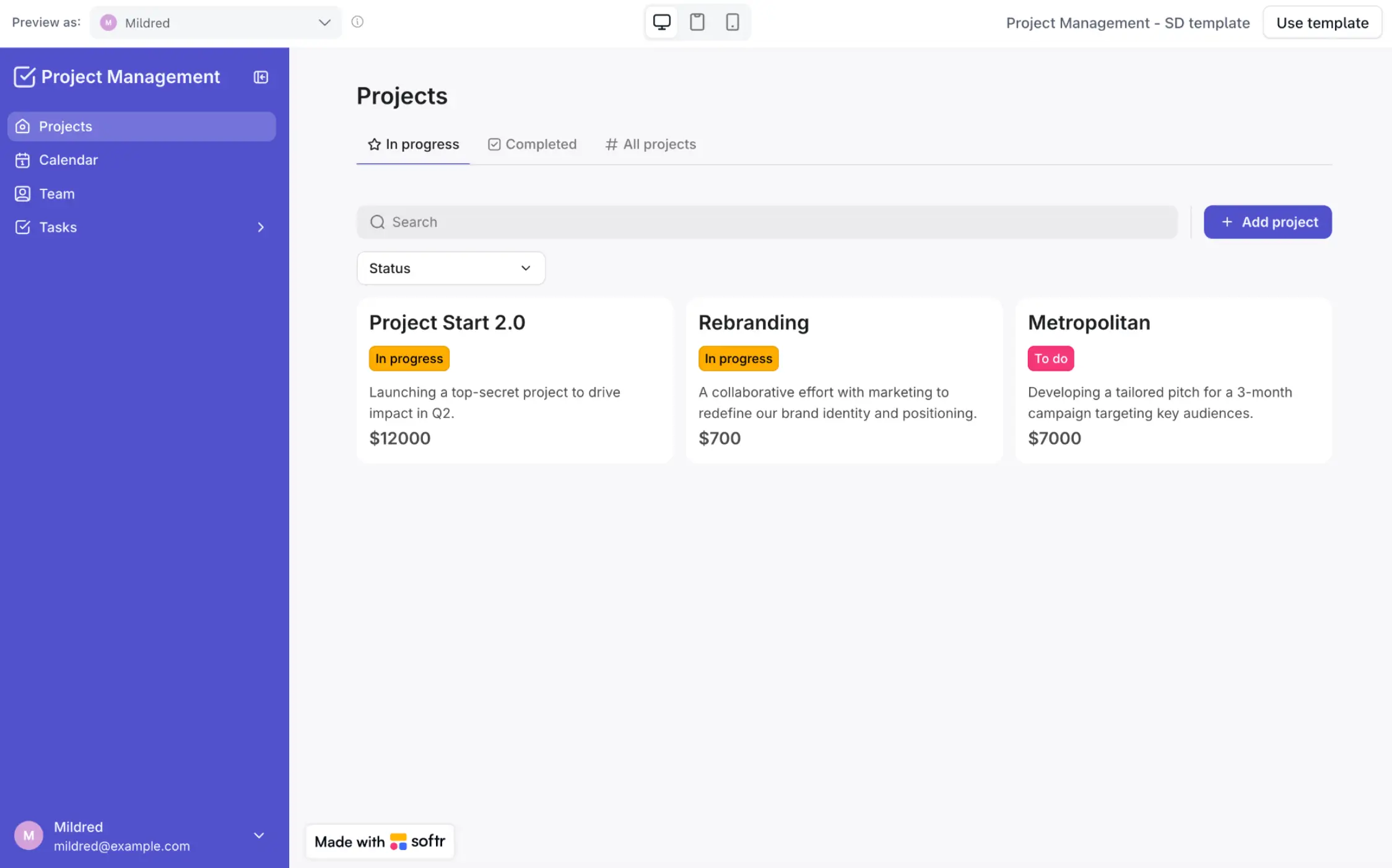
Just as importantly, these tools run smoothly whether or not you’re a technical expert.
Permissions, workflows, and data
Part of the magic lies in what you don’t have to build. Whereas other platforms force you to code custom features or lean on plugins, Softr provides all the key components of business software.
That means granular permissions, a workflow builder to automate tasks, and a built-in database — plus support for 21+ external data sources and integrations with popular productivity apps.
Better value for business teams
Platforms like Bubble charge for every app you add. Softr lets you publish unlimited apps, even if you’re on a free trial account.
This means you can build out a whole software suite, and only pay more as your usage increases.
Even compared with Replit, Softr often provides better value for non-technical teams. Because you don’t need developer help, the overall cost to deploy and maintain your apps is lower.
Replit vs Bubble vs Softr: Which one should you choose?
Ultimately, the choice comes down to how much technical responsibility your team wants to handle.
- Choose Replit if you have technical skills and want total code ownership.
- Choose Bubble if you want to build web apps quickly in a visual editor, and if you’re willing to spend time learning how the platform works.
- Choose Softr if you want to describe the tool you need and get a secure app your team and clients can log into, with no code to own and no platform architecture to master.
Most teams don’t need to design revolutionary software from scratch. You just need reliable tools that can be customized to match your processes.
Ready to build an app today? Try Softr for free and start turning prompts into powerful business software.
Frequently asked questions
Is Replit better than Bubble?
Can you build a SaaS app with Replit or Bubble?
Which is best for internal tools: Replit, Bubble, or Softr?