The 6 best investor portal software in 2026

A good investor portal can streamline reports, replace fragile spreadsheets, and communicate better than long email chains. For this reason, we looked at 40 investor portal software options and shortlisted the 6 best options for 2026.
We ranked the best ones according to the following features:
- Reporting features: How well they handle general communication, showcasing news, charts, and informational pages.
- Portfolio analysis: What kind of features do they have to help investors analyze their portfolio, company profiles, and deals?
- Individual communication: If they have any sort of way to communicate directly with specific investors, share documents, and collect signatures.
- Pricing: How much do they charge?
Keep reading for detailed reviews of each platform.
6 best investor portal software at a glance
| Tool | Best for | Key features | Pricing |
|---|---|---|---|
| Softr | Lean investment teams that want a fully custom portal, and the freedom to extend it into a CRM or deal tracker later | • AI Co-Builder generates portal, database and workflows • Native Softr Databases and Workflows • Granular user groups and data restrictions | Free plan; paid from $19/month |
| Ledgy | Funds with up to 25 investors that want an equity-focused portal running quickly | • Interactive investor dashboards • Report automation • User access controls • Financial modeling features | Free plan; paid from €5k/year |
| AppFolio Investment Management | Real estate focused investment firms wanting dashboards, fundraising and a CRM in one suite | • Built for real estate investment • Pulls property and investment data from external tools • Investor dashboards | Custom pricing |
| Backstop Investor Portal | US-based investment firms wanting one suite covering accounting, CRM and the portal | • Interactive charts for investors • Granular user access control • Accounting, portfolio and deal management | Custom pricing |
| Dynamo Investor Portal | Firms adopting the full Dynamo ecosystem, especially its CRM and data aggregation | • Custom branded portal • Document collection with DocuSign • Strong data collection and processing | Custom pricing |
| Fundwave | Single-fund teams that want a simple, mobile-friendly portal with API access | • Dashboards that work on desktop and mobile • Deal management and fund administration • API access | N/A |
1. Softr
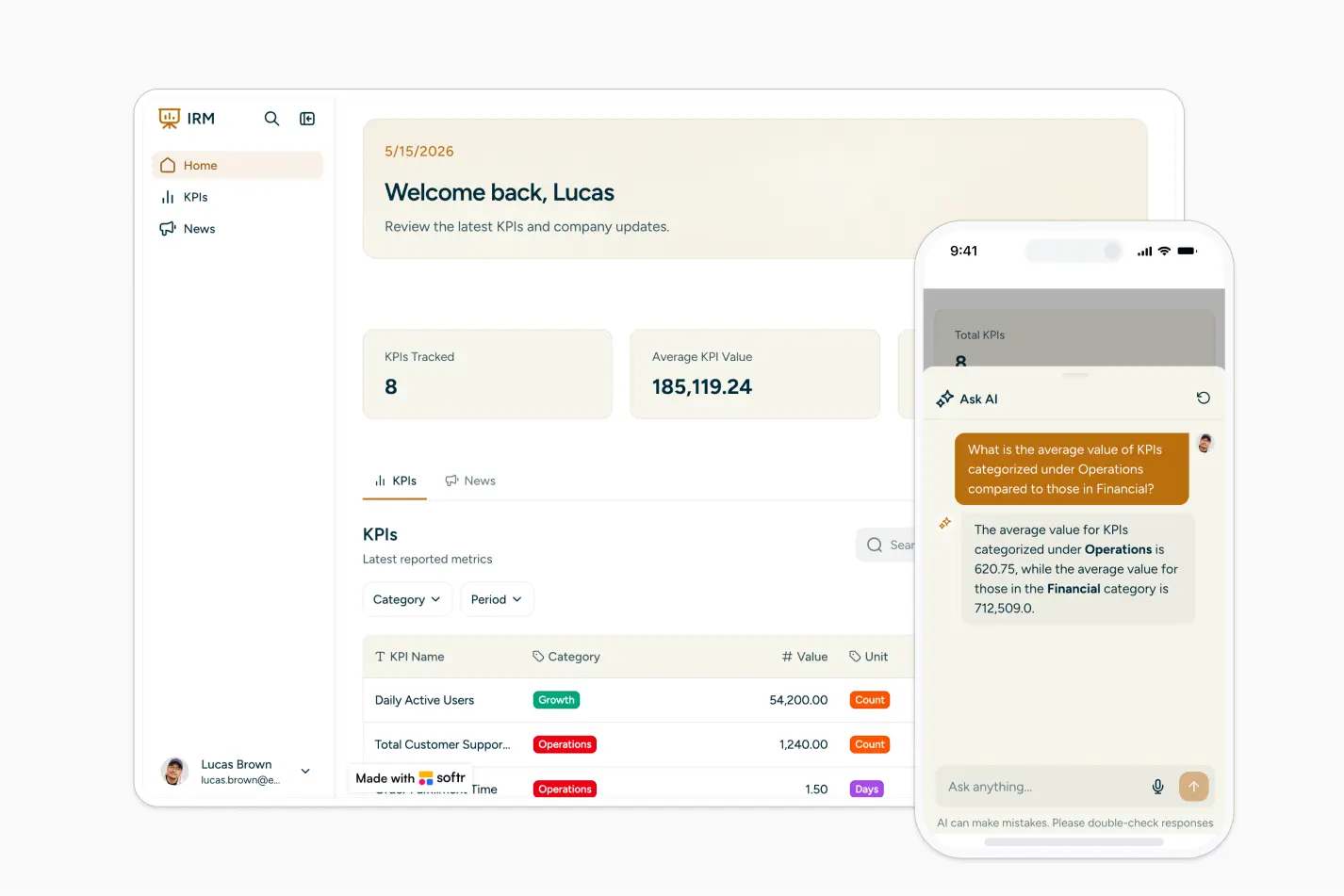
Best for: lean investment teams that want a fully custom portal, and the freedom to extend it into a CRM, deal tracker, or any other business app later.
At Softr, we provide a full-stack platform for building business apps without code: the interface, native Softr Databases, and Softr Workflows all live in one place. Describe what you need and the AI Co-Builder generates a complete portal (database, pages, user roles, and navigation) in minutes, or start from the investor portal template or a blank canvas if you prefer.
Reporting features
You can build pages and add any content you want with Softr. Pre-built blocks like charts, tables, and lists cover most reporting needs, and you can mix them freely on report pages alongside text and documents. For anything the native blocks don't cover, the Vibe Coding block lets the AI generate a custom component that inherits your app's theme and permissions.
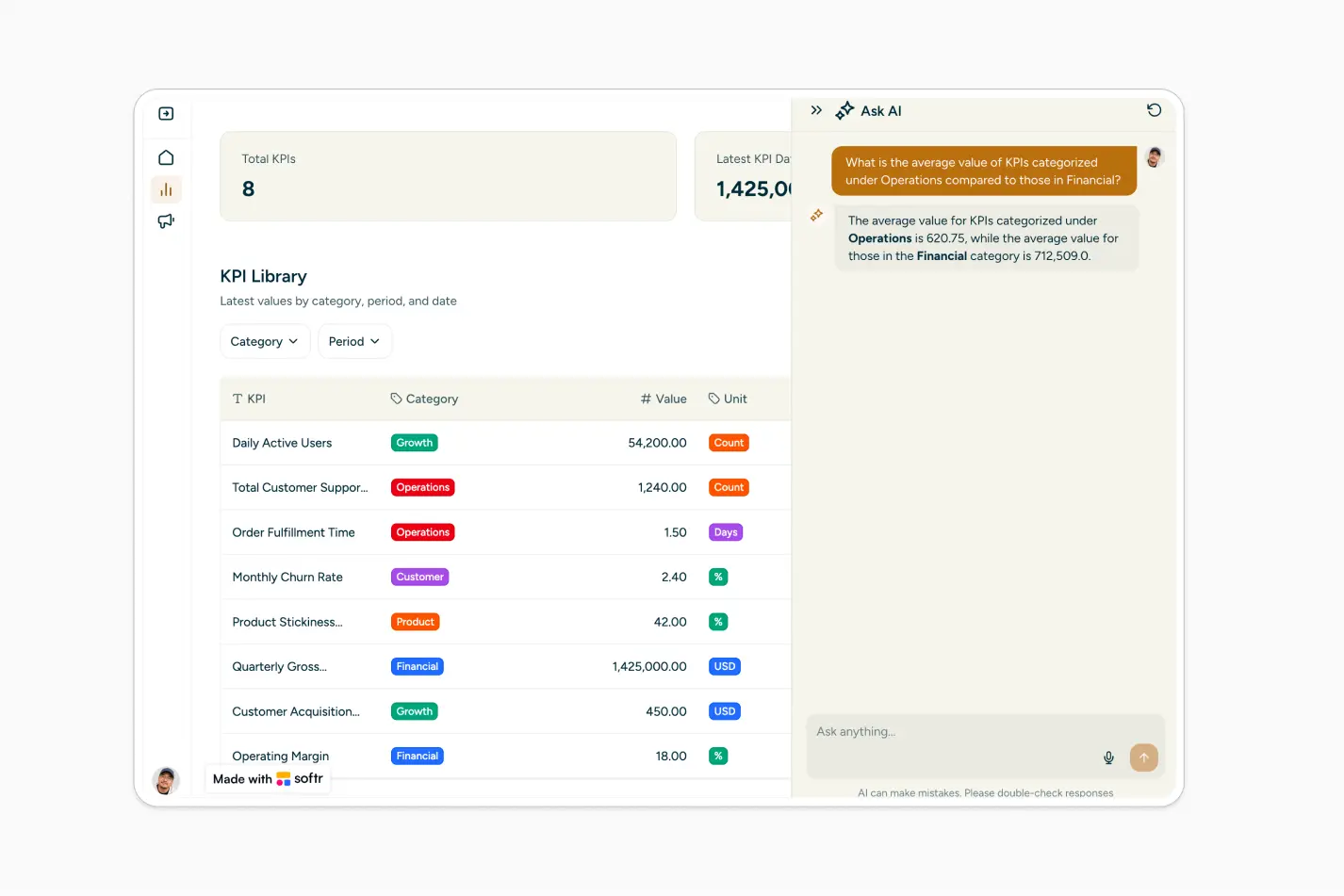
Because investors are external users accessing sensitive financial data, security comes first. With users and permissions, you define user groups (investors, administrators, LPs tied to a specific fund) and control page, block, and even field visibility for each. App-wide data restrictions act as a safety net: each investor can only ever query their own records, even if a page filter is misconfigured.
Portfolio analysis
There are list and table blocks that you can use to display companies, deals, and funding rounds, with filters and search built in. Your data lives in Softr Databases by default, or you can connect Airtable, Google Sheets, HubSpot, and other sources (Softr supports 21+ data sources, including a REST API connector).
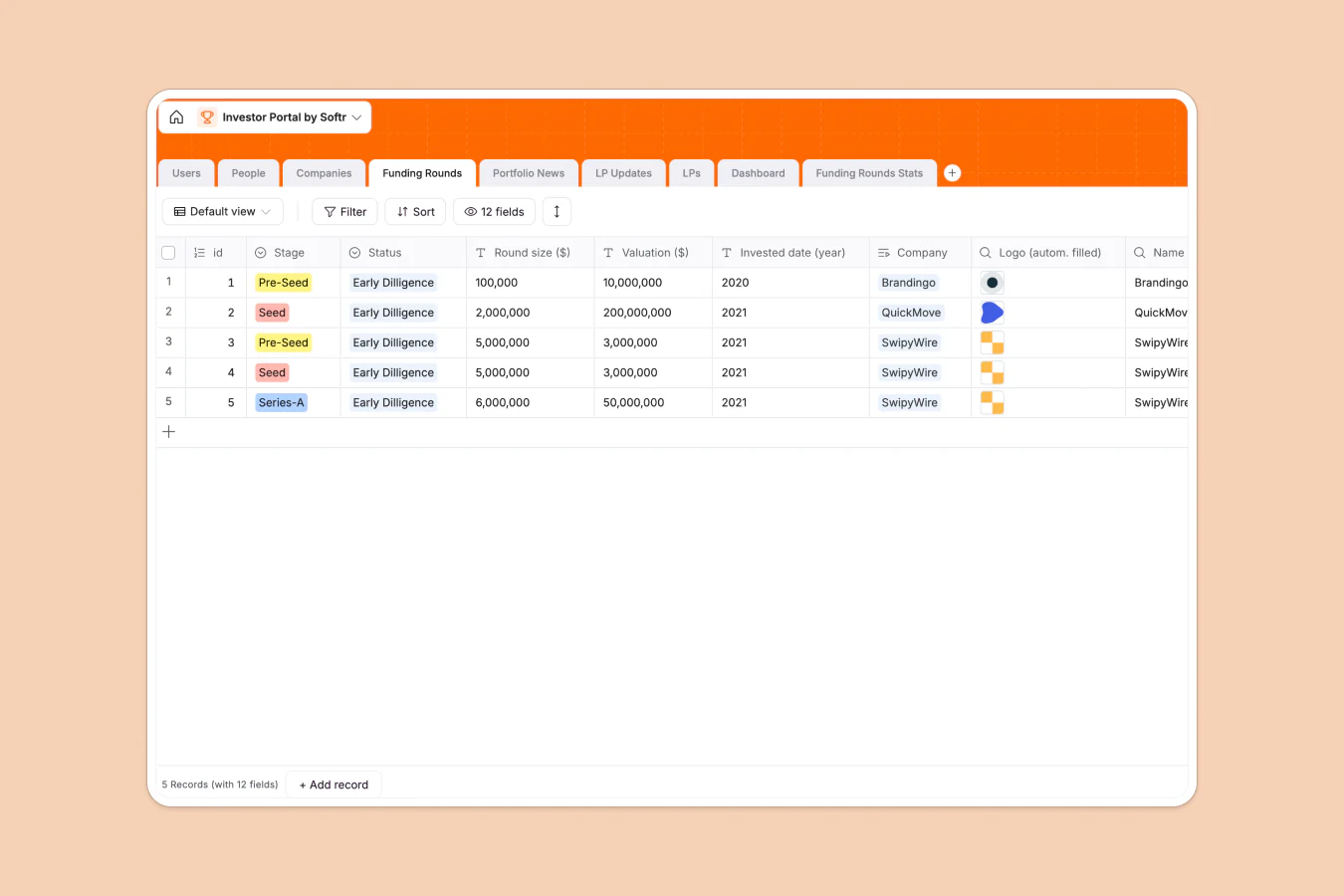
Your investors can see general information about investments as well as their own portfolios in dashboards. You can configure these views manually or describe what you need to the AI Co-Builder and let it set up the blocks for you.
This is how Untapped Capital uses Softr: LPs track and tag portfolio startups directly in the portal, connected to the fund's CRM data.
"I had already tried other no-code tools, so when I started using Softr, it was immediately clear that the capabilities were beyond what I found elsewhere." — Yohei Nakajima, General Partner at Untapped Capital
Individual communication
You can create a custom CRM module to store documents and let investors interact with your portal. Native Softr Workflows handle the communication logic: send an email when a new report is published, notify a specific investor when a document needs a signature, or trigger an automation directly from an action button in the portal. You can build these flows visually or describe them to the Workflow AI Co-Builder.
For e-signatures, you can connect external services such as DocuSign. And if you already automate in Zapier, Make, or n8n, Softr has native integrations for them too.
Pricing
We offer five plans:
- Free ($0/month): Unlimited apps, with access to Softr Workflows and Softr Databases, 5 app users, 5,000 database records, and 500 workflow actions. Enough to launch a small investor portal.
- Basic ($19/month): Unlimited apps with 42+ integrations, Team: 5 + Client: 5 app users, 50,000 records, and 2,500 workflow actions.
- Pro ($99/month): Unlimited apps with 45+ integrations and custom code, Team: 10 + Client: 50 app users (expandable), 500,000 records, 10,000 workflow actions, and custom user groups. The sweet spot for most investor portals.
- Business ($329/month): Unlimited apps with 52+ integrations, Team: 30 + Client: 100 app users, 1 million records, 25,000 workflow actions, advanced integrations (HubSpot, SQL, REST APIs), and custom user groups (up to 10).
- Enterprise (custom pricing, contact sales): Custom limits, SSO, advanced security, and dedicated support.
Verdict
Pros
- Free plan, and paid plans cost a fraction of dedicated investor portal suites
- AI Co-Builder generates the portal, database, and workflows from a plain-language description
- Granular user groups and app-wide data restrictions, configured visually rather than buried in code
- Fully customizable pages, so you're never limited to a fixed dashboard layout
- Native databases and workflows mean reports, emails, and reminders run without third-party automation tools
- Extends beyond the portal: build your CRM, deal tracker, or internal tools on the same platform
Cons
- Not designed for SaaS products or consumer marketplaces; if you're building a venture-backed software product, you'll want a developer stack instead
- No fund accounting or cap table engine built in, so you bring your own data model rather than getting prescriptive fund administration features out of the box
Softr is the best option if you want to customize pages, control permissions tightly, or bring new capabilities to your investor portal, such as a CRM.
Given that you can use it to build your investor portal and other tools, it's a cost-effective option, since the alternatives cost hundreds or even thousands more per month for each of these features.
2. Ledgy
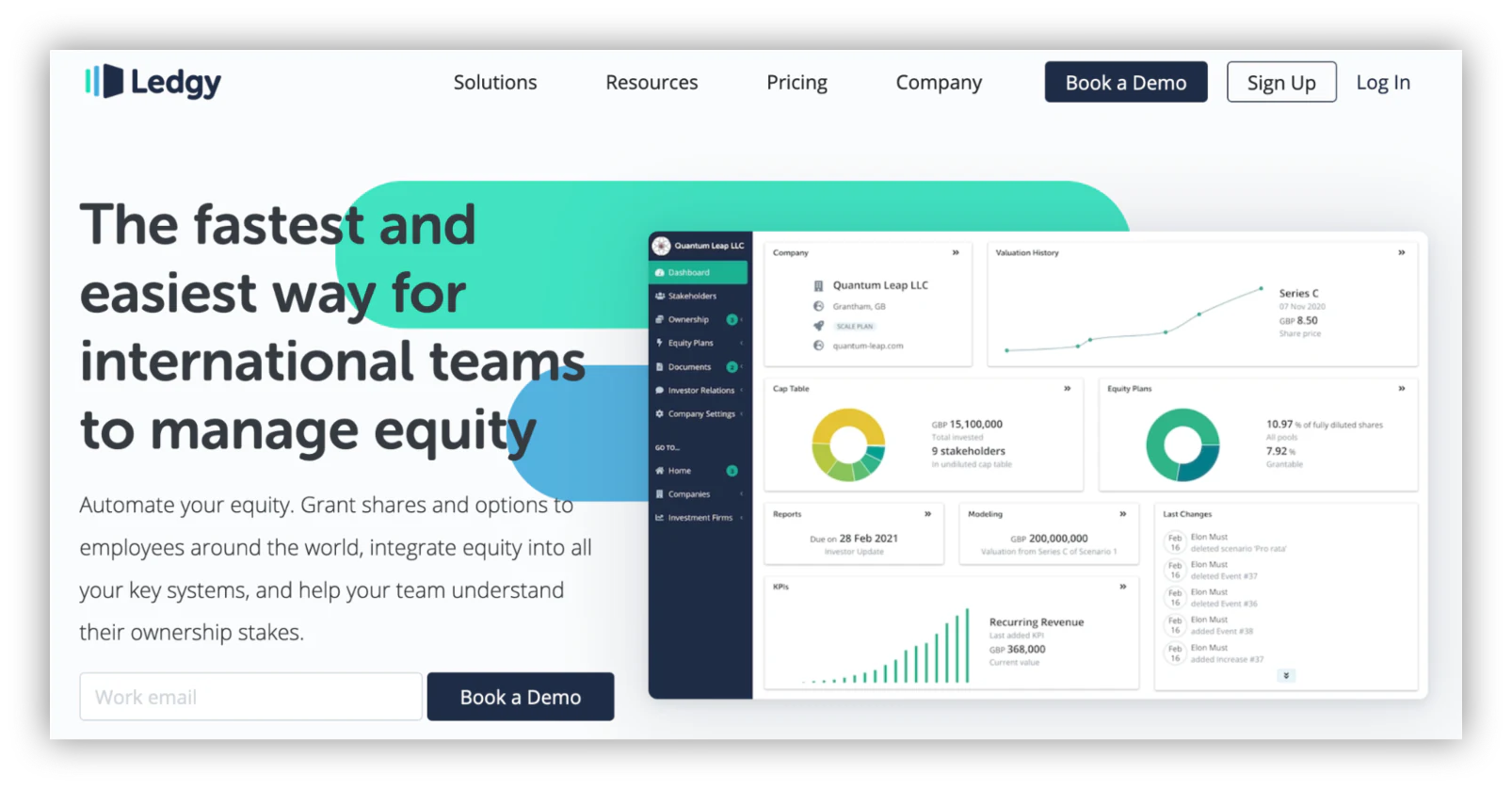
Best for: funds with up to 25 investors that want to get an equity-focused portal running quickly.
Ledgy provides a toolkit for investor relations management. In addition to using it as an investor portal, you can use it to manage contracts, accounting, and HR.
Reporting features
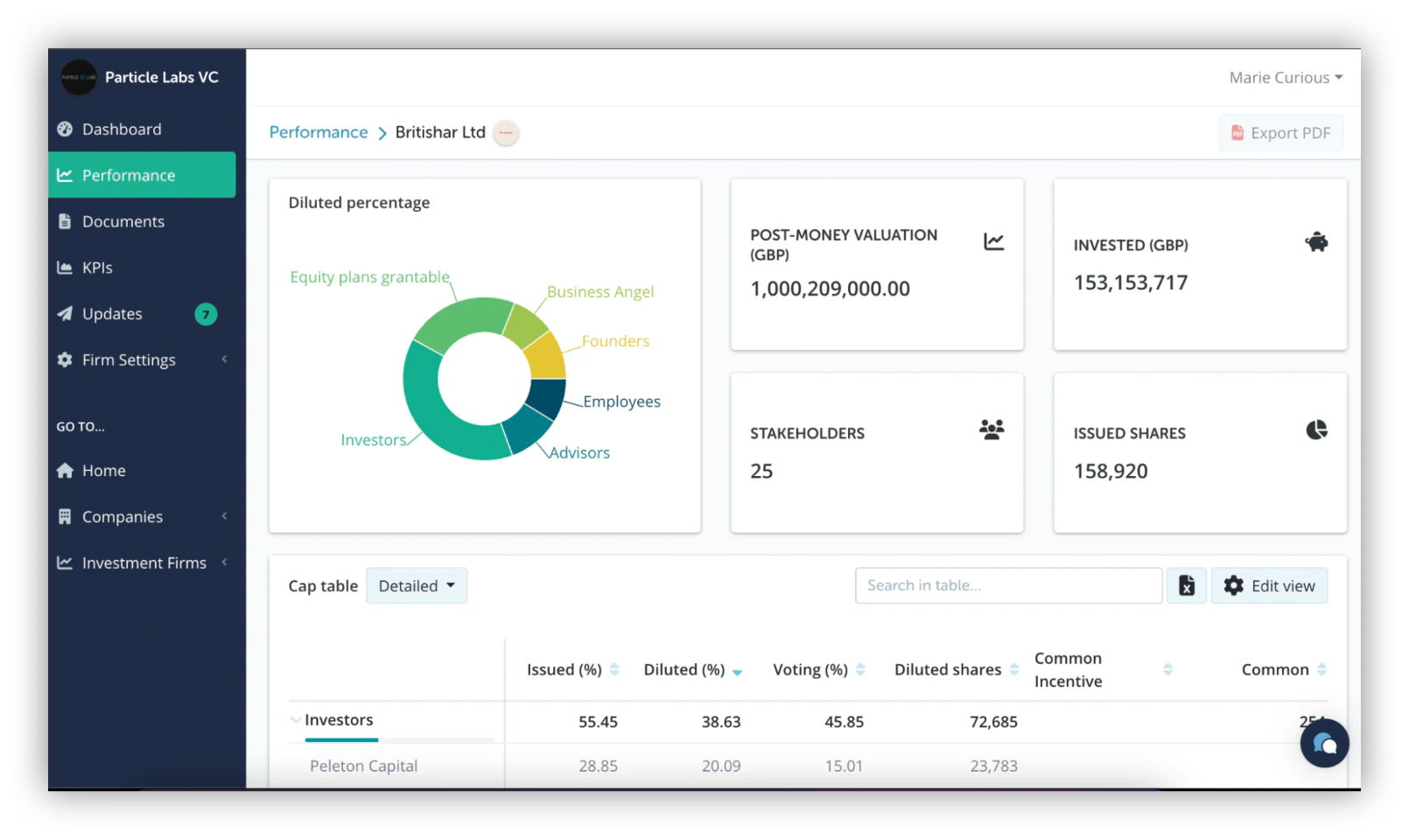
Ledgy allows you to build an interactive dashboard for your investor portals.
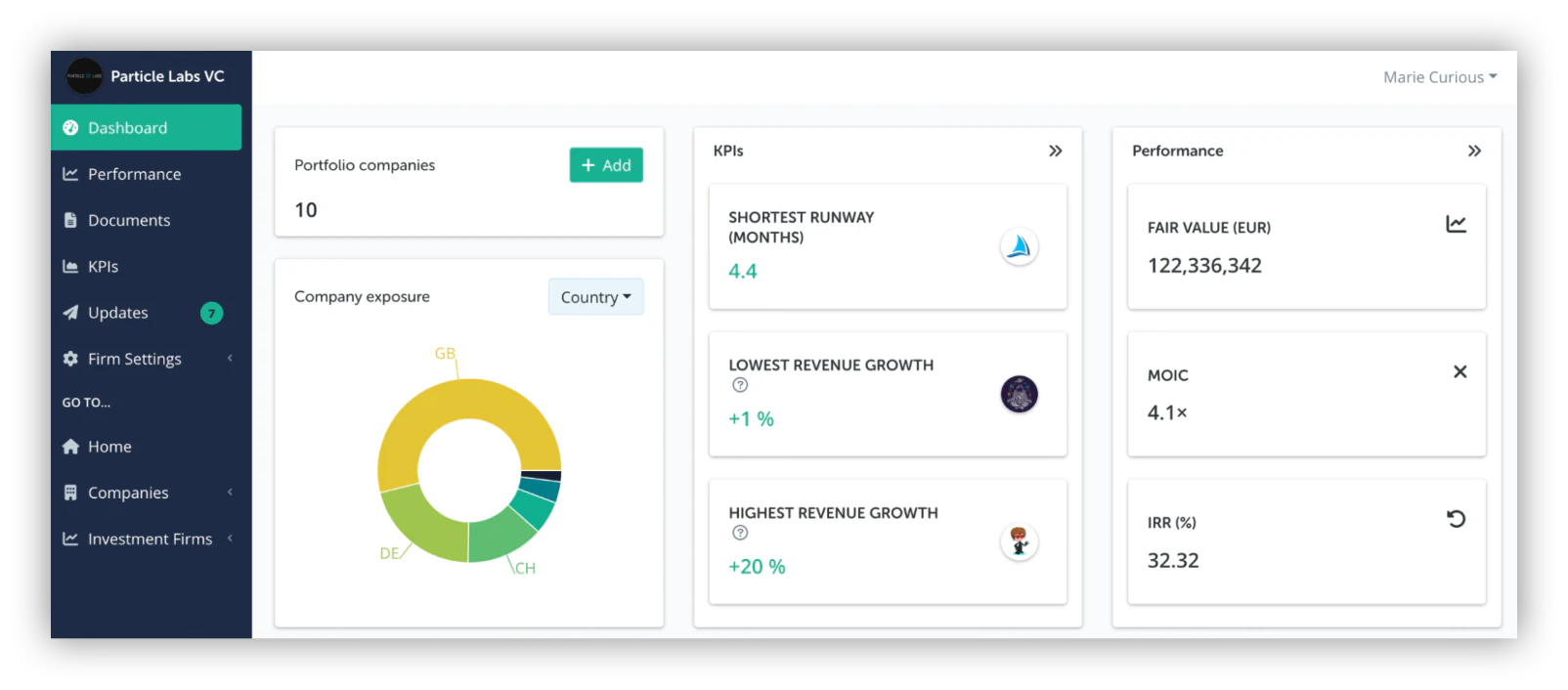
You can organize your portfolio into investment firms. Then you can invite stakeholders to these firms, and they will see only the portfolios you share with them.
You can use the updates tool to share written reports and news with investors.

You can schedule recurring reports to be published automatically, including specific KPIs. In addition to the written reports, you can add PDF downloads and investors will get an email when it is ready.
Portfolio analysis
In addition to the dashboards, investors can see details about their portfolio on the Performance tab. In it, they can see details about the companies, investments, IRR, and other KPIs.
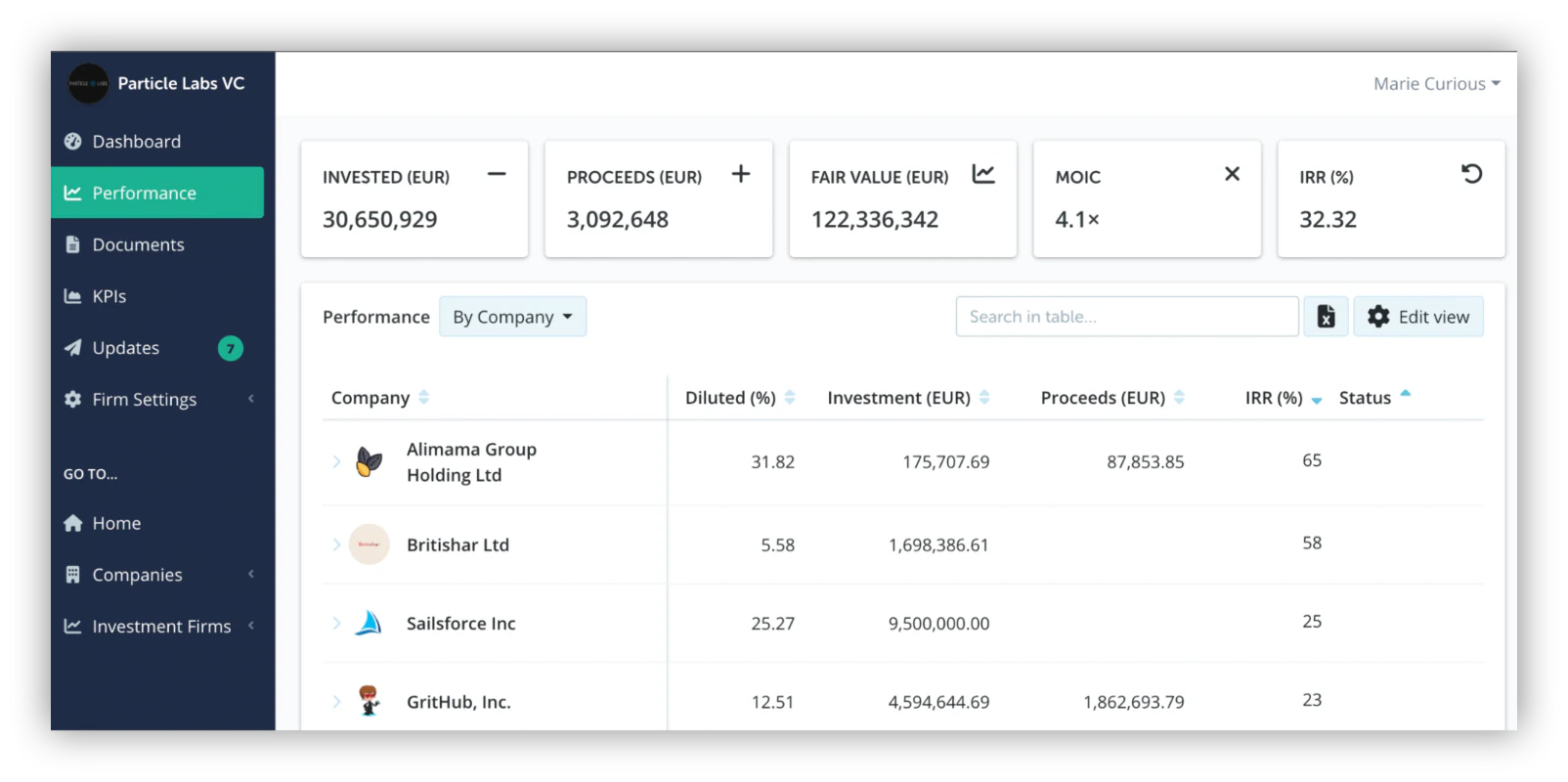
Your investors can explore each company in detail on their cap table. This includes other KPIs, as well as the detailed cap table about that specific company.
Individual communication
There is no direct communication tool to get in touch with a specific investor. You’d need to get their information from your database and use an external CRM to track the investor profile.
Pricing
Ledgy is free on the Launch plan for up to 25 investors and 3 collaborators.
Then there is the Growth plan, which costs €3/stakeholder/month, with a minimum of 25 billable stakeholders. With it, you get free tools and unlimited collaborators, document automation, e-signing, and compliance reports.
There are two other plans: Scale and Enterprise. They don’t have public prices but include further tools such as HR integration, unlimited stakeholders, and API access.
Verdict
Pros
- Easy to get started
- There is a free plan
- Reports automation
- User access controls
- Other financial modeling features
Cons
- No CRM features
- No way to contact a specific investor directly
- Pricing is tied to the number of stakeholders
- You are limited to reports, performance pages and updates, which means there’s no way to create other pages in your portal
Ledgy is a great option to build your investor portal, if you don’t mind the limitations in terms of direct user contact and customization.
3. AppFolio Investment Management
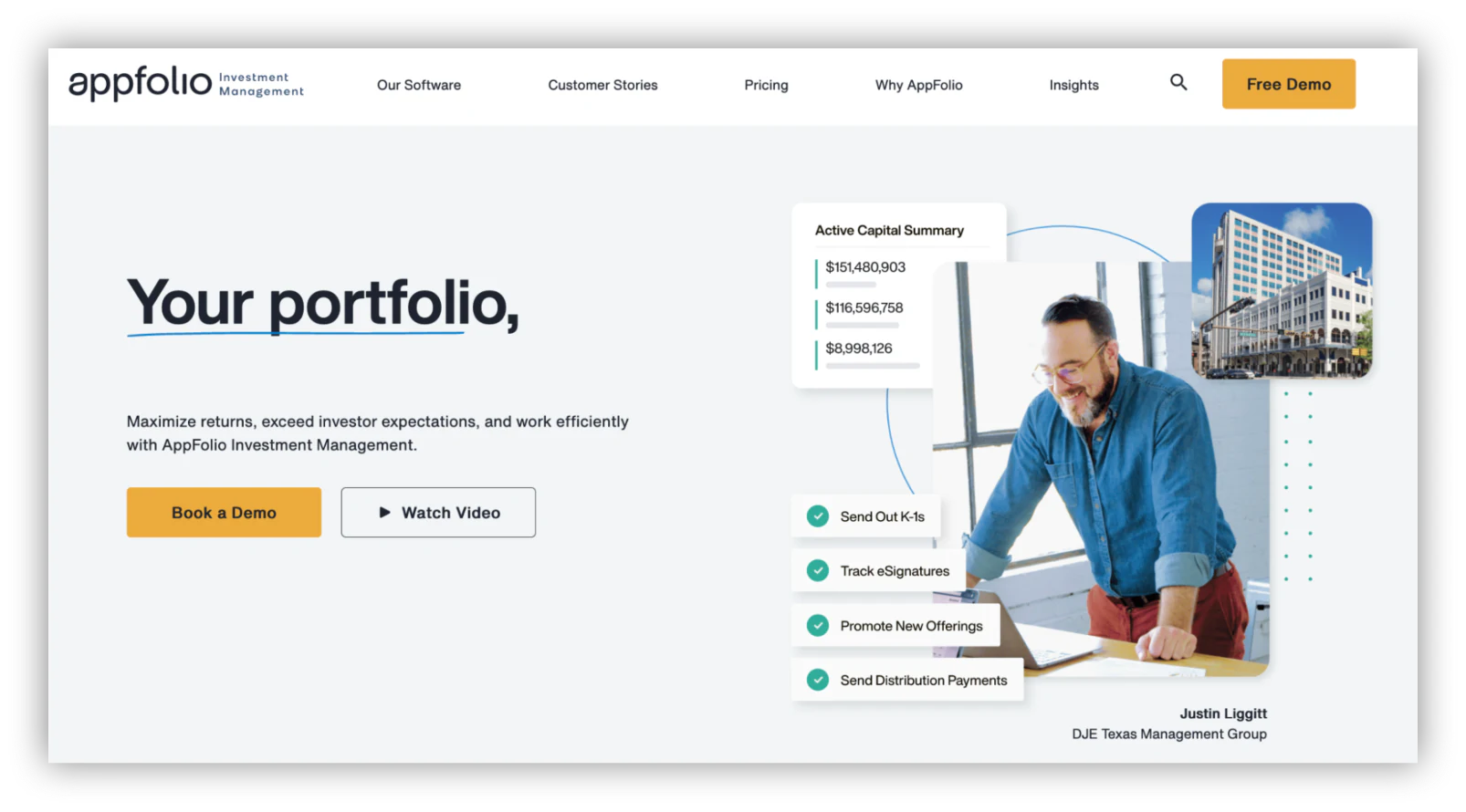
Best for: real estate focused investment firms that want dashboards, fundraising, and a CRM in one suite.
AppFolio Investment Management is a branch of the AppFolio company. It provides investment management tools, including investor portals, CRM, investment management, and a data aggregator. It is focused on real estate investment, but it can be used for other investment types as well.
Reporting features
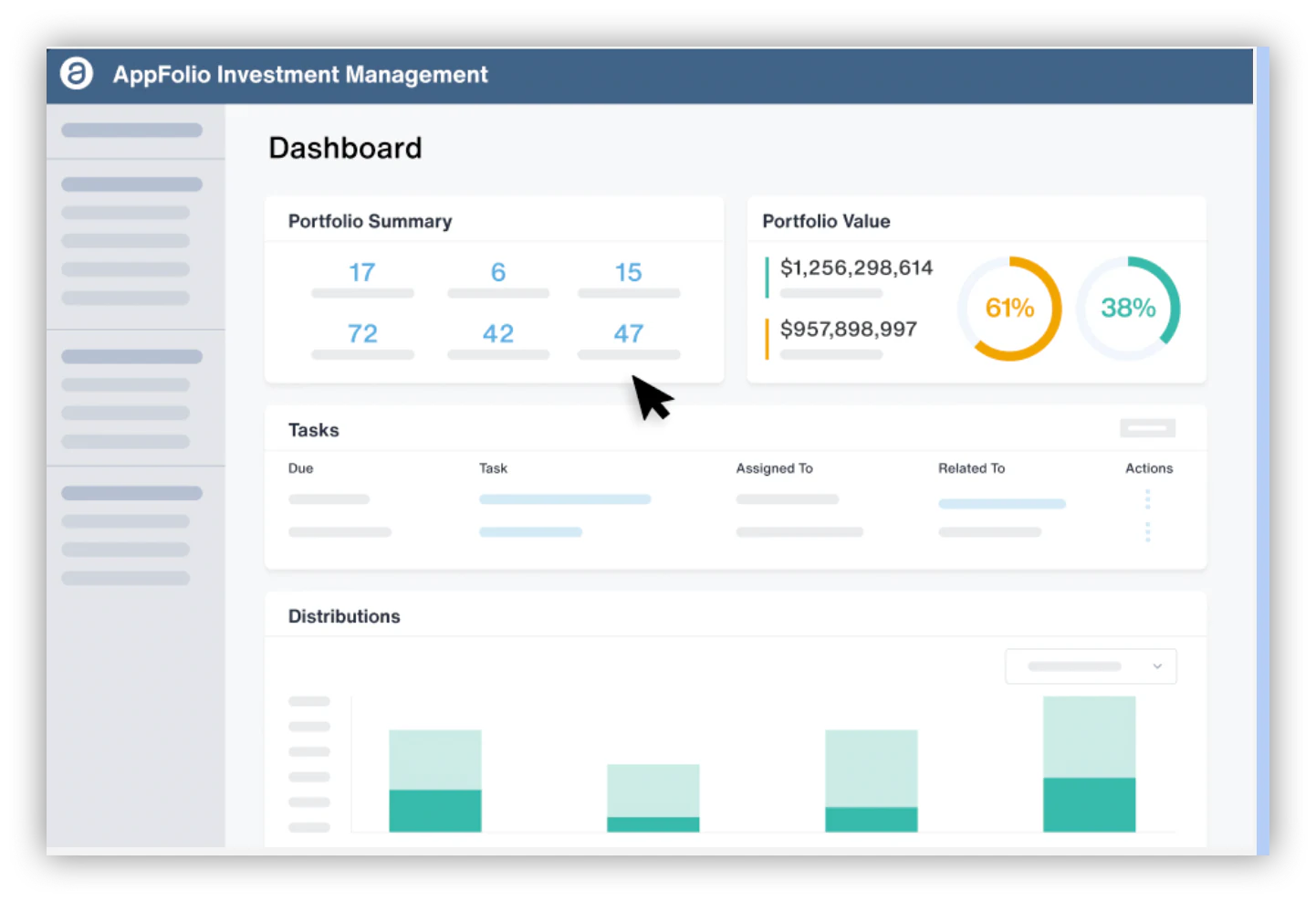
You can build investor portals with dashboards for your investors. In these dashboards, you can share general information about their portfolio, including summaries, charts, and KPIs.
You can share updates with your investors. Due to its real estate focus, there are many use cases for sharing updates about construction work and renovations.

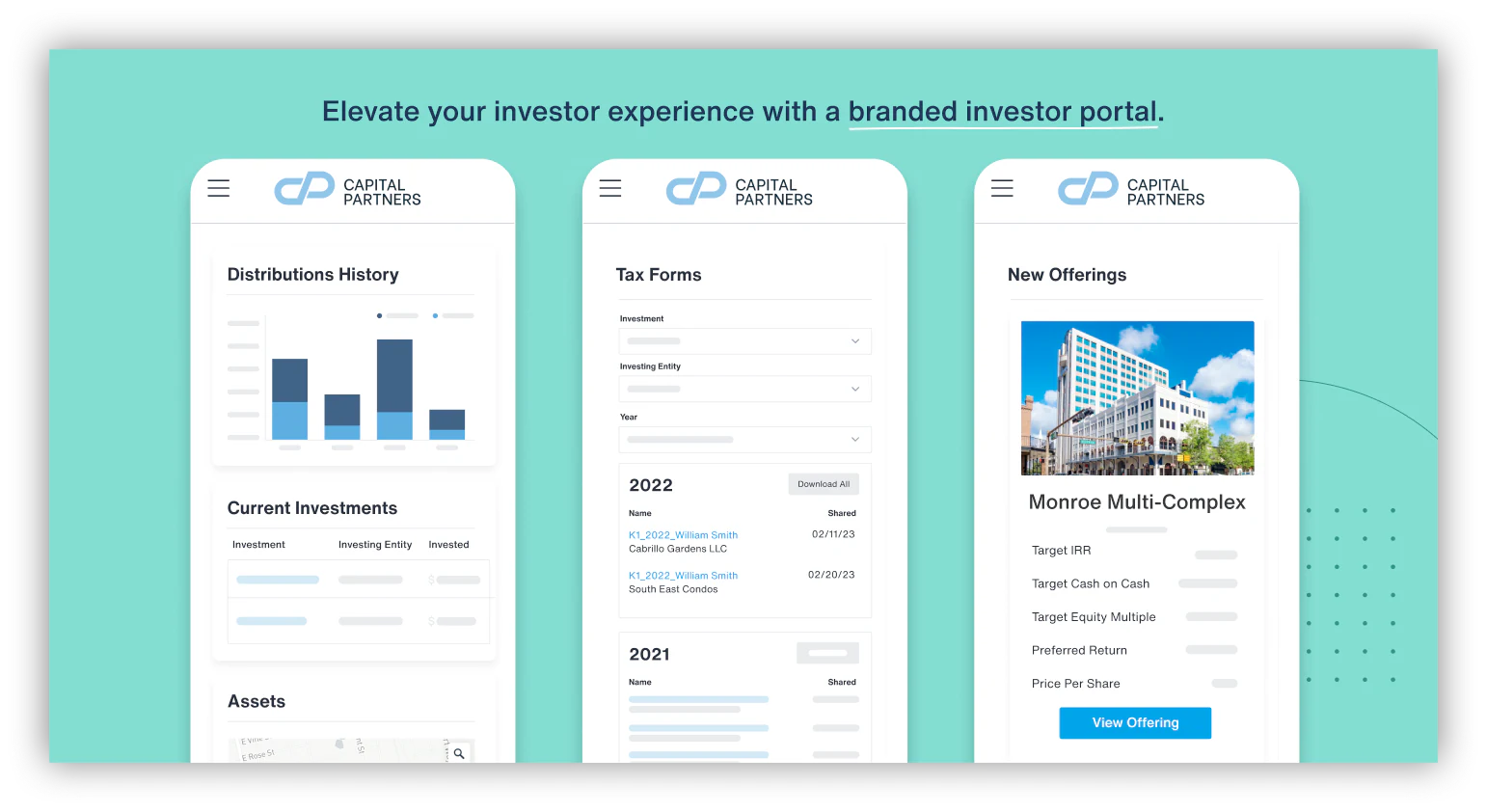
The AppFolio portal also provides methods to market new investment offerings to investors.
There is no detailed user access control, though, so investors will see data only about their own portfolio, but you can create pages or components for a specific user group.
Portfolio analysis
The portfolio reports are focused on real estate investments, and they work well in that regard. Investors can see their current earnings, properties, tax forms, and details about new offerings.
Individual communication
The AppFolio Investor Portal doesn’t include any way to get in touch or share data with a specific investor. But they provide a CRM that can be used to cover these needs.
With their CRM, you can organize data about each investor, track contact points, share documents, and send emails.
Pricing
The AppFolio pricing depends on your portfolio size. AppFolio no longer publishes its prices, so you will need to request a quote. This price includes all their tools, the investor Portal, the CRM, the Investment Manager and the data migration service. So, it isn’t $700/month just for the investor portal.
Verdict
Pros
- Well suited for real estate investment
- Integrated with external tools to pull data about investments and properties
Cons
- No granular user access control
- Relies on other tools for a lot of the work, such as the CRM
- There’s no way to create custom pages other than the dashboard
If you don’t need investor profiles and if you are a real estate investor, AppFolio is a great option.
4. Backstop Investor Portal
Best for: US-based investment firms that want a fully integrated suite covering accounting, CRM, and the portal.
Backstop provides many solutions to investors, including a CRM, accounting tools, portfolio management tools, deal management tools, and an investor portal. Therefore, you can use it not just to report to investors, but also to manage your portfolio and investor relations.
Reporting features
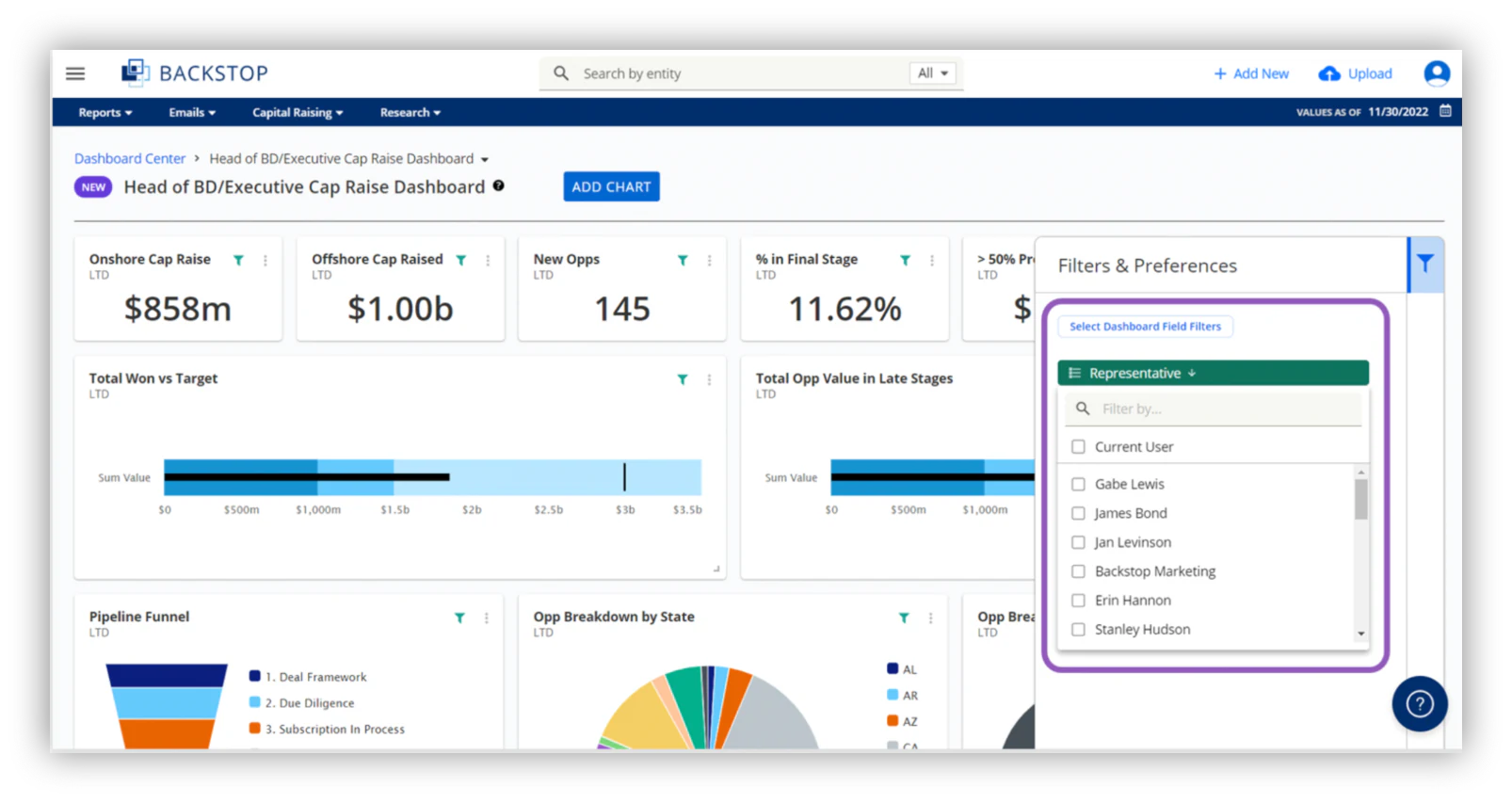
The investor portal allows you to provide investors access to a secure account. You can publish reports with granular user access control, letting users see only what you want them to see.
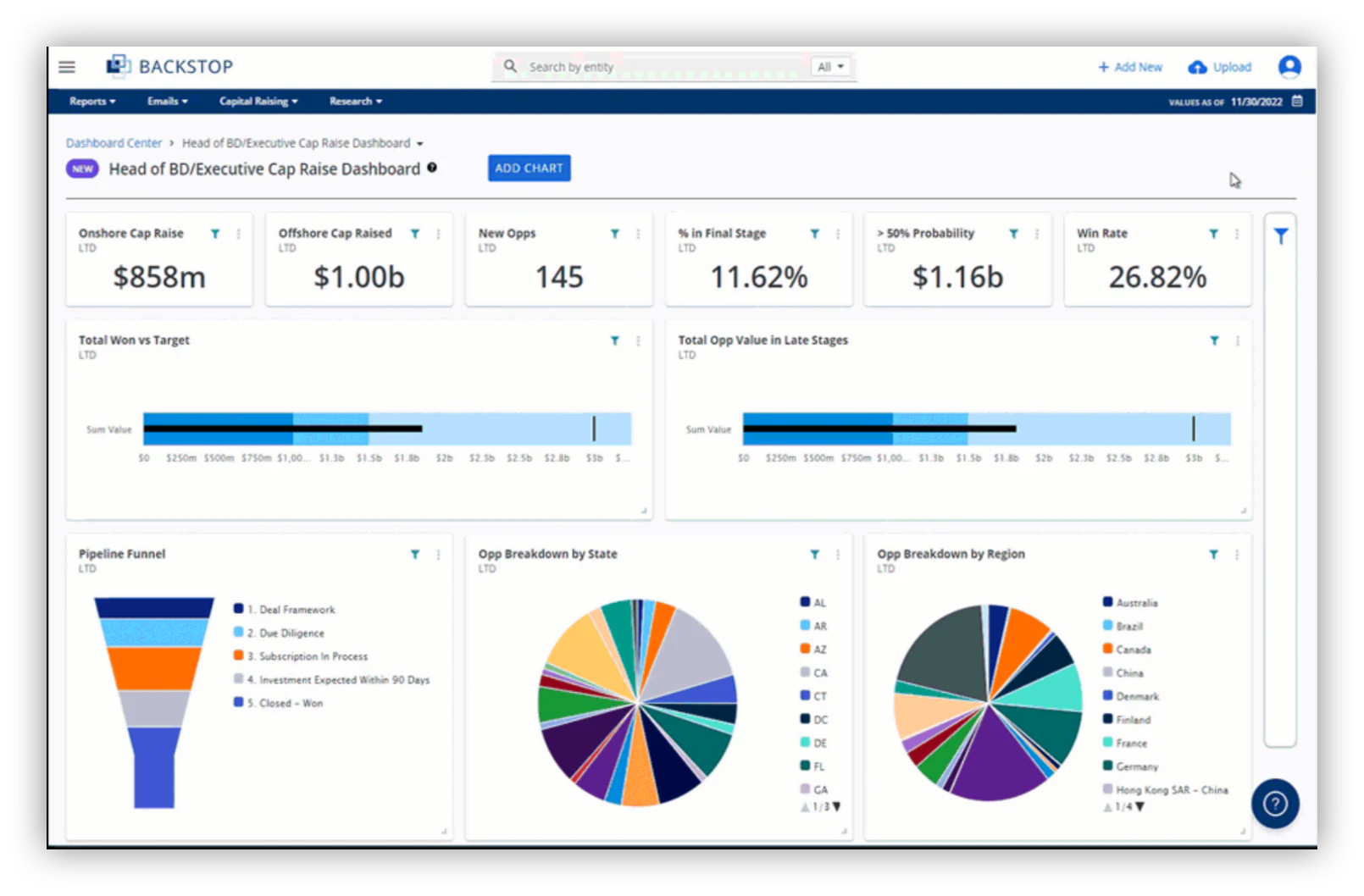
Users can filter the dashboards to get more details about what they want to see. Each chart component has its own filters, and investors can interact with them.
You can upload general documents and track downloads. In addition, you can add watermarks and control which users can see these documents. You can mark documents as view only, disabling user downloads for specific user groups.
You can import data from spreadsheets or connect to external sources to generate automated reports and charts.
Portfolio analysis
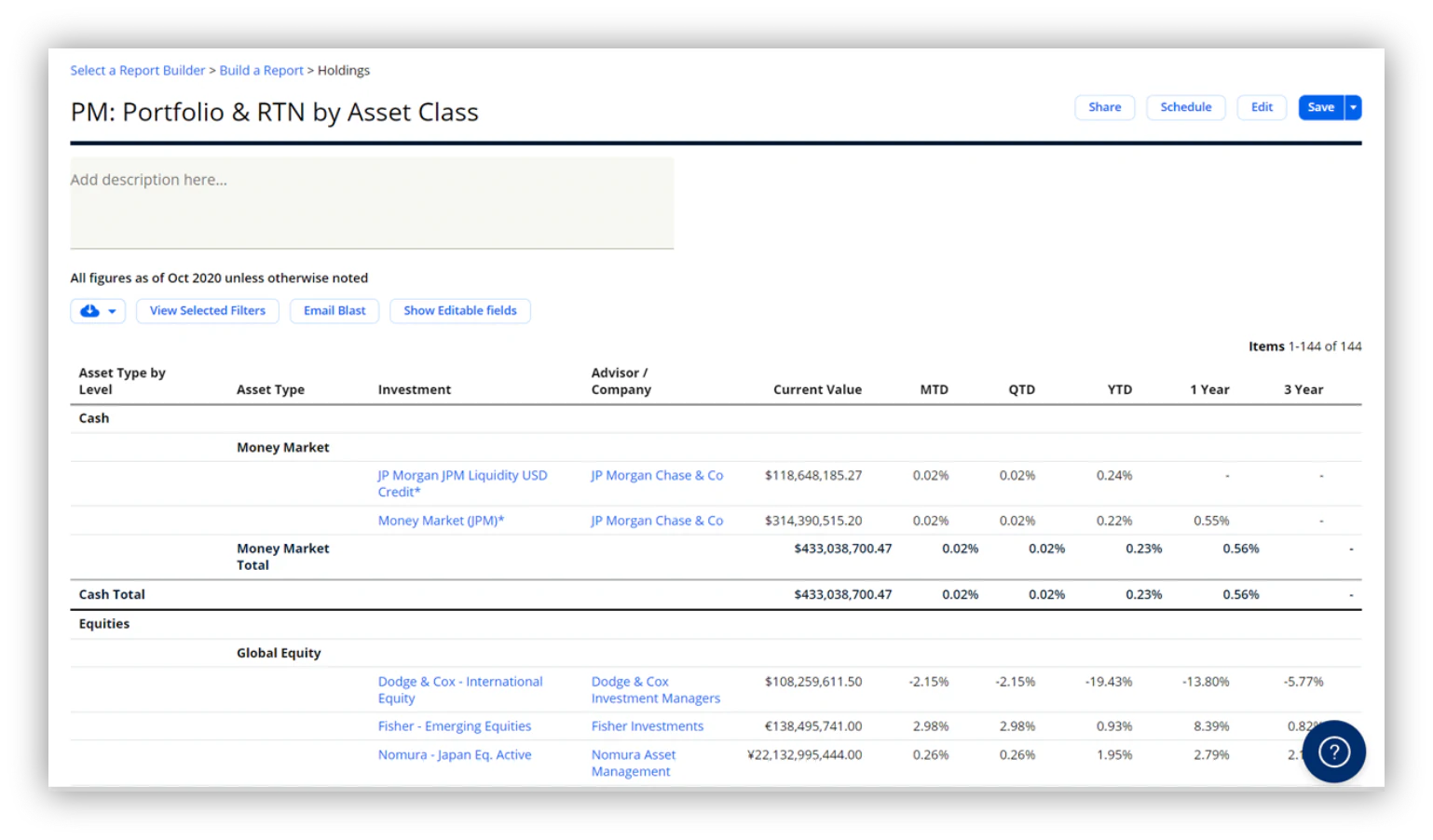
You can present investors with information about your portfolio, companies, and deals. In addition, you can connect with external data sources, report on market evaluations, as well as track funding opportunities.
This allows investors to see their portfolio data, using dashboards or checking company profiles.
Individual communication
Backstop comes with many applications to manage all your investor relations.
You can manage individual investor profiles using their CRM, which is integrated with the investor portal. This allows you to track all communications with each individual investor. In addition, you can use custom fields to further enrich your investor profiles.
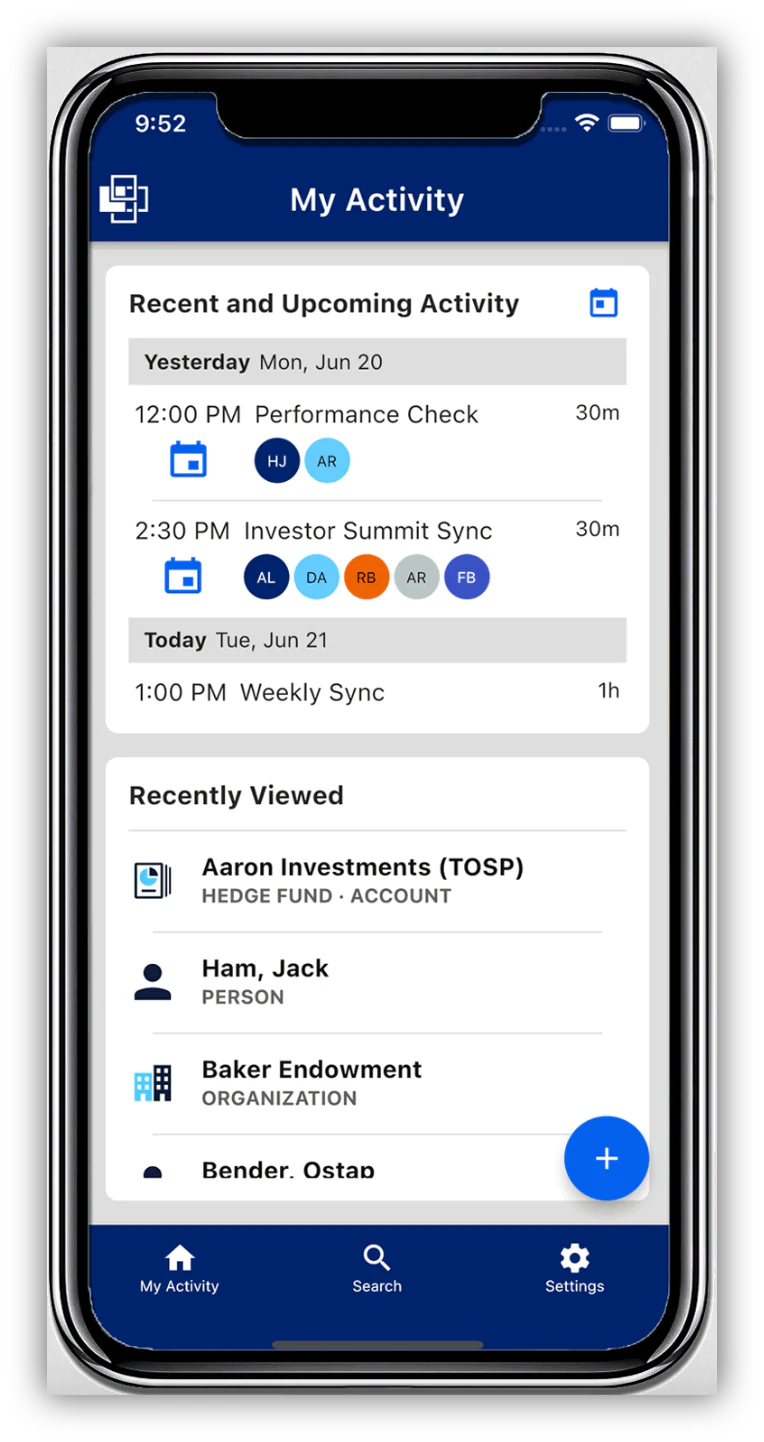
Backstop connects with your calendar to remind you of your CRM activities, such as connecting with investors or following up with proposals.
Pricing
Backstop doesn't provide public pricing information.
Verdict
Pros
- Interactive charts for investors
- Granular user access control
- Complementary tools for accounting, portfolio management, CRM, funding management
- Integration with external tools
Cons
- No public pricing information
- The setup process is quite complex
- Focused on US-based investing firms, so the deals structure might be odd for other countries
If you have a US-based investment firm and want to use other Backstop tools, their investor portal is a good option. The pricing is a mystery, though, so you’d need to get in touch with them to check how much it costs to get the investor portal and the other tools.
5. Dynamo Investor Portal

Best for: firms that plan to adopt the full Dynamo ecosystem, especially its CRM and data aggregation tools.
Dynamo provides a suite of tools for investor relations, investor portals, CRMs, and others.
Reporting features
You can build a custom investor portal, with your own branding. In this portal, you can onboard new investors, by collecting required documents and using the DocuSign integration. Once your investors are all set, they can see the dashboard.

Investors can filter through the charts and tables, to see the exact data they want.
Investors can get automated reports with data coming from other sources, such as the Dynamo CRM. They can manage their notification preferences as well as generate custom reports by themselves.
Portfolio analysis
Investors can see details about their portfolio on the investor portal, as well as use investor relations and deal management tools.
You can integrate Dynamo with other tools to aggregate data from multiple sources and generate accurate KPIS.

You can see details about your portfolio and specific deals.

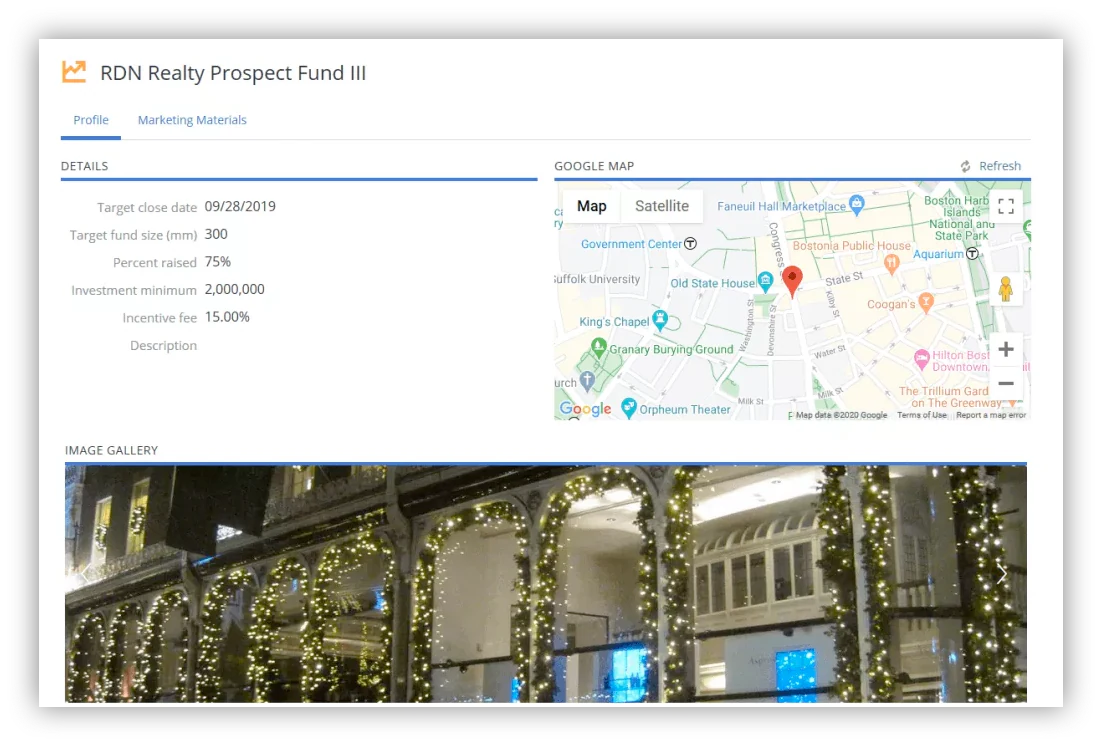
If you have real estate investments, properties can be shown on a map:

And investors can check each property in detail on their own page:
Individual communication
You can use the Dynamo CRM in combination with the Investor Portal to communicate with investors individually. There are options to collect documents, and e-signatures and get in touch with investors individually.
In addition, you can use your own email client integrated with Dynamo to send data to and from it.

Pricing
Dynamo doesn’t provide public pricing information.
Verdict
Pros
- CRM integration
- Strong data collection and processing tools
- Deal management tools
Cons
- No public pricing
- There’s no way to create custom pages on the investor portal, so you are limited to the dashboards and downloads
The Dynamo Investor Portal is another option that works well within its ecosystem. If you are planning on using their CRM, data enrichment tools, and deal management tools, it’s a great option. If you are planning on using it as a standalone investor portal, it might be lacking on some features that others in this list provide.
6. Fundwave

Best for: single-fund teams that want a simple, mobile-friendly portal with API access.
Fundwave provides lightweight investor portal software. In addition to the investor portal, you can use their tools for deal management, fund administration, and portfolio management.
Reporting features
You can create dashboards that work well on desktop and mobile devices. Investors see the dashboard when they log in.

There are no general-purpose pages, though. So you can’t easily share updates, or news, or get in touch with investors in bulk.
You can generate reports about metrics and send them notices about documents. You could use documents to share general news.
You can select which investors you want to see a notice, which makes that document available on their portal.

Portfolio analysis
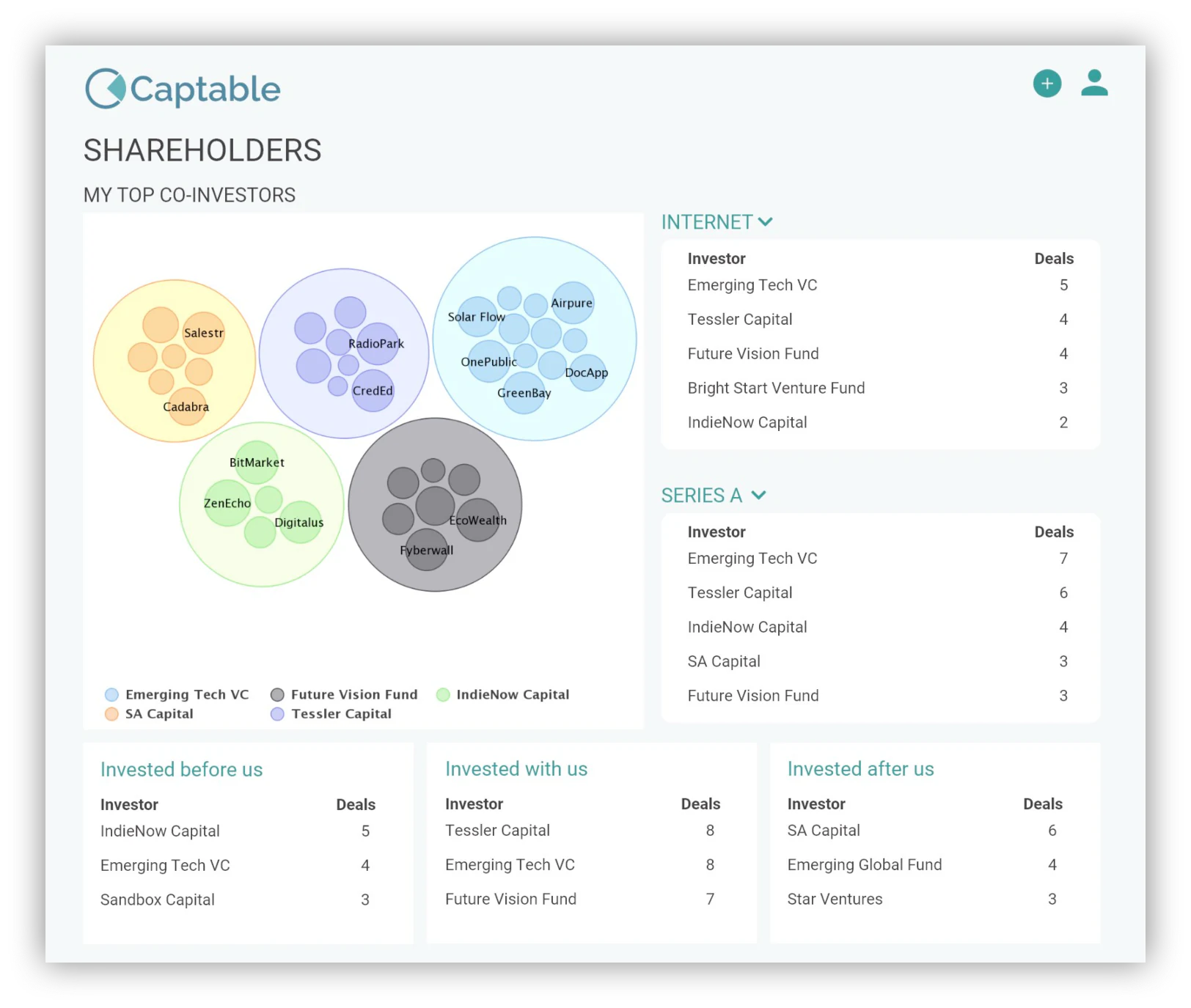
Investors get access to the portal, and they can check the charts and dashboards. You can select which metrics and which periods you want to publish.
You can create a report schedule, and Fundwave generates the metrics for that period.

If you want advanced reporting tools, maybe the Fundwave Fund Administration tool is a good option. It goes beyond the investor portal reporting, with cap tables and detailed dashboards.
Individual communication
You can use the document-sharing tool to get in touch with investors individually. It’s possible to share documents and sign them with DocuSign with the Fundwave portal.

Pricing
Fundwave has a 7-day trial on all plans. There are 4 plans to choose from, and the pricing depends on the plan and on how many funds you have.
The Micro plan costs $250/fund/month. It allows you to register up to 25 investors, with an average commitment of up to $500,000.
The Seed plan is $400/fund/month. With it, you can register up to 50 investors, with unlimited commitment. You can add team members to investors, and sign documents with DocuSign.
The Growth plan costs $500/fund/mo. You can use it with up to 100 investors. It allows custom color palettes, custom fields, and granular access for team members.
The Large plan is $800/fund/mo. It allows you to register 250 investors, you can use your own domain, and get API access and shared mailboxes.
Verdict
Pros
- Quick setup
- Straightforward pricing
- Free trial
- API access
- Direct email features
Cons
- Expensive if you have a lot of funds to manage
- It gets hard to manage if you have a lot of investors, since there are no user groups
- There’s very little interactivity on the dashboards
- There’s no method to add custom pages beyond the reports and notices/downloads
Fundwave is a great option for those with a single fund and not a lot of users.
If you have too many funds, it’s hard to justify the price increase when compared to other options on this list.
If you have too many users, it gets hard to manage, since there are no user groups. With Fundwave you need to use the checkboxes to select users for reports and notices, so it gets very error-prone with tens or hundreds of users.
Pick the portal that fits how you actually work
If you want a prescriptive, ready-made suite and your firm fits its mold, a dedicated tool like Backstop or AppFolio can work, as long as the pricing does too. If you'd rather control your pages, permissions, and data model, and reuse the same platform for your CRM and internal tools, start with Softr's investor portal template and have a working portal live in minutes, for free.
Frequently asked questions
What is the difference between an investor portal and an investor CRM?
Is it safe to share documents in an investor portal?
How much does investor portal software cost?
Can I build my own investor portal without coding?
What features matter most in investor portal software?