Spreadsheets break, data drifts out of sync, and teams end up with stockouts or over-ordering. Free inventory management software gives lean teams real-time visibility and automated tracking without another subscription. Here are the best free inventory tools in 2026, and exactly where the free plan limits kick in.
6 best free inventory management software at a glance
| Tool | Best for | Key features | Free plan limits |
|---|---|---|---|
| Softr | Teams that need a custom inventory system that connects with existing data | • Drag-and-drop interface builder • 21+ data source integrations • Built-in workflow automation • Granular permissions and user groups | Unlimited apps, 5 app users, 2 user groups, 5 AI credits |
| Zoho Inventory | Businesses managing multi-channel sales and fulfilment | • Barcode scanning auto-fills item info • Real-time carrier rates and shipping labels • Sales returns and refunds • Customer and vendor portals | 1 user; 50 orders and invoices per month |
| Sortly | Teams that want a simple, mobile-first inventory tool | • Custom fields, folders and tags • Barcode and QR code tracking • Low-stock and maintenance alerts • Offline mobile access | 1 user; 100 orders |
| SalesBinder | Small retailers and wholesalers who want a simple system | • Built-in CRM for customer accounts • Stock transfer between locations • QuickBooks, WooCommerce and Xero integrations • Profit analysis widget | 100 active records; minimal integrations |
| Odoo | Businesses that want an ERP-grade inventory system | • Barcode, QR and GS-1 traceability • Location mapping for receiving and packing • Custom transfer routes • Automatic operation scheduler | One app only |
| ProfitBooks | Small manufacturers needing lightweight inventory tracking | • Role-based purchase dashboards • One-click purchase orders • 45+ filterable reports • Stock transfer and wastage records | Single user; basic features |
What is inventory management software?
Inventory management software helps businesses track, organize, and manage stock across single or multiple locations, all from a central system. This prevents delayed shipments, unhappy customers, and lost revenue.
Most platforms help teams with the following workflows:
- Inventory tracking: Monitor stock levels with barcodes, RFID, or simple manual updates.
- Order management: Keep orders, fulfillment, and restocking aligned across locations.
- Real-time reporting: Surface insights on performance, sales trends, and stock movement.
- Quality control: Track batches, expiry dates, or damaged goods to reduce losses.
What to look for in free inventory management software
Although there's no one-size-fits-all criteria for choosing inventory software, here are some factors to consider:
- Ease of setup and usability: Lean teams don’t have hours to spare. Look for drag-and-drop interfaces, simple navigation, and minimal training needs so anyone—from ops to warehouse staff—can get up and running quickly.
- Flexible data structure: Your business might track SKUs, batches, suppliers, or job sites differently. The tool should let you customize fields, views, and statuses to match how your team actually works.
- Inventory and order workflows: Even on a free plan, you should be able to track stock levels, manage orders, set low-stock alerts, and keep key workflows moving without relying on spreadsheets.
- Integrations with your stack: Smooth connections to spreadsheets, e-commerce platforms, POS systems, accounting tools, or databases help avoid double entry and keep your inventory data synced.
- Real-time visibility and reporting: Clear dashboards, stock histories, and basic analytics help teams catch issues early and make better purchasing decisions.
- Multi-location support: If you have multiple warehouses, stores, or job sites, make sure the software can track stock across locations—even if the free plan limits the number of sites.
- User roles and permissions: As your team grows, role-based access ensures people only see or update what’s relevant. This is especially important when external partners or contractors contribute, or if you want to extend your inventory management system with a supplier or vendor portal.
- Mobile access: Many inventory checks happen on the floor or in the field. A mobile app or PWA makes on-the-go updates far easier.
- Scalability and upgrade path: Free plans should give you room to test without restrictions—but also offer a clear, affordable path to advanced features once your operations expand.
Below is a detailed list of the best free inventory management software. For each tool, we have a brief overview, key features and benefits, pros and cons, limitations of the free version, and ideal use cases.
1. Softr - best for teams that need a custom inventory system that connects with existing data
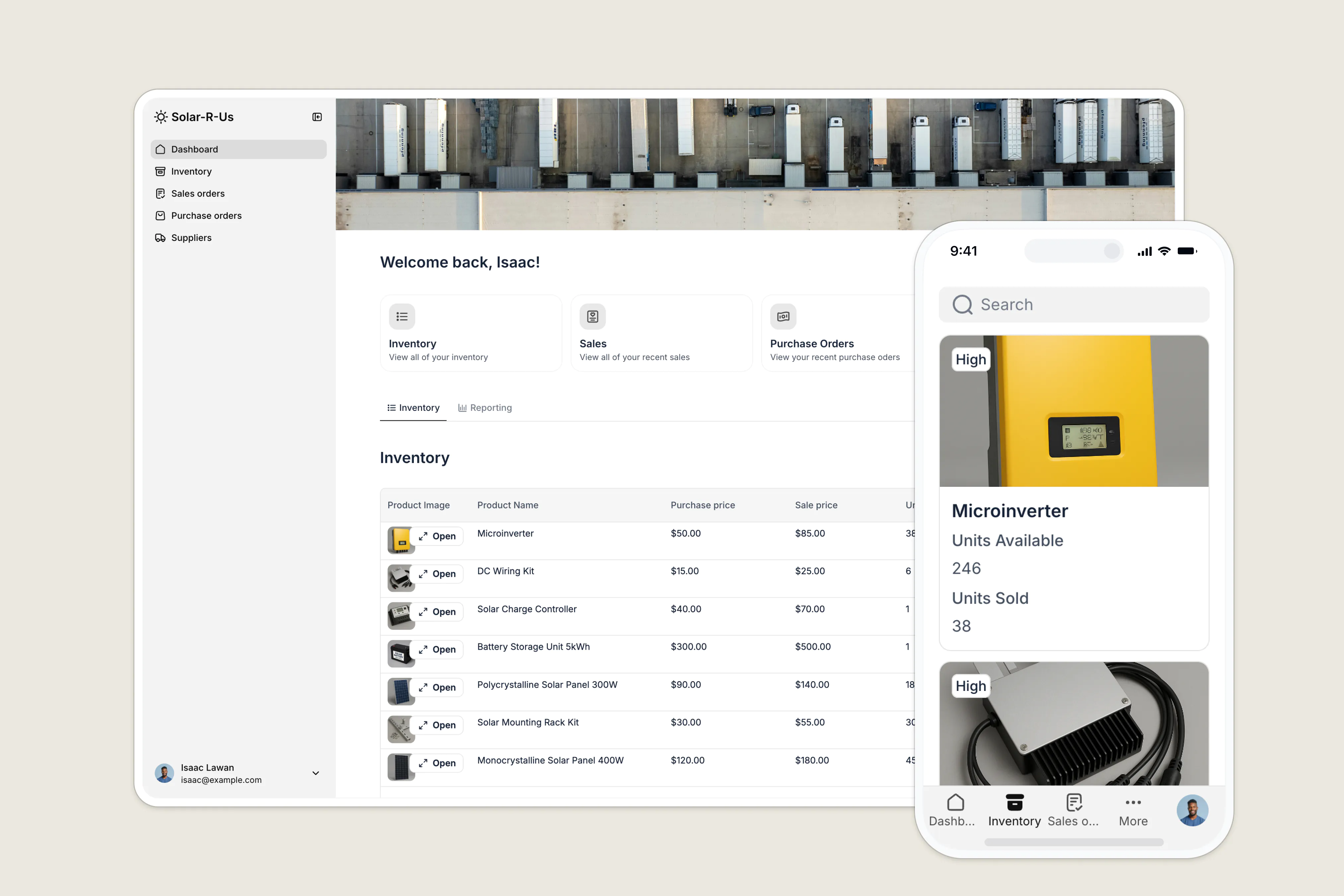
Softr isn’t an out-of-the-box inventory management system—it’s a flexible no-code platform that lets you build the exact inventory workflows your business needs. Teams can start simple with product, order, and supplier tracking, then expand into dashboards, vendor portals, invoicing, approvals, and more as operations grow.
Store your data natively in Softr Databases for a fully integrated stack, or connect directly to your existing data sources—Airtable, Google Sheets, HubSpot, SmartSuite, SQL, and more. With drag-and-drop blocks, granular permissions, and built-in workflow automation, it gives you the power of a custom system that you can maintain without hiring developers.
And with Ask AI, your users can query live inventory data in your app using natural language—everything from “Which SKUs are running low?” to “Show orders delayed more than 3 days.”
👉 Get started fast with this inventory management template, including product tracking, orders, supplier records, multi-level access, and advanced search.
Softr best features
- Drag-and-drop interface builder: Build your app with modern blocks (Tables, Lists, Kanbans, Charts, Forms, and more) that fit inventory workflows—no coding or design expertise required.
- 21+ data source integrations: Build your system on top of data from Airtable, Google Sheets, Notion, HubSpot, SQL, and more. Inventory updates get synced in real time to both your Softr app and the database solution you're using.
- Workflow automation: Use Softr's built-in Workflows, or native integrations with Zapier and Make, to automate low-stock alerts, reorder notifications, approvals, status updates, and more.
- Advanced permissions: Granular permissions and custom user groups allow precise control over what different users, such as managers, employees, contractors, and vendors can view and edit in your system.
- Reporting and dashboards: Build charts or embed BI reports to track stock levels, trends, and fulfillment performance.
- Mobile access (PWA): Turn your system into a downloadable mobile app with one click—perfect for on-the-floor or in-the-field updates.
- Ask AI: Query live inventory data by toggling on a built-in AI chat assistant. (“Which products are below minimum stock?” “What are our top-selling SKUs this month?”).
Softr pros and cons
✅ Pros:
- Fully customizable system that adapts to your inventory data and workflows
- Ask AI makes querying live inventory simple and fast.
- Mobile app (PWA) available instantly with no extra setup.
❌ Cons:
- Not a prebuilt inventory system—some setup and configuration required.
- No built-in barcode scanner functionality.
Limitations of the free version
Softr's free plan includes unlimited published apps with up to 5 app users and 2 user groups (e.g. Admins and Employees). It also includes 5 AI credits and 500 workflow actions, which allows you to test out the AI and automation functionality for your needs. Data sources on the free plan include Softr Databases, Airtable, Google Sheets, Notion, SmartSuite, Xano, and Coda.
2. Zoho Inventory - best for businesses managing multi-channel sales and fulfilment

Zoho Inventory helps businesses store and track items using barcodes and serial numbers, handle sales spikes, and control multi-location warehouses from a unified platform.
This solution is ideal for businesses dealing in diverse inventory categories with multi-location warehouses and stores. Its intuitive dashboards and reports give end-to-end visibility into your inventory lifecycle, from accepting an order to dispatching it to your customer.
As part of vendor relationship management, the platform manages all your vendor price lists, backorders, transactions, and bills in one place.
A standout feature of Zoho Inventory is its Package Geometry. This feature visualizes how your products will fit into a packaging box and offers optimization options for better storage, packaging, and shipment.
Zoho Inventory best features
- Use barcode scanners to auto-fill item information, enhancing inventory tracking
- Get real-time carrier rates and shipping labels from over 30 shipping carriers
- Handle sales returns and refunds efficiently, with options to apply credits to invoices
- Enhance collaboration with customer and vendor portals
- Accept multi-currency payments via integrations to payment gateways like PayPal, Braintree, and more
Zoho Inventory pros and cons
✅ Pros:
- Offers highly-responsive mobile apps for Android and iOS
- Well-integrated with the Zoho app ecosystem, e-commerce platforms, carrier services, and payment gateways
- Built-in drop-shipping tools
❌ Cons:
- Lacks customization options for interface and reports
- Learning curve for new users (especially those not in Zoho ecosystem)
Limitations of the free version
Zoho Inventory offers a generous free version. However, the free plan limits a single user to 50 orders and invoices per month. You also miss out on essential inventory tracking features like barcode tracking, automation, customization options, and access to advanced analytics.
Comparably, Softr gives large enterprises more flexibility to customize, collaborate, and scale with the free plan.
3. Sortly - best for teams that want a simple, mobile-first inventory tool

Sortly helps businesses of various sizes efficiently track and manage their inventory. It offers a user-friendly interface and features that streamline the inventory process, making it suitable for construction, medical, manufacturing, and e-commerce industries.
While Sortly excels at handling sales orders and invoicing, it focuses more on inventory tracking and management, simplifying the process for businesses that prioritize inventory over sales processes.
Sortly excels in mobile functionality, allowing users to manage inventory on the go through its app. You can upload your inventory list, organize them using specific folders, use barcode and QR code scanners to track items, and get push notifications when you're low on stock.
Sortly best features
- Add and organize inventory items using custom fields, folders, tags, and photos
- Track inventory items using barcodes, QR codes, and custom labels
- Set up in-app and email alerts for low stocks, maintenance hours, and other time-sensitive tasks
- Offline mobile access lets you track and update inventory even when you're offline
- Get in-depth reports on items, folders, user histories, stock levels, and more
- Integrates with accounting software like Intuit QuickBooks and communication tools like Slack and MS Teams
Sortly pros and cons
✅ Pros:
- Ability to create multiple folders for different clients
- Cross-platform synergy allows real-time visibility into inventory operation
- Supports offline inventory tracking and management via mobile app
❌Cons:
- Lacks vendor management features
- Limited automation tools, not much to streamline inventory workflows
Limitations of the free version
Sortly has a license-based plan that would restrict large organizations from scaling. Sortly's free version allows 1 user and supports 100 orders. Besides, some key features are lacking, like real-time alerts, reporting, and integrations to third-party data sources and communication apps.
4. SalesBinder - best for small retailers and wholesalers who want a simple system
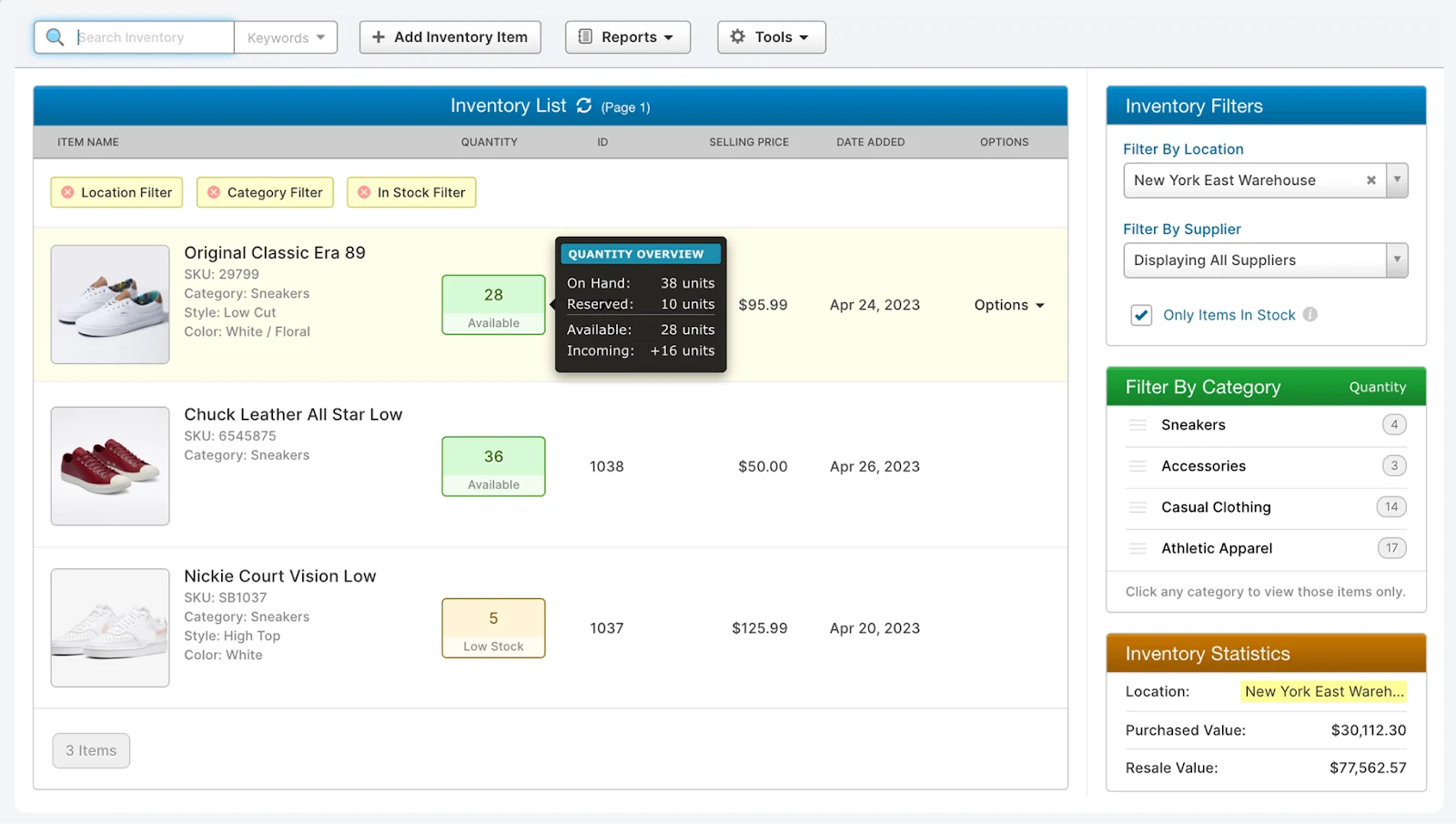
SalesBinder is easy to use and helps small and medium-sized businesses manage inventory and monitor supply levels in real time.
This solution is excellent for multi-location inventory management. It supports item knitting and bundling and generates barcodes for easy inventory management and tracking.
Additionally, SalesBinder offers detailed reporting features, including sales and inventory reports, helping businesses analyze performance and make informed decisions.
The software makes it easy to import relevant inventory data for one or multiple locations from the same spreadsheet using custom fields. You can import inventory data into a specific location or each of your locations simultaneously.
SalesBinder best features
- Built-in CRM to track your customer accounts, add contact, information, purchase history, and more data
- Use Stock Transfer to balance supply levels at different locations
- Native integrations with QuickBooks, WooCommerce, and Xero, while Zapier integrations allow connecting to 5000+ apps
- Use SalesBinder's profit analysis widget to outline profit margins while creating estimates, sale orders or invoices.
- Use tracking codes to automate shipping updates supported by over 60+ international shipping carriers (FedEx, UPS, DHL, USPS, Canada Post, and many more)
SalesBinder pros and cons
✅ Pros:
- Excels at multi-location inventory management
- Integrated CRM and tracking codes help enhance order fulfillment
- Accepts payments in multiple currencies supported in over 130+ countries
❌Cons:
- Lacks built-in payment processing capabilities and requires you to use Zapier connectivity for a secured payment gateway
- Businesses in manufacturing may find that SalesBinder does not meet all their needs
Limitations of the free version
SalesBinder's free plan limits to 100 active records (also the storage) with next-to-no integration capabilities with other software. Surprisingly, the starter plan also has no integration capabilities.
Comparably, Softr's free plan includes 5,000 database records and up to 3 builders, giving teams more room to build together.
5. Odoo - best for businesses that want an ERP-grade inventory system
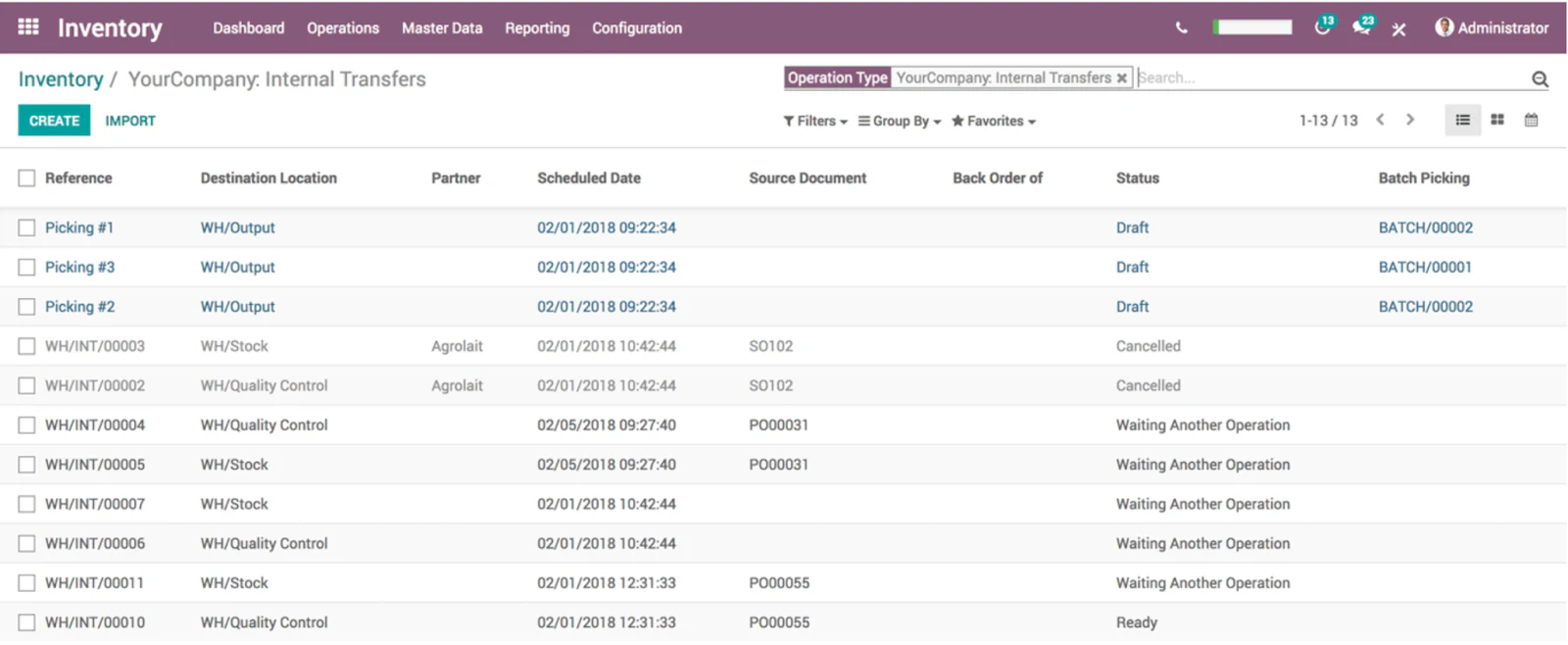
Odoo is open-source inventory management software—or, let's say, the most advanced open-source inventory management software for small businesses.
Odoo's inventory software optimizes every stage of order fulfillment—from warehouse to pickup, transportation, and delivery to the customer.
From generating barcodes and serial numbers for inventory items to defining routes for all inventory operations, whether it's sales order, stock replenishment, return order, drop-ship, or pick-and-pull rules.
To maintain accurate financial records, Odoo supports various inventory valuation methods, including FIFO, LIFO, and average cost. It also provides ready-made reports and dashboards to track inventory levels in real-time.
Odoo best features
- Supports barcode, QR Code and GS-1 for inventory traceability and tracking
- Map out locations to receive products, store, pack, and other warehouse operations
- Create custom routes to automatically plan transfers between any warehouses and locations based on item type and shipping methods
- Odoo automatic scheduler triggers operations for you based on product availability and demand forecasts
- Real-time reports on stock, inventory moves, and production
- Generate real-time inventory valuation using flexible costing and valuation methods
- Use API to integrate with third-party logistics (3PL) services and hardware devices like scales, barcode scanners, and RFID (Radio-Frequency Identification) systems
Odoo pros and cons
✅ Pros:
- Has dedicated dashboards for centralized inventory management
- Integrates modules for different but connected operations, making the process flow comfortable
- Exceptional automation and vendor management tools
❌ Cons:
- Highly specific or complex customization requirements may necessitate developers with extensive technical expertise
- Struggles with the synergy between accounting and inventory management, making it hard to crunch numbers on the platform
Limitations of the free version
While Odoo features hundreds of apps, the free plan gives you access to only one app. It typically includes basic features, insufficient for businesses with complex inventory needs. Advanced features like multi-warehouse support and detailed reporting are unavailable with the free plan.
6. ProfitBooks - best for small manufacturers needing lightweight inventory tracking
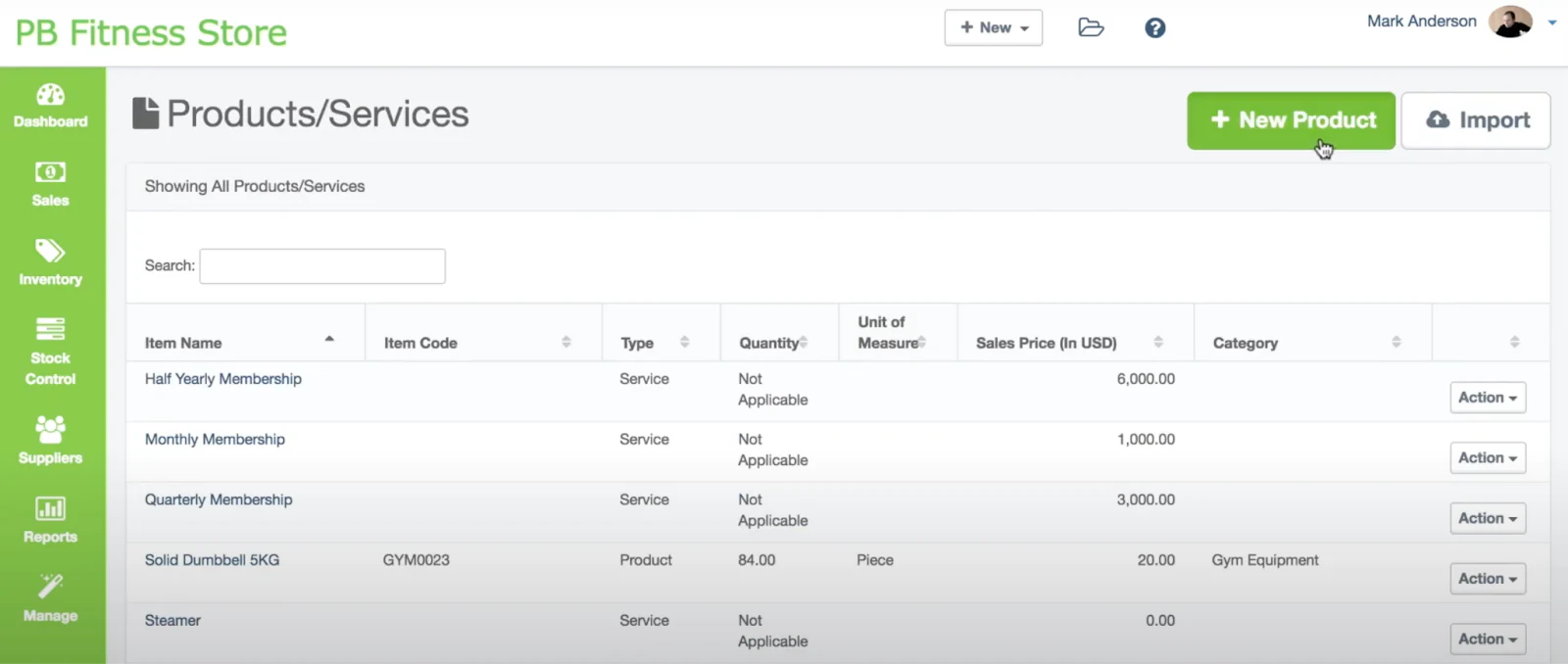
ProfitBooks is a cloud-based inventory management software catering to warehouse owners, manufacturers, and multi-location inventory holders.
This solution helps track the inventory lifecycle, from purchase orders to order fulfillment, warehouse management, and on-demand reporting of inventory levels.
For manufacturers, ProfitBooks offers end-to-end visibility from raw material procurement to finished goods production.
ProfitBooks best features
- Enhance purchase management with role-based purchase dashboards with quotes, estimates, price breaks, and more
- Create and share purchase orders with one click
- Access to 45+ filterable reports for purchase orders, inventory valuation, stock levels, P/L statements, and aging reports
- Record stock transfer between warehouses, stock wastage, raw material consumption and production of finished goods
- Allows creating multiple warehouses for better inventory tracking
- Automatic inventory accounting revenue and taxes, expenses and account for cost of goods sold
ProfitBooks pros and cons
✅ Pros:
- Support trade in multiple currencies with dedicated reports showing gain or loss due to currency fluctuation
- Has an excellent gallery of report and dashboard templates
- Real-time stock replenishment
❌ Cons:
- Limited scalability (focuses on small and medium businesses)
- Lack of third-party integrations
Limitations of the free version
ProfitBooks free plan offers basic inventory management features like invoicing, expense tracking, and currency payments. However, it's designed for a single user who can create up to 25 monthly invoices and manage up to 100 customers.
Choose the right free inventory management software for your business
The best free inventory management system is the one that helps your team track stock, orders, and suppliers without adding extra complexity. Start by focusing on what matters most: ease of setup, the ability to integrate with the tools you already use, and whether you need simple item tracking, multi-location visibility, or deeper automations as you grow.
For some businesses, an out-of-the-box inventory tool will be enough. But if you want a platform that adapts to your workflows—not the other way around—Softr offers a flexible alternative.
You can connect it directly to your existing data, build your UI with drag-and-drop blocks, and avoid the long setup or retraining that comes with entirely switching systems.
And with built-in AI (Ask AI) and workflow automation, Softr helps teams scale faster by reducing manual work and making inventory data even easier to access.
Try Softr for free and see how quickly you can build an inventory system that fits your business!
Frequently asked questions
What is the best free software for inventory management?
Does Excel have inventory management features?
How do I build an inventory management system with Softr?