


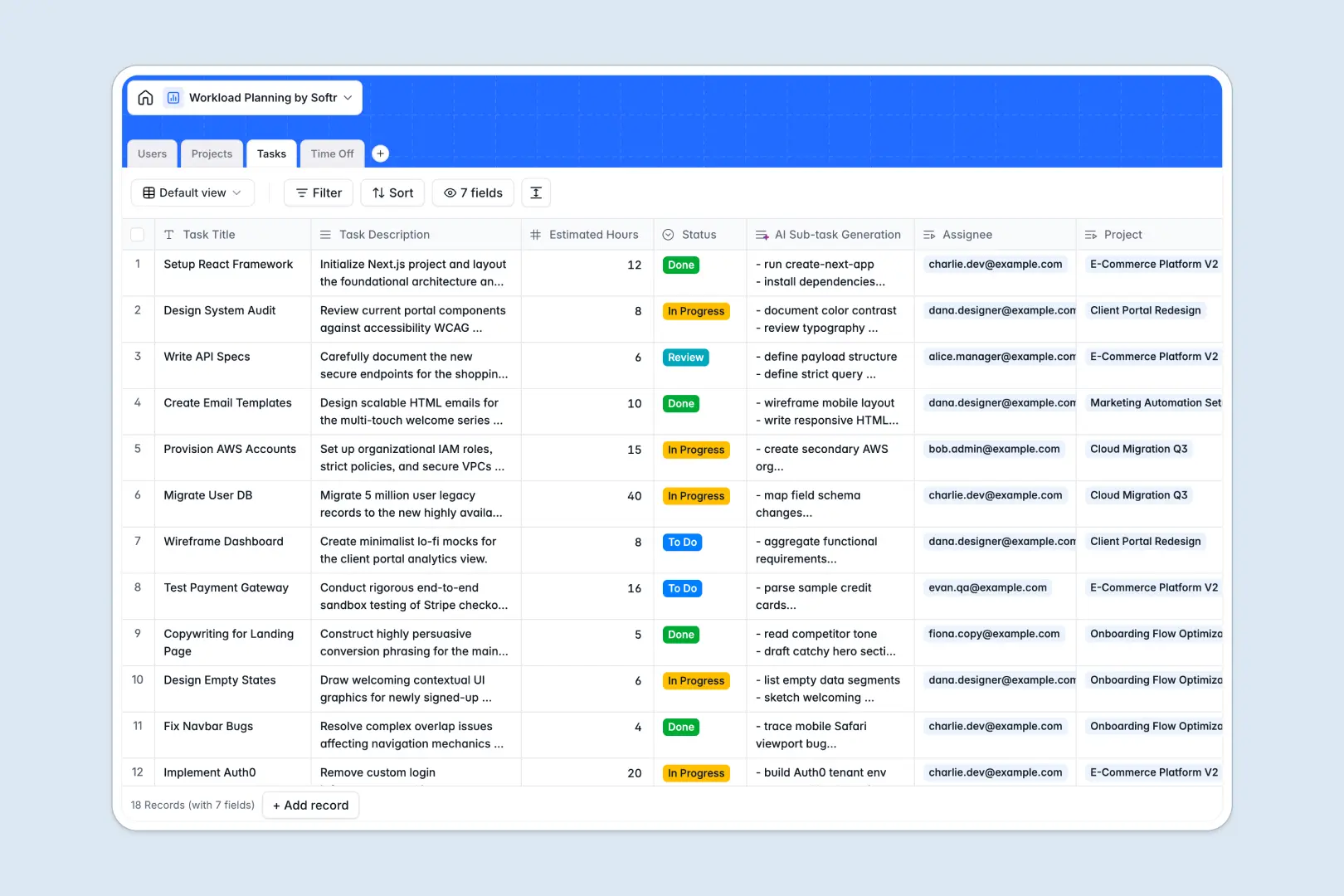
Your Workload Planning database at a glance
This template gives you complete visibility into who is working on what, ensuring no one is overwhelmed while projects stay on track. It connects team availability exactly with task demands to help you plan smarter natively.
Users, Projects, Tasks, and Time Off are linked relationally, meaning a developer's vacation automatically reflects in their overall capacity. Rollups calculate total assigned hours instantly, removing the guesswork from resource allocation.
Built-in AI agents automatically generate risk assessments based on project briefs and suggest concrete sub-task checklists. This means less manual planning and more time focused entirely on execution.
Why managing workload planning in spreadsheets breaks down
Running team capacity across disconnected tabs quickly leads to missed deadlines and burnout. Spreadsheets simply aren't built to handle the complex intersection of tasks, deadlines, and employee leave.
What a structured database changes
In a relational system, data stays perfectly organized and connected. A team member's total assigned hours automatically sum up across all linked tasks without writing a single fragile formula.
This is exactly what Softr Databases are designed for. By enforcing strict column types like linked records and dates, your resource planning scales effortlessly as your department grows.
What you can do with this template
Instantly see total assigned hours next to approved time-off requests so you never overbook your staff. You can assign tasks, adjust statuses, and plan future project allocations from one clean view.
You can also use Database AI agents to instantly break down complex project briefs into actionable sub-tasks. Set it up once, and let the system handle the tedious administrative breakdown.
-
Users
Manage team member profiles, roles and track total capacity and workload
-
Projects
Oversee initiatives using AI to generate risk summaries from project briefs
-
Tasks
Manage work items with AI-driven sub-task checklists for improved planning
-
Time Off
Log staff leave and unavailability to ensure accurate capacity forecasting
Who is this Workload Planning database for
This template is perfectly designed for operations leaders who need absolute clarity on actual team capacity.
- Project Managers: Instantly balance task distribution to keep active projects moving without delaying deliverables.
- Department Heads: Monitor total assigned hours across the entire team to justify new hires and resource requests.
- Operations Leads: Cross-reference active project demands with upcoming approved time-off requests seamlessly.
- Team Leads: Clearly communicate expectations by giving contributors an exact list of prioritized items.
How to take it further
You can easily tweak this database to perfectly fit your company's workflow. Add new task statuses like "Blocked" or create custom fields to track specific project budgets.
Bring your existing task lists directly into the system in seconds. Upload a CSV of your current backlog or connect via API to sync ongoing work easily.
When your process scales, you can build an app directly on top of this structured data. Create a dedicated internal portal where employees log in to see only their assigned workloads and submit time-off requests.
By configuring users and permissions, you ensure managers see full capacity dashboards while contributors focus purely on execution. Starting with a well-organized database makes building these custom internal tools incredibly fast.
-
1
-
2
-
3
-
4
Frequently asked questions
-
What is a workload planning database?
-
Why use a no-code database to build a workload planning tool?
-
How can AI help managing data for workload planning?
-
Can I build an app with this workload planning database?
-
Is this Workload Planning database free?
-
How is a workload planning database different from spreadsheets?
Start building today. It's free!
Build and launch your first app in under 30 minutes.