


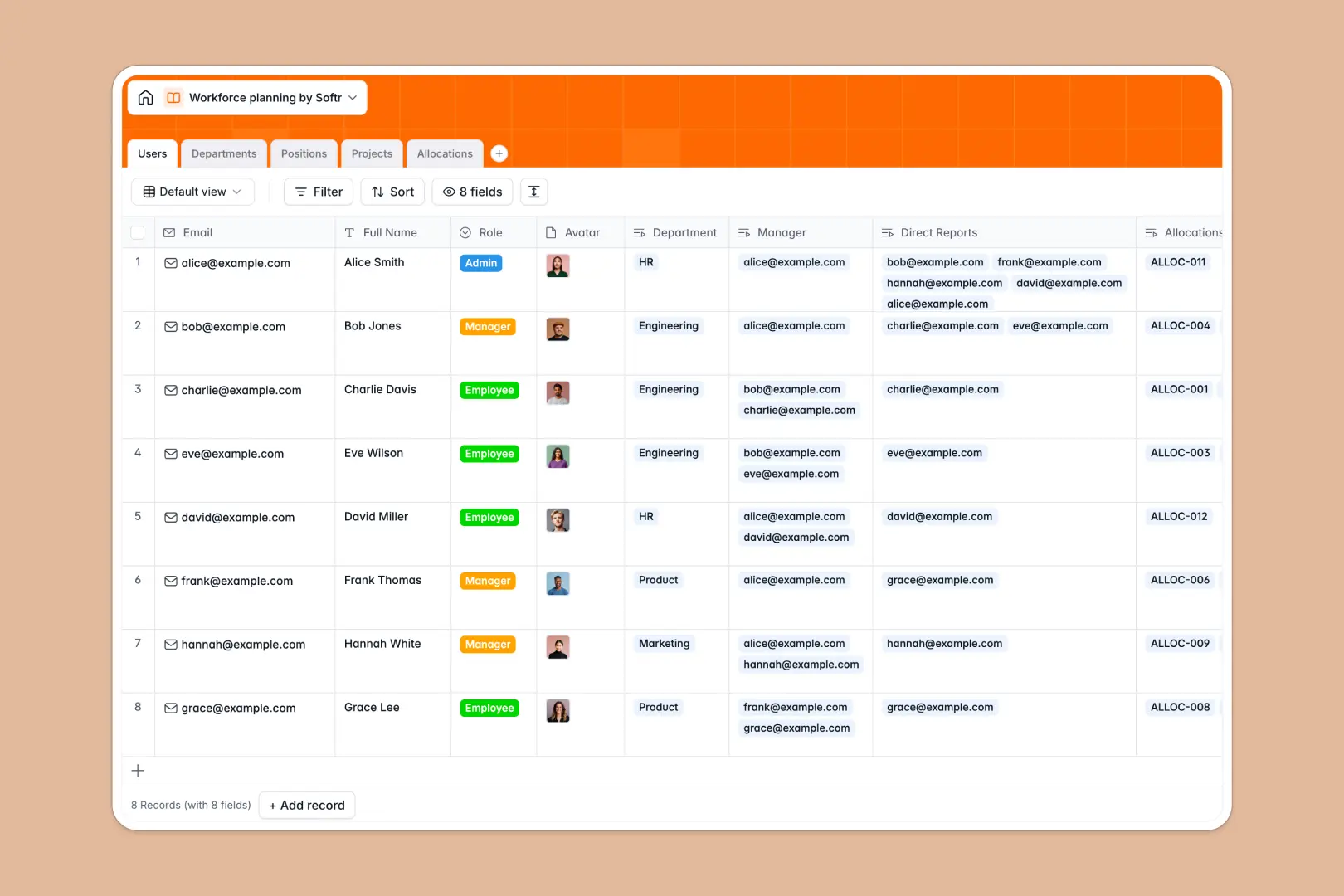
Your Workforce Planning database at a glance
This template gives your team a single source of truth to model headcount, balance staff allocations, and align hiring with project demands.
Five relational tables: Users, Departments, Positions, Projects, and Allocations, work together to connect staff members to active initiatives without duplicating entries or relying on broken spreadsheet formulas.
Built-in AI fields draft complete job descriptions from job titles, generate project briefs, and summarize departmental mandates automatically.
Why headcount modeling breaks in disconnected rows
Tracking team capacity across disconnected tabs creates blind spots. When project staffing lives in one document and hiring plans in another, overbooked employees and unapproved vacancies easily go unnoticed.
What a structured database changes
A structured database enforces strict relationships between your people, their allocated time, and organizational units. When you assign an employee to an initiative in the Allocations table, their capacity updates across all linked views in real time.
Dates remain structured calendar entries, roles stay standardized, and rollups instantly tally department headcounts without fragile lookups. This is exactly what Softr Databases are designed for.
What you can do with this template
Map employee capacity percentages against active projects to prevent burnout and spot staffing bottlenecks before they delay deliverables.
Track open positions from planning to hire date, using Database AI agents to research industry standards and draft role responsibilities instantly within your database.
-
Users
Manage employee profiles, job roles, reporting hierarchies, and project staffing
-
Departments
Organize teams, headcount counts, and AI-generated mandate summaries
-
Positions
Track open roles and hiring pipelines with web-informed AI job descriptions
-
Projects
Monitor strategic initiatives, staffing scope, and AI executive summaries
-
Allocations
Map employee capacity percentages and staffing dates across active projects
Who is this Workforce Planning database for
This template helps leaders and operational teams balance human resources with company goals:
- HR Directors: Model future headcount needs and track open positions across all departments.
- Resource Managers: Balance project allocations and monitor employee capacity to prevent overallocation.
- Department Leads: Maintain accurate org charts, direct reports, and departmental mandates.
- Operations Leads: Forecast staffing requirements against upcoming quarterly initiatives.
How to take it further
Customize your database in seconds by adding custom fields such as hourly billing rates, skill tags, or approval stages for new requisitions. You can modify select options to match your exact organizational hierarchy.
Import your existing team roster and active project list easily using CSV files or automated API connections to get up and running immediately.
When your team is ready, turn this database into a full internal system. You can use Softr's AI app generator to generate a custom resource management portal with dedicated views for managers and employees. Configure granular users and permissions so team leads can update their own project allocations while sensitive salary or direct-report data remains restricted.
-
1
-
2
-
3
-
4
Frequently asked questions
-
What is a workforce planning database?
-
Why use a no-code database to build a workforce planning tool?
-
How can AI help managing data for workforce planning?
-
Can I build an app with this workforce planning database?
-
Is this Workforce Planning template free?
-
How do I import existing staff and project data into this template?
Start building today. It's free!
Build and launch your first app in under 30 minutes.