


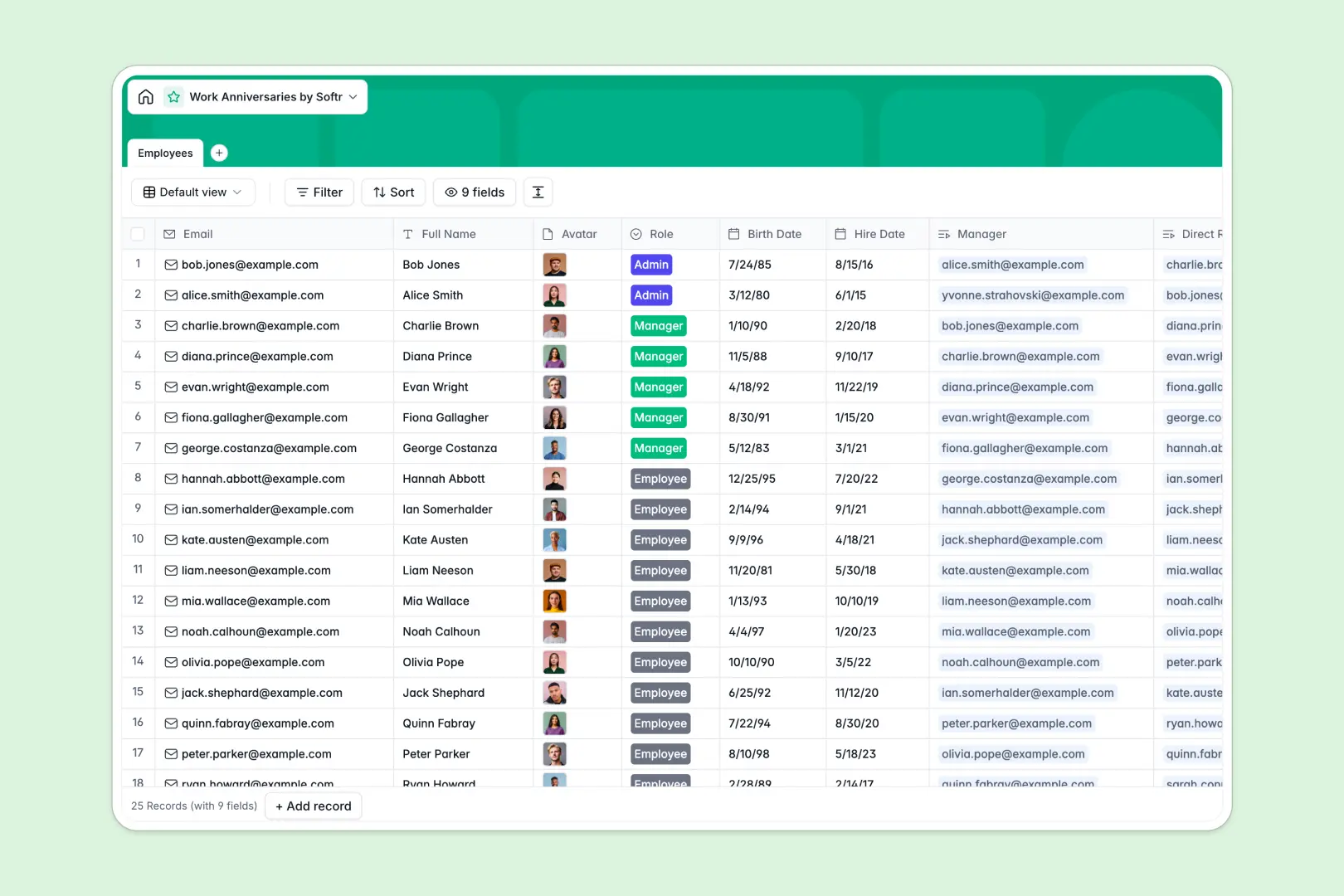
Your Work Anniversaries database at a glance
This ready-to-use template helps HR teams track employee milestones, from birthdays to hire dates. It ensures you never miss an important work anniversary again.
The database centralizes your personnel data in one clean, reliable directory. It securely links direct reports to their specific managers without messy spreadsheet formulas.
Best of all, it handles the writing for you. The built-in AI automatically generates personalized, celebratory anniversary messages based on the employee's role.
Why tracking anniversaries in spreadsheets breaks down
Managing growing employee lists and tracking exact hire dates in spreadsheets quickly turns into a logistical nightmare. Dates get formatted incorrectly, and filtering for upcoming milestones becomes a tedious monthly chore.
What a structured database changes
A true database brings strict organization to your HR records. Every column enforces a specific format, meaning a date always stays a date and email addresses remain clickable.
You can also easily map reporting structures by connecting employees directly to their managers. This is exactly what Softr Databases are designed for, keeping your company data impeccably clean as your team scales.
What you can do with this template
Use this template to instantly centralize employee information, securely store headshots, and organize internal team structures. You will always know exactly who reports to whom and when their milestones approach.
Plus, native Database AI agents instantly craft the perfect celebratory message for every work anniversary. You just review and hit send, saving hours of manual drafting.
-
Employees
Manage staff profiles and hire dates with AI-generated anniversary messages
Who is this Work Anniversaries database for
This template is built for teams that want to celebrate milestones smoothly without the heavy administrative overhead.
- HR Managers: Track hire dates and birthdays across the entire company in one unified directory.
- Team Leads: Keep a clear view of direct reports and automatically generate customized congratulatory messages.
- Operations Teams: Replace scattered spreadsheets with a reliable, structured system for managing employee roles and data.
How to take it further
Customize the database. You can easily tweak this template to fit your exact needs. Add new dropdown choices for different departments or create customized views to filter employees by their upcoming anniversary month.
Import your existing data. Skip the manual data entry by uploading a CSV of your current employee roster. Your timeline data populates instantly so you can get right to work.
Build a full app around it. When you are ready, you can use the interface builder to turn this database into an interactive internal employee portal.
By setting up strict users and permissions, teams can securely update their own profiles while managers view private HR notes. A well-organized backend makes building these company tools completely frictionless.
-
1
-
2
-
3
-
4
Frequently asked questions
-
What is a work anniversaries database?
-
Why use a no-code database to build a work anniversary tool?
-
How can AI help managing data for work anniversaries?
-
Can I build an app with this work anniversaries database?
-
Is this Work Anniversaries database free?
-
How is a database better than an Excel tracker for employee data?
Start building today. It's free!
Build and launch your first app in under 30 minutes.