


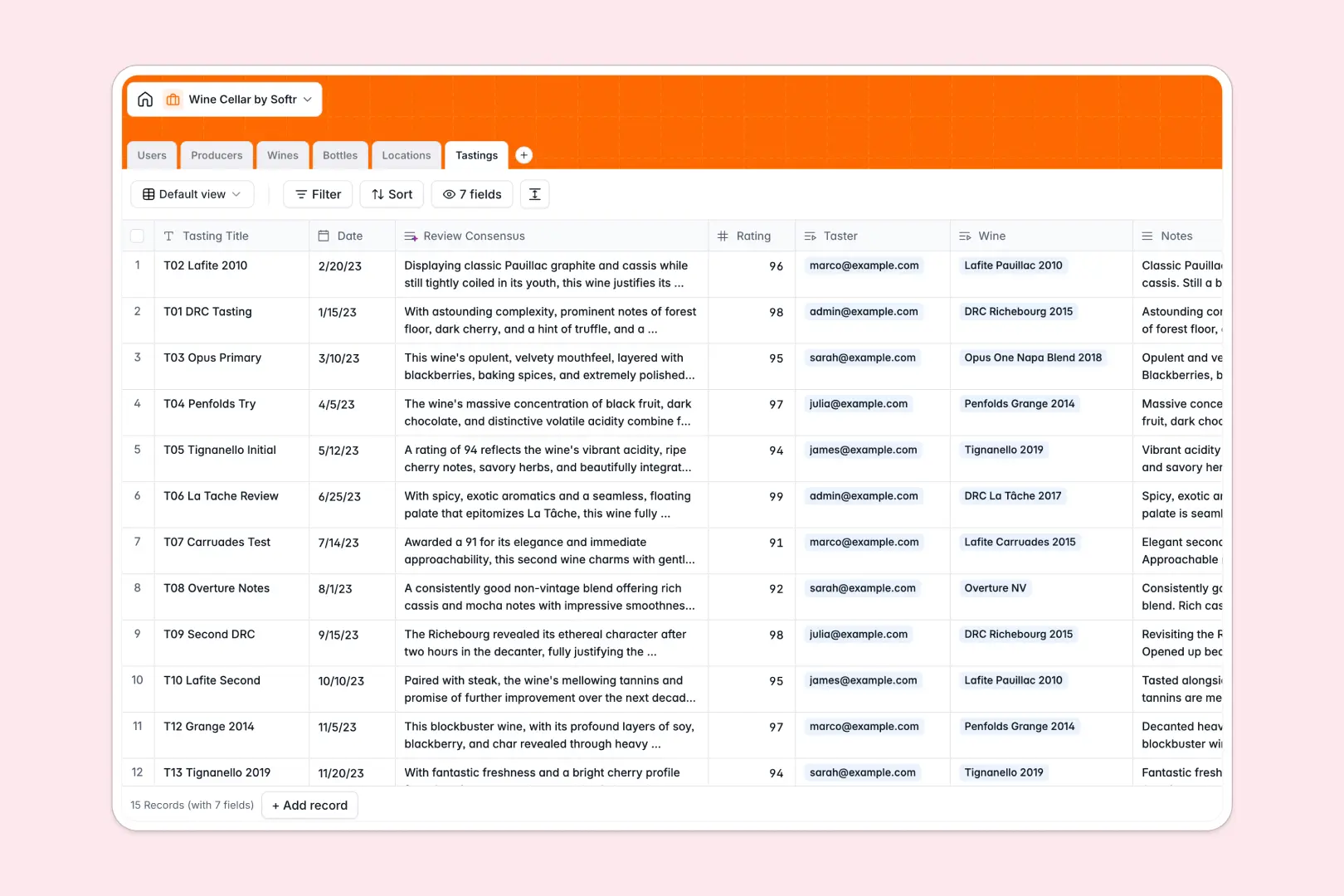
Your Wine Cellar database at a glance
This template gives collectors and sommeliers a clear, structured system to track every bottle from acquisition to consumption. Monitor bottle counts, storage locations, and tasting histories without manual guesswork.
Physical bottles connect directly to distinct wine profiles, producers, and storage units like fridges or racks. When you record a bottle or move it to a new shelf, inventory rollups update instantly across your collection.
Built-in AI agents automatically generate producer descriptions, research expected tasting profiles, and synthesize review notes directly within your records.
Why a flat list fails when bottles move between racks
A simple list can tell you what wine you bought, but it cannot accurately show where each bottle sits, how many remain, or which producer made them once your collection grows.
What a structured database changes
A relational database treats bottles, producers, and storage spots as separate, connected entities. Instead of typing the same vineyard or varietal details repeatedly, you link individual physical bottles to a master wine record.
This structure prevents typos and automatically calculates totals using native rollups instead of fragile formulas. This is exactly what Softr Databases are designed for.
What you can do with this template
You can instantly see bottle quantities across multiple locations, including wooden racks, wine fridges, and off-site cellars. Detailed tasting logs let multiple tasters record scores and notes tied directly to specific vintages.
With native Database AI agents, your database uses live web research to enrich producer backgrounds and summarize tasting consensus notes without manual data entry.
-
Users
Manage cellar members and track personal tasting contributions
-
Producers
Store winemaker details with web-searched AI profile descriptions
-
Wines
Catalog wine varietals and vintages with AI tasting profiles
-
Bottles
Track physical bottle inventory, purchase costs, and consumption status
-
Locations
Monitor physical cellar zones, storage capacities, and bottle allocations
-
Tastings
Record reviews and ratings with AI-synthesized consensus summaries
Who is this Wine Cellar database for
This template is tailored for anyone managing fine wine collections across multiple locations:
- Private Collectors: Track rare vintages, purchase prices, and optimal drinking windows across home cellars.
- Sommeliers and Beverage Directors: Manage restaurant cellar stock, monitor bottle consumption, and log staff tasting feedback.
- Wine Clubs and Tasting Groups: Coordinate group tastings, compile member ratings, and preserve collective reviews.
- Estate Managers: Oversee physical inventories across multiple residential properties and dedicated storage facilities.
How to take it further
Customize the database
Adapt the database to your specific setup in seconds. Add custom bottle statuses, create custom storage types like temperature-controlled zones, or add fields for drink-by dates and pairing suggestions directly in the visual editor.
Import your existing data
Bring your existing wine records in through a CSV upload or sync them via API. The database will map your vintage years, producer names, and location fields directly into the structured tables.
Build a full app around it
When you want a dedicated portal for cellarmasters or tasting guests, you can build an app on top of this database. Use Softr's AI Co-Builder to generate an interface, search filters, and workflows in one prompt, then refine it visually.
Set granular users and permissions so guests can only submit tasting reviews while cellar managers update inventory and purchase prices.
-
1
-
2
-
3
-
4
Frequently asked questions
-
What is a wine cellar database?
-
Why use a no-code database to build a wine cellar management tool?
-
How can AI help managing data for a wine cellar?
-
Can I build an app with this wine cellar database?
-
Is this Wine Cellar database template free?
-
How do I track bottles stored across multiple physical locations?
Start building today. It's free!
Build and launch your first app in under 30 minutes.