


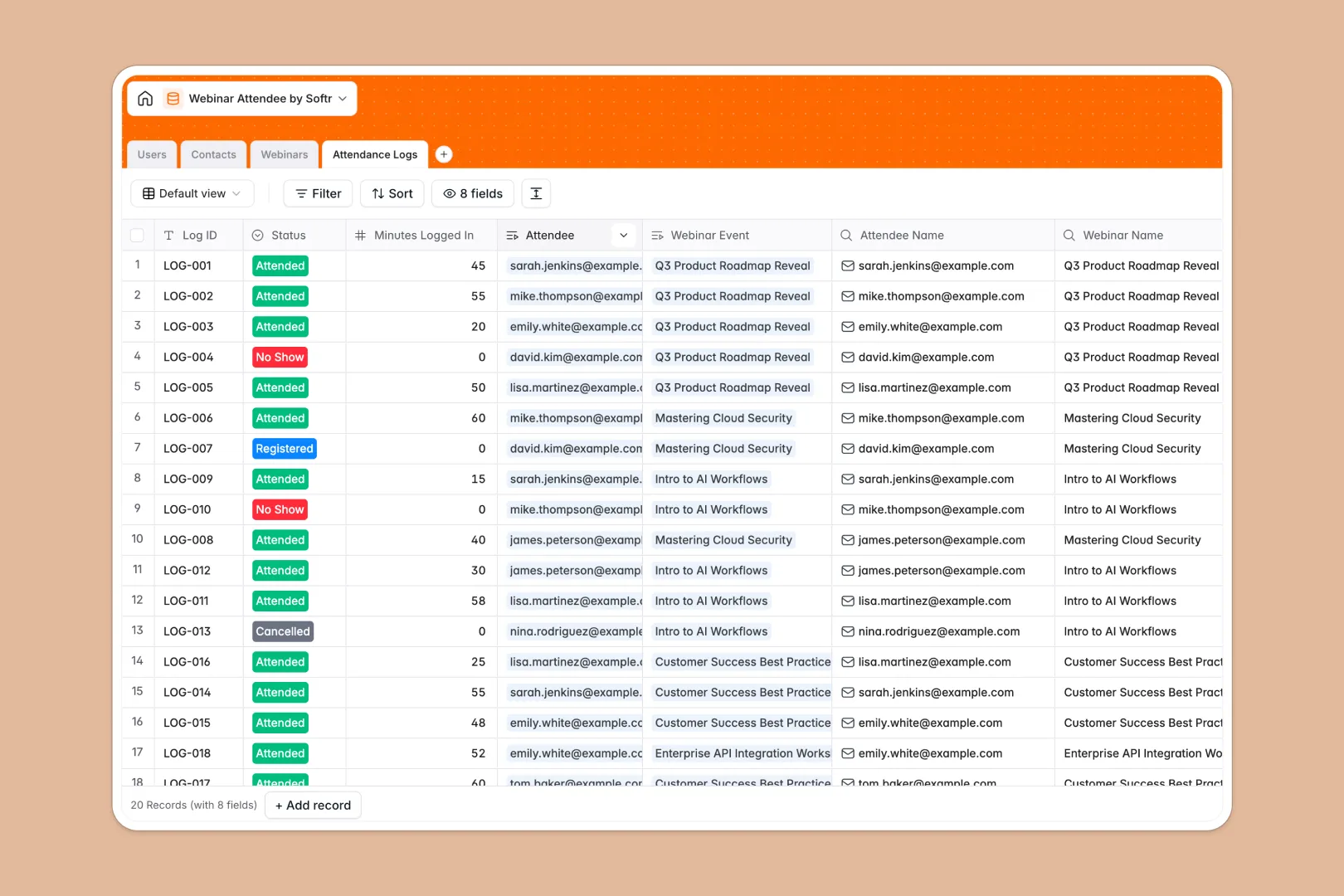
Your Webinar Attendee Database at a glance
This template gives you a centralized hub to track event registrants, manage hosts, and measure attendee engagement across all your sessions. It keeps your pipeline organized and actionable without requiring manual data entry.
It works by connecting Contacts, Webinars, and Attendance Logs natively. This logical structure lets you instantly see which contacts attended specific sessions and automatically calculates their total watch times.
Built-in AI agents accelerate your event workflow natively. They automatically research and find contact job titles, generate compelling promotional descriptions for new sessions, and classify engagement tiers automatically.
Why tracking webinar attendees in spreadsheets breaks down
Managing virtual events in a spreadsheet quickly becomes a chaotic mess of duplicate names, broken formulas, and fragmented attendance records.
What a structured database changes
A structured system connects data natively without fragile lookups. You can link a single contact to multiple webinars and automatically roll up their total attendance history flawlessly.
This is exactly what Softr Databases are designed for. They enforce clean data types, meaning a date stays a date and linked records update dynamically across your whole system as your event list grows.
What you can do with this template
You can track total event registrations, automatically categorize attendee engagement levels, and monitor exact minutes logged in per user.
You can also leverage built-in intelligence to enrich your pipeline instantly. The system will automatically find a registrant's current job title via web search the moment they join your list.
-
Users
Manage internal team members with roles and webinar hosting assignments
-
Contacts
Store webinar registrants with AI-powered job title research and tracking
-
Webinars
Schedule events and generate AI promotional descriptions for new sessions
-
Attendance Logs
Monitor event participation with AI-driven engagement level classification
Who is this Webinar Attendee Database for
This ready-to-use system is built for teams who need actionable insights from their virtual events.
- Marketing Teams: Track registration numbers and identify high-engagement leads for your sales pipeline.
- Event Managers: Coordinate scheduled sessions, assign internal hosts, and generate promotional copy effortlessly.
- Customer Success: Monitor which clients attend product sessions and intervene accurately when engagement drops.
How to take it further
You can easily customize this database to fit your exact workflow. Modify the attendance status choices, adjust engagement criteria, or add entirely new fields without writing a single line of code.
Bring your existing event list to life instantly. You can bulk upload past registrants via CSV or connect an API to sync new signups seamlessly from your landing pages.
When your team is ready, you can build a full app directly on top of this structured data. By leveraging native users and permissions, you could create a secure internal portal where hosts log in and strictly view only their assigned sessions.
Building a custom event portal is incredibly fast when your underlying data is organized properly. This database provides the exact foundation needed to scale from simple tracking to a complete custom application.
-
1
-
2
-
3
-
4
Frequently asked questions
-
What is a webinar attendee database?
-
Why use a no-code database to track webinar attendees?
-
How can AI help managing data for webinar attendees?
-
Can I build an app with this webinar attendee database?
-
Is this webinar attendee database free?
-
How is this different from tracking webinars in Google Sheets?
Start building today. It's free!
Build and launch your first app in under 30 minutes.