


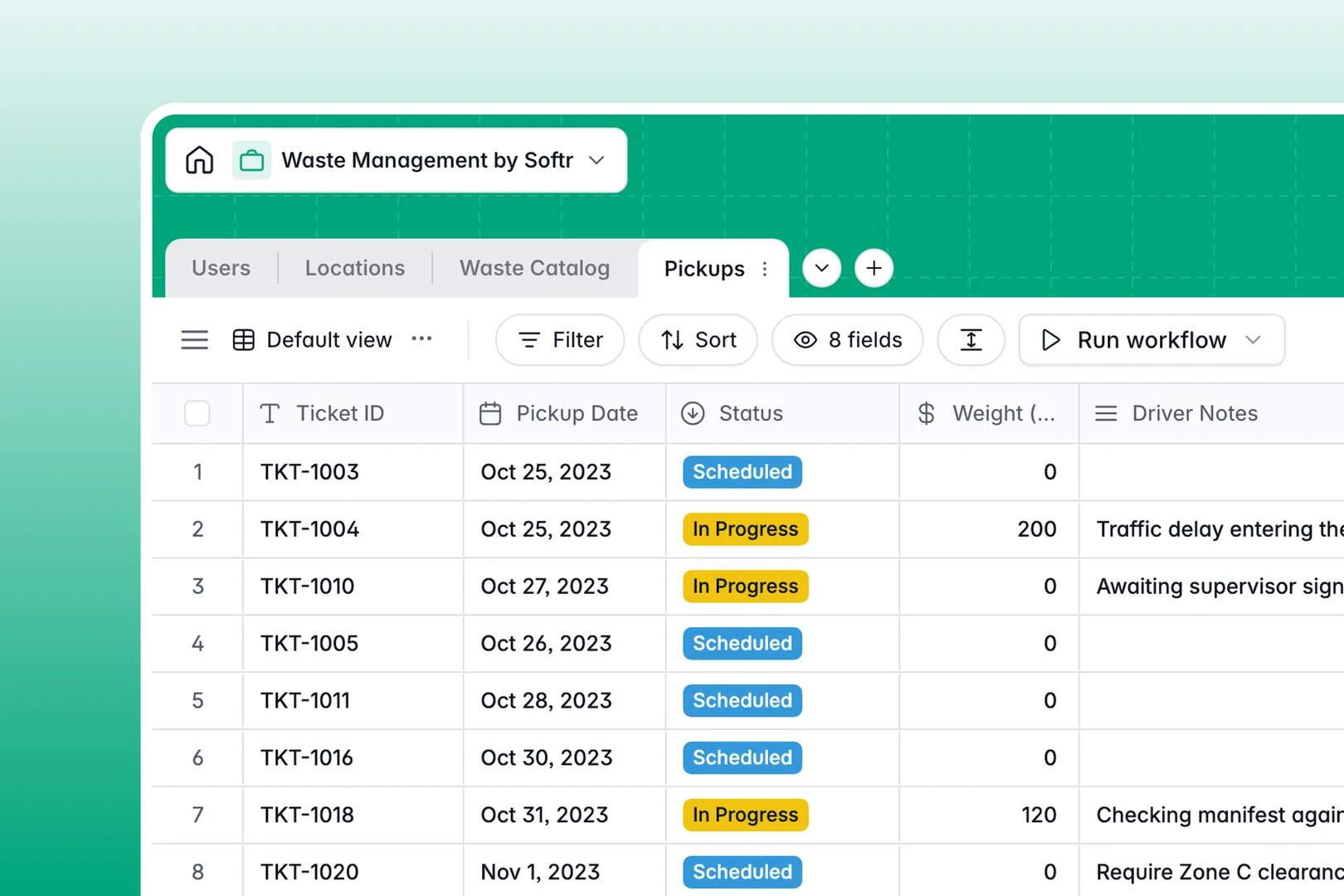
Your Waste Management database at a glance
This template gives your team a centralized operational system to schedule collection runs, document hazardous materials, and track site compliance. It eliminates lost tickets and keeps dispatchers, drivers, and account managers perfectly aligned.
Four dedicated tables organize your workflow: Pickups records real-time collection logs and weights, Locations stores site entry details and rollups, Waste Catalog defines safety guidelines, and Users manages driver assignments.
Built-in intelligence automates your routine tasks: Database AI agents research regulatory disposal rules, summarize driver safety briefs, and classify urgency levels from driver field notes instantly.
When a shared spreadsheet puts collection routes and compliance at risk
Google Sheets is great for quick lists, but using it to manage hazardous waste disposal, route assignments, and driver logs quickly causes operational blind spots.
Everyone with access sees every row, meaning drivers can accidentally overwrite weight totals or delete safety instructions. Cell formats are easily broken, attachments like photo proofs get lost in disjointed drive folders, and cross-tab formulas fail whenever someone sorts a column.
What a structured database changes
A structured system enforces strict field rules so dates, weights, and file attachments remain intact across every route. Tables link together naturally, so assigning a driver to a site automatically updates your pickup schedule without copying rows or maintaining fragile lookups.
This is exactly what Softr Databases are designed for, giving you a structured foundation that safeguards your operational records.
While Softr can connect an existing Google Sheet as a data source, running your operations on a dedicated database ensures the data integrity that transport compliance demands.
What you can do with this template
You can log daily pickup tickets with exact weights, upload photo proofs directly from collection sites, and monitor cumulative tonnage per location automatically.
Native AI agents automatically research compliant disposal methods for new waste types and transform complex location notes into clear bulleted safety briefs for your drivers before they arrive on site.
-
Users
Manage staff profiles, driver roles, and operational assignments
-
Locations
Track client sites and generate AI-powered safety hazard briefs
-
Waste Catalog
Classify waste types and search AI-generated disposal guidelines
-
Pickups
Track collection logs with AI-based urgency classification of notes
Who is this Waste Management database for
This template is tailored for waste logistics providers and site compliance teams handling recurring collection schedules:
- Waste Hauling Companies: Dispatch drivers efficiently and maintain reliable collection logs with photo verification.
- Environmental Safety Officers: Track hazardous classifications and automate compliant disposal research.
- Facilities Managers: Monitor waste output rollups across commercial and residential properties.
- Operations Dispatchers: Assign routes and track real-time pickup statuses without data overlap.
How to take it further
Customize this database to match your specific fleet workflows. Add custom fields for truck registration numbers, adjust waste classification tags, or add select options for internal billing codes in seconds.
If you already have site addresses and waste registries in spreadsheets, import your data instantly via CSV or connect through the API for continuous syncing.
When your team is ready, you can build an app on top of this database. Softr lets you generate driver portals and manager dashboards with custom users and permissions, giving drivers mobile forms for route updates while protecting sensitive client contracts.
-
1
-
2
-
3
-
4
Frequently asked questions
-
What is a waste management database?
-
Why use a no-code database to build a waste management tool?
-
How can AI help managing data for waste management?
-
Can I build an app with this waste management database?
-
Is this Waste Management template free?
-
How is a waste management database different from Google Sheets?
Start building today. It's free!
Build and launch your first app in under 30 minutes.