


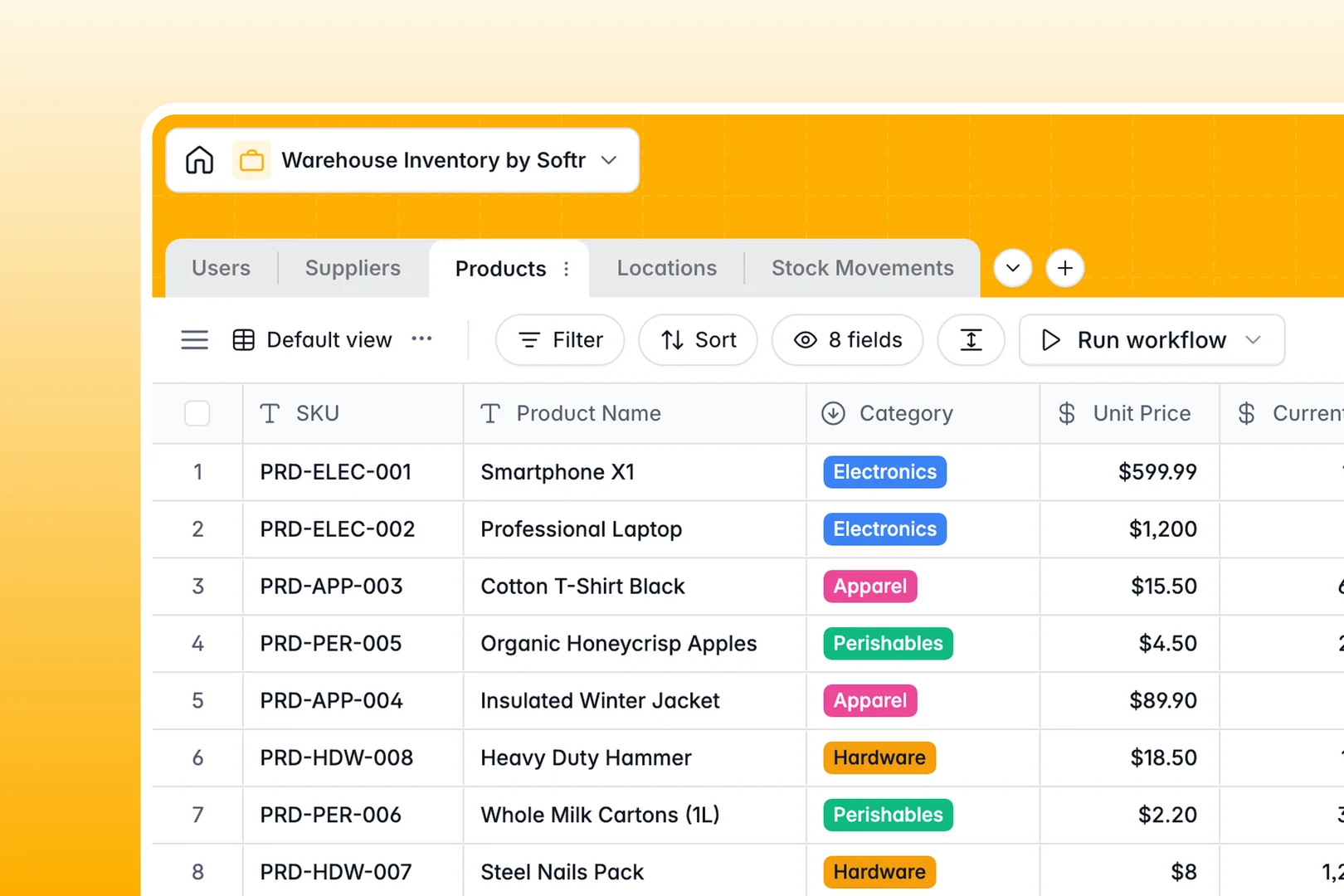
Your Warehouse Inventory database at a glance
This template gives warehouse teams a structured system to track inventory, bin locations, and suppliers accurately in real time. It replaces fragmented tracking sheets with connected tables that keep stock balances consistent as items move.
Items in the Products table connect directly to specific zones in Locations, dedicated vendor profiles in Suppliers, and activity records in Stock Movements. When an operator logs an inbound or outbound movement, the history ties back to the exact SKU and staff member who handled it.
Built-in AI fields help automate cataloging: they categorize product handling requirements, summarize movement notes into clean logs, and research supplier websites to enrich vendor records automatically.
Why a flat inventory sheet breaks down as stock moves
Tracking inventory across multiple bins, suppliers, and daily transfers quickly overwhelms static spreadsheets. When SKUs are duplicated across rows and transfer notes are typed manually, counts drift and misplaced items slow down fulfillment.
What a structured database changes
In a structured setup, every object lives in its own dedicated table. Products, warehouse zones, and stock movements link together natively rather than relying on brittle lookups that break when rows shift.
Typed fields ensure dates remain dates, stock counts stay numeric, and movements link directly to the correct team member. This is exactly what Softr Databases are designed for: giving teams a clean, reliable data structure that maintains data integrity as inventory volume grows.
What you can do with this template
From day one, you can log inbound shipments, bin transfers, and outbound orders while maintaining an accurate audit trail for every SKU. Rollup fields automatically calculate total items stored per zone, giving managers immediate visibility into warehouse capacity.
With integrated Database AI agents, the database classifies fragile or hazardous items automatically and generates clear operational summaries for every recorded movement.
-
Users
Manage warehouse personnel, assigned roles, and processed movements
-
Suppliers
Track vendor contacts and generate AI-powered supplier web profiles
-
Products
Catalog items with stock levels, pricing, and AI handling classification
-
Locations
Organize storage zones, bins, aisles, and track product distribution
-
Stock Movements
Log inventory transfers and inbound or outbound flows with AI summaries
Who is this Warehouse Inventory database for
This template is designed for operations teams that need clear visibility into stock levels, physical locations, and fulfillment logs.
- Warehouse Managers: Maintain real-time visibility over zone capacities, overall inventory valuations, and supplier records.
- Inventory Controllers: Audit stock movements, reconcile discrepancies, and ensure accurate item counts across all bins.
- Fulfillment & Picking Teams: Locate products quickly by zone and log inbound or outbound transfers without errors.
- E-commerce Operations: Keep product catalog data aligned with physical stock levels to prevent backorders.
How to take it further
Customize the database to match your facility's physical layout and operational rules. You can add specific zone categories like mezzanine racking, create custom movement types for damaged goods, or adjust user roles for pickers and supervisors.
Import your existing data in minutes. Upload your current SKU catalog, vendor contacts, or historical logs via CSV, or connect existing systems through the API to sync warehouse data continuously.
Build a full app around it when your team needs a dedicated interface on the warehouse floor. With Softr's AI app generator, you can describe the portal you need in one prompt to create mobile-friendly scanning screens, manager dashboards, and pick lists connected directly to this database. Then use granular users and permissions to ensure pickers only update their assigned movements while managers retain full control over supplier terms and inventory adjustments.
-
1
-
2
-
3
-
4
Frequently asked questions
-
What is a warehouse inventory database?
-
Why use a no-code database to build a warehouse inventory system?
-
How can AI help managing data for warehouse inventory?
-
Can I build an app with this warehouse inventory database?
-
Is this Warehouse Inventory database free?
-
How do I import existing inventory data into this template?
Start building today. It's free!
Build and launch your first app in under 30 minutes.