


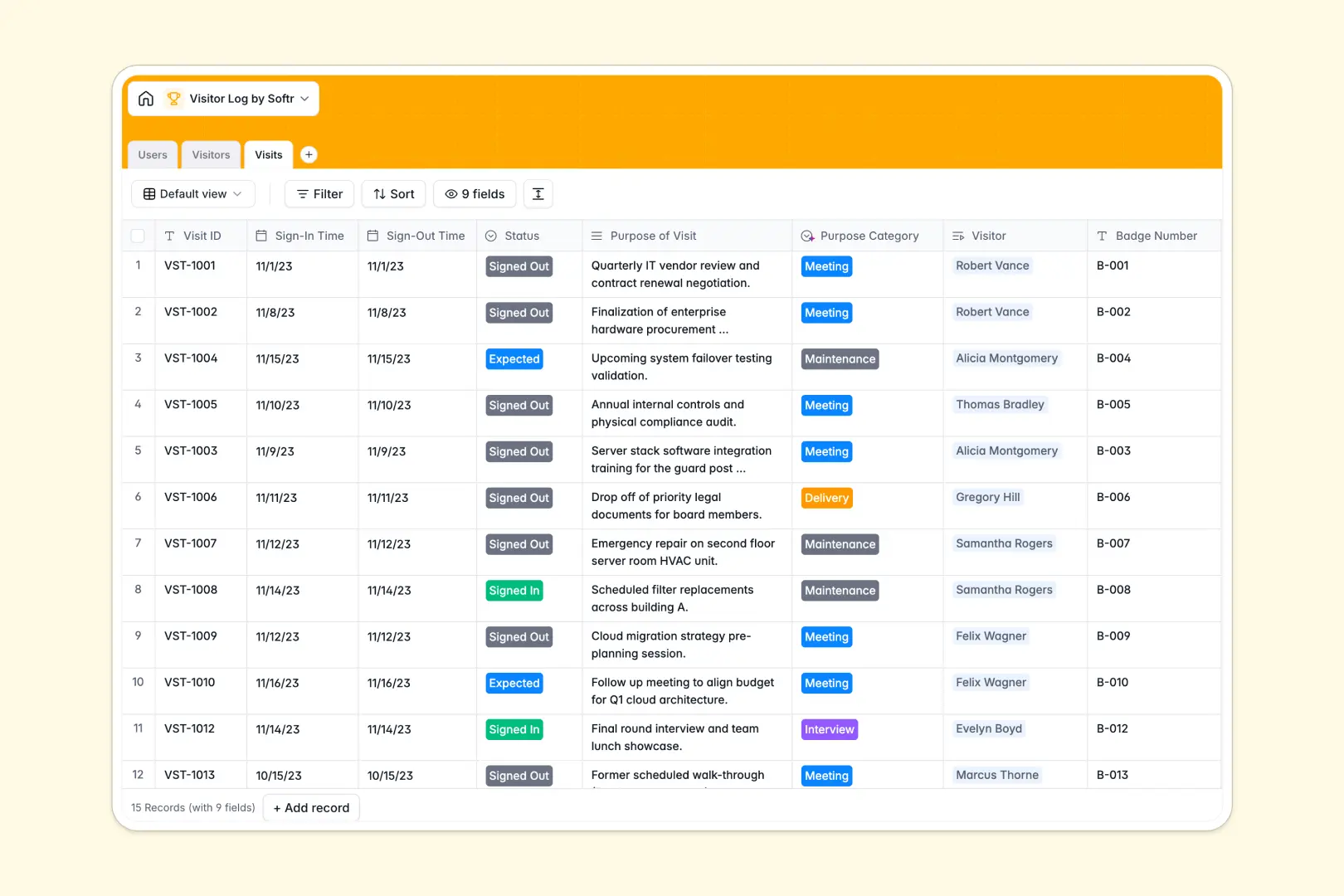
Your Visitor Log Database at a glance
This template gives you a centralized, secure system to track every guest entering your facility. It prevents unauthorized access while keeping arrival times and host assignments perfectly organized.
The structure uses connected tables to link external `Visitors` directly to their specific `Visits` and internal `Users` acting as hosts. This means you never have to retype guest details for returning visitors or scramble to find out who approved an entry.
Built-in AI agents automatically summarize visitor profiles and categorize the purpose of each visit instantly. This eliminates manual categorization and helps security guards process guests significantly faster.
Why managing visitor logs in spreadsheets breaks down
Tracking facility entry in a spreadsheet quickly becomes a massive security and compliance risk. When guards and receptionists share the same flat file, accidental deletions or typos are inevitable.
What a structured database changes
A structured system ensures dates stay formatted strictly as times, photo IDs remain securely attached, and related records don't rely on breaking formulas. You can instantly see exactly how many times a guest has visited or if their status is explicitly marked as "Banned."
Linking returning guests to new check-ins takes one click, keeping your records spotless as daily traffic scales. This level of secure, relational tracking is exactly what Softr Databases are built to deliver out of the box.
What you can do with this template
Instantly log sign-in and sign-out times while assigning a strict status to every unique visit. You can intuitively tag internal hosts so employees always know exactly when their delivery or meeting arrives.
You can also leverage Database AI agents to automatically categorize the visit's purpose based on a quick text description. This keeps your data clean and actionable without slowing down front desk operations.
-
Users
Manage internal staff and security personnel authorized to host visitors
-
Visitors
Track guest details and use AI to generate concise visitor profile summaries
-
Visits
Log entry times and use AI to automatically categorize the purpose of visits
Who is this Visitor Log Database for
This system is designed for any team responsible for facility security, compliance, and guest experiences.
- Security Personnel: Track real-time visitor flow and immediately identify if a guest is banned or allowed.
- Receptionists & Admins: Speed up check-ins by linking returning visitors to previous records without re-typing details.
- Facility Managers: Monitor building capacity, review visit frequencies, and ensure compliance audits pass smoothly.
- Internal Employees: Receive accurate allocations as hosts for incoming client meetings, contractors, or candidate interviews.
How to take it further
Customizing this template is extremely simple right from the start. You can easily adjust the visit status options or add new columns to collect vehicle license plates.
If you are transitioning from an older system, simply import your historical visitor logs via CSV. This immediately populates your visitor directory and links past check-ins natively.
Once your core data structure feels right, you can build an app to turn this database into a secure check-in tablet kiosk or staff portal. This transforms a simple list into a fully operational front-desk tool.
By integrating users and permissions, you can ensure strict data protection. Security guards will only see today's visits, while admins can view the entire historical log securely.
-
1
-
2
-
3
-
4
Frequently asked questions
-
What is a visitor log database?
-
Why use a no-code database to build a visitor management system?
-
How can AI help managing data for visitor logs?
-
Can I build an app with this visitor log database?
-
Is this visitor log database template free?
-
Why is a database better than Google Sheets for visitor tracking?
Start building today. It's free!
Build and launch your first app in under 30 minutes.