


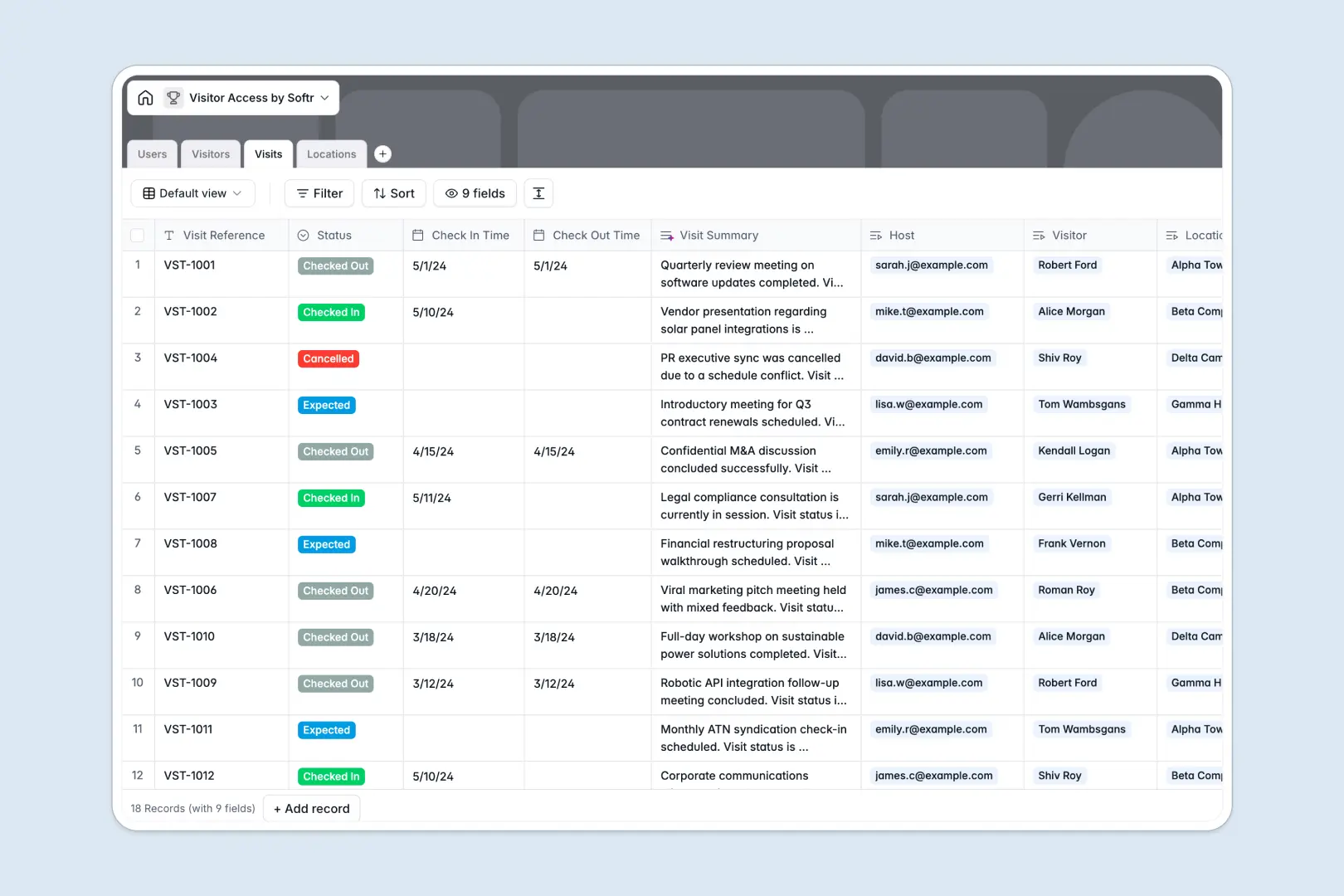
Your Visitor Access database at a glance
This template lets you log guest arrivals, coordinate host approvals, and monitor building access in one secure place. It ends front-desk confusion and creates a clear audit trail for every visit.
Built natively on connected tables, it links every arrival directly to a specific guest, internal host, and physical location. You can instantly see who is in the building and when they checked out without searching through disconnected files.
Built-in AI automatically searches the web to summarize a visitor's company details the moment they are added. It also generates concise visit summaries from notes and statuses so security teams can catch up instantly.
Why managing visitor access in spreadsheets breaks down
Tracking daily visitors, check-in times, and host details in standard spreadsheets quickly becomes a security headache. Rows get accidentally edited, and keeping history secure while actively logging new guests is nearly impossible.
What a structured database changes
In a true database, data integrity is built-in permanently. Statuses stay restricted to predefined options like "Checked In" or "Cancelled," and timestamps update accurately without manual entry.
You can automatically link a guest to the host who approved them without copy-pasting names or risking broken lookup formulas. This is exactly what Softr Databases are designed for—giving you a relational structure that scales securely.
What you can do with this template
Track the complete lifecycle of every visitor, from expected arrival to final checkout, with zero friction. Front desk teams can look up a returning guest's history and active security IDs in seconds.
Because the template is ready to use immediately, you can start assigning visitors to distinct office locations today. It brings absolute clarity to your facilities management from day one.
-
Users
Manage internal staff profiles, hosting capabilities, and access permissions
-
Visitors
Maintain guest records with contact data and AI-generated company insights
-
Visits
Log guest entries and departures with AI-powered status and note summaries
-
Locations
Catalog physical buildings and checkpoints to manage facility access points
Who is this Visitor Access database for
This template provides a reliable, secure foundation for any team managing physical office access.
- Facility Managers: Ensure building compliance by maintaining a complete log of who enters and leaves.
- Receptionists: Streamline the check-in process and instantly identify which employee is hosting an arriving guest.
- Security Teams: Monitor active visits across different physical locations from one single dashboard.
- HR Operations: Keep employee role assignments and department locations aligned with access protocols.
How to take it further
Start by customizing the database to match your exact physical footprint. Add your specific office addresses to the Locations table or rename the internal department choices to reflect your own structure.
If you already track access elsewhere, you can easily load your historical data. Just import a CSV file to instantly populate your returning visitors and internal employee lists.
When you are ready, you can transform this structural foundation into a secure front-desk portal. Just connect an interface to build a custom app where receptionists log guests while employees get notified of arrivals.
You can fully control who sees what by setting up role-based users and permissions. Admins can view building-wide reports, while standard employees only see their own scheduled visitors.
-
1
-
2
-
3
-
4
Frequently asked questions
-
What is a visitor access database?
-
Why use a no-code database to build a visitor access system?
-
How can AI help managing data for visitor access?
-
Can I build an app with this visitor access database?
-
Is this Visitor Access free?
-
How is a visitor access database different from spreadsheets?
Start building today. It's free!
Build and launch your first app in under 30 minutes.