


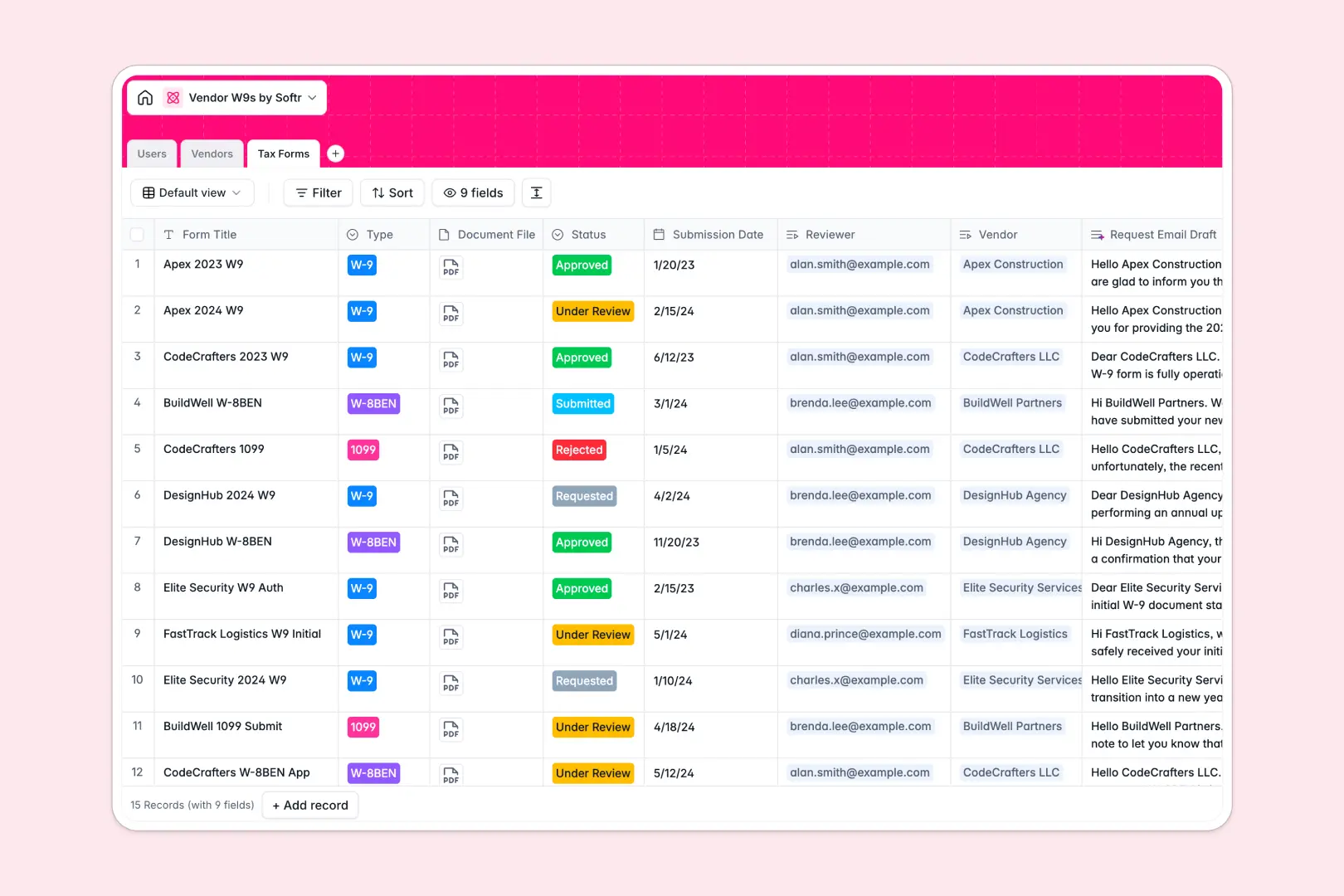
Your Vendor W9s Database at a glance
Track all your contractors and service providers in one centralized system. This template ensures you never lose a critical tax document or fall out of compliance.
It directly links your directory of Vendors to their specific Tax Forms and internal reviewers. With native attachments, you can securely store PDFs and track review statuses from request to approval.
Built-in AI automatically drafts personalized form request emails and researches vendor websites to generate company descriptions, saving hours of manual data entry.
Why managing vendor W9s in spreadsheets breaks down
Tracking sensitive tax documents across fragmented spreadsheet rows quickly becomes a compliance nightmare.
What a structured database changes
In a spreadsheet, attaching secure PDFs or linking a specific W-9 to a vendor profile relies on messy workarounds. Statuses get overwritten, and knowing who reviewed what becomes impossible.
With a relational structure, every tax form is securely attached to a single vendor record with enforced data types and clear statuses. This is exactly what Softr Databases are designed for.
What you can do with this template
Instantly see which contractors are compliant, pending onboarding, or require action. You can easily view all collected forms rolled up by vendor.
Using native Database AI agents, this template will automatically draft professional emails requesting missing W-9s or 1099s from vendors. It's ready to use the moment you copy it.
-
Users
Manage internal team members, account roles, and tax form review assignments
-
Vendors
Directory of contractors with AI-generated company summaries and compliance status
-
Tax Forms
Track W9 submissions and draft professional request emails using integrated AI
Who is this Vendor W9s database for
This template is built for teams that manage contractor relationships and need to ensure strict financial compliance.
- Finance & Accounting: Securely collect and approve W-9s, W-8BENs, and 1099s before processing vendor payouts.
- Operations Managers: Track vendor onboarding statuses and auto-generate follow-up emails for missing documentation.
- Compliance Teams: Maintain a centralized, audit-ready log of all submitted tax documents and internal reviews.
How to take it further
Customize the database
Easily modify the compliance status dropdowns or add new tax form types to fit your specific jurisdiction. Because it's a native Softr Database, adjusting the structure takes seconds.
Import your existing data
Upload your current vendor list via CSV or connect an API to sync contractors directly from your payment or ERP system.
Build a full app around it
When you're ready, you can transform this database into a secure vendor portal. By pairing it with a visual interface builder, contractors can log in and securely upload their own tax documents.
Thanks to granular users and permissions, vendors only see their own files, while your internal team sees the complete compliance dashboard. A well-structured database foundation makes building these portals incredibly simple.
-
1
-
2
-
3
-
4
Frequently asked questions
-
What is a vendor W9s database?
-
Why use a no-code database to build a vendor compliance tracker?
-
How can AI help managing data for vendor W9s?
-
Can I build an app with this vendor W9s database?
-
Is this vendor W9s database free?
-
How does this template handle secure document storage better than spreadsheets?
Start building today. It's free!
Build and launch your first app in under 30 minutes.