


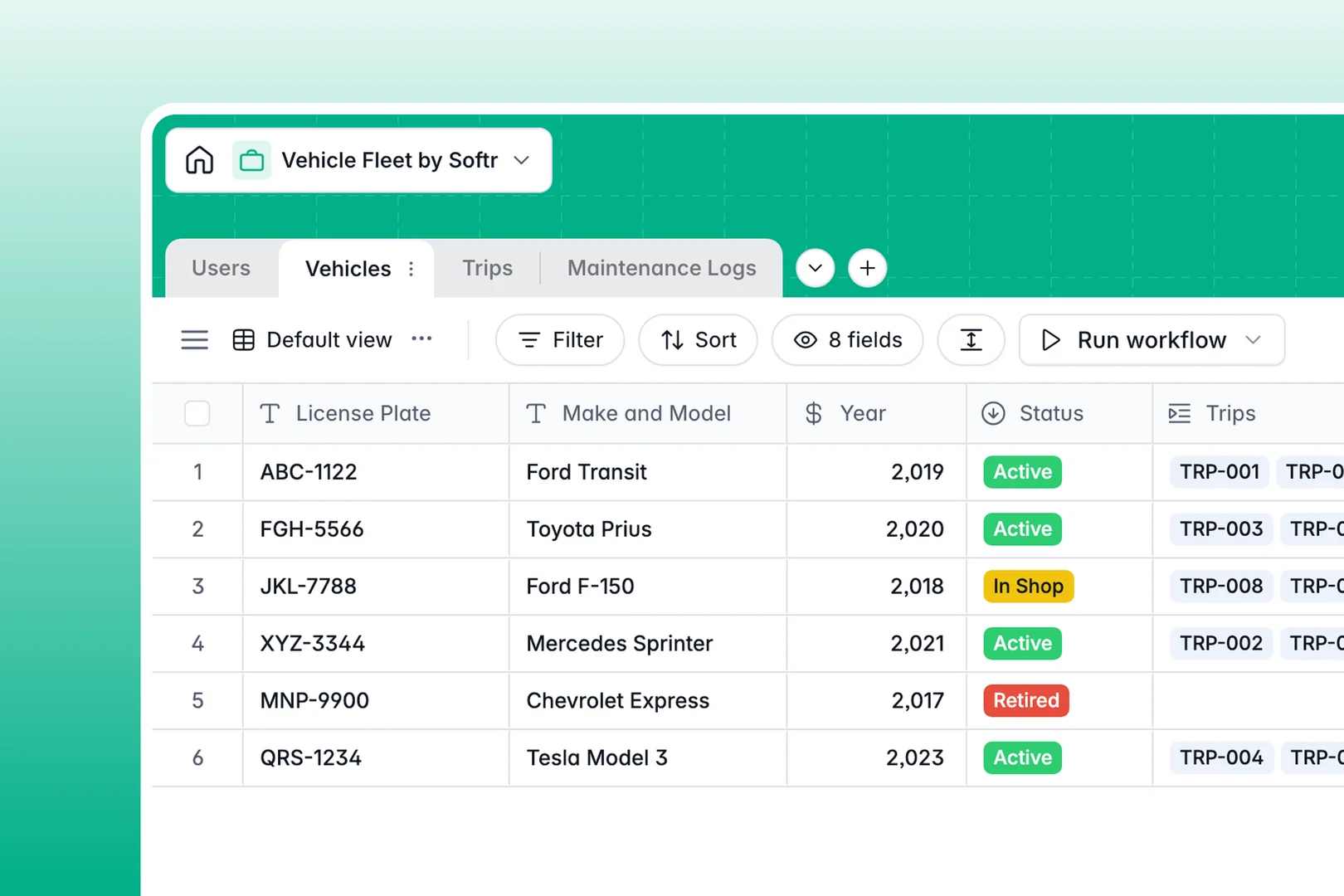
Your Vehicle Fleet database at a glance
This template gives you an organized system to monitor your company vehicles, assign driver journeys, and stay ahead of mechanical repairs in real time.
It connects four dedicated tables: Vehicles, Trips, Users, and Maintenance Logs. Linking each journey and repair ticket directly to a specific vehicle keeps mileage histories and service costs completely accurate.
Built-in AI automatically looks up vehicle technical specifications from the web, drafts trip summaries, and categorizes maintenance urgency from driver notes.
Why fleet management breaks without native relations
A blank spreadsheet cannot maintain reliable links between moving assets, active drivers, and ongoing repair tickets. When trip logs and maintenance costs live on disconnected rows, odometer counts get out of sync and scheduled services fall through the cracks.
What a structured database changes
A dedicated database maintains clear relations between every record. Assigning a vehicle to a trip automatically updates its usage count, while linking repair expenses gives you an accurate lifetime maintenance cost without manual lookups.
Every column enforces consistent data types, so mileage numbers stay numeric, dates remain structured, and driver assignments link directly to user profiles. This is exactly what Softr Databases are designed for.
What you can do with this template
You can track which vehicles are active or in the shop, log journey notes, and assign drivers with immediate accountability across your entire fleet.
With integrated Database AI agents, the database will fetch official vehicle specs online and classify incoming repair tickets by urgency level automatically.
-
Users
Manage fleet managers, admins, and drivers with roles and assignments
-
Vehicles
Track fleet vehicle status and fetch technical specifications with AI
-
Trips
Record journeys and mileage with automated AI trip summary generation
-
Maintenance Logs
Track vehicle repairs, costs, and assess urgency levels using AI
Who is this Vehicle Fleet database for
This database is built for operational teams that manage multiple commercial vehicles and need clear accountability across routes and maintenance.
- Fleet Managers: Oversee vehicle availability, track maintenance budgets, and monitor overall utilization.
- Logistics Coordinators: Dispatch drivers, log route destinations, and record trip distances accurately.
- Field Service Teams: Submit quick maintenance issues with urgency ratings straight from the road.
- Operations Directors: Maintain complete oversight of asset depreciation, running costs, and safety compliance.
How to take it further
You can easily customize this database by adding custom vehicle attributes like fuel card numbers, VIN details, or inspection expiration dates directly inside Softr.
If you have existing fleet data, import your records in seconds via CSV upload or connect external systems through the database API.
When your team is ready, turn this data into a functional internal portal. You can build an app with Softr's AI Co-Builder in seconds to give drivers a mobile mileage logger while keeping admin dashboards restricted using granular permissions.
-
1
-
2
-
3
-
4
Frequently asked questions
-
What is a vehicle fleet database?
-
Why use a no-code database to build a vehicle fleet system?
-
How can AI help managing data for vehicle fleet operations?
-
Can I build an app with this Vehicle Fleet database?
-
Is this Vehicle Fleet database free?
-
How do I import existing fleet data into this template?
Start building today. It's free!
Build and launch your first app in under 30 minutes.