


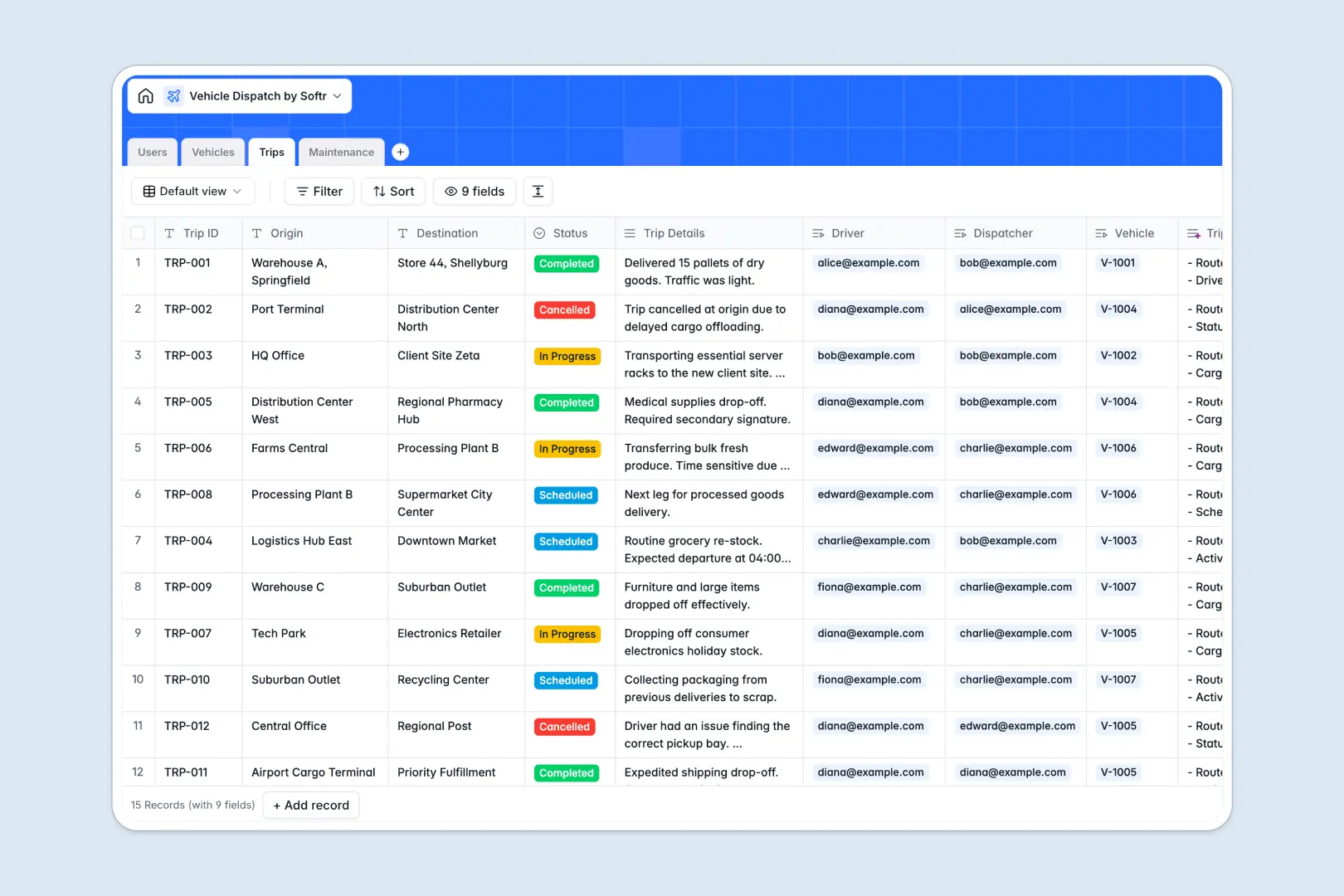
Your Vehicle Dispatch database at a glance
This template gives your team a centralized system to coordinate trips, drivers, vehicles, and maintenance logs in real time. It removes the friction of manual fleet coordination and ensures every dispatch journey is tracked from pickup to delivery.
Everything is connected across relational tables. Drivers and dispatchers from the Users table link directly to assigned journeys in the Trips table, while vehicles tie into live schedules and maintenance records.
Built-in AI fields help streamline data entry by generating vehicle summaries, condensing route notes, and automatically categorizing maintenance types based on log descriptions.
Why blank spreadsheets break down under live fleet dispatching
Fleet dispatching moves quickly, and relying on disconnected spreadsheet rows often leads to double-booked vehicles, unassigned trips, and missed routine maintenance.
What a structured database changes
A structured system enforces strict field types like phone numbers, timestamps, and currencies so fleet details remain clean. Native relationships link vehicles directly to drivers and trips, eliminating the need to copy-paste names or write fragile lookup formulas.
This is exactly what Softr Databases are designed for: giving teams an intuitive relational setup that scales alongside their fleet without breaking.
What you can do with this template
You can immediately monitor vehicle availability, track route progress across scheduled trips, and log service costs accurately.
Integrated Database AI agents automatically parse long trip notes into concise bullet points and categorize maintenance logs into routine servicing, inspections, or repairs.
-
Users
Manage drivers, dispatchers, and admins with roles and assignments
-
Vehicles
Track fleet records, availability status, and AI status summaries
-
Trips
Coordinate dispatch journeys with assigned routes and AI summaries
-
Maintenance
Track vehicle service logs, costs, and AI-categorized service types
Who is this Vehicle Dispatch database for
This template is designed for operational teams managing fleet logistics and transport schedules:
- Fleet Managers: Oversee vehicle health, inspect repair logs, and ensure asset readiness across your operation.
- Dispatch Coordinators: Schedule trips, route vehicles, and assign active drivers without scheduling conflicts.
- Logistics Operators: Track pickup and destination details alongside live delivery statuses in real time.
- Field Service Teams: Maintain accurate driver directories and monitor vehicle assignments across projects.
How to take it further
1. Customize the database
Tailor the template to your exact fleet requirements in seconds. Add custom select tags for vehicle types, insert fuel tracking columns, or adjust service categories to match internal maintenance policies.
2. Import your existing data
Bring your current fleet and staff lists over instantly using CSV import or connect via API. You can populate your vehicle inventory and driver contacts without starting from scratch.
3. Build a full app around it
When you are ready to give drivers and dispatchers dedicated portals, you can build an app on top of your database in one click. Define custom users and permissions so drivers only see their assigned trips while dispatchers manage the entire fleet schedule. Softr combines your database, user interfaces, and automated workflows into one seamless platform.
-
1
-
2
-
3
-
4
Frequently asked questions
-
What is a vehicle dispatch database?
-
Why use a no-code database to build a vehicle dispatch system?
-
How can AI help managing data for vehicle dispatch?
-
Can I build an app with vehicle dispatch database?
-
Is this Vehicle Dispatch template free?
-
How do I import existing vehicle and driver data into this template?
Start building today. It's free!
Build and launch your first app in under 30 minutes.