


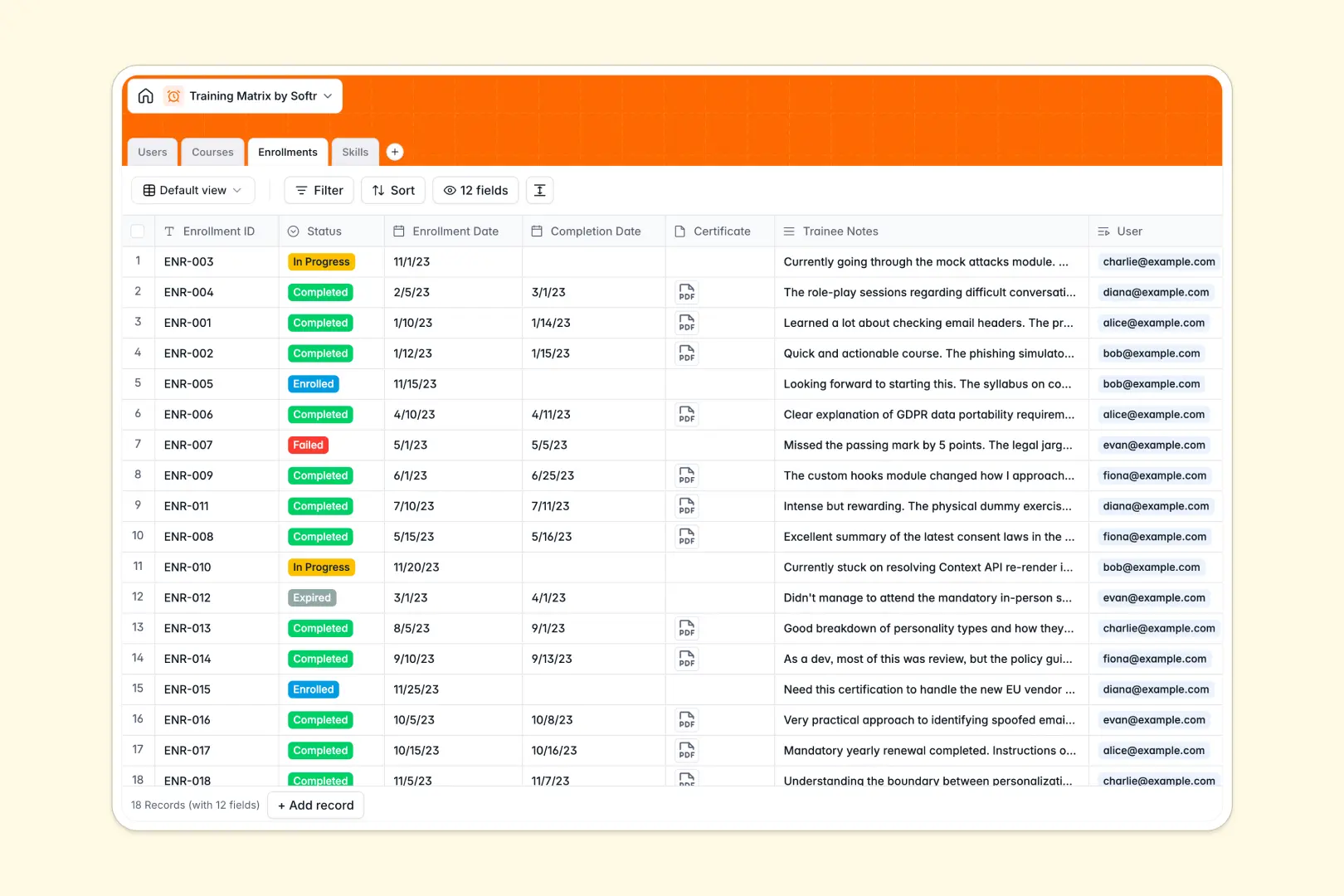
Your Training Matrix database at a glance
This template gives you a central hub to manage employee development, skill development, and compliance certifications across your entire organization. It eliminates disconnected files by connecting team members, course catalogs, and completions into a clear system.
Four dedicated tables structure your information: Users, Courses, Enrollments, and Skills. Linking enrollments directly to employees and training modules lets you track progress, attach completion certificates, and calculate total completions automatically without re-entering data.
Native AI features help you generate complete course syllabi, draft competency definitions, and summarize trainee feedback notes automatically.
When a flat sheet cannot map employee skills across departments
Mapping company-wide training across multiple teams, courses, and changing compliance requirements quickly overwhelms flat grid tools. When employee lists, course catalogs, and completion logs share the same tab, updates become error-prone and progress totals break easily.
What a structured database changes
A structured setup assigns strict types to your data, keeping completion dates accurate, status tags consistent, and certificate attachments secure in their records.
Native relationships let you connect an enrollment to a specific employee and course without copying details back and forth. Rollup fields compute metrics like total completions and active skills in real time.
This structured foundation is exactly what Softr Databases provide for team operations.
What you can do with this template
You can track training progress from initial enrollment to final certification while monitoring organizational skill gaps. Rollups automatically count completed modules per course and certified employees per skill category.
Built-in Database AI agents streamline admin work by auto-generating course syllabi and summarizing employee feedback upon course completion.
-
Users
Manage employee profiles, departmental roles, and total course completions
-
Courses
Catalog training modules and auto-generate detailed syllabi using AI
-
Enrollments
Track course progress, certificates, and summarize trainee notes using AI
-
Skills
Organize core competencies and generate skill definitions automatically via AI
Who is this Training Matrix database for
This template is designed for teams that need clear visibility into employee qualifications and mandatory training requirements:
- HR & People Ops: Track mandatory onboarding sessions, company-wide compliance, and role-based training programs across departments.
- Department Managers: Monitor skill coverage within direct teams and assign specialized technical training.
- Learning & Development Leads: Maintain a centralized course catalog, manage course schedules, and analyze trainee feedback.
- Operations & Safety Officers: Verify health and safety certifications to maintain regulatory compliance across active staff.
How to take it further
1. Customize the database
Tailor the template to fit your specific organization by updating departments, adding custom skill categories, or creating new status tags like "Renewal Required." You can also add custom fields for external credential IDs or budget tracking directly within the interface.
2. Import your existing data
Bring your existing employee lists and training records into the database in minutes using CSV import. You can also connect external HR platforms through the API to sync user rosters and course completions automatically.
3. Build a full app around it
When you are ready, turn your data into a customized internal learning portal. Softr lets you build an app in moments with AI Co-Builder, generating user dashboards and automated workflows on top of this exact database.
Configure granular users and permissions so employees only view their assigned modules, while managers and HR admins review department-wide compliance reports.
-
1
-
2
-
3
-
4
Frequently asked questions
-
What is a training matrix database?
-
Why use a no-code database to build a training matrix?
-
How can AI help managing data for a training matrix?
-
Can I build an app with this training matrix database?
-
Is this Training Matrix database free?
-
Can I customize the skill categories and course formats?
Start building today. It's free!
Build and launch your first app in under 30 minutes.