


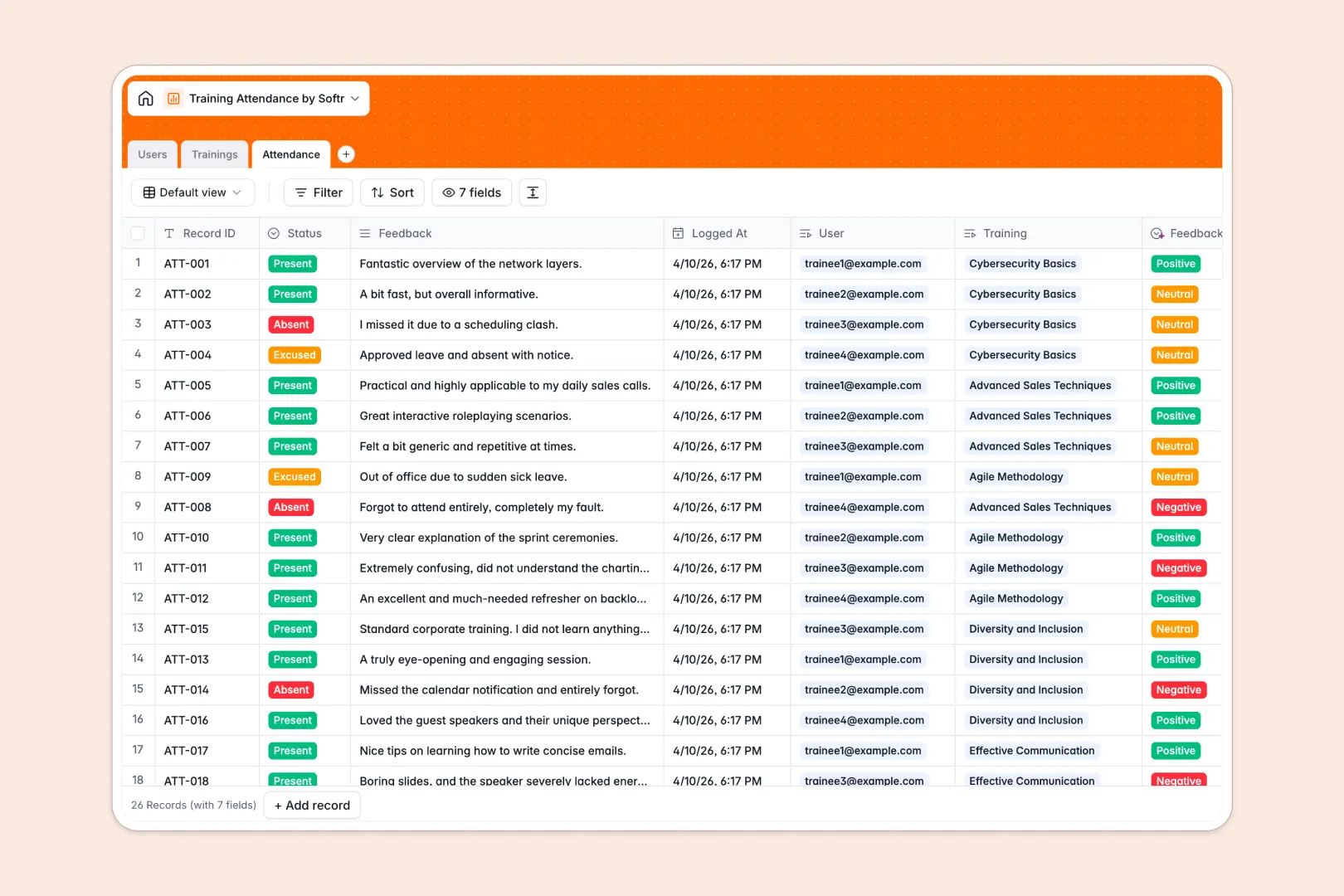
Your Training Attendance database at a glance
This template gives you a clean system to schedule corporate training sessions, record trainee presence, and capture post-session feedback. It eliminates the confusion of scattered signup forms and manual sign-in sheets.
Everything is connected through structured tables: Users links to Trainings via an Attendance junction table. This lets you monitor individual attendance rates, see who taught which workshop, and count total registrations automatically.
Built-in AI fields help you draft training syllabi based on session titles and automatically categorize attendee feedback into sentiment ratings.
Why session rosters fail in a static grid
A simple list can capture names in a room, but it quickly breaks down when you need to calculate company-wide compliance or follow up on session feedback.
What a structured database changes
In a flat grid, user records and training events get duplicated across multiple tabs, causing typos and mismatched departments. A relational structure separates users, sessions, and individual check-ins into distinct objects while keeping them linked.
Dates remain true timestamps, attendance statuses stay standardized, and registration counts update instantly. This is exactly what Softr Databases are designed for.
What you can do with this template
You can track which employees marked present, absent, or excused without manually updating individual department spreadsheets.
With native Database AI agents, your database can summarize qualitative feedback and tag sentiment automatically, helping trainers spot disengaged cohorts immediately.
-
Users
Manage profiles, roles, and department allocations for participants
-
Trainings
Schedule sessions and generate automated AI syllabi and descriptions
-
Attendance
Log session participation and analyze feedback sentiment with AI
Who is this Training Attendance database for
This database is built for teams looking to streamline internal education and verify attendance records without manual data cleanup.
- People Operations & HR: Track mandatory compliance training completion across different departments.
- Corporate Trainers: Organize upcoming workshops, manage attendee rosters, and review post-training feedback.
- Department Leads: Monitor team skill development and verify that direct reports attend required onboarding sessions.
- Operations Managers: Keep a reliable audit trail of certified employees and safety seminar attendees.
How to take it further
Customize this database by adding custom fields to the Attendance table, like certification expiration dates or quiz scores, or modifying the Users department options to match your organization.
Import your existing employee rosters and upcoming workshop schedules in seconds using CSV file uploads or sync live records via API.
When your team needs self-service access, use the AI Co-Builder to generate an app with AI on top of this exact database. You can build a trainee portal where employees register for upcoming courses and a secure dashboard where instructors mark attendance with role-based users and permissions.
-
1
-
2
-
3
-
4
Frequently asked questions
-
What is a training attendance database?
-
Why use a no-code database to build a training attendance system?
-
How can AI help managing data for training attendance?
-
Can I build an app with this training attendance database?
-
Is this Training Attendance template free?
-
How do I import existing training records into this template?
Start building today. It's free!
Build and launch your first app in under 30 minutes.