


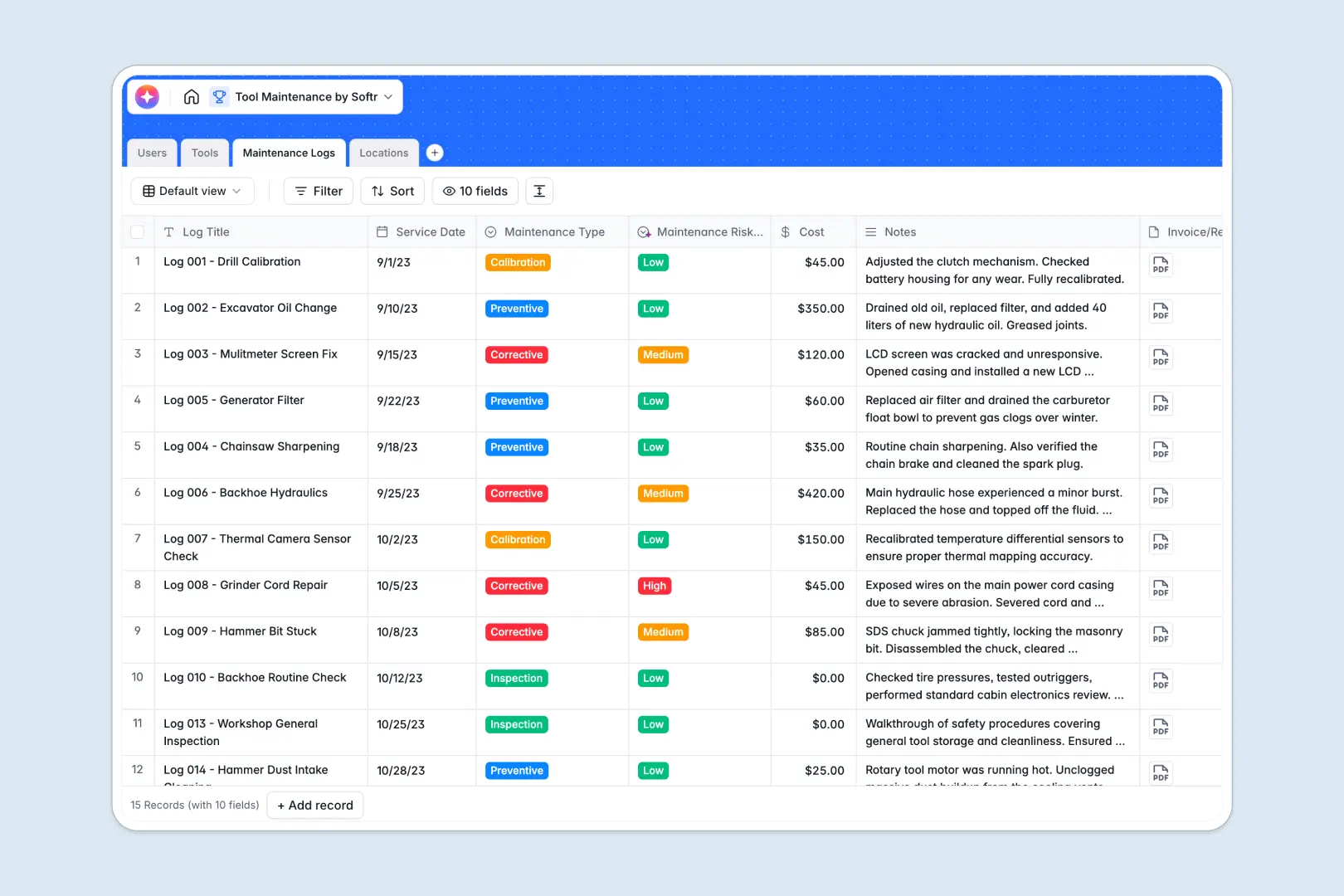
Your Tool maintenance database at a glance
This ready-to-use template helps you track every piece of equipment, ensuring preventative maintenance happens on time and repairs are documented instantly. It gives your team complete visibility into what's operational, what's broken, and who is currently handling the fix.
The database links four core tables together natively: Tools, Maintenance Logs, Locations, and Users. When a technician logs a repair, it automatically updates that specific tool's history without duplicating entry efforts.
Built-in AI fields take the manual work out of record keeping. They instantly summarize dense manufacturer specs, condense service notes into quick overviews, and automatically classify the risk level of maintenance logs based on technician inputs.
Why managing tool maintenance in spreadsheets breaks down
Relying on spreadsheets to track hundreds of expensive tools almost always leads to outdated inventory updates, missing service histories, and lost equipment.
What a structured database changes
In a flat spreadsheet, connecting a specific power tool to a warehouse location, an assigned technician, and five different service logs requires fragile VLOOKUP formulas. These formulas break easily when rows get sorted or deleted, leaving your team with scattered asset data.
A proper database uses precise relational connections, so equipment is linked securely to its specific service history and physical location. This is exactly what Softr Databases are designed for—keeping data clean and connected as your inventory grows.
What you can do with this template
Instantly filter your entire inventory to see which heavy machinery or precision instruments are currently marked as "Broken" or "In Repair." You can also track cumulative repair costs automatically using built-in rollups on your maintenance logs.
With native Database AI agents, your database works for you. The system can automatically flag high-risk service events or summarize tool capabilities the moment new equipment is added.
-
Users
Manage team member profiles, assigned roles, and system permission levels
-
Tools
Track equipment inventory with AI-generated capability and feature summaries
-
Maintenance Logs
Monitor service history using AI to classify risk levels and summarize notes
-
Locations
Organize physical site data and storage zones for equipment distributions
Who is this Tool maintenance database for
This template provides a reliable foundation for any business actively managing physical assets and service schedules.
- Facility Managers: Monitor the operational hit rate of heavy machinery and pinpoint locations needing immediate interventions.
- Maintenance Technicians: Log repair details, attach invoices, and view the complete service history of any tool before securely starting work.
- Operations Leads: Track preventative maintenance costs, ensure equipment availability, and keep field teams working smoothly.
How to take it further
Start by customizing the database to fit your exact warehouse or field service structure. You can easily modify tool categories, adjust the risk level parameters, or add warranty dates to your equipment columns without any coding.
Next, import your existing inventory using a quick CSV upload. You can immediately map your current spreadsheet rows into these structured fields to get a clean, historical view of your assets right away.
When your team is ready, you can turn this database into a fully functional internal tool using Softr's interface builder. Technicians can securely log into a mobile-friendly app from the field to push live status updates and upload repair receipts on the spot.
By configuring users and permissions, you easily ensure that operators only see their assigned tools, while managers get a bird's-eye dashboard of total maintenance costs. Building an app is vastly simpler when your foundational database is already well-organized.
-
1
-
2
-
3
-
4
Frequently asked questions
-
What is a tool maintenance database?
-
Why use a no-code database to build a maintenance system?
-
How can AI help managing data for tool maintenance?
-
Can I build an app with this tool maintenance database?
-
Is this tool maintenance database template free?
-
How is a database different from tracking tools in Google Sheets or Excel?
Start building today. It's free!
Build and launch your first app in under 30 minutes.