


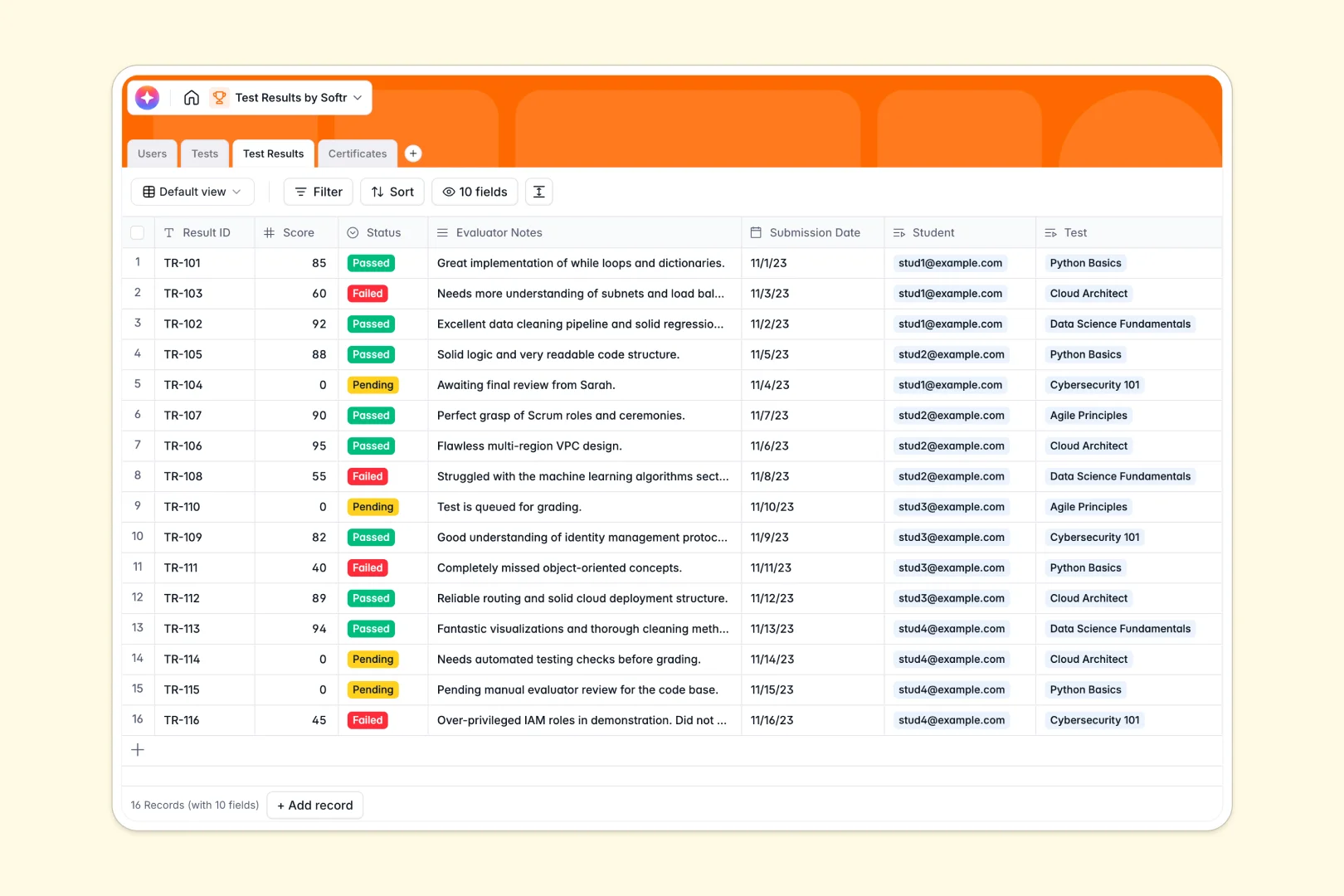
Your Test Results database at a glance
Centralize your entire assessment process in one clean workspace. This template helps you track test scores, manage student progress, and organize certificates without jumping between missing files.
It organizes your data into clearly connected tables for Users, Tests, Results, and Certificates. Every student profile automatically shows their historically taken tests and earned credentials in real time.
Built-in AI agents automatically generate custom assessment guides for evaluators. They also seamlessly draft personalized feedback letters for students the moment a test is scored.
Why tracking test results in spreadsheets breaks down
Managing student assessments across scattered spreadsheets quickly turns into a logistical nightmare. Formulas break when rows get moved, and keeping track of who passed which test becomes a manual headache.
What a structured database changes
A structured database enforces clear rules, meaning pending scores stay numbers and dates remain perfectly formatted. Instead of fragile VLOOKUPs, tables naturally link to each other, connecting a single student to multiple test attempts automatically.
This keeps grading histories perfectly intact as your cohort grows. This is exactly what Softr Databases are designed for, giving you a scalable foundation from day one.
What you can do with this template
Instantly log pass/fail statuses, record evaluator notes, and attach official certificates directly to a student's profile. You can filter results by pending scores to see exactly which assessments still need grading.
With integrated Database AI agents, you completely eliminate manual data entry. You can automatically draft a personalized email to a student based on their final score, evaluator notes, and status without typing a word.
Everything is beautifully organized and ready to run. Start tracking tests on day one and scale into automated grading effortlessly.
-
Users
Manage student and evaluator profiles with roles and linked performance data
-
Tests
Catalog of tests with AI-powered assessment guides to assist evaluators
-
Test Results
Log test outcomes and generate AI personalized feedback letters for students
-
Certificates
Store and issue official credentials for students who pass their tests
Who is this Test Results database for
This template provides a reliable tracking foundation for educators, corporate teams, and certification boards who need clean assessment data.
- Corporate Trainers: Monitor employee compliance assessments and track who holds valid internal certifications seamlessly.
- Educational Institutions: Keep a centralized directory of student performance across different courses and grading periods.
- Certification Boards: Manage secure test records and instantly match issued certificates to passing candidates.
How to take it further
Start by customizing the database to match your exact grading scale and workflows. You can quickly adjust the Status options or add new columns to track specific assessment rubrics.
Next, quickly pull in your historical student roster and past assessment results. Just upload a CSV file to map your existing records straight into the precise database tables.
Once your data is perfectly organized, you can easily build a visual grading portal for your evaluators or an outcome dashboard for your students. Using built-in users and permissions, you securely ensure students only see their own test results while giving admins total control. A well-structured database makes launching these functional apps incredibly fast and simple.
-
1
-
2
-
3
-
4
Frequently asked questions
-
What is a test results database?
-
Why use a no-code database to build a student assessment system?
-
How can AI help managing data for test results?
-
Can I build an app with this test results database?
-
Is this test results database template free?
-
How is a test results database different from spreadsheets?
Start building today. It's free!
Build and launch your first app in under 30 minutes.