


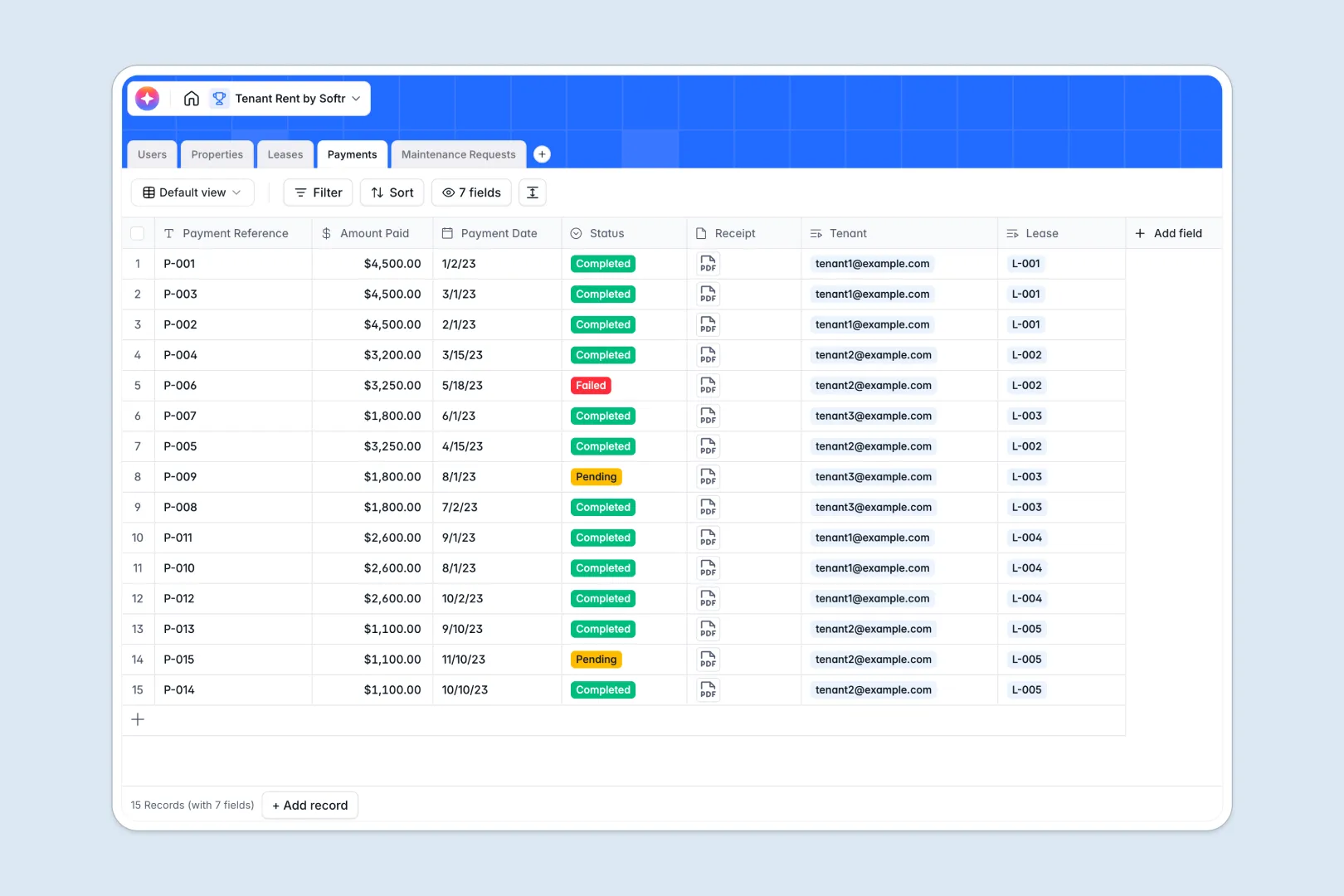
Your Tenant Rent Database at a glance
Manage entire residential portfolios, rental agreements, and tenant histories in one clean environment. This setup centralizes your assets and transactions, replacing unorganized files with clear data structures.
The database links four essential components: Users, Properties, Leases, and Payments. This ensures every incoming rental check or tenant profile ties directly to the corresponding real estate unit.
Built-in intelligent workflows automatically draft professional property advertisements and summarize detailed contract terms. They also triage maintenance work orders based on gravity, keeping your team focused on critical tasks.
Why tracking property rentals in spreadsheets breaks down
Using spreadsheets to track tenants, lease durations, and payments rapidly turns into a disorganized mess of broken formulas and hidden columns. When tracking dates and balances, manual entry errors inevitably corrupt calculation rows.
What a structured database changes
A structured database protects data integrity by locking specific information formats so dates, amounts, and text never mix. You can link contacts or properties to multiple tables without duplicating records across sheets.
This ensures that when a lease finishes or a transaction status changes, your entire database syncs automatically. This clean and interconnected system is exactly what Softr Databases provide.
What you can do with this template
Log monthly dues, track security deposits, and categorize tenant issue logs based on real-time urgency alerts. It simplifies the landlord-tenant administration pipeline and optimizes physical property management workflow with structured records.
Additionally, Database AI agents help summarize lease contract terms into brief summaries, reducing administrative overwork. Get up and running in minutes without complex installations.
-
Users
Manage admins, landlords, and tenants with roles, contact info, and leases
-
Properties
Track rental units with owner links and AI-generated marketing descriptions
-
Leases
Manage rental contracts with payment terms and AI-powered summary data
-
Payments
Log tenant rent transactions with status tracking and receipt attachments
-
Maintenance Requests
Handle repair tickets using AI to automatically assess priority and urgency
Who is this Tenant Rent Database for
This setup is optimized for property owners and community coordinators who want to standardize records without technical friction.
- Independent Landlords: Manage property profiles, organize lease contracts, and log rental receipts in a simplified layout.
- Property Managers: Coordinate portfolio pipelines, review landlord relations, and prioritize repair tickets dynamically.
- Real Estate Investors: Track rental cash flow performance across multi-family properties and manage tenancy status cleanly.
How to take it further
Customize the database
Adapt standard table views to cover unique property rules or regional leasing statuses. You can add unique tracking tags, configure specific selection settings, and create lookup parameters on any table securely.
Import your existing data
Transition away from static spreadsheets instantly with a straightforward CSV import function. You can also leverage integrated API settings to safely synchronize external tenant records with your workspace databases.
Build a full app around it
As your operation expands, use our interface builder to turn this system into a multi-sided tenant portal. Both properties and leases can be presented to users inside a clean portal UI.
Set up precise users and permissions to specify exact data limits so tenants can view only their receipts and request records while landlords access absolute portfolio insights.
-
1
-
2
-
3
-
4
Frequently asked questions
-
What is a tenant rent database?
-
Why use a no-code database to build a tenant rent database system?
-
How can AI help managing data for tenant rent database?
-
Can I build an app with tenant rent database?
-
Is this Tenant Rent Database free?
-
How is a tenant rent database different from a spreadsheet?
Start building today. It's free!
Build and launch your first app in under 30 minutes.