


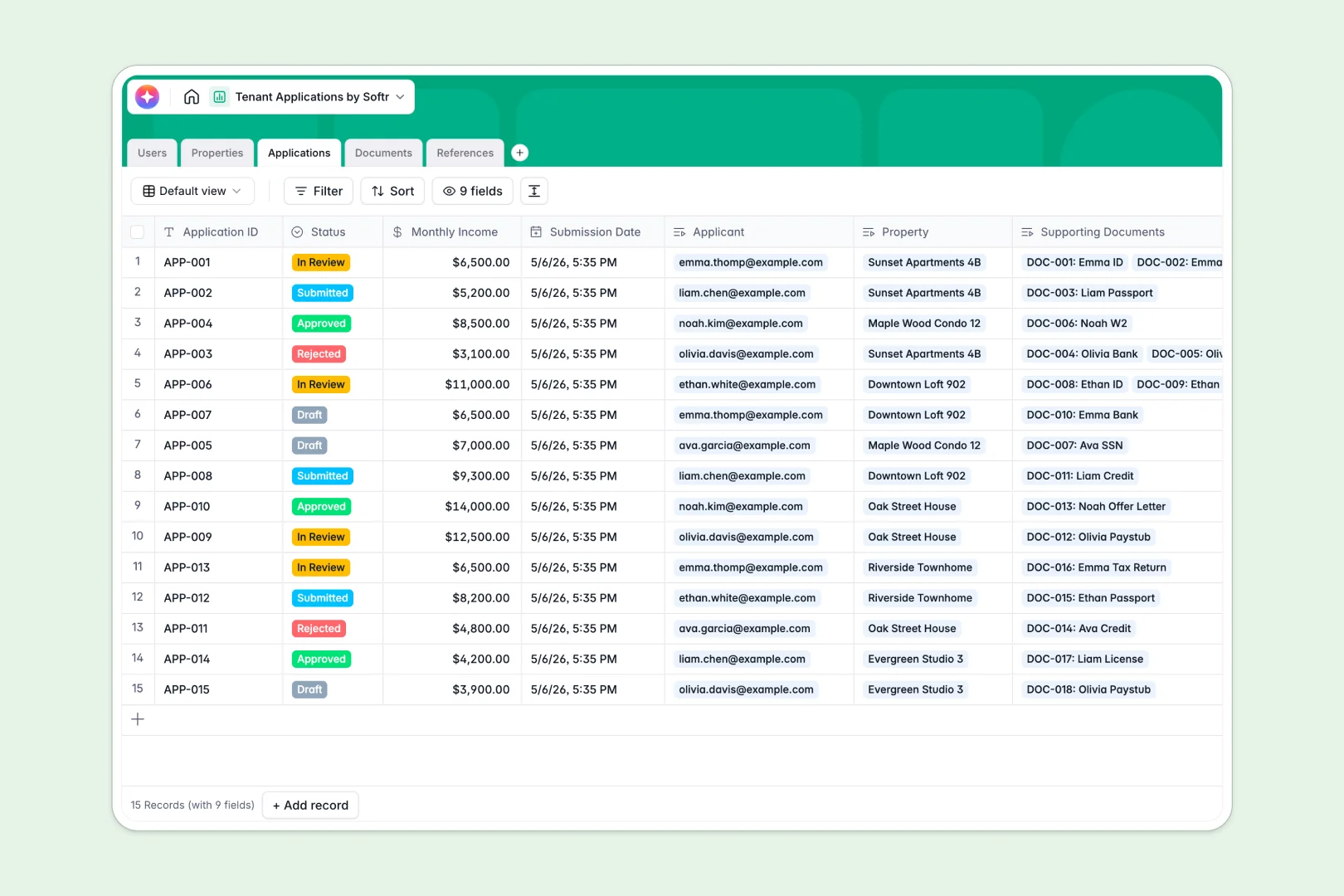
Your Tenant Applications Database at a glance
This template centralizes your entire rental process so you can track applicant pipelines securely. It eliminates the chaos of scattered emails and mixed documentation.
It connects five simple tables: Users, Properties, Applications, Documents, and References. When an applicant submits interest in a property, their references and required ID verifications are automatically linked directly to their master profile.
Built-in AI fields instantly summarize application eligibility and write attractive property listings for you. It even analyzes candidate reference feedback to highlight positive or negative sentiment automatically.
Why tracking tenant requests in spreadsheets breaks down
Managing rental pipelines in spreadsheets quickly turns into messy rows of broken links and missing attachments. When you have multiple applicants applying for various units, keeping track of their specific paystubs and IDs becomes impossible.
What a structured database changes
A relational setup ensures structured order so every document, reference, and unit stays perfectly organized. You link a single applicant to multiple properties or verify complex uploaded documents without ever breaking a cell.
This is exactly what Softr Databases are designed for. They strictly enforce column types, meaning attachments stay securely uploaded and status drop-downs never get accidentally overwritten.
What you can do with this template
You can instantly organize applicants into a clean tracking pipeline from "Draft" to "Approved." Real-time rollups show exactly how many interested renters each specific property has received.
Using built-in Database AI agents, this template categorizes reference feedback sentiments and summarizes monthly income versus rent. Your team simply reviews the summarized decisions instead of manually reading through every scattered document.
-
Users
Manage property managers and applicants with contact details and roles
-
Properties
Inventory of rental units featuring AI-generated marketing descriptions
-
Applications
Track rental requests with AI-powered status and eligibility summaries
-
Documents
Store and verify applicant identification and financial records
-
References
Log contact feedback and use AI to analyze sentiment of testimonials
Who is this Tenant Applications Database for
This system is built for property professionals who need a reliable, secure way to handle sensitive tenant data.
- Property Managers: Track available real estate inventory, screen potential occupants, and manage all background checks centrally.
- Real Estate Agencies: Monitor incoming requests across multiple agents and standardize applicant screening steps easily.
- Independent Landlords: Keep attachments securely organized without paying for complex, expensive property management software.
How to take it further
You can easily customize this database to fit your exact screening criteria. Simply add new tables for maintenance tasks, or modify the select fields to match your specific application pipelines.
When you are ready, import your historical tenant screening data using a quick CSV upload. You can also connect your existing webforms via API to feed new submissions directly into these tables.
Finally, you can use our interface builder to turn this into a fully functional property portal for your team. By applying users and permissions, managers log in to securely review pipelines while applicants only see their own application statuses.
-
1
-
2
-
3
-
4
Frequently asked questions
-
What is a tenant applications database?
-
Why use a no-code database to build a tenant screening tool?
-
How can AI help managing data for tenant applications?
-
Can I build an app with this tenant applications database?
-
Is this Tenant Applications Database free?
-
Why is a structured database better than Google Sheets for property management?
Start building today. It's free!
Build and launch your first app in under 30 minutes.