


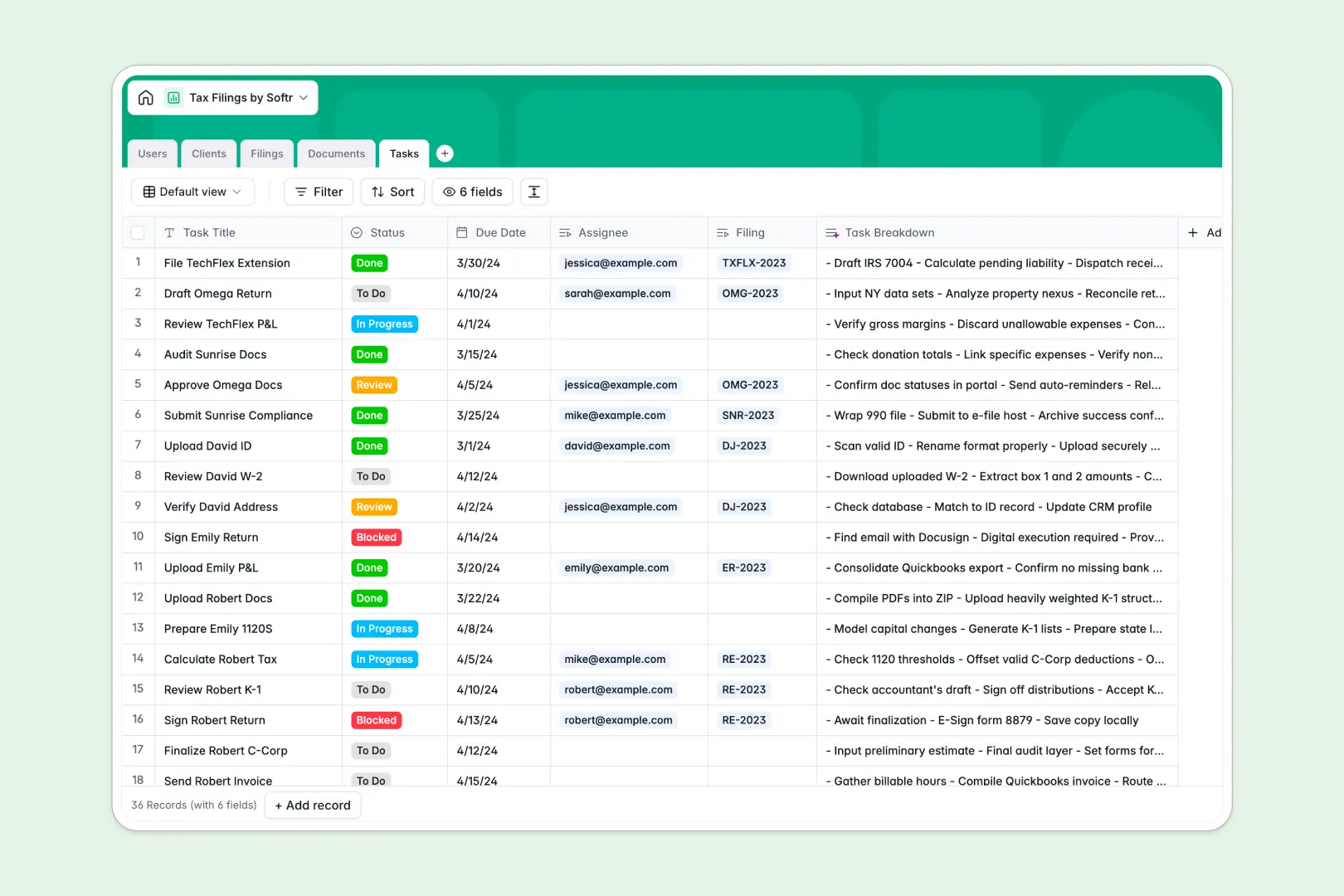
Your Tax Filings database at a glance
This template organizes client tax returns, associated tax forms, and preparation tasks into a clear, unified workspace. It eliminates missed filing deadlines and messy email threads by linking every tax year project directly to the right client profile.
Built across five dedicated tables (Clients, Filings, Documents, Tasks, and Users), each return automatically maps to its uploaded W-2s, 1099s, assigned preparers, and review statuses. You get a single reliable source of truth for every return from onboarding through successful submission.
Built-in AI fields automatically draft internal state filing memos, summarize incoming client documents, and break down complex tax preparation tasks into immediate action items.
When client documents and return statuses outgrow raw rows
Tax season quickly breaks manual trackers. When returns, source forms, and preparer assignments are crammed into single rows, tracking whether an LLC's K-1 has arrived or who is reviewing the final draft requires constant status checking across disconnected files.
What a structured database changes
A structured database enforces strict data integrity across your entire practice. Typed fields ensure tax years remain formatted, document attachments stay tied to specific returns, and status updates follow a clear workflow.
Instead of copy-pasting client details across tax years, real relational links connect each return directly to its parent entity, preparer, and task checklist. This is exactly what Softr Databases are designed for, giving you a dependable foundation that never breaks when client volume surges.
What you can do with this template
Manage multi-state returns, monitor missing documents, and distribute workload across your accounting team with real-time status tracking.
Native Database AI agents analyze filing references and status tags to generate internal filing memos and draft task checklists on the fly. You can customize the schema in seconds or start managing active tax returns immediately.
-
Users
Manage staff and client portal accounts with assigned filings and tasks
-
Clients
Track client entities, tax identifiers, and AI-generated profile summaries
-
Filings
Monitor annual returns, preparers, status, and AI-generated state digests
-
Documents
Store tax forms and financial records with automated AI document summaries
-
Tasks
Organize preparation steps and action items using AI checklist breakdowns
Who is this Tax Filings database for
Designed for accounting practices and finance teams managing structured client return workflows.
- Accounting firms: Track multi-client tax returns, assign preparers, and store tax documents securely.
- Solo CPAs: Manage tax season deadlines, document collection, and filing statuses without administrative overwhelm.
- Corporate tax teams: Centralize internal entity filings, state requirements, and supporting financial statements.
- Bookkeeping agencies: Coordinate tax prep handoffs and monitor missing 1099s or W-2s.
How to take it further
Adjust entity types, add specific state filing codes, or create custom tags for complex return requirements. Adding new fields or modifying existing dropdowns in this Softr Database takes just a few clicks.
Import your existing client rosters and active filing lists instantly using CSV bulk upload. You can also connect your external accounting software via API for automated status syncing.
When your practice is ready, use the AI app generator to turn this database into a full client portal or internal preparation hub in one prompt. Configure granular users and permissions so clients only see their own return progress and upload links while accountants access full practice workflows.
-
1
-
2
-
3
-
4
Frequently asked questions
-
What is a tax filings database?
-
Why use a no-code database to build a tax filings system?
-
How can AI help managing data for tax filings?
-
Can I build an app with this Tax Filings database?
-
Is this Tax Filings template free?
-
How do I import my existing tax clients into this template?
Start building today. It's free!
Build and launch your first app in under 30 minutes.