


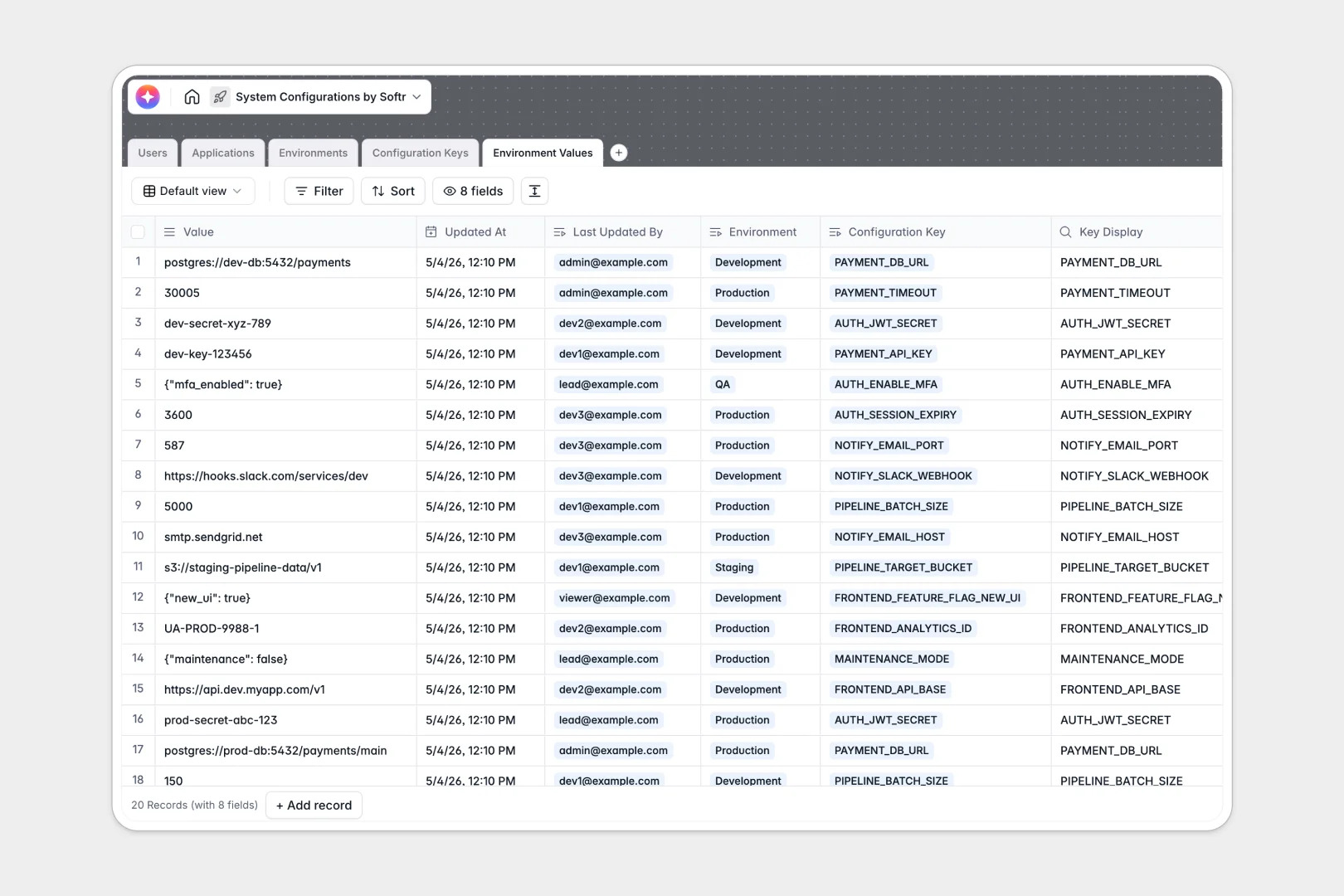
Your System Configurations database at a glance
This template provides a secure, structured home for all your application settings and environment variables. It centralizes secrets, data types, and default values so your engineering teams always know exactly what is required.
The database uses natively linked tables to connect Applications to their required Configuration Keys. Those keys map directly to specific Environments (like Staging or Production) ensuring nothing gets crossed during deployment.
It also features native AI fields that instantly document your infrastructure. As you add new items, the AI automatically generates technical summaries for your applications and detailed descriptions for your configuration keys.
Why managing system configurations in spreadsheets breaks down
Tracking deployment variables across different environments quickly turns into a fragile mess in spreadsheets. Rows get deleted, staging strings get mistakenly mixed with production URLs, and securely managing required types becomes impossible.
What a structured database changes
A real database enforces strict data types, meaning a boolean stays a boolean and JSON stays formatted as JSON. Tables link to each other dynamically, so you can update a configuration key once and have it reflect across all connected deployment environments instantly.
This perfectly clean, relational structure is exactly what Softr Databases are designed for. By enforcing strict schemas, your configuration management becomes scalable, error-proof, and fully isolated by environment.
What you can do with this template
You can immediately organize all your applications, restrict keys to specific environments, and securely log when a configuration value is updated. The structure is practically ready to deploy.
It also comes equipped with native Database AI agents built into the fields out of the box. These automatically format configuration key requirements and write concise technical documentation as your team adds new variables.
-
Users
Manage system administrators and developers with roles and access permissions
-
Applications
Catalog software services using AI to generate technical application summaries
-
Environments
Define deployment stages and security access levels for system configurations
-
Configuration Keys
Define variables with AI-generated technical descriptions for application logic
-
Environment Values
Track specific configuration data and values across different deployment environments
Who is this System Configurations database for
This template is built specifically for technical teams who need a reliable source of truth for their software deployments.
- DevOps Engineers: Maintain a clear record of environment requirements across staging and production without spreadsheet chaos.
- Engineering Managers: Keep an accurate, AI-documented inventory of applications and their respective dependencies effortlessly.
- System Administrators: Track exactly who updated a configuration value and when it was modified to reduce downtime risks.
How to take it further
Because this is a native Softr Database, customizing it is immediate and simple. You can easily adjust the "Data Type" single-select options specifically for your tech stack, or add new environments beyond Dev and Prod.
If you already have long lists of variables spread across varying files, you can mass-import them via CSV. Sync your existing keys and descriptions directly into the structure to get value instantly.
When your team grows, you can easily use an interface builder to build a proper internal developer portal on top of this data. Instead of raw database access, you can easily construct custom app dashboards for different engineering squads.
Thanks to granular permissions, you can ensure that junior developers can view application requirements while only Lead Engineers can edit production variables. Starting with this well-structured database makes building that full portal incredibly fast.
-
1
-
2
-
3
-
4
Frequently asked questions
-
What is a system configurations database?
-
Why use a no-code database to build a system configurations tool?
-
How can AI help managing data for system configurations?
-
Can I build an app with this system configurations database?
-
Is this system configurations template free?
-
How is a system configurations database different from an Excel spreadsheet?
Start building today. It's free!
Build and launch your first app in under 30 minutes.