


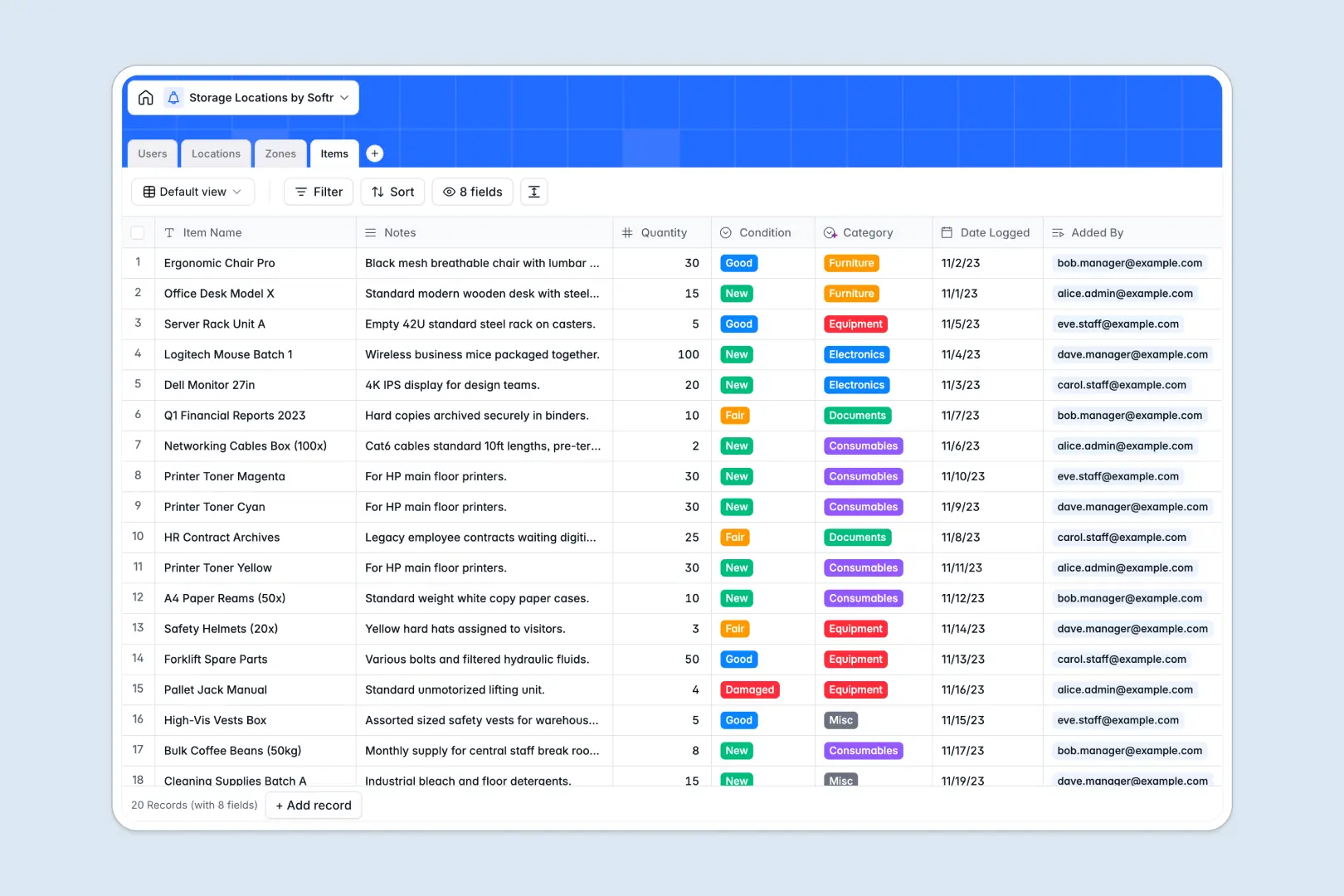
Your Storage Locations database at a glance
This ready-to-use Storage Locations database gives you complete visibility over where every item, box, or pallet is stored. It helps facility managers eliminate endless searching and keep inventory strictly organized.
The template connects facilities down to the shelf level. The Locations table links directly to specific Zones (like aisles or bins), which connect natively to individual Items, creating a clear hierarchy without messy spreadsheets.
Built-in AI automatically categorizes new items based on their names and notes. It even researches and auto-generates logistical descriptions for new storage facilities, saving hours of manual data entry.
Why managing storage locations in spreadsheets breaks down
Tracking physical inventory across multiple locations quickly turns into a nightmare in spreadsheets. When items move between aisles or facilities, flat rows get disorganized, formulas break, and items inevitably go missing.
What a structured database changes
Because spreadsheets treat everything as flat text, keeping accurate counts of what lives in a specific warehouse requires endless manual updates or fragile formulas. A proper database enforces structure by treating every location, zone, and item as connected objects.
If you move an item from a shelf in Warehouse A to a bin in Warehouse B, the records update cleanly without copy-pasting rows. This simple, native connection is exactly what Softr Databases are built for.
Relational links ensure that you can instantly see how many items are in a specific zone using automated rollups. Your facilities and inventory logs stay strictly accurate as you scale.
What you can do with this template
Instantly track quantities, conditions, and exact zone placements for every physical asset your business manages. Role-based fields make it easy to assign accountability to specific warehouse managers and floor staff.
With integrated Database AI agents, this template actively works for you natively without complex setups. The AI automatically classifies items into categories like Electronics or Furniture and pulls local neighborhood insights to enrich your location profiles.
-
Users
Manage warehouse staff and managers with roles and access permissions
-
Locations
Track physical facilities using AI to describe logistical characteristics
-
Zones
Organize storage sub-divisions like aisles and shelves within facilities
-
Items
Track stored assets with AI-driven category classification and status
Who is this Storage Locations database for
This database is built for teams that manage physical assets across multiple facilities and need strict organizational control.
- Facility Managers: Monitor capacity across different buildings and assign dedicated staff to specific zones.
- Inventory Specialists: Track the exact aisle, shelf, or bin number for every single item without manual categorization.
- Logistics Teams: Instantly review automated, AI-generated neighborhood and accessibility profiles for new warehouses.
How to take it further
Customize the database
You can easily adjust this template to fit your exact storage terminology. Rename zone types (like changing "Aisle" to "Sector") or modify item condition tags natively within the field settings.
Import your existing data
Stop starting from scratch when setting up your new system. Import your current inventory logs and location lists via CSV to instantly populate the tables and map historical data.
Build a full app around it
When your team needs field access to this data, you can build a custom portal using Softr's interface builder. Staff on the floor can use mobile-friendly forms to log new inventory directly into the system.
By setting up specific users and permissions, warehouse managers will only see and edit the locations they are specifically assigned to, keeping your core database secure. A well-structured database makes launching operational apps incredibly fast.
-
1
-
2
-
3
-
4
Frequently asked questions
-
What is a storage locations database?
-
Why use a no-code database to build a storage space system?
-
How can AI help managing data for storage locations?
-
Can I build an app with this storage locations database?
-
Is this storage locations template free?
-
How is a storage database different from spreadsheets?
Start building today. It's free!
Build and launch your first app in under 30 minutes.