


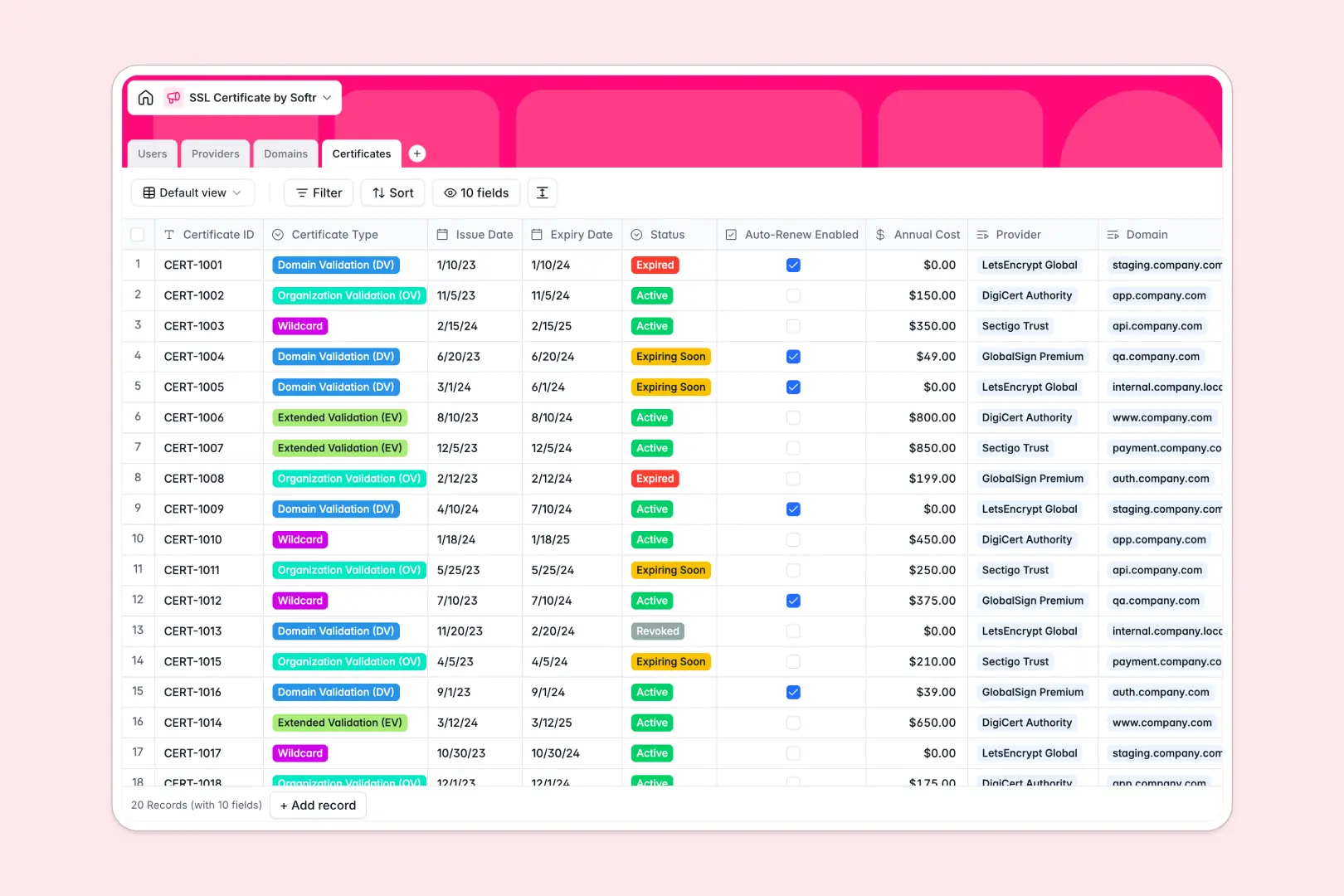
Your SSL Certificate database at a glance
This SSL Certificate database lets you track expirations and domain health in one place to prevent downtime.
It works by natively linking domains to specific providers and assigning IT managers to monitor renewals effortlessly.
Built-in AI agents automatically research domain purposes, fetch provider details, and write custom renewal action plans.
Why managing SSL certificates in spreadsheets breaks down
Keeping track of hundreds of certificate expiry dates in a flat spreadsheet is a recipe for missed renewals and sudden downtime.
What a structured database changes
Every certificate is linked directly to its domain and provider without fragile formulas or copying data across rows. Dates stay formatted perfectly, making it easy to filter what is expiring soon.
This is exactly what Softr Databases are designed for—giving your team a clear, reliable structure that scales safely alongside your infrastructure.
What you can do with this template
Quickly log domains across staging and production environments while tracking exact annual costs and auto-renewal statuses.
You can leverage built-in Database AI agents to easily research vendor details and capture correct support emails.
They also instantly generate step-by-step renewal procedures the moment a certificate needs attention.
-
Users
Manage system administrators and managers overseeing domain security health
-
Providers
Store certificate authorities with AI-generated vendor overviews and insights
-
Domains
Track web assets requiring protection with AI-summarized domain purposes
-
Certificates
Monitor SSL lifecycles with AI-driven renewal action plans based on status
Who is this SSL Certificate database for
This system is built for infrastructure and IT teams who need to guarantee seamless online security.
- IT Managers: Track expiration dates across all environments to ensure zero downtime.
- System Administrators: Centralize provider contacts and store automated renewal procedures.
- Security Teams: Maintain a clear audit trail of who manages which domain and certificate type.
How to take it further
Easily rename certificate types or add new server environments to match your company structure. Because it is a native database, adjusting fields takes seconds.
Upload your existing spreadsheet of active certificates via CSV in bulk. You can also connect an API to sync real-time expirations from your current CA vendors.
When your operation grows, turn this foundation into an internal IT portal for the whole department. You can securely set up users and permissions so junior staff only see certificates assigned specifically to them.
A well-structured database makes building these full-stack apps entirely effortless.
-
1
-
2
-
3
-
4
Frequently asked questions
-
What is an SSL certificate database?
-
Why use a no-code database to build an IT asset tracker?
-
How can AI help managing data for SSL certificates?
-
Can I build an app with this SSL certificate database?
-
Is this SSL Certificate database free?
-
How is an SSL certificate database different from an Excel tracker?
Start building today. It's free!
Build and launch your first app in under 30 minutes.