


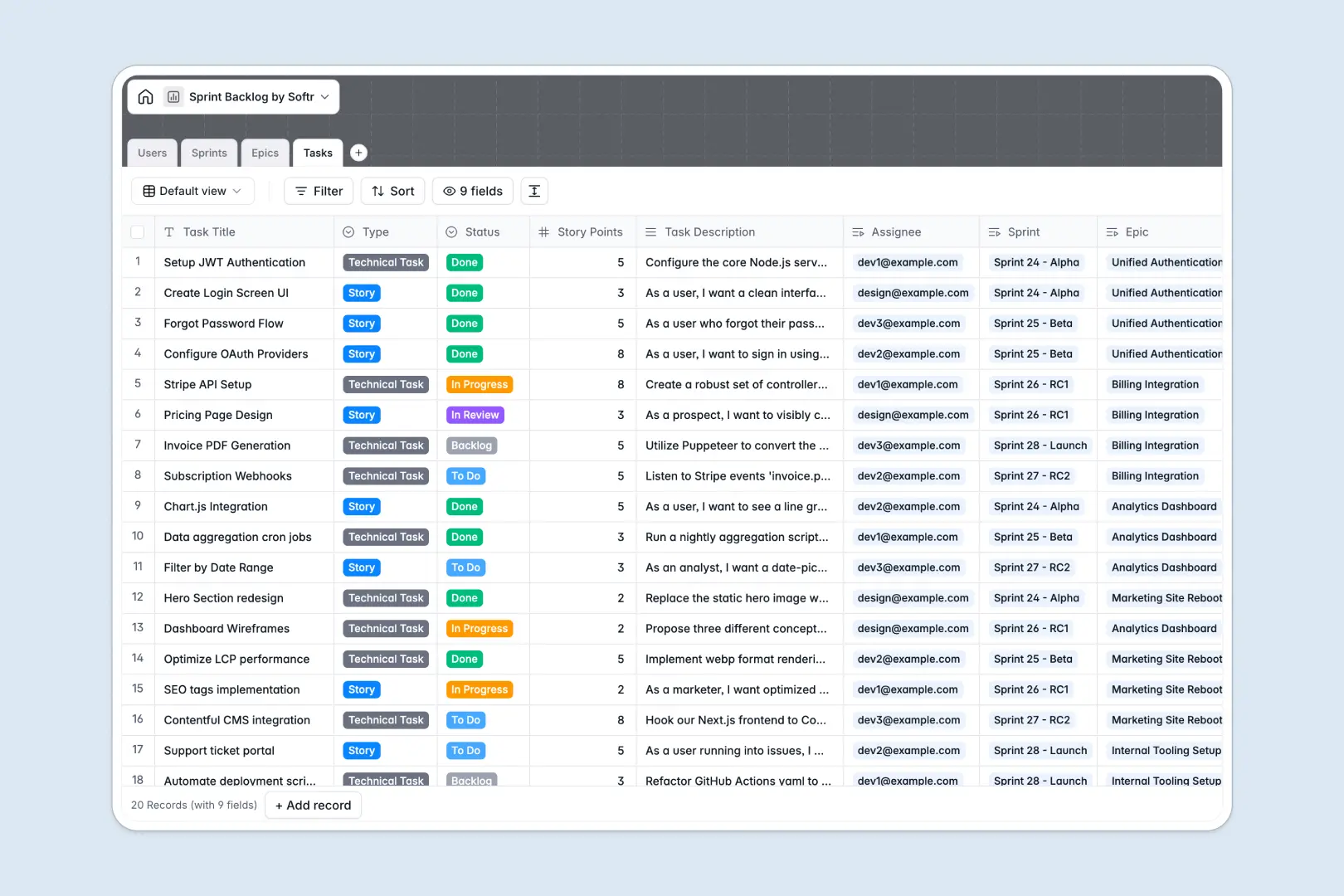
Your Sprint Backlog Database at a glance
This sprint backlog database helps agile teams plan iterations, track bugs, and monitor story points in one unified system. It keeps product managers and developers perfectly aligned on deliverables.
The template connects Epics, Sprints, and Tasks together natively. When you assign a user story to a specific developer, it automatically links back to the overarching sprint goal.
Built-in AI automatically writes task acceptance criteria and generates executive summaries for your epics. At the end of a sprint, the database instantly drafts a comprehensive sprint report based on completed goals.
Why managing sprint backlogs in spreadsheets breaks down
Planning sprints in traditional spreadsheets quickly becomes confusing as tasks multiply. Developers struggle to find exactly what they need to work on without sifting through endlessly long rows.
What a structured database changes
A structured approach means every work item has exactly the right context. Bugs stay classified as bugs, story points remain numerical, and tasks are grouped by sprint without relying on fragile VLOOKUPs.
This is exactly what Softr Databases are designed for. You get relational tables that ensure when an epic status changes, the entire team sees it immediately.
What you can do with this template
You can organize your entire backlog from high-level epics down to individual technical tasks. Everything easily rolls up so PMs can count the total tasks per epic automatically.
Thanks to native Database AI agents, your team can stop writing repetitive testing scenarios manually. The system instantly generates accurate acceptance criteria the moment a new task is logged.
-
Users
Manage agile team members with specific roles, contact info and ownerships
-
Sprints
Track development cycles and generate AI reports based on goals and tasks
-
Epics
Organize large initiatives and utilize AI to generate executive summaries
-
Tasks
Manage individual work items with AI-generated acceptance and testing criteria
Who is this Sprint Backlog database for
This system is built for agile teams who need clear ownership and fast execution.
- Product Managers: Plan epics, define overarching sprint goals, and monitor velocity without administrative friction.
- Developers: Access a clear list of assigned tasks, complete with auto-generated acceptance criteria.
- Designers: Track design tasks seamlessly within the same sprint iteration as engineering peers.
How to take it further
You can easily adapt this template to fit your exact agile framework. Add custom task statuses, adjust story point scales, or introduce new team roles with a few clicks.
Connect your existing product data effortlessly. Import your historical backlog via CSV or bring over active sprints using Softr's API.
When your roadmap scales, you can easily build an app on top of this structure. This lets you create customized agile boards and dashboards for different stakeholders.
By configuring users and permissions, developers only see their assigned bugs while stakeholders get high-level epic views. Starting with a structured database makes building these custom internal tools incredibly fast.
-
1
-
2
-
3
-
4
Frequently asked questions
-
What is a sprint backlog database?
-
Why use a no-code database to build a sprint backlog system?
-
How can AI help managing data for your sprint backlog?
-
Can I build an app with this sprint backlog database?
-
Is this Sprint Backlog database free?
-
How does this template organize epics and tasks?
Start building today. It's free!
Build and launch your first app in under 30 minutes.