


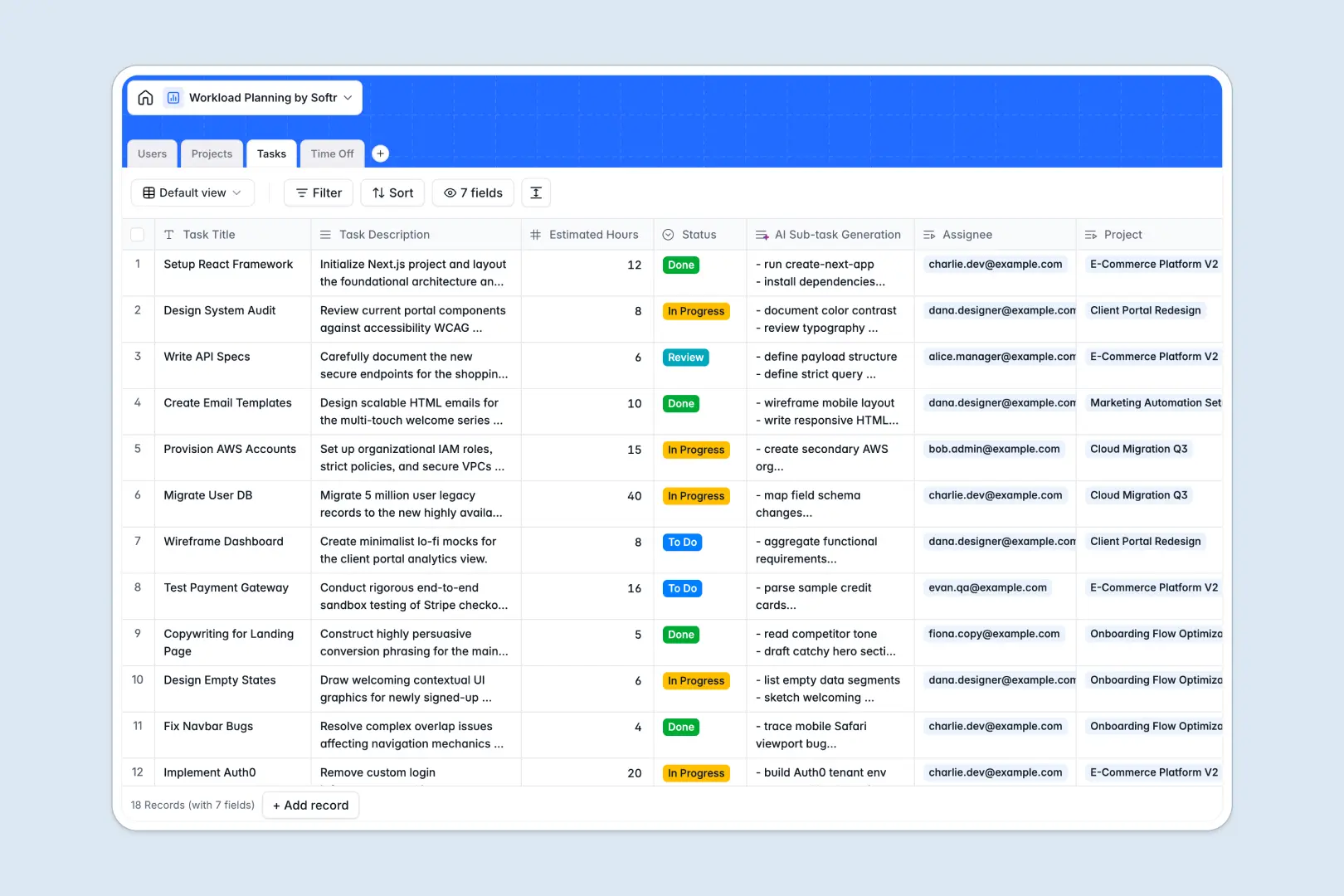
Your Workload Planning Database at a glance
This Workload Planning Database helps you visualize team capacity, track project progress, and assign tasks fairly. It replaces scattered spreadsheets with a single connected system where availability and assignments live together.
The template natively links Users, Projects, Tasks, and Time Off tables without fragile VLOOKUPs. When an employee requests time off or is assigned a new task, their total logged hours update automatically.
Built-in AI fields automatically analyze project briefs to generate risk assessments. They also instantly break down large tasks into manageable sub-task checklists.
Why workload planning gets messy in spreadsheets
Trying to balance team bandwidth in a workload planning spreadsheet quickly becomes a nightmare of broken formulas, scattered tabs, and outdated numbers. As your team grows, keeping track of who is doing what is nearly impossible in a flat grid.
What a structured database changes
A structured database solves this by treating every element—employees, projects, and time off—as distinct, connected objects. Instead of copying and pasting names across rows, you simply link a task directly to an assignee and a project.
Because relationships are native, you can instantly roll up a team member's total assigned hours and compare it against their approved time off. This is exactly what Softr Databases are designed for—giving you a clean structure that scales automatically.
What you can do with this template
You can instantly see who is overbooked and who has capacity, keeping project milestones on track without burning out your team. Track every absence request natively so availability is never a guessing game.
You can also leverage built-in AI automatically to summarize project risks based on status, or generate sub-tasks for new work items. It arrives fully structured and ready to use on day one.
-
Users
Manage team profiles, roles, and total workload based on assigned hours
-
Projects
Orchestrate project stages and review risk assessments generated by AI
-
Tasks
Define work items and utilize AI to generate structured sub-task lists
-
Time Off
Track absences and leaves to adjust team capacity and project timelines
Who is this Workload Planning database for
This flexible workload manager is built for team leads and operators who need clear visibility into bandwidth.
- Project Managers: Balance tasks across team members and monitor project statuses from planning to completion.
- Department Heads: Track total assigned hours effortlessly to ensure equitable workloads and prevent team burnout.
- HR Leads: Log time off requests and monitor approval statuses in the same system where work is assigned.
- Operations Teams: Automate risk assessments and task breakdowns to keep daily execution running smoothly.
How to take it further
Customizing this database is incredibly intuitive. You can easily add new task statuses, update time off categories, or adjust the AI prompts to better suit your team's specific workflow.
Bring your existing data over immediately to start seeing value. You can bulk import your current team roster and active projects via CSV, or connect an API to sync tasks from other tools securely.
When you are ready to share this system, you can build a custom application on top of it using our interface builder. This lets you create a dedicated employee portal where team members can log in, view only their assigned tasks, and submit their own time off requests securely.
A well-structured database makes building these connected apps effortless. You have complete autonomy to scale this simple template into a full internal tool as your operations grow.
-
1
-
2
-
3
-
4
Frequently asked questions
-
What is a workload planning database?
-
Why use a no-code database to build a workload planning tool?
-
How can AI help managing data for workload planning?
-
Can I build an app with this workload planning database?
-
Is this Workload Planning Database free?
-
How is a workload planning database different from a spreadsheet?
Start building today. It's free!
Build and launch your first app in under 30 minutes.