


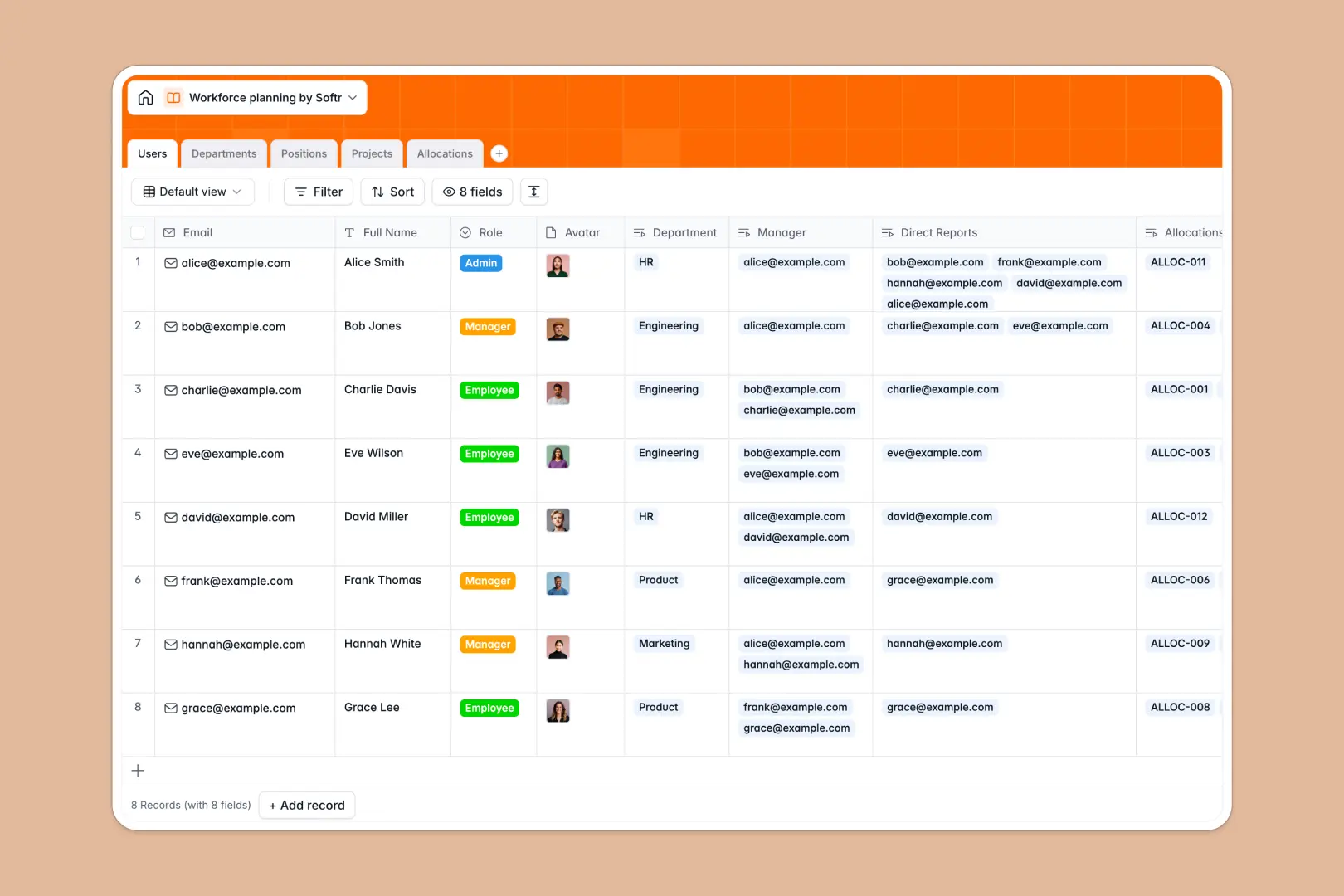
Your Workforce Planning database at a glance
This database gives you a clear view of current staff, upcoming projects, and future hiring needs in one place. It helps you balance workloads and plan headcount without losing track of details.
It tracks Users, Departments, and Projects using distinct tables. An Allocations junction table cleanly connects employees to specific initiatives with exact capacity percentages and dates.
Built-in AI generates standard professional job descriptions for open roles using live web data. It also automatically summarizes project scopes, saving your team hours of manual writing.
Why workforce planning gets messy in spreadsheets
Mapping employee capacity against future projects quickly turns a simple grid into a chaotic web of broken links. Spreadsheets simply aren't built to handle shifting timelines, open requisitions, and overlapping project allocations simultaneously.
What a structured database changes
In a structured system, data types are strictly enforced and records connect natively. You can link an employee to multiple projects without duplicating their row or relying on fragile VLOOKUPs.
Headcounts calculate automatically, and capacity percentages stay tied to specific dates effortlessly. This reliability is exactly what Softr Databases are designed for.
What you can do with this template
Immediately assign staff to active initiatives while mapping out target hire dates for open positions. The template calculates department headcounts automatically as you add or reassign team members.
Using Database AI agents, you can auto-generate professional job requirements the moment a new planned role is added. It’s ready to use from day one, giving you immediate control over your organizational structure.
-
Users
Manage employee profiles, roles, and hierarchy for workforce planning
-
Departments
Track units and headcount with AI-powered summaries of core mandates
-
Positions
Catalog open roles and use AI to generate professional job descriptions
-
Projects
Monitor initiatives and use AI to create concise executive summaries
-
Allocations
Assign staff to projects with specific capacity and time parameters
Who is this Workforce Planning database for
This template provides immediate clarity for teams managing resource allocation and headcount strategies.
- HR Leaders: Forecast hiring needs and write job descriptions automatically based on team gaps.
- Department Heads: Track direct reports, open positions, and current employee allocations in one view.
- Operations Managers: Map staff capacity securely across overlapping projects without double-booking hours.
How to take it further
Adjust the template to fit your exact internal structures. You can easily modify project status tags or add new capacity percentage fields to match your operating model.
Bring your current roster up to speed instantly. Use the native CSV importer to map your existing headcount and department structures directly into the system.
When your operations scale, you can transform this foundation into a fully functional internal portal. Using the interface builder, you can create custom dashboards for department heads.
Add users and permissions to ensure managers only see their direct reports and specific hiring budgets. A well-structured database makes scaling your workforce apps effortless.
-
1
-
2
-
3
-
4
Frequently asked questions
-
What is a workforce planning database?
-
Why use a no-code database to build a workforce planner?
-
How can AI help managing data for capacity planning?
-
Can I build an app with this headcount database?
-
Is this workforce planning template free?
-
How is a database different from a workforce planning spreadsheet?
Start building today. It's free!
Build and launch your first app in under 30 minutes.