


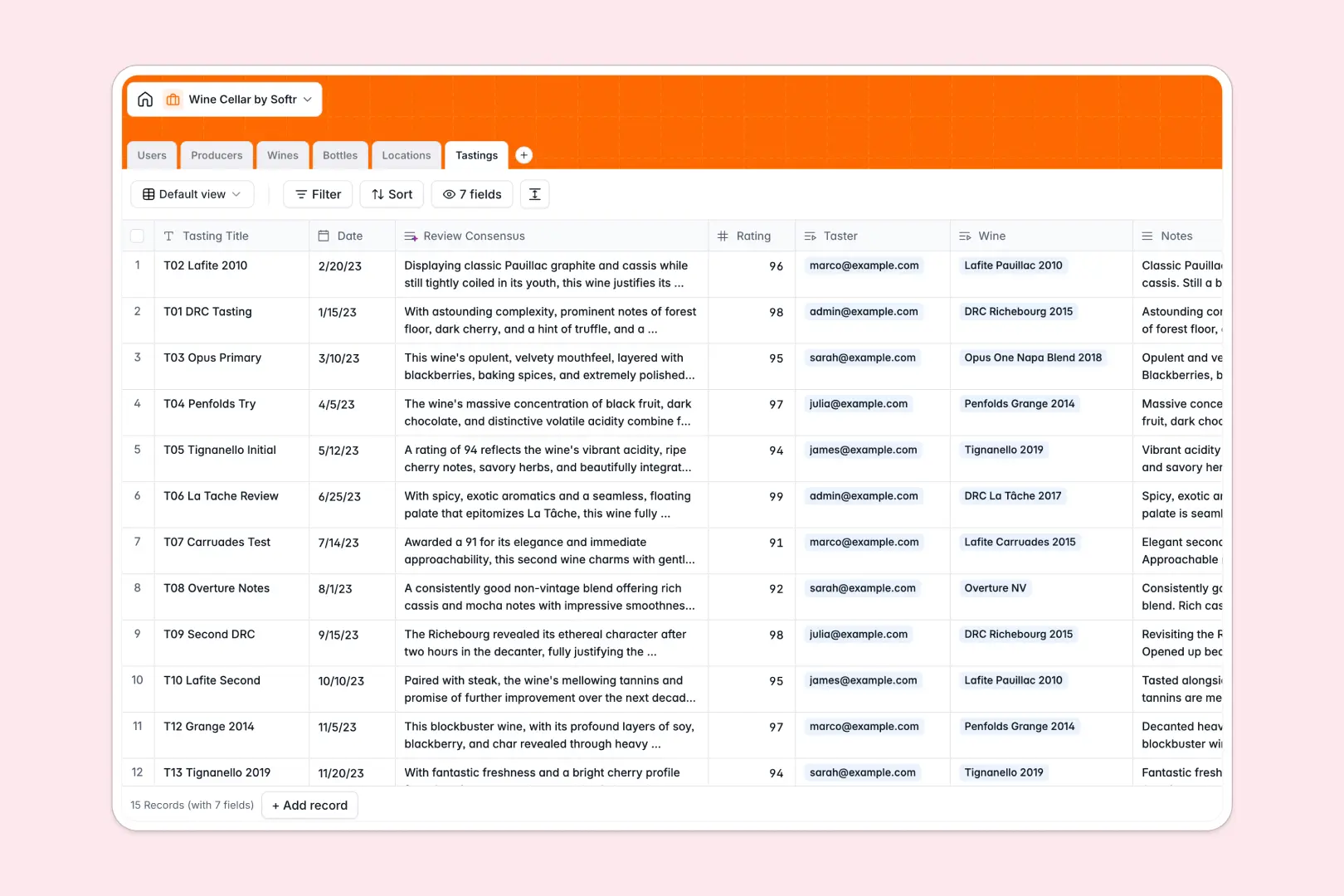
Your Wine Cellar database at a glance
This template gives you complete control over your wine collection by tracking individual bottles, storage units, producers, and personal tasting logs in one structured workspace.
Every physical bottle links directly to its master wine profile, purchase details, and exact storage location such as a wine fridge or wooden rack, ensuring inventory counts update automatically.
Built-in AI fields enrich your collection automatically by researching producer backgrounds, predicting flavor profiles, and generating concise tasting reviews from raw notes.
The disposable sheet problem: when vintages and storage racks fall out of sync
A wine cellar spreadsheet almost always starts simply, but as bottles are purchased, moved, or opened, tabs multiply into separate logs that quickly lose consistency.
What a structured database changes
In a standard spreadsheet, typing producer notes, vintages, and ratings across different rows creates duplicate entries and broken totals whenever a row is moved.
A structured database enforces clean data types so prices stay currency, dates stay chronological, and bottles link directly to specific racks without manual copy-pasting.
This is exactly what Softr Databases are designed for, giving you a reliable backend where your bottle counts, cellar capacities, and tasting logs stay perfectly synchronized.
What you can do with this template
Log individual bottles with purchase prices and statuses, tracking whether an item is currently stored, consumed, or gifted.
Keep tabs on physical capacity across multiple storage locations and view aggregate bottle counts per producer effortlessly.
Use native Database AI agents to search the live web for producer backstories and synthesize tasting notes into quick consensus summaries.
-
Users
Manage cellar members and track personal tasting contributions
-
Producers
Track wineries and generate rich producer backgrounds with web AI
-
Wines
Catalog wine varietals and generate tasting profiles using web AI
-
Bottles
Track physical bottle inventory, storage status, and costs
-
Locations
Organize physical wine storage units, racks, and capacities
-
Tastings
Record reviews and synthesize rating consensus with AI summaries
Who is this Wine Cellar database for
This template is designed for anyone managing a growing wine collection across multiple racks, cellars, or tasting events.
- Private Wine Collectors: Keep exact inventory counts, storage locations, and historical purchase prices organized.
- Sommeliers & Hospitality Leads: Track bottle availability, varietal profiles, and producer notes across off-site storage.
- Wine Clubs & Tasting Groups: Log community ratings, tasting notes, and member feedback in a shared system.
- Estate Managers: Monitor cellar capacity, incoming shipments, and consumption across multiple properties.
How to take it further
Customize your database in seconds by adding custom select tags for drinking windows, bottle formats (magnums, splits), or food pairings to fit your personal cellar setup.
Import your existing wine logs instantly using CSV import or connect an API to sync live purchase orders directly into your bottle table.
When you want a polished mobile interface for your cellar, use Softr to build an app on top of this database. You can configure custom users and permissions so guests can submit tasting notes while keeping purchase prices and location management restricted to admins.
-
1
-
2
-
3
-
4
Frequently asked questions
-
What is a wine cellar database?
-
Why use a no-code database to build a wine cellar system?
-
How can AI help managing data for a wine cellar?
-
Can I build an app with this wine cellar database?
-
Is this Wine Cellar database free?
-
How is a wine cellar database different from a wine cellar spreadsheet?
Start building today. It's free!
Build and launch your first app in under 30 minutes.