


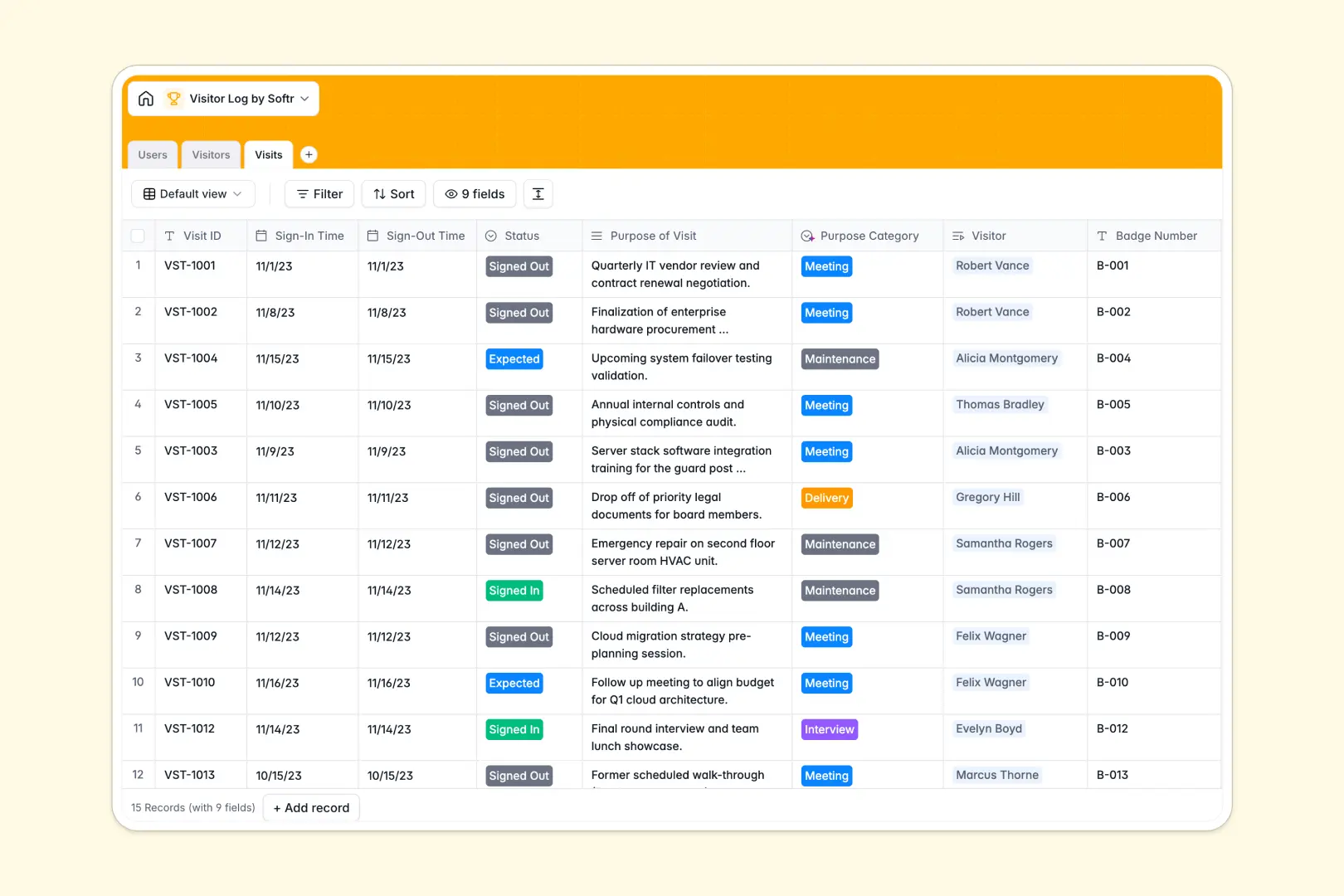
Your Visitor Log Database at a glance
This visitor log template replaces fragile spreadsheets with a secure, automated system for tracking facility guests. It helps receptionists and guards keep perfect records of who is in the building and why.
The database is pre-structured into three connected tables: Users, Visitors, and Visits. By linking visits to specific hosts and visitors, you create a complete, searchable history without duplicate manual entry.
AI automatically groups visits into categories like 'Meeting' or 'Delivery' and writes quick summaries of arriving guests. This keeps your log organized and gives hosts instant context before they even greet their visitor.
Why tracking visitors gets messy in spreadsheets
Managing daily sign-ins on a shared spreadsheet quickly turns into a security nightmare. Rows get accidentally deleted, names are misspelled, and you can't easily see if a guest is banned without tedious searching.
What a structured database changes
A structured database enforces strict data types, meaning a date field stays a date and a photo ID attachment stays an image. You can link a logged visit directly to a staff member's profile without writing fragile spreadsheet formulas.
This ensures security guards and receptionists always look at clean, reliable data. This is exactly what Softr Databases are designed for.
What you can do with this template
Track every guest's sign-in and sign-out time, automatically calculate total visits, and instantly flag banned individuals.
Thanks to built-in Database AI agents, this template categorizes the purpose of every visit on autopilot. You can safely manage all facility access rules in one reliable place.
-
Users
Manage internal staff and security personnel authorized to host visitors
-
Visitors
Track guest profiles with AI-generated background summaries for check-ins
-
Visits
Log entry times and use AI to categorize visit purposes for compliance
Who is this Visitor Log database for
This template is designed for teams managing physical security, reception, and facility access.
- Security Guards: Quickly verify returning guests, check photo IDs, and log sign-in times without bottlenecks.
- Facility Managers: Maintain reliable compliance records of everyone entering and exiting the premises.
- Receptionists: Process guest arrivals smoothly with auto-summarized profiles and easy host lookup.
- Office Admins: Track which staff members host the most visits and ensure badge numbers are properly recorded.
How to take it further
Customize the database to fit your exact building rules. You can easily modify the visit status dropdowns or add new staff roles, taking just seconds to tweak columns and lists natively.
Import your existing data to get daily operations up and running immediately. If you have an old list of regular vendors or banned individuals, simply upload a CSV file to populate the directory.
When your team is ready, use the interface builder to create a self-service check-in kiosk for arriving guests.
By configuring users and permissions, you can ensure that guards see full security logs while regular staff only view their own scheduled visitors. A clean, structured database makes building these custom internal tools completely effortless.
-
1
-
2
-
3
-
4
Frequently asked questions
-
What is a visitor log database?
-
Why use a no-code database to build a visitor log system?
-
How can AI help managing data for visitor logs?
-
Can I build an app with this visitor log database?
-
Is this Visitor Log database free?
-
How is a visitor log database different from a spreadsheet?
Start building today. It's free!
Build and launch your first app in under 30 minutes.