


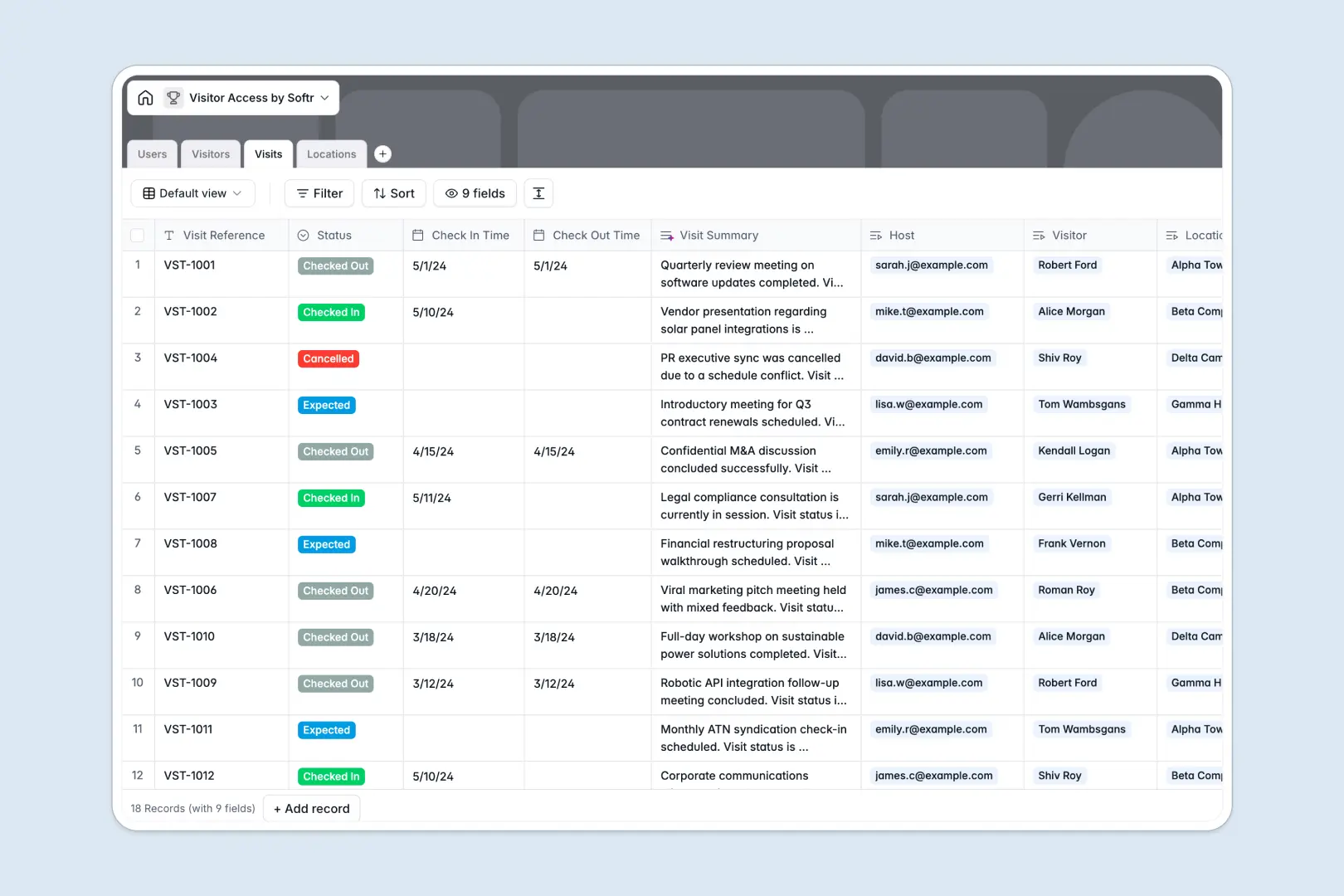
Your Visitor Access Database at a glance
This template replaces messy spreadsheets with a centralized system to manage guests, employees, and building access in real time. It ensures receptionists and hosts always know who is expected and who has checked in.
It works by connecting distinct tables for Visitors, Visits, Locations, and Users natively. Instead of retyping guest details, you simply link a visitor profile to a specific visit, host, and location so all records stay perfectly organized.
Built-in AI automatically researches visiting companies via the live web and summarizes visit notes instantly. This keeps your security logs detailed and professional without any manual typing.
Why a visitor access spreadsheet breaks down
Tracking building access in spreadsheets quickly leads to duplicated guest names, missed check-ins, and unsecured data.
What a structured database changes
A proper database enforces strict rules for your data. Statuses stay consistent, check-in times are logged accurately, and guest IDs are securely attached rather than lost in random local folders.
You can instantly link a single visitor to multiple expected visits without copy-pasting their contact details across numerous rows. This is exactly what Softr Databases are designed for, keeping complex relationships simple as your visitor volume grows.
What you can do with this template
You can log expected guests, track real-time check-ins and check-outs, and monitor occupancy across different building locations from one clear, scalable view.
Native AI agents automatically pull company background information for new guests and generate snapshots of visit notes as statuses change. This turns a rigid list into an intelligent, self-updating security log.
-
Users
Manage internal staff members with roles, departments and hosting history
-
Visitors
Store guest profiles with security IDs and AI-generated company insights
-
Visits
Track check-ins and check-outs with AI-powered summaries of visit notes
-
Locations
Define physical office sites with contact details and staff assignments
Who is this Visitor Access Database for
This template provides a reliable foundation for any team managing physical security and guest reception routines.
- Receptionists & Front Desk: Check guests in and out quickly with a clear view of expected arrivals.
- Office Managers: Oversee daily occupancy and manage visitor flow across multiple building locations.
- Security Teams: Maintain an accurate, easily searchable log of building access, photo IDs, and visit notes.
- HR & Employees: Easily pre-register upcoming visitors and get notified when their guests arrive.
How to take it further
You can easily customize this database to fit your exact security protocols. Add new status types like "Flagged" to the dropdown, modify the user roles, or include custom fields for visitor NDAs.
If you currently manage access lists in a scattered spreadsheet, you can instantly import your historical logs via CSV. This immediately populates your visitor directory and physical properties without any manual data entry.
When your team is ready, you can seamlessly build a full application around this central datastore. You can create a streamlined check-in dashboard for front desk staff, and an external portal for employees to pre-register guests.
Because this is built on a structured database, setting up users and permissions is perfectly straightforward. You can easily ensure employees only see their own invited guests, while security admins maintain access to the full property log.
-
1
-
2
-
3
-
4
Frequently asked questions
-
What is a visitor access database?
-
Why use a no-code database to build a visitor management system?
-
How can AI help managing data for visitor access?
-
Can I build an app with this visitor access database?
-
Is this visitor access database free?
-
How is a visitor access database different from a spreadsheet?
Start building today. It's free!
Build and launch your first app in under 30 minutes.