


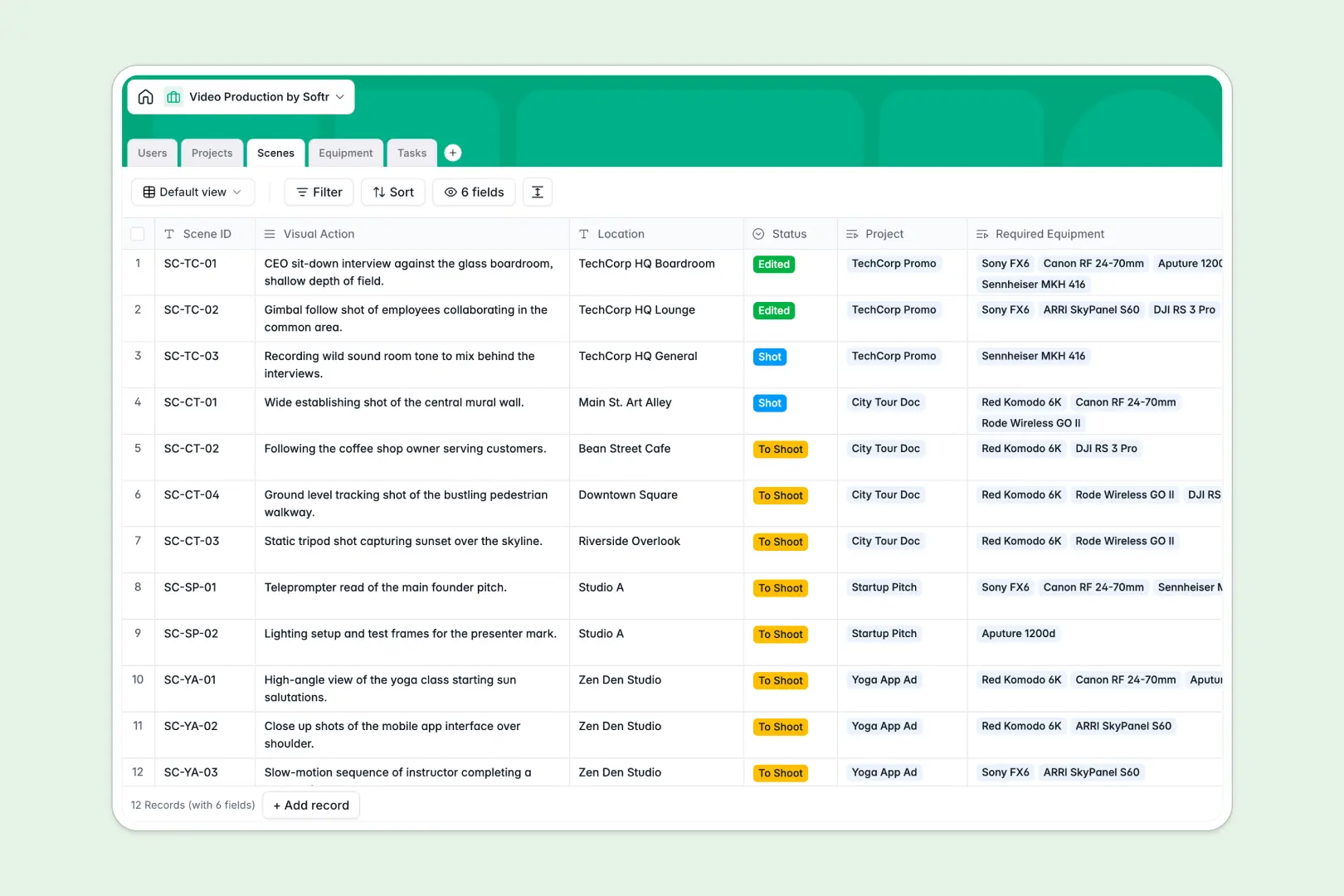
Your Video Production Database at a glance
This template replaces scattered production sheets with a single source of truth for your shoots. It keeps projects, crew assignments, and rental gear perfectly aligned from pre-production to final cut.
The database connects your high-level projects directly to individual scenes, required equipment, and daily tasks. When you assign a camera to a specific scene, everyone sees its status update instantly alongside the relevant timeline.
Built-in AI automatically extracts technical specs from equipment websites and summarizes long creative briefs into clean bullet points. It even categorizes new operational tasks instantly, saving your producers hours of manual data entry.
Why video production gets messy in spreadsheets
Tracking shot lists, gear availability, and crew schedules in spreadsheets quickly turns into a chaotic mess. When shoot dates change, updating isolated file tabs for locations, tasks, and camera inventory usually leads to immediate scheduling conflicts.
What a structured database changes
Instead of relying on fragile formulas that break when a producer sorts a column, a database uses native relationships. Linking a specific camera lens directly to a particular scene ensures your equipment manager knows exactly where gear belongs on any given day.
Production teams need clean, reliable structures where dates act like dates and task statuses follow strict logic. This is exactly what Softr Databases are designed for, keeping your production data pristine as your project scales.
What you can do with this template
You can map out complete project timelines while tracking task dependencies across scripting, filming, editing, and review. Every shot, crew member, and piece of gear has its own dedicated record that stays updated globally.
Thanks to Database AI agents, your database literally does research for you. Drop in a camera name and manufacturer link, and the AI will browse the web to populate exact technical specs directly into your active inventory table.
-
Users
Manage production staff and clients with contact info and project roles
-
Projects
Oversee video stages and utilize AI to summarize complex production briefs
-
Scenes
Coordinate specific shot requirements, visual actions, and on-site locations
-
Equipment
Inventory hardware with AI-powered web lookups for technical specifications
-
Tasks
Organize to-dos using AI to automatically categorize task types and stages
Who is this Video Production Database for
This system is built for teams moving past basic task trackers who need robust, reliable production management.
- Production Agencies: Manage multiple client projects simultaneously while maintaining clear visibility on gear and crew schedules.
- In-house Media Teams: Streamline standard workflows from creative scripting to final review without digging through scattered email threads.
- Equipment Managers: Track lighting, audio, and camera gear inventory across different shoots, locations, and maintenance periods.
- Producers & Directors: Keep high-level project statuses organized while easily drilling down into daily scene and filming requirements.
How to take it further
Because this is a native Softr database, you can immediately customize fields to match your set terminology. Rename status dropdowns, add columns for budgeting, or adjust the AI prompts to extract incredibly specific gear details.
Bring your existing shot lists and gear inventories over instantly by importing a simple CSV file. You can also connect via API to automatically sync data from other production planning or calendar tools.
When your team is ready, you can transform this database into a custom client portal or internal crew app using the interface builder. By setting up users and permissions, you can ensure freelancers only see their assigned scenes while clients safely view high-level project summaries.
-
1
-
2
-
3
-
4
Frequently asked questions
-
What is a video production database?
-
Why use a no-code database to build a video production tool?
-
How can AI help managing data for video production?
-
Can I build an app with this video production database?
-
Is this Video Production Database free?
-
Why is a database better than a video production spreadsheet?
Start building today. It's free!
Build and launch your first app in under 30 minutes.