


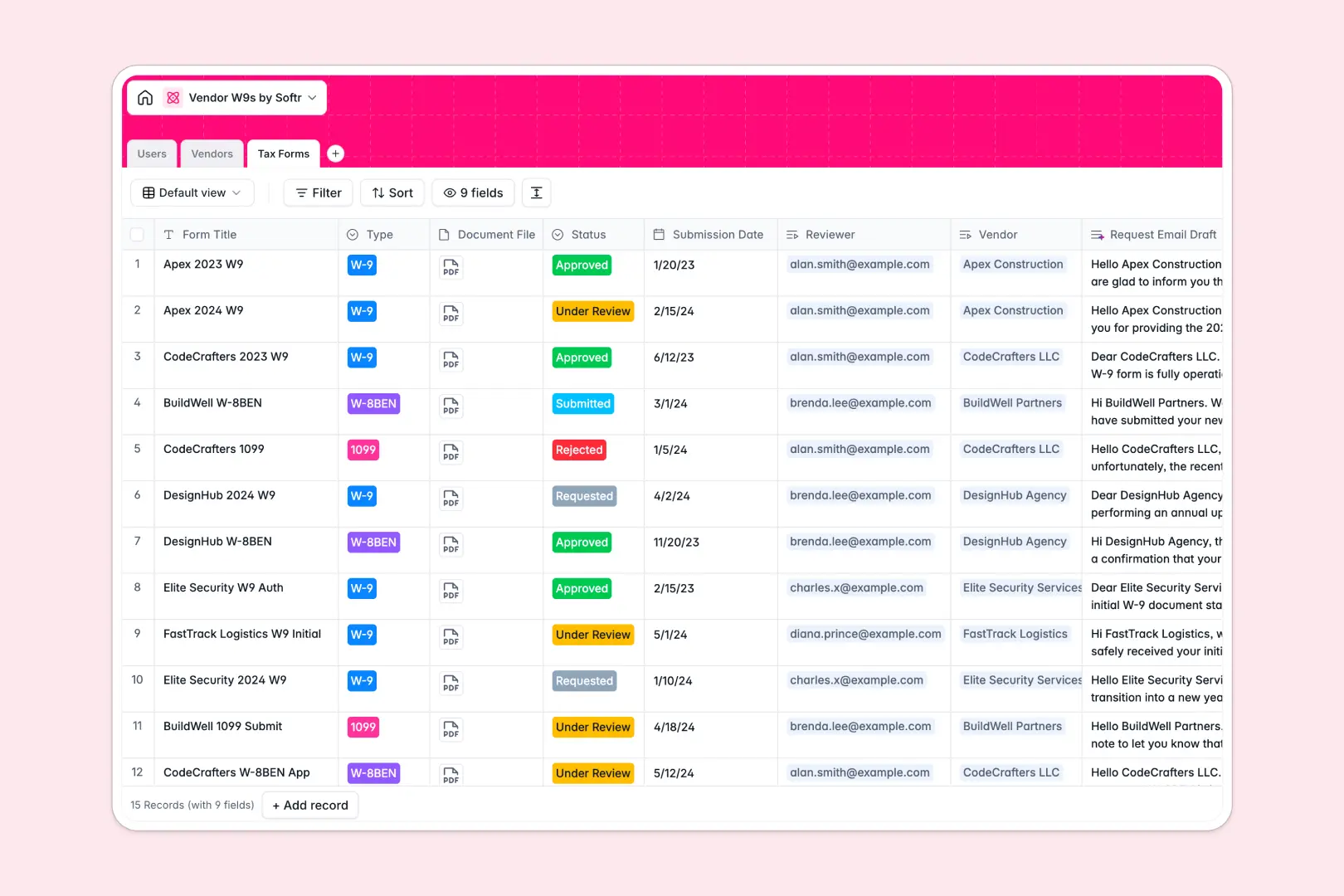
Your Vendor W9s Database at a glance
This template replaces chaotic spreadsheets with a structured, reliable system for tracking vendor tax documentation. It helps your team maintain compliance effortlessly while ensuring no missing forms slip through the cracks.
Three connected tables work together to organize your workflow. The Vendors table tracks company details and compliance status, automatically linking to the specific Tax Forms requested and submitted.
Built-in AI agents do the administrative heavy lifting for you. They automatically summarize vendor company descriptions from their websites and instantly draft personalized follow-up emails for missing W-9s and 1099s.
Why managing vendor W9s in spreadsheets breaks down
Keeping track of critical tax documents in a standard spreadsheet quickly becomes a liability. Mixed data types and broken file links make it impossible to know which contractors are actually compliant at a glance.
What a structured database changes
A proper database enforces strict rules for your data structure so dates stay as dates and files remain firmly attached to their records. You can link individual tax forms directly to a vendor without fragile copy-pasting across spreadsheet rows.
This is exactly what Softr Databases are designed for. When you structure your compliance records relationally, your data scales cleanly without breaking your reporting.
What you can do with this template
With this database, you can automatically calculate how many forms each vendor has submitted using native rollup fields. You can also monitor exact review statuses like Under Review or Approved instantly.
Thanks to native Database AI agents, this system self-maintains as your roster grows. AI can browse the live web to write vendor descriptions and instantly draft polite, professional reminder emails when W-9s are pending.
-
Users
Manage internal team members, roles, and assigned vendor review tasks
-
Vendors
Track contractors with AI-generated profiles and compliance status logs
-
Tax Forms
Store tax documents and use AI to draft professional request emails
Who is this Vendor W9s Database for
This template is designed for operations and finance teams who need to ensure strict tax compliance across their contractor network.
- Finance Managers: Track missing 1099s or W-8BENs before tax season arrives to prevent compliance headaches.
- Operations Teams: Verify whether service providers are fully onboarded and approved before assigning them new projects.
- Compliance Officers: Keep a secure, standardized log of all raw tax documents and exactly who internally reviewed them.
How to take it further
Start by customizing this template to exactly match your internal onboarding process. You can easily add new compliance statuses, rename specific file requirements, or introduce custom dropdowns for vendor classifications.
Next, import your existing contractor list via CSV or connect directly through an API. This instantly populates your directory so you can immediately see which vendors are missing critical documentation.
When your team is ready, you can transform this specific database into a secure external portal. Using the interface builder, you can create a branded app where contractors log in to securely upload their own W-9s and update their contact details.
By setting up proper users and permissions, vendors will only ever see their own records. A well-structured database makes building these seamless, compliant app experiences incredibly easy.
-
1
-
2
-
3
-
4
Frequently asked questions
-
What is a vendor W9s database?
-
Why use a no-code database to build a vendor compliance tool?
-
How can AI help managing data for vendor W9s?
-
Can I build an app with this vendor W9s database?
-
Is this Vendor W9s Database free?
-
Why is a database better than tracking vendor W9s in a spreadsheet?
Start building today. It's free!
Build and launch your first app in under 30 minutes.