


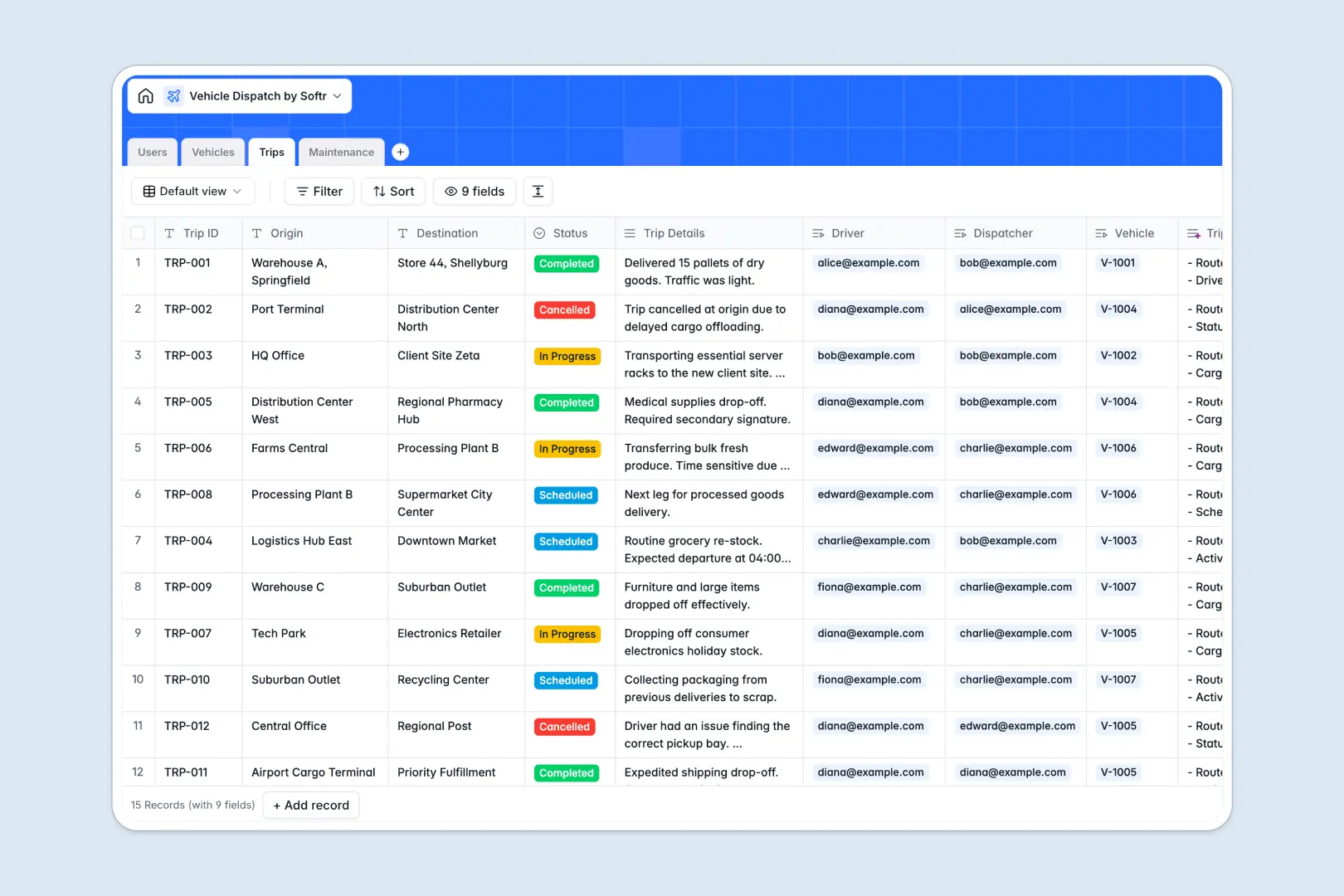
Your Vehicle Dispatch database at a glance
This template replaces messy dispatch sheets with a structured, reliable system. It keeps your entire fleet’s operations, trip assignments, and vehicle statuses perfectly organized in one clear view.
The database connects your day-to-day logistics naturally. You can link specific Trips directly to Vehicles and Users (like Drivers or Dispatchers), ensuring you never double-book a truck or lose track of a mechanic's log.
Best of all, built-in AI handles the heavy lifting. It automatically summarizes complex trip details, drafts readable vehicle status reports, and categorizes maintenance records as Routine, Repair, or Inspection instantly.
Why vehicle dispatch gets messy in spreadsheets
Relying on rows and columns to dispatch vehicles quickly turns into a logistical nightmare. When you try to track driver schedules, vehicle locations, and repair histories in a vehicle dispatch spreadsheet, data gets overwritten and VLOOKUPs inevitably break.
What a structured database changes
In a proper database, data stays intact and reliable. A vehicle's status is a strict dropdown, maintenance dates remain dates, and drivers are linked to trips without tedious copy-pasting across tabs.
Everything scales cleanly as your operation grows. This is exactly what Softr Databases are designed for, giving you native relational links that connect your trucks directly to their ongoing routes and repair history.
What you can do with this template
You can immediately assign available drivers to scheduled trips and monitor which vehicles are En Route or Out of Service. Every dispatch logs its exact origin, destination, and status in real time.
You also get built-in Database AI agents that automatically classify maintenance logs based on mechanic notes. This means much less manual data entry for your dispatchers and more accurate cost tracking over time.
-
Users
Manage administrative staff, dispatchers, and drivers with contact details
-
Vehicles
Track the fleet registry using AI to summarize status reports and details
-
Trips
Log journeys while utilizing AI to generate concise summaries of trip data
-
Maintenance
Track repairs and costs with AI classifying service types via descriptions
Who is this Vehicle Dispatch database for
This template is designed for logistics teams, fleet managers, and operations leads who need a reliable source of truth.
- Fleet Managers: Track real-time vehicle availability and monitor long-term maintenance costs instantly.
- Dispatchers: Assign scheduled trips to available drivers without toggling between multiple screens or fragile files.
- Operations Leads: Keep a secure, organized directory of all staff, drivers, and active routes comprehensively in one place.
How to take it further
Start by customizing the database to fit your exact operational workflow. You can easily add new fleet statuses, tweak the trip stages, or create custom columns for mileage and fuel tracking.
Next, import your historical dispatch and repair logs. You can upload bulk CSV files or use the API to sync active trip data directly into these perfectly structured tables.
When your team is ready, you can build an app directly on top of this fleet data. Create a mobile-friendly portal where drivers can log in on the go to see their specific routes and submit maintenance issues.
Thanks to robust users and permissions, you retain total control over who sees what. Drivers only view their own designated trips, while dispatchers and admins get a secure bird's-eye view of the entire operation.
-
1
-
2
-
3
-
4
Frequently asked questions
-
What is a vehicle dispatch database?
-
Why use a no-code database to build a dispatch system?
-
How can AI help managing data for vehicle dispatch?
-
Can I build an app with this vehicle dispatch database?
-
Is this Vehicle Dispatch template free?
-
How does this dispatch database beat a traditional spreadsheet?
Start building today. It's free!
Build and launch your first app in under 30 minutes.