


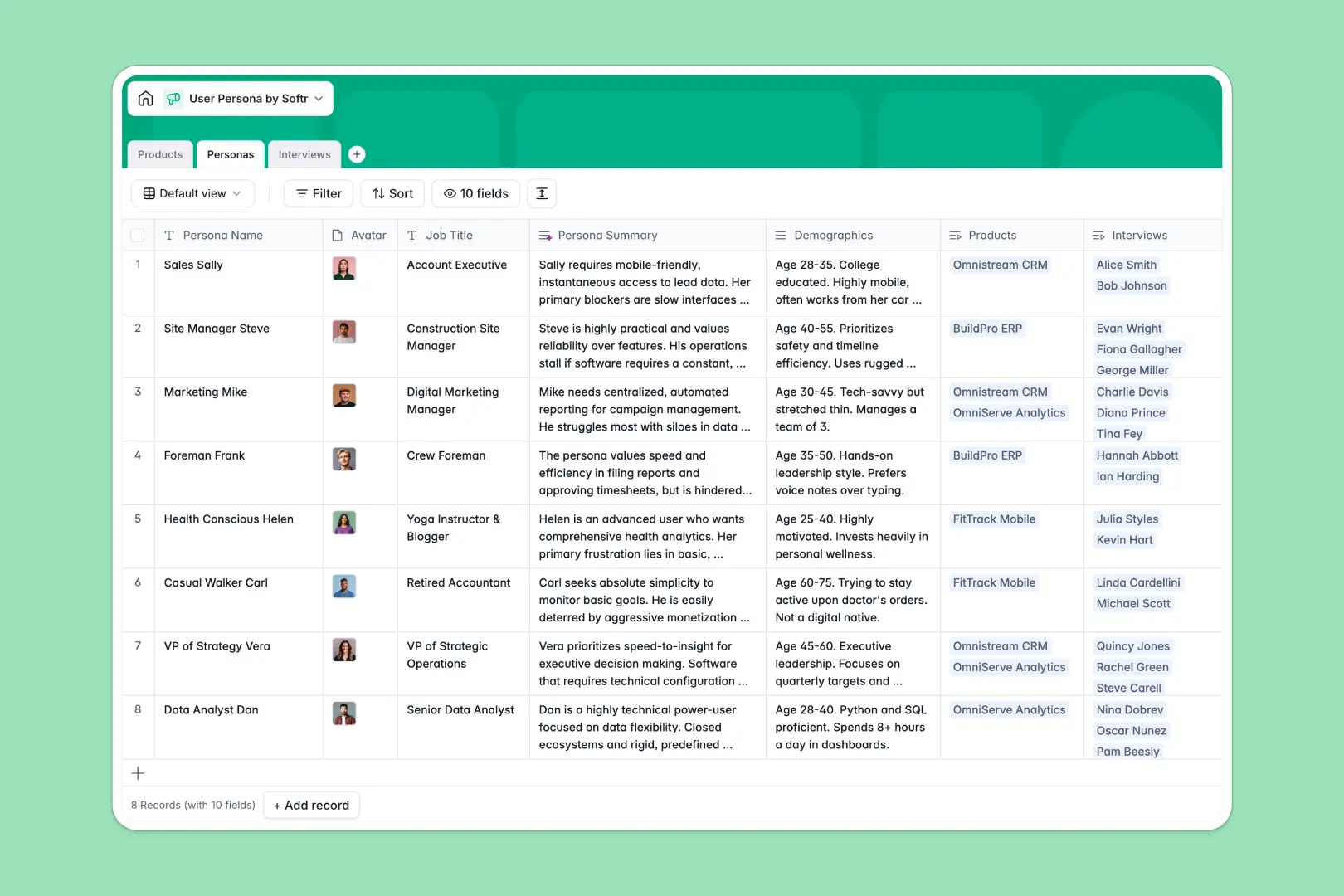
Your User Persona Database at a glance
This template replaces scattered files by organizing your fictional buyer profiles and real user interviews into one connected system. It gives cross-functional teams a single source of truth for understanding your target audience.
You can seamlessly link specific interview logs to the correct persona, and map those profiles directly to your core products. Rollup fields automatically track how much feedback you have gathered for each user type.
Built-in AI automatically extracts key takeaways from long interview transcripts, scores user sentiment, and generates concise persona summaries without manual effort.
Why tracking personas gets messy in a spreadsheet
Managing qualitative user research across flat spreadsheet rows quickly becomes impossible.
What a structured database changes
Spreadsheets force you to copy-paste feedback across tabs or lose context as your text heavy cells become unreadable. There is no clean way to maintain complex relationships between products, personas, and dozens of interview transcripts.
A relational structure lets you link a recorded interview directly to a persona and product without duplicating data. This ensures your research scales smoothly without breaking fragile VLOOKUPs.
This is exactly what Softr Databases are designed for, keeping your qualitative data structured and connected as your business grows.
What you can do with this template
Tie qualitative research to real business outcomes by mapping interview transcripts to specific product categories automatically. Following the rule of one table per object ensures your user feedback stays highly organized.
Turn long, messy user feedback into actionable insights instantaneously. Built-in Database AI agents summarize raw transcripts into three top bullet points and score sentiment without manual tagging.
-
Products
Manage software offerings and track related user personas and categories
-
Personas
Define user profiles with AI summaries based on specific goals and pains
-
Interviews
Log user sessions using AI to extract takeaways and detect sentiment
Who is this User Persona database for
This system is built for teams that rely on deep customer understanding to build better products and campaigns.
- Product Managers: Connect user feedback directly to the software features or hardware you are building.
- UX Researchers: Keep interview transcripts, takeaways, and sentiment scores structured and fully searchable.
- Marketing Teams: Centralize buyer pain points and demographic goals to craft highly targeted messaging.
- Founders: Track sentiment ratings to understand exactly how your target personas feel about your offerings.
How to take it further
Easily customize this template to fit your specific research methodology. Add new product categories or update the AI prompts to extract specific competitor mentions from your transcripts.
Bring your past research to life instantly. You can bulk import existing interview logs via CSV or API to populate your personas immediately.
When your team needs to share insights broader, you can build an app on top of this data. A well-structured database makes it incredibly easy to spin up front-end apps for your stakeholders.
This lets you create a centralized, secure research portal. Set up users and permissions to control who can edit user profiles versus who can only view interview takeaways.
-
1
-
2
-
3
-
4
Frequently asked questions
-
What is a user persona database?
-
Why use a no-code database over a user persona spreadsheet?
-
How can AI help managing data for user research?
-
Can I build an app with this persona database?
-
Is this User Persona database free?
-
How does this template connect interviews to personas?
Start building today. It's free!
Build and launch your first app in under 30 minutes.