


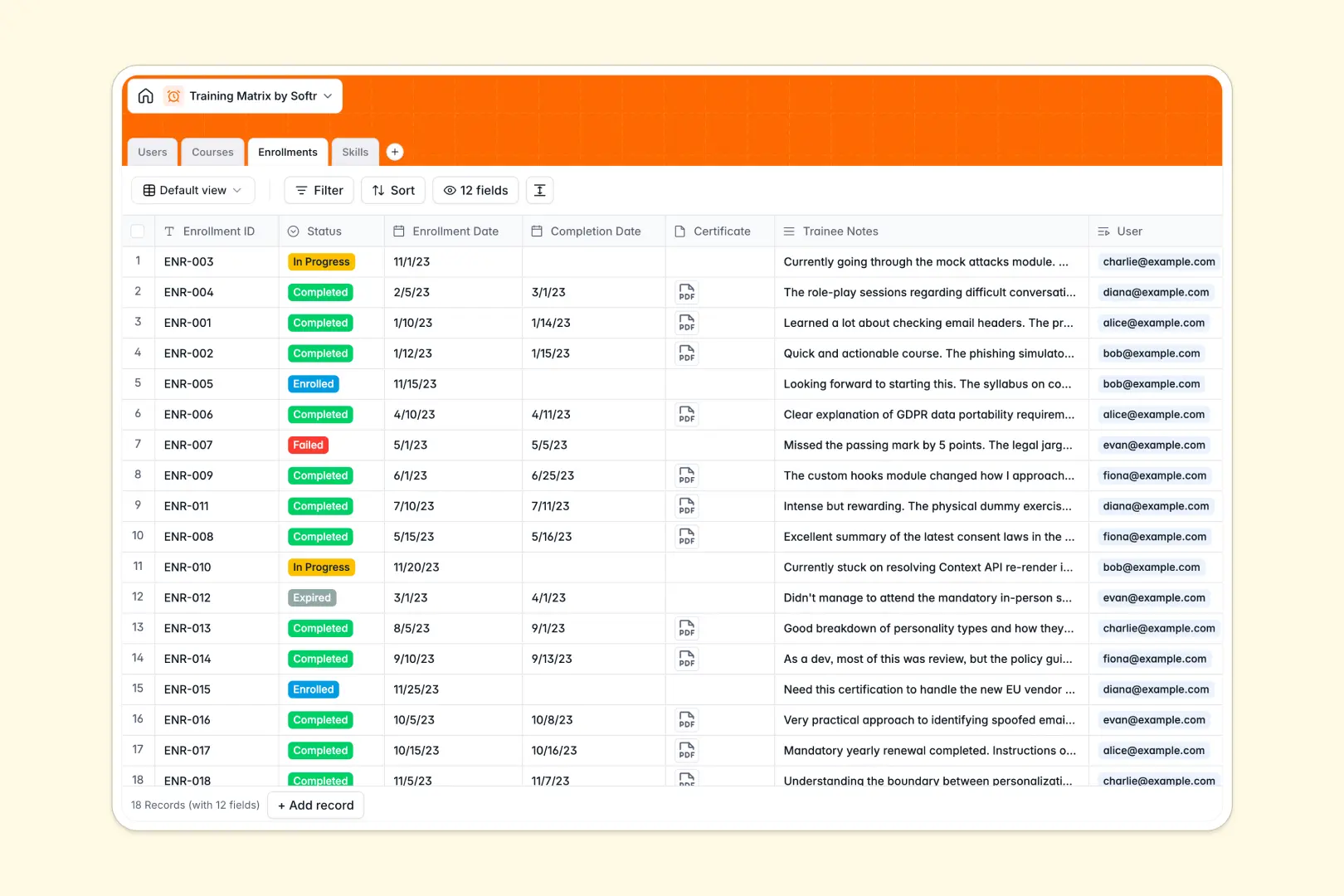
Your Training Matrix Database at a glance
This training matrix template gives you a clear, centralized view of every employee's skill development and course progress. It eliminates the confusion of scattered records by keeping your team's compliance and education data perfectly organized.
It links multiple tables natively so you can connect Users directly to their Enrollments, Courses, and acquired Skills. Instead of manually updating across tabs, an enrollment status change automatically updates the employee's entire competency profile.
It also features built-in AI fields that automatically generate comprehensive course syllabuses and perfectly summarize trainee notes in seconds. Your matrix actively researches and enriches its own data the moment new records are added.
Why a training matrix spreadsheet gets messy
Managing employee learning records in a spreadsheet quickly becomes a nightmare of broken formulas, duplicated rows, and outdated entries. Keeping track of who completed what course requires endless manual updates across multiple tabs to maintain accurate compliance.
What a structured database changes
A structured approach ensures every piece of data lives exactly where it should without fragile VLOOKUPs breaking your tracking. Dates remain strictly formatted, certificates are uploaded directly against the employee's record, and course statuses remain crystal clear.
You can connect an employee directly to multiple courses without ever copy-pasting their name into different rows. This is exactly what Softr Databases are designed for, keeping your skills matrix perfectly scalable as your team grows.
What you can do with this template
You can track every enrollment stage, course duration, and earned certificate in a single, reliable view. If an employee completes a training, their newly acquired skills roll up automatically into a total skills count.
You can even leverage Database AI agents to auto-generate skill definitions based on category or summarize lengthy trainee feedback instantly. It acts as a self-maintaining hub for all your organizational learning and development.
-
Users
Directory of staff members with roles, departments, and training progress
-
Courses
Catalog of training programs featuring AI-generated syllabi and durations
-
Enrollments
Track course status and summaries using AI to extract trainee feedback
-
Skills
Core competencies matrix with AI-generated definitions for each category
Who is this Training Matrix database for
This template is built for teams that need to accurately manage compliance, upskilling, and certifications at scale.
- HR Managers: Track onboarding progress and ensure company-wide compliance without endless paperwork.
- Department Heads: Monitor technical and soft skills acquired by team members to easily identify knowledge gaps.
- Training Coordinators: Manage course catalogs, delivery formats, and ongoing enrollments without jumping between tools.
- Operations Leaders: Ensure every team member has the exact certifications required to perform their duties safely.
How to take it further
Customizing your matrix is simple and requires zero technical knowledge. You can easily modify the dropdown choices for course formats or add new skill categories to perfectly fit your specific company structure.
You do not have to start from scratch to populate your directory. Seamlessly import your current employee roster and past course histories using a CSV file to get up and running instantly.
When you are ready, you can transform this matrix into a fully functional internal portal. By using our interface builder, you can create employee dashboards where team members log in to securely view their assigned courses.
You can set up custom permissions so managers see their entire department's analytics while employees only view their individual training timeline. Building an app on top of a well-organized database is the easiest way to scale internal operations.
-
1
-
2
-
3
-
4
Frequently asked questions
-
What is a training matrix database?
-
Why use a no-code database to build a training system?
-
How can AI help managing data for a training matrix?
-
Can I build an app with this training matrix database?
-
Is this Training Matrix Database free?
-
How does this template replace a training matrix spreadsheet?
Start building today. It's free!
Build and launch your first app in under 30 minutes.