


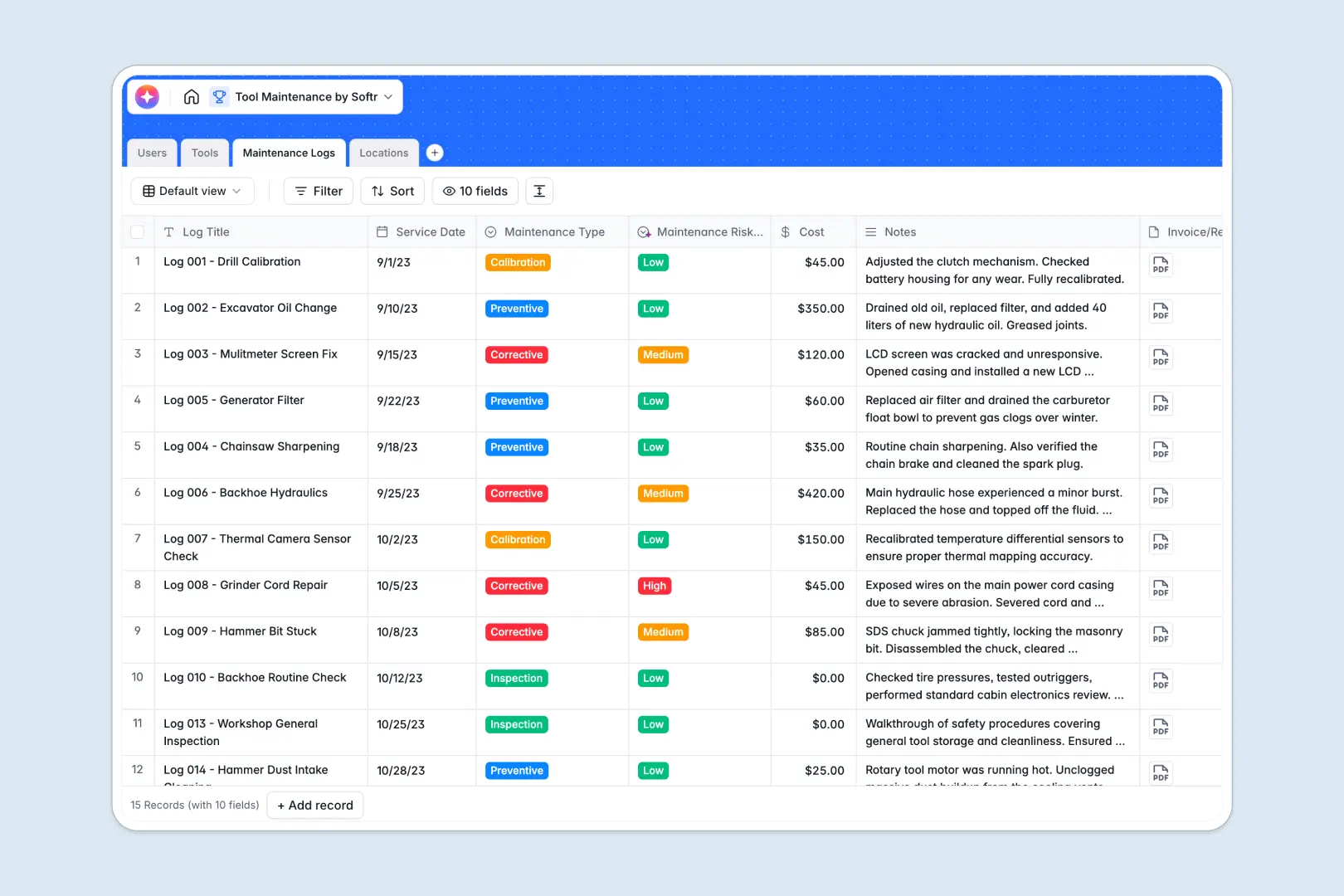
Your Tool Maintenance database at a glance
This ready-to-use template helps you track every piece of equipment, its physical location, and its complete service history. It replaces disconnected tracking methods with a single source of truth for your specialized maintenance operations.
The system seamlessly connects your Tools, Locations, and Maintenance Logs so you always know precisely where equipment is and who serviced it last. You can instantly assign specific technicians to tasks without endlessly duplicating data across rows.
Built-in AI automatically summarizes service notes and classifies maintenance risk levels as Low, Medium, or High. This guarantees urgent tool repairs receive immediate attention without relying on tedious manual triage.
Why tool maintenance gets messy in spreadsheets
When you manage equipment across multiple jobs or facilities, spreadsheets quickly become chaotic. Rows get accidentally deleted, and attaching critical service invoices directly to a cell is nearly impossible.
What a structured database changes
A proper database enforces strict rules, ensuring dates remain dates and important attachments like service invoices are perpetually stored securely. You can quickly link a broken power tool directly to its assigned technician without writing complex VLOOKUPs.
This is exactly what Softr Databases are specifically designed for. As your equipment inventory scales, your operational data stays flawlessly clean and completely organized.
What you can do with this template
You can immediately log routine preventive maintenance, track repair costs, and reliably monitor which warehouse temporarily holds your heavy machinery. Every individual tool's operational status is distinctly visible at a glance.
Using smart native AI capabilities, this systematic layout intuitively reads your technician's repair notes and independently assigns a safety risk level. It practically functions as an automated system that updates itself while your team effortlessly completes field work.
-
Users
Manage staff profiles, contact details, and system roles for tool maintenance
-
Tools
Inventory management with AI-generated summaries of capabilities and status
-
Maintenance Logs
Service records with AI-driven risk classification and automated work summaries
-
Locations
Organize physical site addresses and departments where inventory is stored
Who is this Tool Maintenance database for
This intuitive template is built for facility teams who need reliable equipment to keep core operations running effortlessly.
- Facility Managers: Monitor equipment health across multiple physical locations and diverse warehouse sites.
- Maintenance Technicians: Log comprehensive repair notes, securely upload invoices, and instantly update equipment statuses.
- Operations Leads: Track crucial repair costs and successfully prevent expensive downtime through organized service histories.
How to take it further
You can easily customize this robust database to match your exact workflows by seamlessly adding new tool categories or editing specific dropdown values. Because it operates natively as a relational database, fundamentally adjusting these structural fields takes mere seconds.
Connect to your immediate operating value by smoothly importing your existing equipment list via standard CSV uploads. Bulk importing confidently places all your scattered historical data directly into a highly structured format instantly.
When your maintenance operation scales, you can build a full application on top of this database, allowing technicians to remotely log specific mobile updates. With built-in users and permissions, you securely ensure external contractors essentially solely access mechanical tools safely assigned to their operational roles.
-
1
-
2
-
3
-
4
Frequently asked questions
-
What is a tool maintenance database?
-
Why use a no-code database to build a tool maintenance system?
-
How can AI help managing data for tool maintenance?
-
Can I build an app with this tool maintenance database?
-
Is this Tool Maintenance template free?
-
How is this database different from a tool maintenance spreadsheet?
Start building today. It's free!
Build and launch your first app in under 30 minutes.