


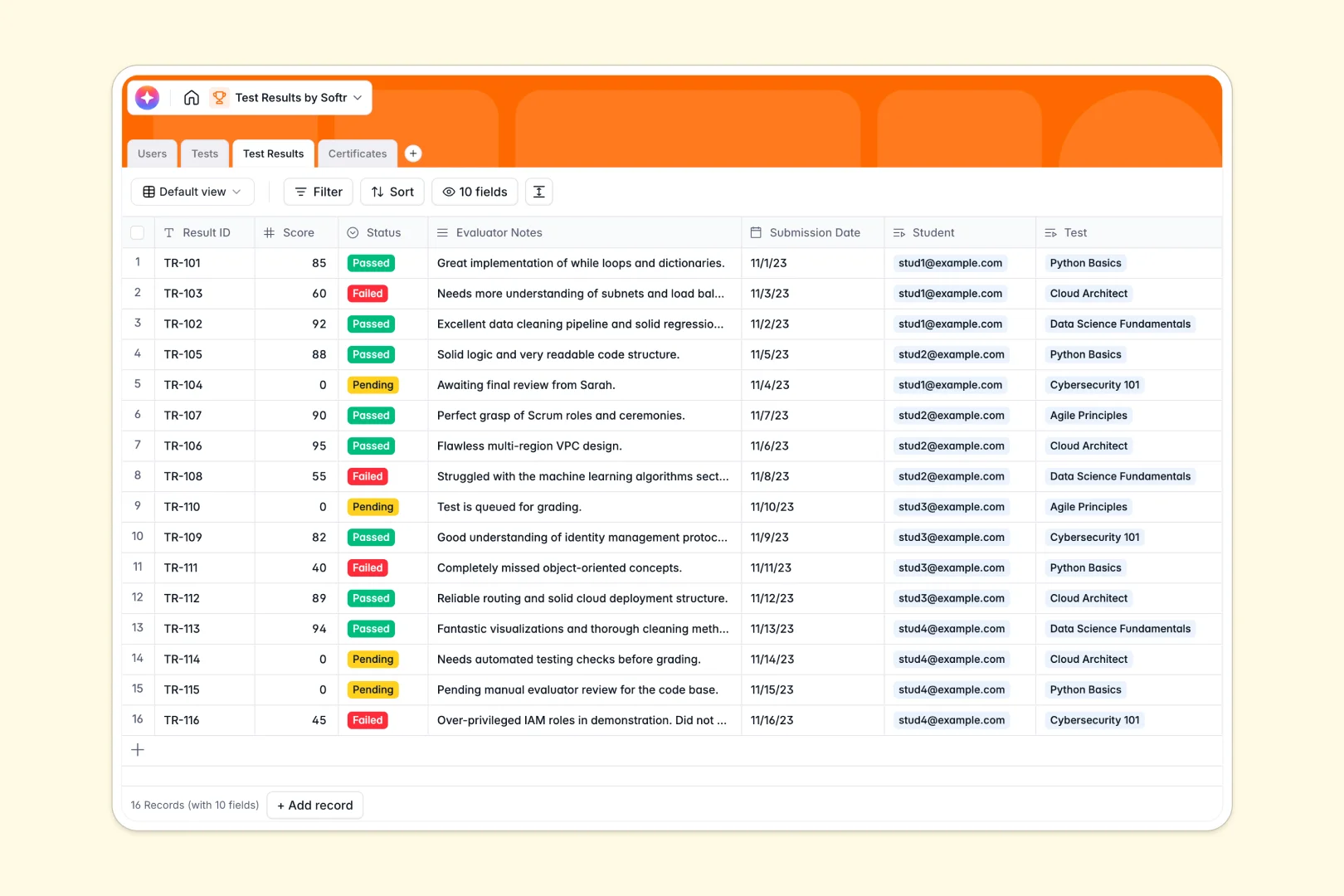
Your Test Results Database at a glance
This template centralizes your entire evaluation process into a single source of truth. It flawlessly tracks student grades, exam statuses, and official certificates without scattered documents.
Everything connects natively so you never lose context. A single student record links directly to all their completed assessments, the specific evaluators who graded them, and their issued credentials.
It even handles the heavy lifting through automation. Built-in AI fields instantly draft assessment guides for evaluators and generate personalized feedback letters based on student performance.
Why tracking test results gets messy in spreadsheets
Managing grades and certifications in standard spreadsheets quickly becomes a liability. As student rosters grow, you end up with duplicated names, broken formulas, and a tangled mess of manual rows.
What a structured database changes
Structure ensures your data remains perfectly clean and completely reliable. Every column enforces a specific rule, meaning numeric grades stay as numbers, and attachment fields securely hold certificate files without breaking.
Instead of relying on fragile VLOOKUPs to match a student to an exam, tables link natively to form robust relationships. This is exactly what Softr Databases are designed for, keeping your records perfectly organized at any scale.
What you can do with this template
Log student scores seamlessly and instantly calculate average grades across different exams. The template natively tracks which tests are pending, passed, or failed without any manual color-coding.
You can also run complex automations right inside your columns. Using Database AI agents, you can automatically generate a detailed feedback email to a student using the exact evaluator notes and final score.
-
Users
Centralize student and evaluator profiles with roles and test activity
-
Tests
Manage tests with criteria and AI-generated assessment guides for evaluators
-
Test Results
Log test outcomes with scores and AI-powered personalized feedback letters
-
Certificates
Store official credentials and performance records for successful students
Who is this Test Results database for
Whether you run workplace compliance checks or manage an online academy, this system scales to fit your grading needs:
- HR Managers: Track employee test scores cleanly to ensure compliance and monitor ongoing training.
- Educators & Trainers: Keep an organized, reliable log of student performances without messy, mixed-data spreadsheets.
- Certification Bodies: Manage passing criteria easily and instantly issue credentials to the exact users who pass.
How to take it further
1. Customize the database
You can easily tweak this system to match your exact grading scale or evaluation criteria. Simply modify the dropdown choices for test statuses, or add new columns to track different types of assessments.
2. Import your existing data
Don't start from scratch—upload your current, messy grading sheets directly via CSV. The platform will map your raw student rosters and historical scores into this clean, relational structure instantly.
3. Build a full app around it
When your team is ready, you can easily use our interface builder to turn this internal tracker into a secure student portal.
Students can log in to view their own grades and download certificates safely, while evaluators log in to input new scores. Because this template is cleanly organized, setting up these custom users and permissions takes just a few clicks.
-
1
-
2
-
3
-
4
Frequently asked questions
-
What is a test results database?
-
Why use a no-code database to build an evaluation tracking tool?
-
How can AI help managing data for test evaluation?
-
Can I build an app with this test results database?
-
Is this test results template free?
-
How is a test results database different from a spreadsheet?
Start building today. It's free!
Build and launch your first app in under 30 minutes.