


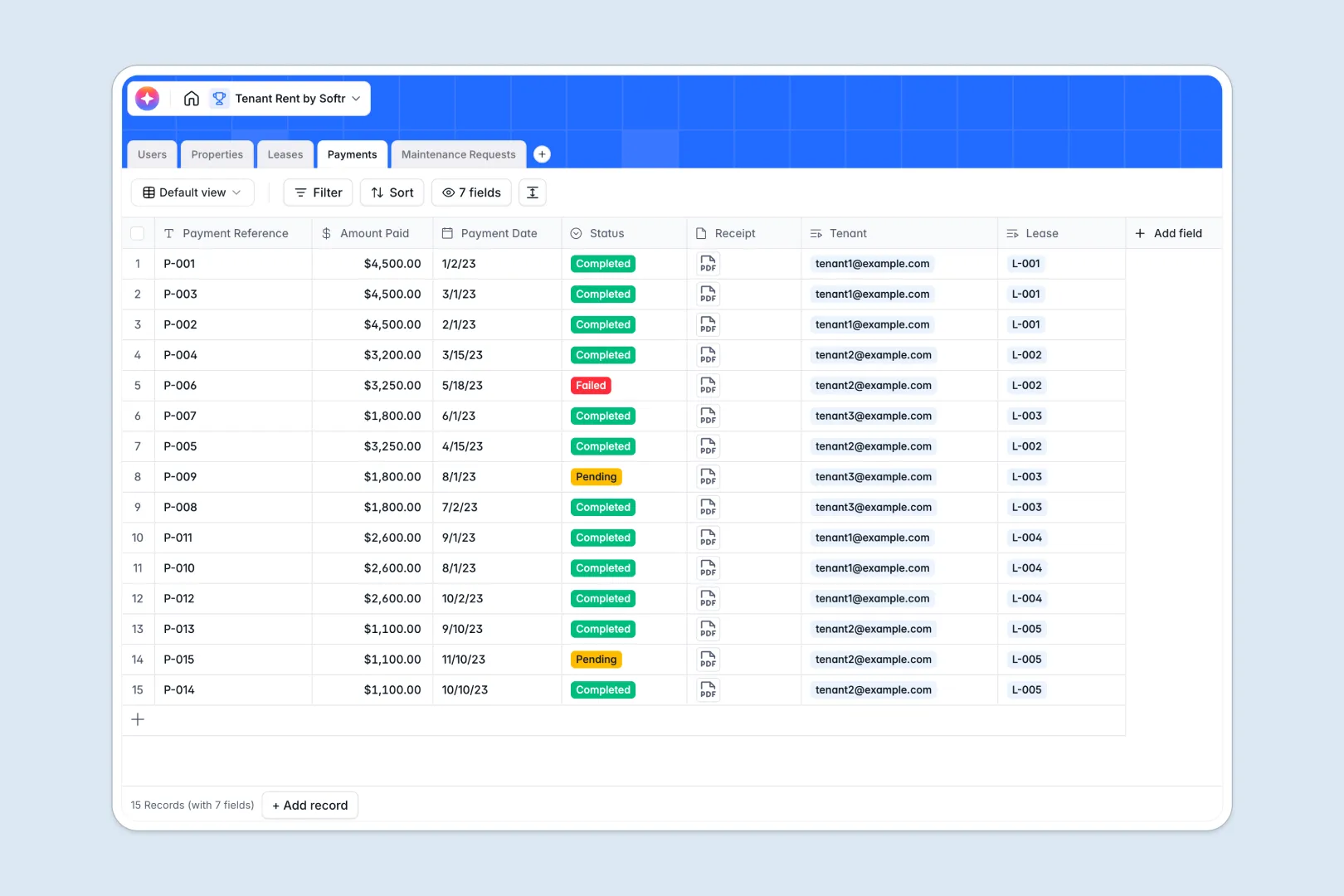
Your Tenant Rent Database at a glance
This template is a central hub for landlords and property managers to track everything from active leases to late rent. It helps you keep financial records flawless and property details instantly accessible.
The system organizes data into clean, connected tables for properties, tenants, leases, and payments. When a tenant logs a payment or a maintenance request, it automatically links back to their specific lease and property.
Built-in AI fields act as your automated property assistant without leaving the table. They instantly generate marketing descriptions for empty units, summarize dense lease terms, and automatically categorize the urgency of new maintenance tickets.
Why tenant rent tracking gets messy in spreadsheets
Tracking deposits, monthly rent, and maintenance across dozens of rows in a spreadsheet quickly becomes a chaotic guessing game. You end up with lost receipts, mixed-up tenant details, and broken VLOOKUPs trying to connect a payment to a particular lease.
What a structured database changes
Unlike spreadsheets, a true database separates your data logically so one table equals one object. Your property details live in one place, while tenant records and payment logs live in another.
These tables connect natively. This means you link a rent payment directly to a tenant and an active lease without fragile formulas or copying and pasting across tabs.
This is exactly what Softr Databases are designed for. They combine the ease of a simple grid with the strict data structure needed to manage rental portfolios safely as they grow.
What you can do with this template
Stop manually cross-referencing files by viewing a tenant's exact payment history, lease details, and open issues in one consolidated view. You can even securely attach image receipts directly to payment records.
Automate your tedious administration tasks instantly using native Database AI agents. As soon as you add property details, the AI generates a polished listing description, and when a tenant creates an issue, the system instantly flags its correct urgency level.
-
Users
Manage profiles for admins, landlords and tenants with linked rental data
-
Properties
Store rental units and use AI to generate professional marketing descriptions
-
Leases
Track rental contracts featuring AI-powered bullet point summaries of terms
-
Payments
Log rent transactions with payment status and digital receipt attachments
-
Maintenance Requests
Handle repair tickets utilizing AI to automatically classify issue urgency
Who is this Tenant Rent Database for
Whether you own a single duplex or manage dozens of units, this starting point eliminates administration chaos.
- Independent Landlords: Consolidate your tenant contacts, monthly payments, and unit details in one structured place.
- Property Managers: Track incoming maintenance tickets, monitor overdue rent, and oversee lease expiries across multiple properties simultaneously.
- Real Estate Investors: Keep a flawless, scalable record of property performance, tenant histories, and cash flow inputs.
How to take it further
Customize the database
This database is fully yours to adapt to how you manage real estate. You can easily add new property types to the selection menus or create a new column to track security deposits.
Import your existing data
Moving your current tenant roster over is simple and fast. You can upload a CSV to instantly populate your active properties, open leases, and tenant details without manual data entry.
Build a full app around it
When your portfolio grows, a database alone might not be enough for your tenants to interact with. You can use Softr's interface builder to create a custom portal where tenants can safely log in to pay rent and submit maintenance requests.
By setting up proper users and permissions, tenants will only ever see their own lease details and payment history. This turns a simple internal tracking database into a full operational platform for your property business.
-
1
-
2
-
3
-
4
Frequently asked questions
-
What is a tenant rent database?
-
Why use a no-code database to build a property management tool?
-
How can AI help managing data for rental properties?
-
Can I build an app with this tenant rent database?
-
Is this Tenant Rent Database free?
-
How is a tenant rent database different from a spreadsheet?
Start building today. It's free!
Build and launch your first app in under 30 minutes.