


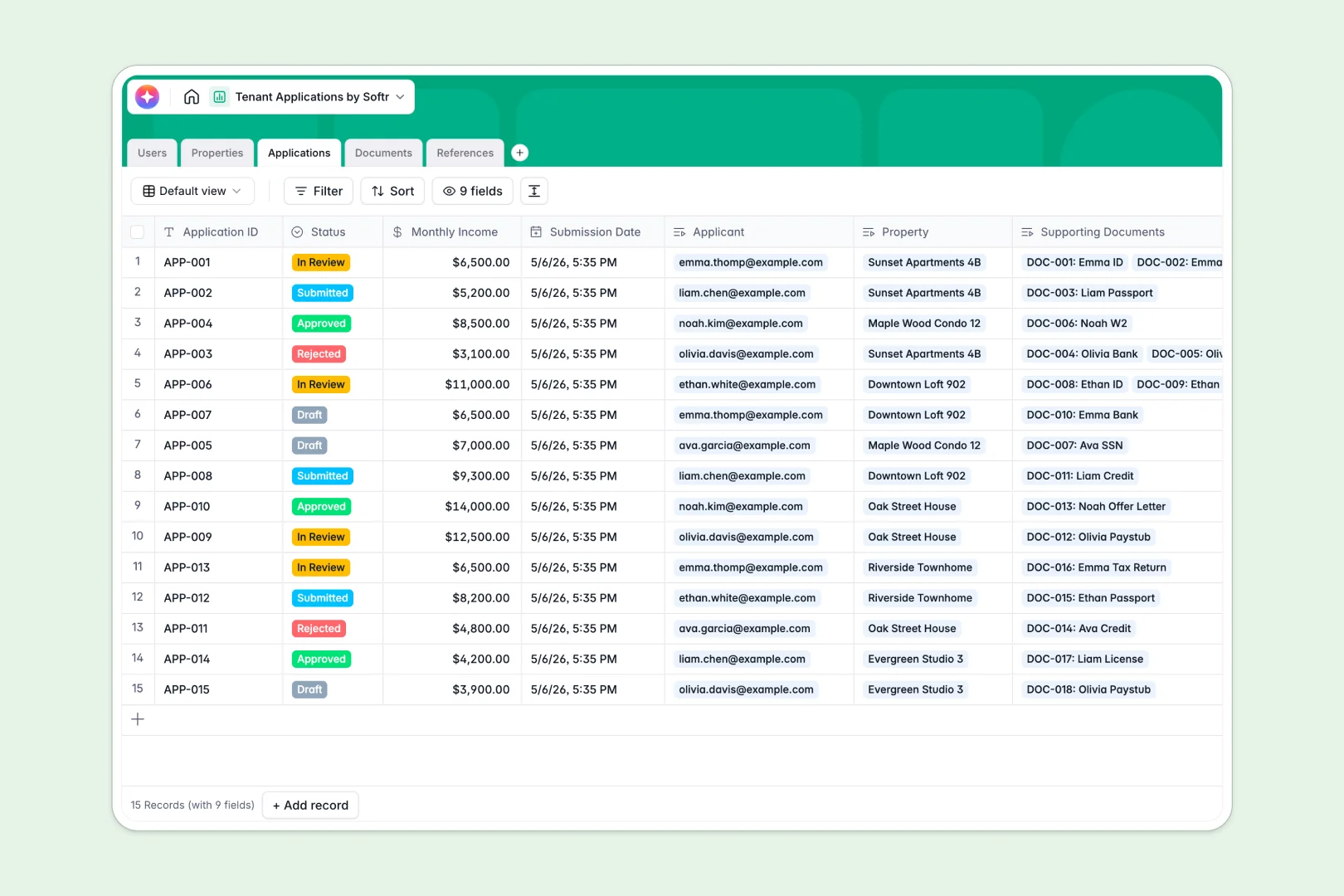
Your Tenant Applications database at a glance
This template gives property managers a complete system to track available units, review incoming applications, and verify tenant documents. Everything stays strictly organized from the first inquiry to final approval.
It works by natively connecting five tables: Users, Properties, Applications, Documents, and References. When an applicant applies for a property, their submitted paystubs and reference checks automatically link back to their main profile.
You also get built-in AI fields that do the heavy lifting for you. The database automatically drafts property listings and instantly summarizes past landlord reference feedback.
Why tenant applications get messy in spreadsheets
Keeping track of applicants in Google Sheets quickly becomes chaotic. When you try to organize applicant IDs, bank statements, and reference checks across multiple rows, vital information easily slips through the cracks.
What a structured database changes
A structured database enforces rules so your data stays perfectly clean as your portfolio grows. Dedicated field types ensure a phone number stays a phone number, and applicant documents stay securely attached to their file.
Instead of building fragile VLOOKUPs, tables connect cleanly. You can link a single property to twenty different applicants without duplicating a single row of data.
This is exactly the type of flexibility Softr Databases are designed for. You get the structure of a real database without touching a line of code.
What you can do with this template
This ready-to-use template lets you monitor property statuses, screen applicants, and verify supporting documents in one unified view. You can cleanly update application phases from "In Review" to "Approved" with a single click.
It also harnesses AI to speed up your tenant screening workflow. The system evaluates applicant income against the monthly rent and flags reference sentiment as positive, neutral, or negative.
-
Users
Manage property managers and applicants with contact info and roles
-
Properties
Track rental units and use AI to generate attractive listing text
-
Applications
Evaluate tenant submissions with AI summaries of financial eligibility
-
Documents
Store and verify applicant supporting files and identification records
-
References
Log contact feedback and use AI to analyze sentiment of references
Who is this Tenant Applications database for
This template provides a reliable foundational system for anyone managing real estate or rental portfolios.
- Property Managers: Track which units are available and instantly review your pipeline of prospective tenants.
- Leasing Agents: Keep applicant communication, paystubs, and reference checks tightly organized in one place.
- Independent Landlords: Eliminate email clutter and reliably compare applicant income and standing side-by-side.
How to take it further
Customize the database
You can easily adapt this template to fit your exact screening process. Add new fields to capture pet information, or modify the property status options to match your daily workflow.
Import your existing data
Moving away from spreadsheets is fast and simple. You can bulk upload your current properties and past applicants securely using a standard CSV file.
Build a full app around it
When your team is ready, you can transform this database into a complete client portal using Softr's interface builder. This lets you build a secure front-end where applicants can safely log in and upload their own IDs and bank statements.
Because everything in Softr runs on robust users and permissions, you have complete control over what people see. Applicants only see their own application journey, while property managers retain full visibility over the entire portfolio.
-
1
-
2
-
3
-
4
Frequently asked questions
-
What is a tenant applications database?
-
Why use a no-code database to build a tenant screening system?
-
How can AI help managing data for tenant applications?
-
Can I build an app with this tenant applications database?
-
Is this Tenant Applications template free?
-
How is a tenant applications database different from a spreadsheet?
Start building today. It's free!
Build and launch your first app in under 30 minutes.