


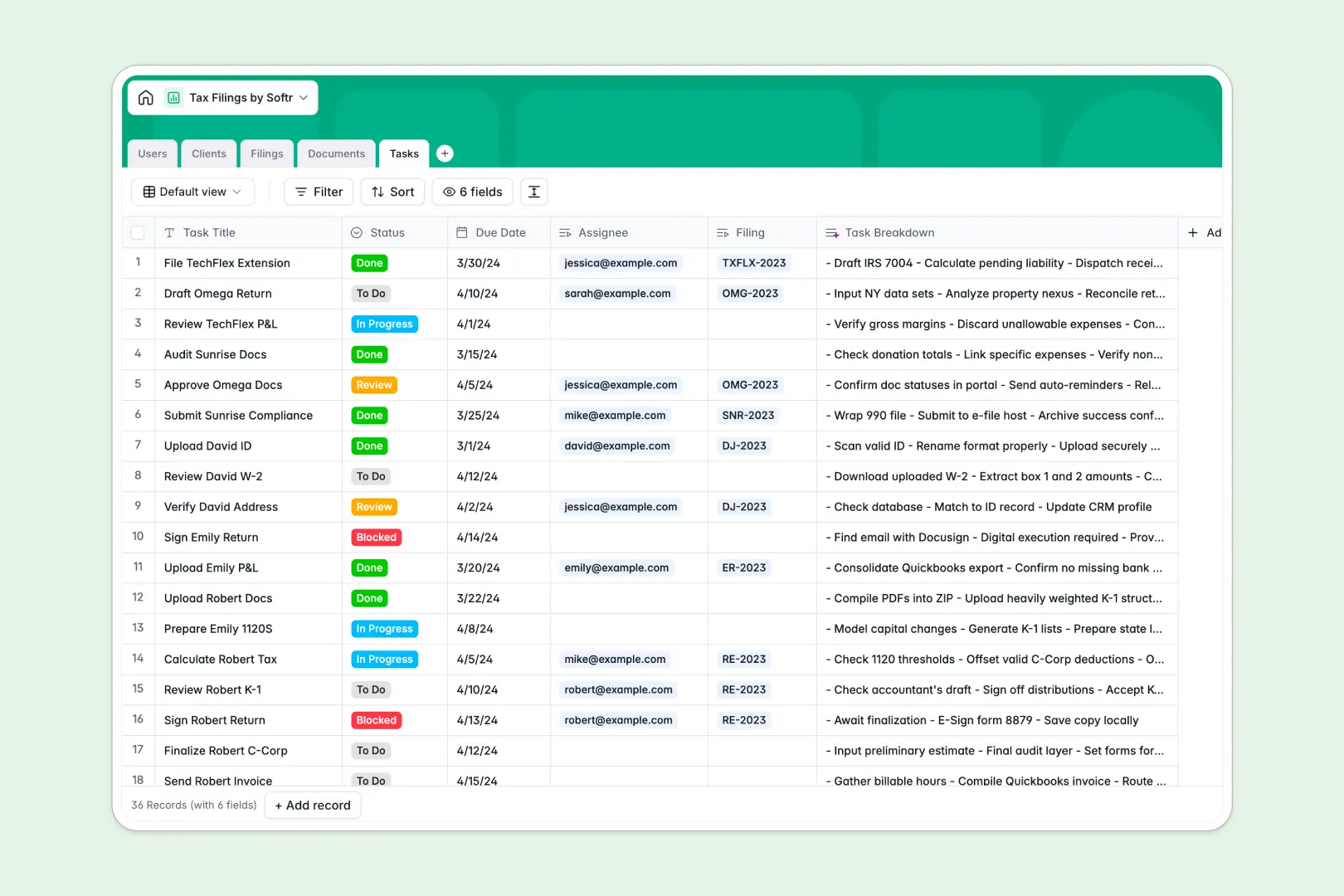
Your Tax Filings Database at a glance
This template replaces chaotic spreadsheets with a centralized hub for all your tax preparation work. It gives your team real-time visibility into client files, return statuses, and upcoming deadlines.
The system connects seamlessly, linking specific clients to their respective filings, uploaded documents, and assigned tasks. This means a preparer can click on a client and instantly see their W-2s, 1099s, and targeted tasks without digging through folders.
Built-in AI agents automatically generate client profiles, summarize uploaded tax documents, and draft filing memos. They handle the repetitive admin work so your accountants can focus on accuracy and strategy.
Why tracking tax returns in spreadsheets breaks down
Relying on a tax filings spreadsheet quickly becomes a nightmare when you mix sensitive client documents, varying tax years, and shifting deadlines in one place.
What a structured database changes
Spreadsheets aren't built to handle relational data securely. When you track hundreds of clients, copy-pasting tax IDs and linking to forgotten Google Drive folders leads to missing files and missed deadlines.
A proper system enforces structure so W-2s stay attached to the exact filing they belong to, and deadlines trigger clear task lists. This is precisely what Softr Databases are designed for.
Instead of hoping a formula doesn't break, every column maintains strict data types. You can tie multiple tax years and secure documents to one client record flawlessly as your firm grows.
What you can do with this template
You can track every return from "Missing Documents" to "Filed Successfully" with clear accountability. Every task, client, and secure file is linked intelligently in one clear view.
Powerful Database AI agents do the heavy lifting for you automatically. They research state filing requirements, write internal digest memos, and break down complex tax steps into actionable checklists.
-
Users
Manage administrative staff and accountants with role-based access control
-
Clients
Store client entities and use AI to generate concise profile summaries
-
Filings
Track tax projects by year using AI to draft internal state filing memos
-
Documents
Securely store tax forms and receipts with AI-powered content summaries
-
Tasks
Handle tax preparation steps with AI-generated checklists for each task
Who is this Tax Filings database for
This template is built for teams processing multiple tax returns who need strict organization and reliable workflows.
- Accounting Firms: Track hundreds of individual and corporate tax files concurrently without missing a deadline.
- Freelance CPAs: Consolidate client communications, W-2s, and task lists into one professional system.
- Internal Finance Teams: Manage complex corporate filings across multiple states and entities efficiently.
How to take it further
Customizing this database to match your exact firm is completely intuitive. You can easily add new document types like K-1s or P&L Statements, or adjust the specific entity types you serve.
Moving your current pipeline over is effortless and immediate. You can import your existing client list via a simple CSV upload and start tracking their returns right away.
When your team is ready, you can transform this data into a secure client portal using the interface builder. This allows clients to log in securely, upload their own 1099s, and check their return status without emailing you for updates.
By leveraging robust users and permissions, you guarantee clients only see their own sensitive financial records, while staff only see their assigned workflows. A well-structured backend makes building these secure client-facing portals incredibly straightforward.
-
1
-
2
-
3
-
4
Frequently asked questions
-
What is a tax filings database?
-
Why use a no-code database to build a tax preparation system?
-
How can AI help managing data for tax preparation?
-
Can I build an app with this tax filings database?
-
Is this Tax Filings database free to use?
-
Why does a tax filings spreadsheet become messy during tax season?
Start building today. It's free!
Build and launch your first app in under 30 minutes.