


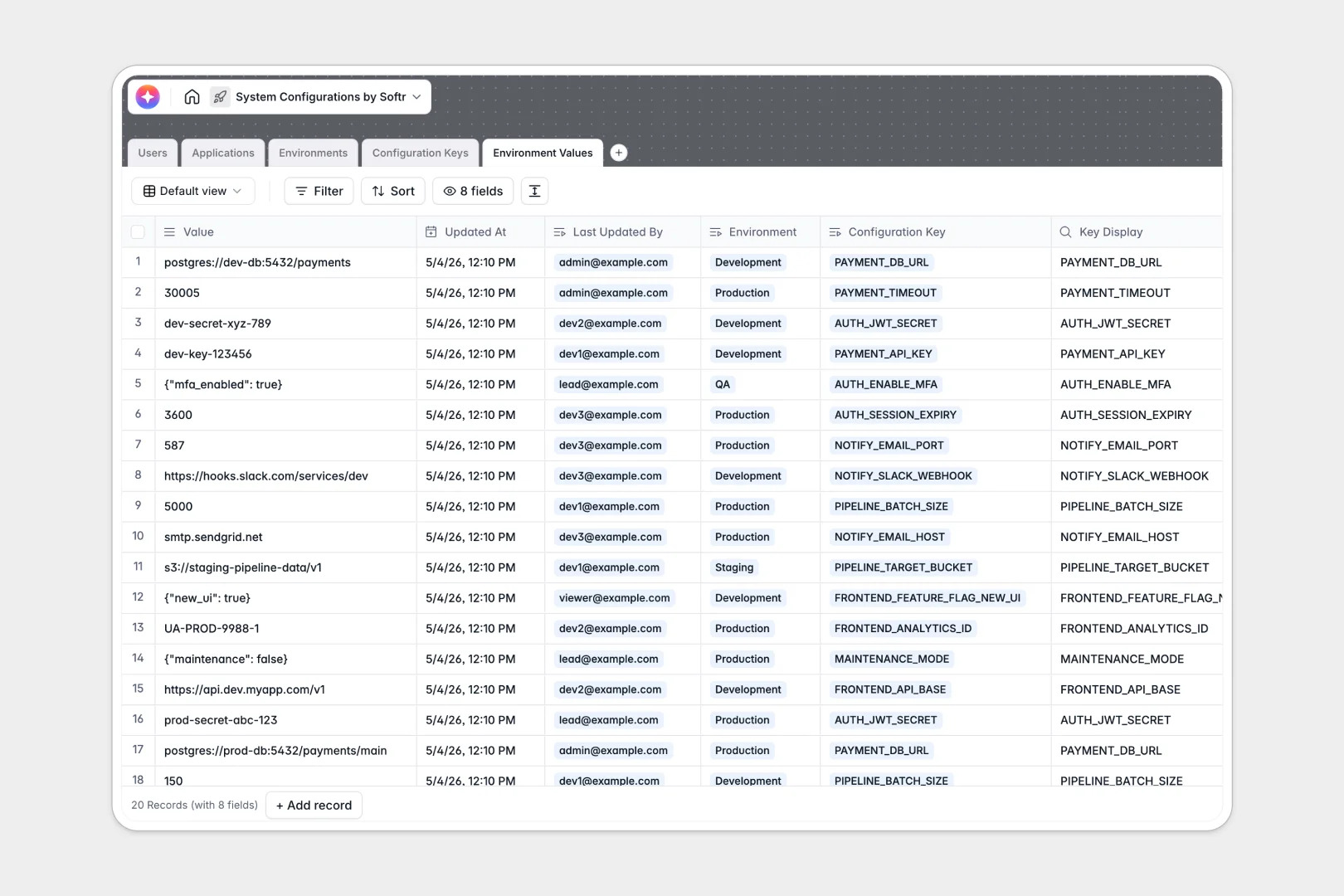
Your System Configurations database at a glance
Take control of your software infrastructure by cleanly organizing applications, their specific configurations, and environment deployments in one place. You can clearly track which keys belong to which apps and see the exact status of your variables in real time.
Everything connects flawlessly under the hood. The database dynamically links your separate Applications, Configuration Keys, and Environments tables, so you always know exactly which variable applies where and who last updated it.
Built-in AI automatically writes technical summaries for your applications and generates configuration key descriptions right as you add them. This automatically handles tedious documentation so developers can stay focused on building.
Why keeping system configurations in spreadsheets breaks down
Spreadsheets get notoriously chaotic when tracking hundreds of configuration keys across staging and production environments. When rows are accidentally deleted or columns get messy with mixed formatting, critical deployment errors happen.
What a structured database changes
Reliable systems require strict data enforcement. In a true database format, a boolean stays a boolean, JSON fields retain their structure, and URLs cannot be broken by formatting mistakes.
Because tables connect natively, you eliminate the need for fragile VLOOKUPs between your lists of applications and environment values. You can link a configuration key directly to a specific deployment status without copying data across endless rows.
Scaling operations securely is exactly what Softr Databases are designed for. You get instant reliability tailored to your exact stack without the maintenance nightmare.
What you can do with this template
Instantly map out which applications require which specific keys across Development, Staging, and Production. You can quickly filter by access levels and automatically audit when a critical value was last updated.
Thanks to native AI agents, you can generate detailed technical descriptions for new variables automatically. Start relying on intelligent automation to keep your infrastructure documentation clean and accurate.
-
Users
Manage system administrators and developers with roles and access permissions
-
Applications
Manage software services and use AI to generate technical app summaries
-
Environments
Define deployment stages like Staging or Production with specific access levels
-
Configuration Keys
Define variables for apps and utilize AI for automated technical descriptions
-
Environment Values
Track specific configuration values across environments with full audit logs
Who is this System Configurations database for
This robust template is designed for engineering, IT, and operations teams managing complex software deployments.
- DevOps Engineers: Track staging and production values securely without relying on easily broken, shared documents.
- Lead Developers: Manage custom applications, assign clear ownership, and organize the exact configuration keys required to run them.
- IT Administrators: Establish required access levels and effortlessly audit who last modified a sensitive variable.
How to take it further
Customize your environment setup. You can instantly modify the predefined environment dropdowns to include "Sandbox" or "QA", or add completely new data types to match your specific tech stack.
Import your existing variables. Effortlessly transition away from messy sheets via a simple CSV upload, or use native API access to keep your database synced with live infrastructure.
Build a full developer portal. When your team needs more control, connect this database to a frontend interface builder to create a secure internal app. By utilizing users and permissions, you can ensure that junior developers only view staging variables while admins retain exclusive rights to modify sensitive production secrets. The structured nature of this database makes building a secure app incredibly easy.
-
1
-
2
-
3
-
4
Frequently asked questions
-
What is a system configurations database?
-
Why use a no-code database to build a configuration tool?
-
How can AI help managing data for system configurations?
-
Can I build an app with this system configurations database?
-
Is this System Configurations database free?
-
Why are spreadsheets risky for managing environment variables?
Start building today. It's free!
Build and launch your first app in under 30 minutes.