


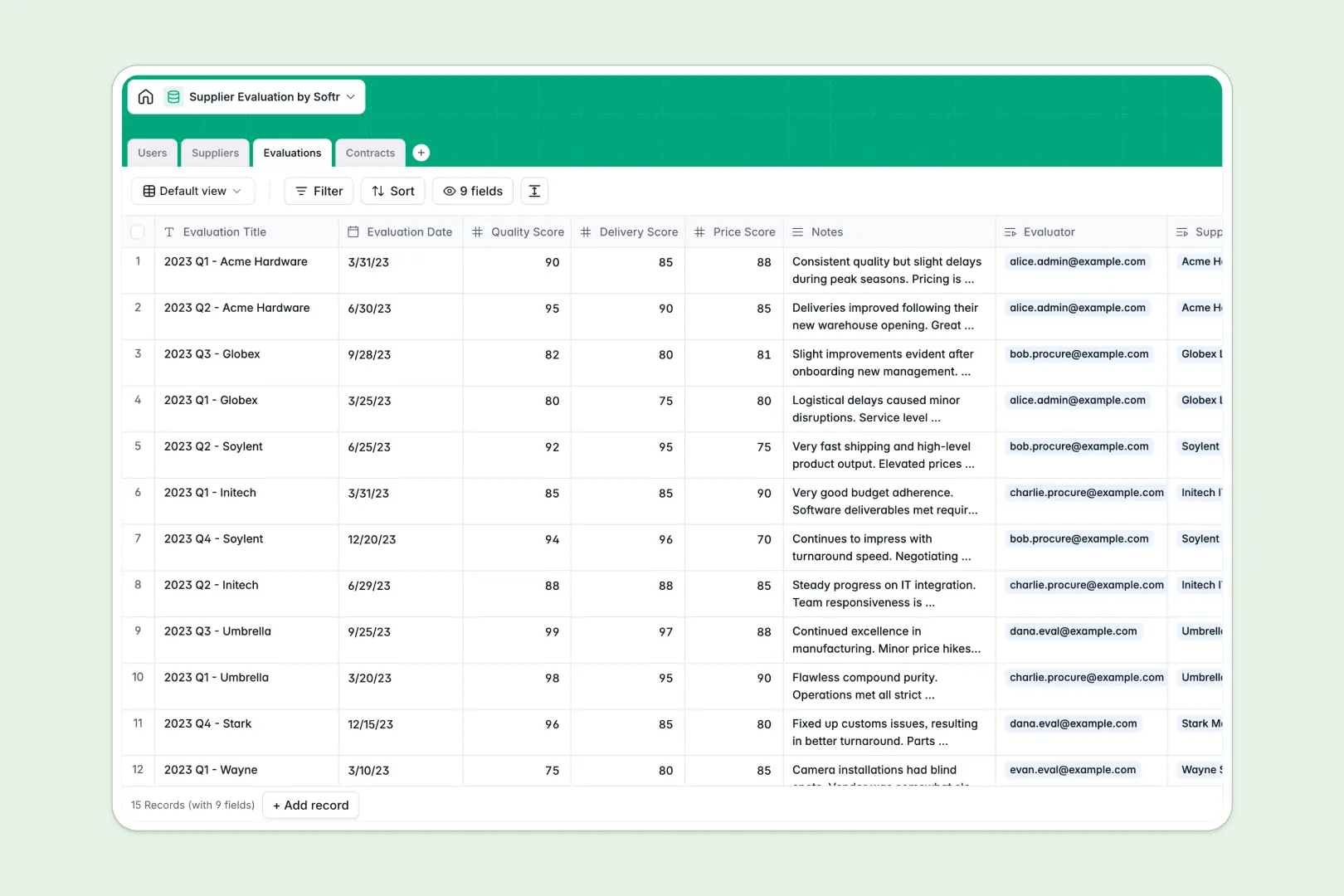
Your Supplier Evaluation database at a glance
This template gives your procurement team a single source of truth to score vendor performance, monitor active contracts, and manage relationships. It eliminates the scattered data and broken formulas that plague manual tracking.
The system uses connected tables to link every Evaluation and Contract directly to specific Suppliers and team members. When you pull up a vendor, you immediately see their active agreements, past quality scores, and contact details in one unified view.
Plus, native AI fields automatically pull company descriptions from supplier websites, summarize complex evaluation scores into readable notes, and instantly classify contract risk levels.
Why tracking supplier performance in spreadsheets breaks down
Spreadsheets quickly become unmanageable when multiple team members are trying to log quality scores, update contract dates, and track vendor statuses simultaneously. Important evaluation histories get lost in hidden columns, and linking a specific contract to a supplier requires fragile VLOOKUPs that break when rows are deleted.
What a structured database changes
A database enforces clean, reliable data structure where numbers stay numbers and dates stay dates. You can connect tables natively, meaning a supplier record automatically displays all related contracts and performance scores without any formula gymnastics.
This is exactly what Softr Databases are designed for. As your vendor list grows to hundreds of entries, your system remains perfectly organized, searchable, and secure.
What you can do with this template
You can instantly log delivery and price scores for any supplier, keeping a crystal-clear history of vendor reliability over time. You also gain clear visibility into contract timelines, preventing crucial agreements from expiring unnoticed.
Using native AI features, this template acts like a tireless assistant. It automatically drafts company profiles from URLs and summarizes evaluation metrics into actionable insights, saving your team hours of manual data entry.
-
Users
Manage internal procurement staff with roles, contact info and assignments
-
Suppliers
Directory of vendors featuring AI-generated company profiles from web data
-
Evaluations
Track performance metrics using AI to summarize assessment scores and notes
-
Contracts
Store legal agreements with AI-powered risk classification based on terms
Who is this Supplier Evaluation database for
This template is designed for teams that need to maintain strict oversight over vendor relationships and third-party risk.
- Procurement Managers: Monitor contract expirations and negotiate better terms using documented performance histories.
- Operations Leaders: Ensure supply chain reliability by quickly identifying and replacing underperforming vendors.
- Quality Assurance Evaluators: Log delivery and quality scores seamlessly without wrestling with messy spreadsheets.
How to take it further
You can easily customize this template to fit your exact procurement workflow. Add new select options for contract statuses, create custom metric fields for evaluations, or adjust the AI prompts to extract specific compliance clauses.
When you are ready, bring in your existing vendor lists instantly. You can upload bulk supplier data via CSV or use the API to sync live updates from your ERP system.
Finally, you can transform this operating database into a full internal tool by using the interface builder. This lets you create a clean dashboard where evaluators can log scores without ever touching the raw database.
By setting up proper access rules, you can ensure that external vendors log in to view only their own metrics while keeping sensitive internal notes strictly confidential. Well-structured data makes this transition effortless.
-
1
-
2
-
3
-
4
Frequently asked questions
-
What is a supplier evaluation database?
-
Why use a no-code database to build a supplier management system?
-
How can AI help managing data for supplier evaluations?
-
Can I build an app with this supplier evaluation database?
-
Is this supplier evaluation template free?
-
How is a supplier evaluation database different from Google Sheets or Excel?
Start building today. It's free!
Build and launch your first app in under 30 minutes.